Unreal Engine Stealth Detection: Build a Sentry With a Vision Cone Using AI
How to build Unreal Engine stealth detection: a sentry that sweeps 120 degrees, a 45 degree vision cone with 1500 range, line of sight, a red lamp and a Spotted text, built by an AI.

A stealth sentry in Unreal Engine is three small ideas: a head that turns, a question it asks many times a second, can I see the player, and a reaction, the lamp and the text. The answer to the question needs two things: the player is inside the angle, and nothing is in the way. The easiest way to build one is to ask an AI for the whole system in a single request, with its vision cone, line of sight and alert state.
In this walkthrough, Ultimate Engine CoPilot builds a sentry that sweeps left and right, turns its lamp red and shows “Spotted!” when the player enters the cone. You get the exact prompt, a placement problem the AI found and fixed and a plain explanation of how a vision cone works.
What the finished sentry does
A tall pillar with a lamp on top turns slowly left and right. While you stand behind it, the lamp stays green: it does not see you. Now you step in front of it, inside the pale cone of light, and the lamp turns red, and at the top of the screen a red text reads “Spotted!”. You step out, and a moment later it goes back to green, and the text is gone.
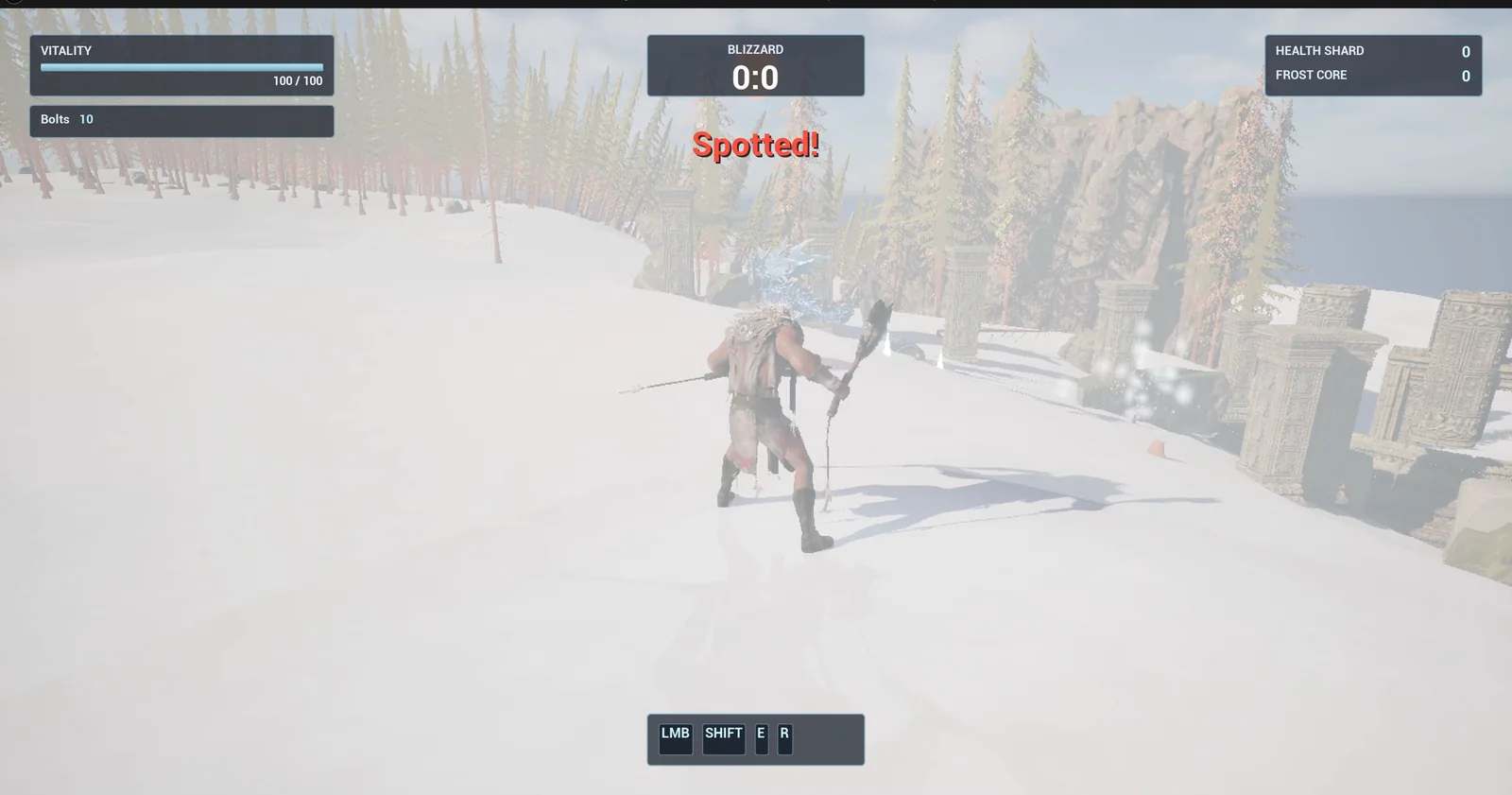
The player is inside the cone, and the text reads Spotted!
The prompt
Copy this, change the angle or the range, and see what the AI builds:
Make a stealth sentry. Create BP_Sentry in /Game/Series/EP42_Sentry, a tall pillar with a lamp on top that slowly turns left and right through 120 degrees, with a vision cone of 45 degrees half-angle and 1500 units range drawn as a pale cone of light. The lamp is green while nothing is seen. When the player is inside the cone and in line of sight, the lamp turns red and the text Spotted! shows in the top centre below the existing Blizzard box; when the player leaves the cone, the lamp goes back to green after 1 second and the text is removed. Keep the range, the angle and the turn speed as variables. Place one sentry near the player start facing the open snow. Then play test it: check the lamp is green with the player behind it, teleport the player into the cone and check the lamp is red and the text shows, teleport the player out and check it returns to green, and fix anything that does not work.Look at the numbers: 120 degrees, 45 degrees, 1500 units and 1 second. And look at two words: “in line of sight”. That tells the AI that walls must block the view. A sentry that sees through walls is not a stealth game.
How the AI builds it
The AI reads the project and the HUD, and then builds the sentry: a pillar, a lamp head, two materials (one for the lamp and one for the translucent cone) and a spotlight with the same angle and range, to light the ground. Then the logic: the head turns with the turn speed, the vision check runs on every tick and a one second timer keeps the red for a moment after the player leaves, so the lamp does not flicker.
The cone is not only decoration. It is the same size as the real vision range and angle, so what you see is what the sentry sees.
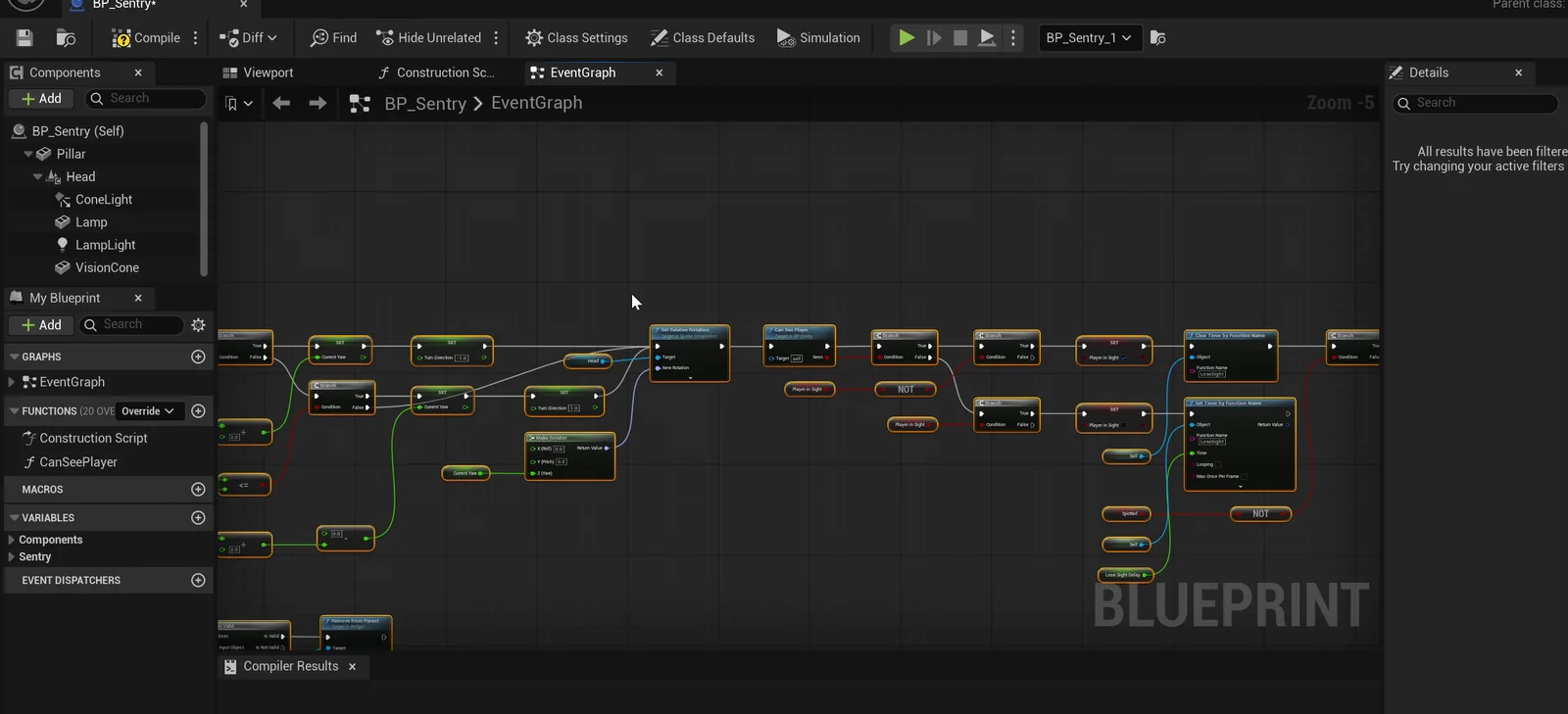
The sentry graph: the head turns, the vision check runs every tick and the lamp and text react.
A placement problem
The detection logic works, but the first placement faces the same way as the player start, toward the ruins, and a pillar of the ruins, 270 units ahead, blocks the view. The sentry never sees the player. The AI probes the terrain, finds open snow to the east and moves the sentry there. The Blueprint logic needed no change. Then it passes, every case.
The report
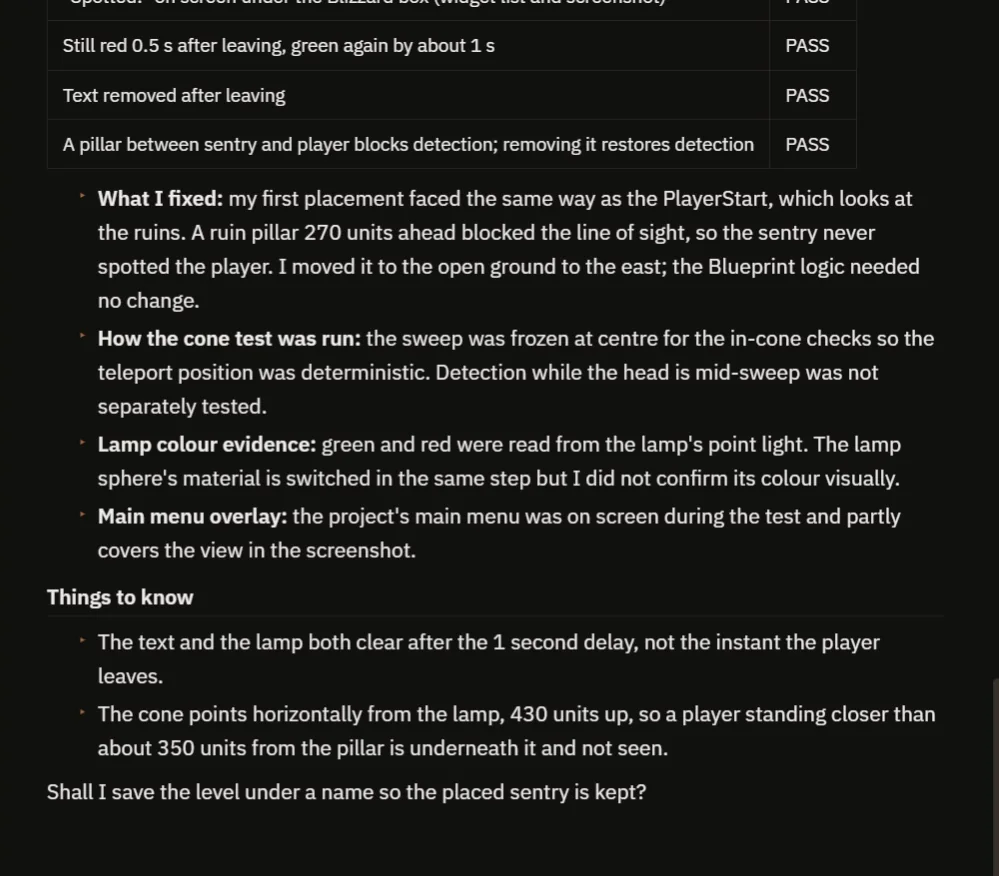
The checks, the placement fix and the notes.
The report has a table with every check:
- Behind the sentry: not spotted, green. The head turns about 21 degrees in one second.
- In front of it: spotted within one second, red, and the text on screen under the Blizzard box.
- After leaving: still red for half a second, green after one second, and the text removed.
- A pillar placed between the sentry and the player blocks the detection, and removing it brings the detection back.
It is honest about what it did not do:
- For the in-cone checks the sweep was frozen at the center, so the teleport position gave the same result every time. Detection while the head is in the middle of a sweep was not tested separately.
- The lamp color was read from its light, not confirmed visually.
- The main menu overlay partly covered the screenshot.
It also notes that the text and the lamp both clear after the one second delay, not the instant the player leaves. And the cone points horizontally from the lamp, 430 units up, so a player standing closer than about 350 units from the pillar is underneath it and not seen.
How a vision cone works, in plain words
On every tick, the sentry compares two things: the direction its head is facing, and the direction to the player. If the angle between them is less than the half angle, 45 degrees, and the distance is less than the range, the player is in the cone. Then it traces a line from the lamp to the player. If the line hits something else first, a wall or a pillar, the player is hidden.
If the player is seen, the lamp turns red and the text appears. If not, a timer of one second runs, and then the lamp goes green and the text goes away. That delay is what makes the sentry feel fair. Because the range, the angle, the turn speed and the delay are variables, you can make a lazy guard or a very alert one with four numbers.
Ideas to extend it
- A third color, yellow, when the sentry is suspicious but has not seen the player yet.
- A sentry that chases the player when it sees them.
- An alarm sound, and other sentries that wake up.
Four tips for sentry prompts
- Give the angle, the range and the turn speed as numbers.
- Say “in line of sight”, so walls block the view.
- Say what happens when the player leaves, and after how long.
- Ask the AI to test from behind, inside and outside the cone.
Frequently asked questions
How do I make a vision cone in Unreal Engine 5?
Compare the angle between the sentry’s facing direction and the direction to the player with a half angle, check the distance against a range, then trace a line to confirm nothing blocks the view.
Why does the sentry need a line trace?
The angle and distance only say the player is in front. A trace from the lamp to the player confirms that no wall or pillar is in the way.
Why did the sentry never see the player at first?
Its first placement faced a ruin pillar 270 units ahead, which blocked the line of sight. The AI moved the sentry to open snow and the logic needed no change.
Try it in your project
See what Ultimate Engine CoPilot can build on the product page, or get it on Fab. See how the AI Blueprint generator works.
More builds from this series: the Unreal Engine spike trap, the Unreal Engine two key door and the Unreal Engine portal teleporter.