Unreal Engine Portal Teleporter: Build a Linked Portal Pair With AI
How to build an Unreal Engine portal teleporter: a blue and an orange portal linked by a LinkedPortal variable with a 2 second cooldown, built and fixed by an AI from one request.

An Unreal Engine portal pair is three small ideas: each portal knows which portal it is linked to, when the player walks in the player is moved in front of the linked portal, and both portals wait a moment so the player is not sent straight back. The easiest way to build one is to ask an AI for the whole pair in a single request, with its linking, cooldown and effects.
In this walkthrough, Ultimate Engine CoPilot builds a blue and an orange portal that teleport the player back and forth. You get the exact prompt, the bug the first test found and a plain explanation of how a portal teleporter works.
What the finished portals do
You walk into a glowing blue portal and come out in front of an orange one, far away. You turn around, walk into the orange portal and you are back at the blue one.
The prompt
Copy this, change the distance or the colors, and see what the AI builds:
Make a portal teleporter pair. Create BP_Portal in /Game/Series/EP19_Portals, a standing glowing ring made from a thin torus or cylinder, with a swirling disc inside made from a flat translucent cylinder. It has a variable called LinkedPortal. When the player walks into a portal, the player is teleported to the linked portal and placed just in front of it, with a short scale pulse on both rings. After a teleport both portals ignore the player for 2 seconds so the player is not sent straight back. Make one portal glow blue and the other orange. Place the blue portal near the player start and the orange one about 1500 units away, and link them to each other. Then play test it: walk into the blue portal and check the player arrives at the orange one, check the cooldown, walk into the orange one and check the player returns, and fix anything that does not work.The sentence that matters is the one about 2 seconds. Without a cooldown, a teleporter has a classic bug: you arrive inside the other portal and it sends you straight back, forever. If you know the classic bug, put the fix in the request.
How the AI builds it
The AI reads the project and the tools it can use. This one takes a little longer, because teleporting is a new kind of task for it. Then the assets appear: a glowing ring material, a translucent swirl material and the portal Blueprint.
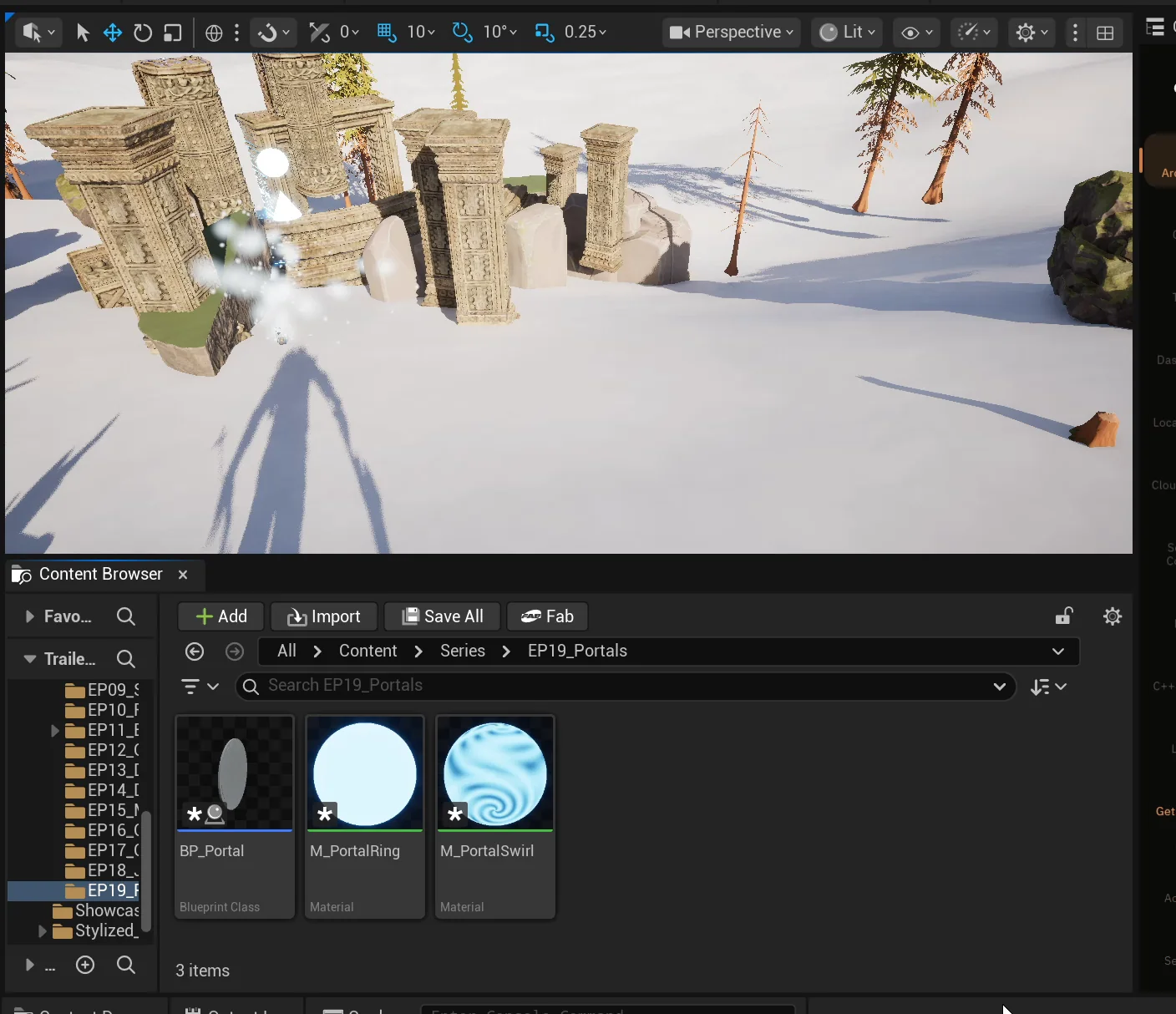
The three assets in the EP19_Portals folder.
The portal has a ring, a swirl disc and a trigger box. A construction script tints both from one color variable, so one Blueprint makes both the blue and the orange portal. Then the logic: enter the trigger, check the cooldown, move the player, pulse both rings.
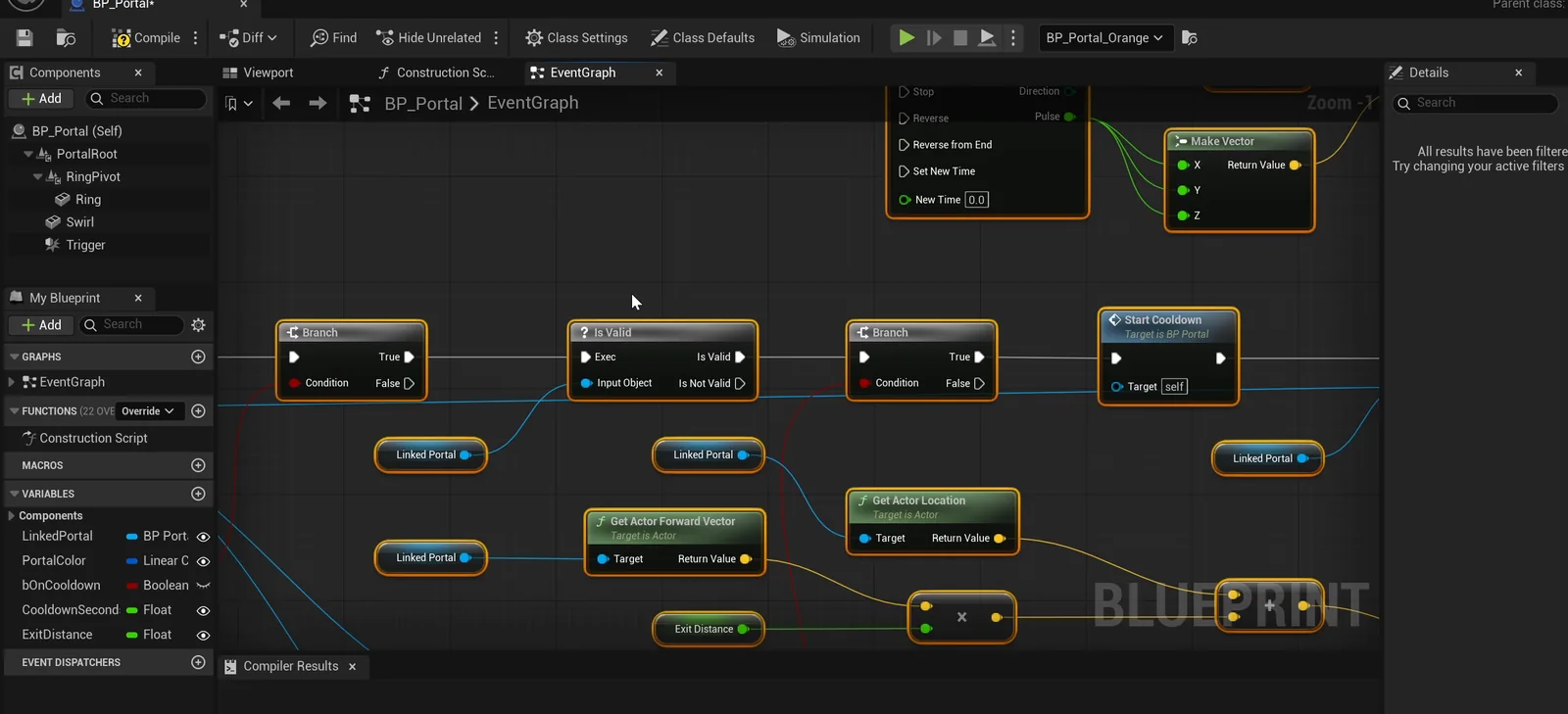
The portal graph and its variables: LinkedPortal, PortalColor, bOnCooldown, CooldownSeconds and ExitDistance.
There is a nice detail in the placement. No tool could set the link between two actors by name, so the AI used a short editor script to connect the two portals, and read the links back to check them.
The first run has a bug
The AI walks into the blue portal with the real character, and the player arrives in front of the orange one, exactly 150 units from it, as asked. Both rings pulse, and both portals go on cooldown.
But the first run has a problem. The portals faced each other, so the player arrived on the near side of the orange portal and walked straight back through it. The AI saw it and turned both portals so each exit faces away from the other. The fix was in the placement, not the Blueprint.
Then it ran the whole test again: blue to orange, the cooldown holds, orange back to blue, and the cooldown clears so the portals work again.
The report
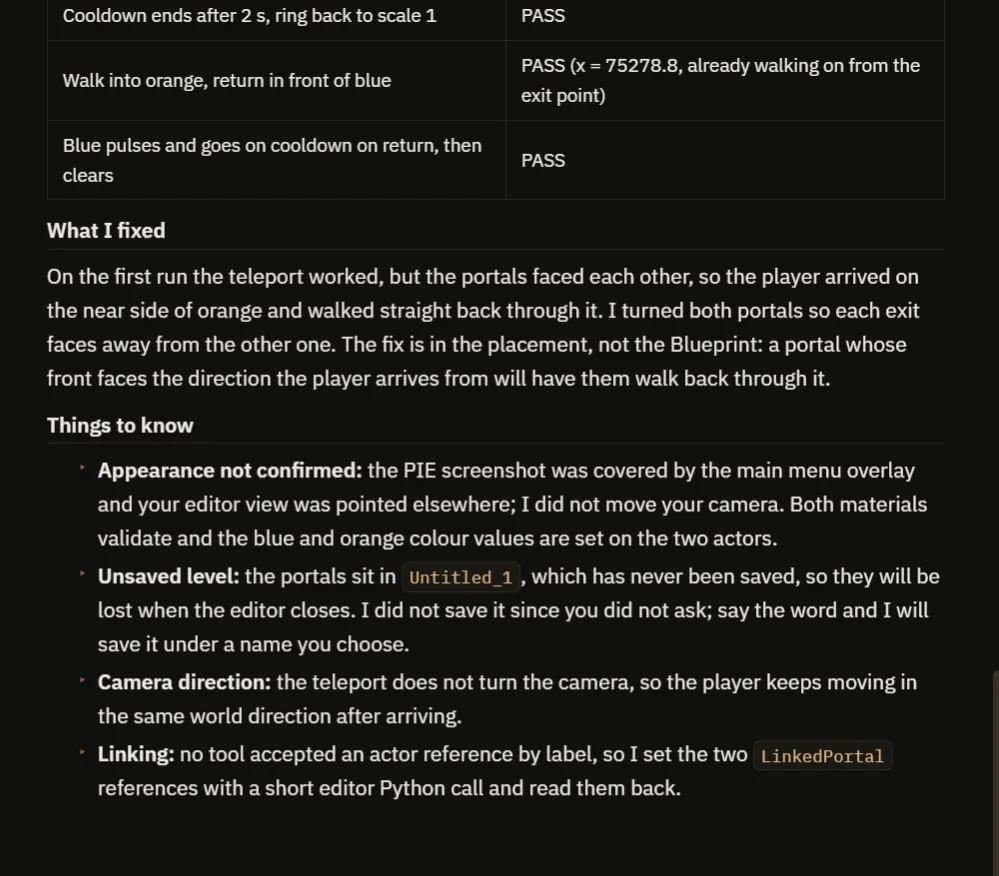
The fix is explained, and so is what could not be confirmed.
The report has a table of checks, all passing, and a clear explanation of the one fix. It also says what it could not check:
- The screenshots had the main menu on top, so how the portals look was not confirmed.
- The teleport does not turn the camera, so the player keeps moving in the same direction after arriving.
- The level is unsaved, so the portals would be lost on closing the editor.
How a portal works, in plain words
Each portal has a trigger box. When the player enters it, the portal checks two things: am I on cooldown, and do I have a linked portal? If it is fine, it moves on.
The teleport is one node: move the player to a spot in front of the linked portal, 150 units out. Then both portals start the timer, and both play their pulse.
Because the exit distance and the cooldown are variables, you can tune how it feels without opening the graph.
Ideas to extend it
- A screen flash when you teleport.
- A sound for each portal, and a particle swirl.
- A third portal, with a rule that picks a random exit.
Copy the prompt, change the distance between the portals or the colors, and see what the AI builds.
Four tips for portal prompts
- Name the variable that links the two.
- Ask for a cooldown, so players are not sent back.
- Say which way the exit should face.
- Ask the AI to test both directions.
Frequently asked questions
How do I make a portal teleporter in Unreal Engine 5?
Give each portal a trigger and a variable that references the other portal. On overlap, move the player to a spot in front of the linked portal and start a cooldown on both.
Why does my teleporter send the player straight back?
The player arrives inside the other portal’s trigger and it fires again. A cooldown on both portals, and an exit that faces away from the other portal, stops it.
Can one Blueprint make both portals?
Yes. A color variable tints the ring and swirl in the construction script, so the same Blueprint produces the blue and the orange portal.
Try it in your project
See what Ultimate Engine CoPilot can build on the product page, or get it on Fab.
More builds from this series: the Unreal Engine pressure plate, which also links two actors by a variable, and the Unreal Engine checkpoint system.