Unreal Engine Pressure Plate: Build a Plate and Gate Puzzle With AI
How to build an Unreal Engine pressure plate that opens a gate: a stone plate, a sliding gate and a LinkedGate variable, built from one AI request and fixed after a failed first test.

An Unreal Engine pressure plate puzzle is three small ideas: a plate that notices when the player stands on it, a gate that can open and close, and a link so the plate knows which gate to tell. The easiest way to build one is to ask an AI for the whole puzzle in a single request, with its plate, gate and link.
In this walkthrough, Ultimate Engine CoPilot builds a stone plate that opens a gate when the player stands on it and closes it again after the player steps off. You get the prompt, the first test that failed, how the AI fixed it and a plain explanation of how it works.
What the finished puzzle does
A stone plate glows red on the snow. You step on it, and it sinks a little and glows green. Far away, a stone gate slides up and opens. You step off, the plate turns red again, and two seconds later the gate slides back down.
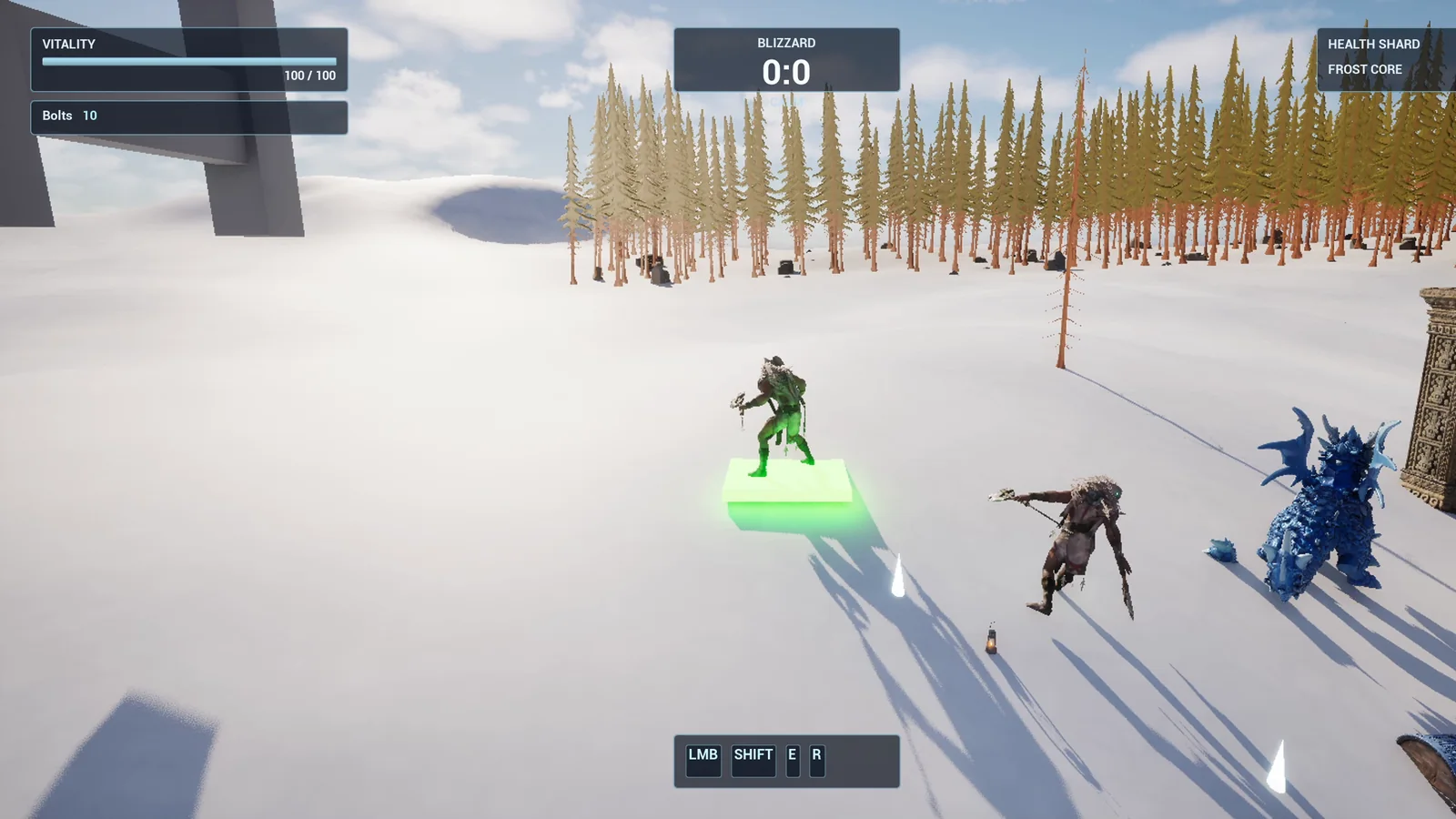
The plate, pressed and glowing green.
The prompt
Copy this, change the delay or add a second plate, and see what the AI builds:
Make a pressure plate and gate puzzle. Create BP_PressurePlate in /Game/Series/EP21_PressurePlate, a square stone slab 200 by 200 units that sinks 10 units when the player stands on it and glows green while it is pressed, and red while it is not. Create BP_Gate, a stone gate made from two pillars and a thick bar between them, that slides up 400 units in 1.5 seconds when the plate is pressed, and slides back down 2 seconds after the player steps off the plate. The plate has a variable called LinkedGate that points to the gate. Place the plate on the snow near the player start and the gate about 1000 units away, and link them. Then play test it: stand on the plate and check the gate opens, step off and check the gate closes after the delay, and fix anything that does not work.The detail to notice is the variable called LinkedGate. It is the secret of every puzzle with two parts: one actor holds a reference to the other. Say it in the request and the AI builds it that way, so you can place ten plates and ten gates and link them in the editor.
How the AI builds it
The AI reads the project and finds the tools it needs. Then the assets appear: a glowing plate material with a color you can change, and the two Blueprints. The gate reuses the stone material from an earlier door, which is a good habit because your project keeps one look.
The plate listens for the player. The gate has an Open and a Close, and the Close waits two seconds first. If you step back onto the plate during that wait, the close is cancelled. Nobody asked for that, but it is the kind of detail that makes a puzzle feel right.
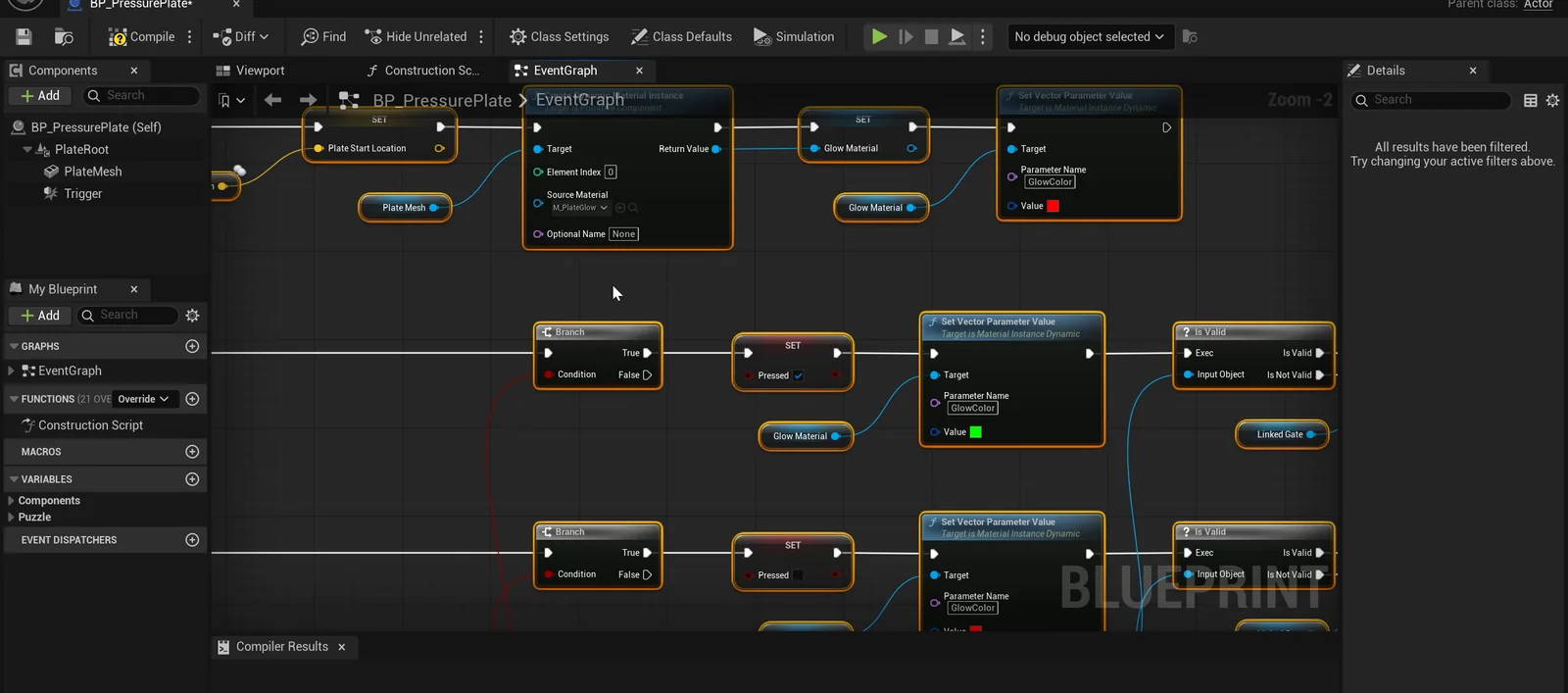
The plate graph. When the player steps on, it sinks, turns green and tells the gate to open. When the player steps off, it rises, turns red and tells the gate to start closing.
The first test fails, and the AI fixes it
The first run did not pass. The gate opened, but the plate was wrong. When the AI built the plate, the trigger box became the root of the Blueprint, so the slab and the trigger sat at the wrong heights, and the player was pushed off the plate.
The AI read the result, found the cause and fixed the hierarchy by putting the plate on the ground again. Then it ran the test a second time. That is the loop: test, read, fix, test.
On the second run, all 10 checks pass:
- The plate is not pressed before the player arrives, and it sinks 10 units when stood on.
- The gate is halfway up shortly after, so it slides and does not snap, and it ends 400 units up.
- When the player steps off, the plate rises, the gate stays open for about 1.5 seconds and then closes.
The report
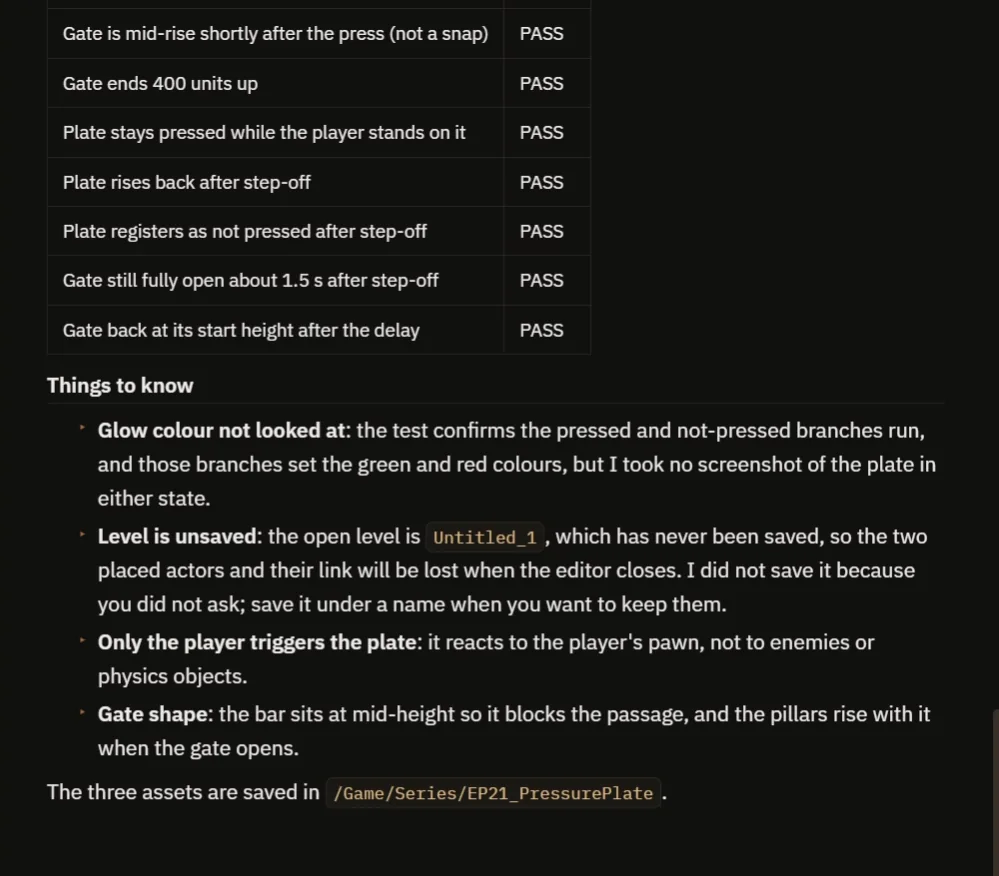
The report lists the checks and, just as usefully, what the AI did not check.
It says what it did not check: it never took a screenshot of the glow, so the green and red were not looked at. Only the player triggers the plate, not enemies or objects. The gate bar sits at mid height so it blocks the passage, and the pillars rise with it. The level was also still unsaved, so the placed actors would be lost on closing the editor until you save it under a name.
How a pressure plate works, in plain words
The plate has a trigger box. When the player enters it, the plate does three things: it lowers itself, changes its glow to green and calls Open on the linked gate. The gate has two events. Open slides it up with a timeline. Close waits two seconds, then slides it back down. If the player comes back during the wait, the wait is cancelled.
Because the distance, the speed and the delay are variables, you can build a fast gate or a slow heavy one by changing numbers.
Ideas to extend it
- A gate that needs two plates pressed at the same time.
- A gate that stays open forever once it is opened.
- A heavy crate that can press the plate, so the player has to push it on.
Four tips for pressure plate prompts
- Name the variable that links the two.
- Say what the plate and the gate do on press and on release.
- Give a delay for the closing.
- Ask the AI to test both directions.
For a way to get the CoPilot to write a prompt like this for you, read How to Write AI Prompts for Unreal Engine.
Frequently asked questions
How do I make a pressure plate open a door in Unreal Engine 5?
Give the plate a trigger box and a variable that references the gate. When the player overlaps the trigger, the plate calls Open on the gate. When the player leaves, it calls Close.
How do I link a plate to a gate?
Add a variable on the plate that points to the gate, called LinkedGate in this example. Then set it per instance in the editor, so one Blueprint can drive many puzzles.
Why did the first test fail?
The trigger box became the Blueprint root, so the slab and the trigger sat at the wrong heights and pushed the player off. The AI found that from the test result and fixed the component hierarchy.
Try it in your project
See what Ultimate Engine CoPilot can build on the product page, or get it on Fab.
More builds from this series: Unreal Engine objective marker, Unreal Engine ring race and Unreal Engine lever and bridge.