Unreal Engine Lever: Build a Lever and Sliding Bridge With AI
How to build an Unreal Engine lever that slides a bridge out and back: a stone base, a swinging stick, a LinkedBridge variable and a timeline, built from one AI request.

An Unreal Engine lever puzzle is three small ideas: a lever that remembers whether it is on or off, a bridge that can move out and back, and a link so the lever knows which bridge to move. The easiest way to build one is to ask an AI for the whole puzzle in a single request, with its lever, bridge and link.
In this walkthrough, Ultimate Engine CoPilot builds a stone lever that slides a bridge out and back in. You get the exact prompt, the first test that failed, how the AI fixed it and a plain explanation of how a lever and a bridge work.
What the finished puzzle does
You walk up to a stone lever and a small text says “Press E to pull the lever”. You press E and the lever swings. Far away, a stone bridge slides out, smoothly, until it is fully extended. You press E again, the lever swings back and the bridge slides back in.
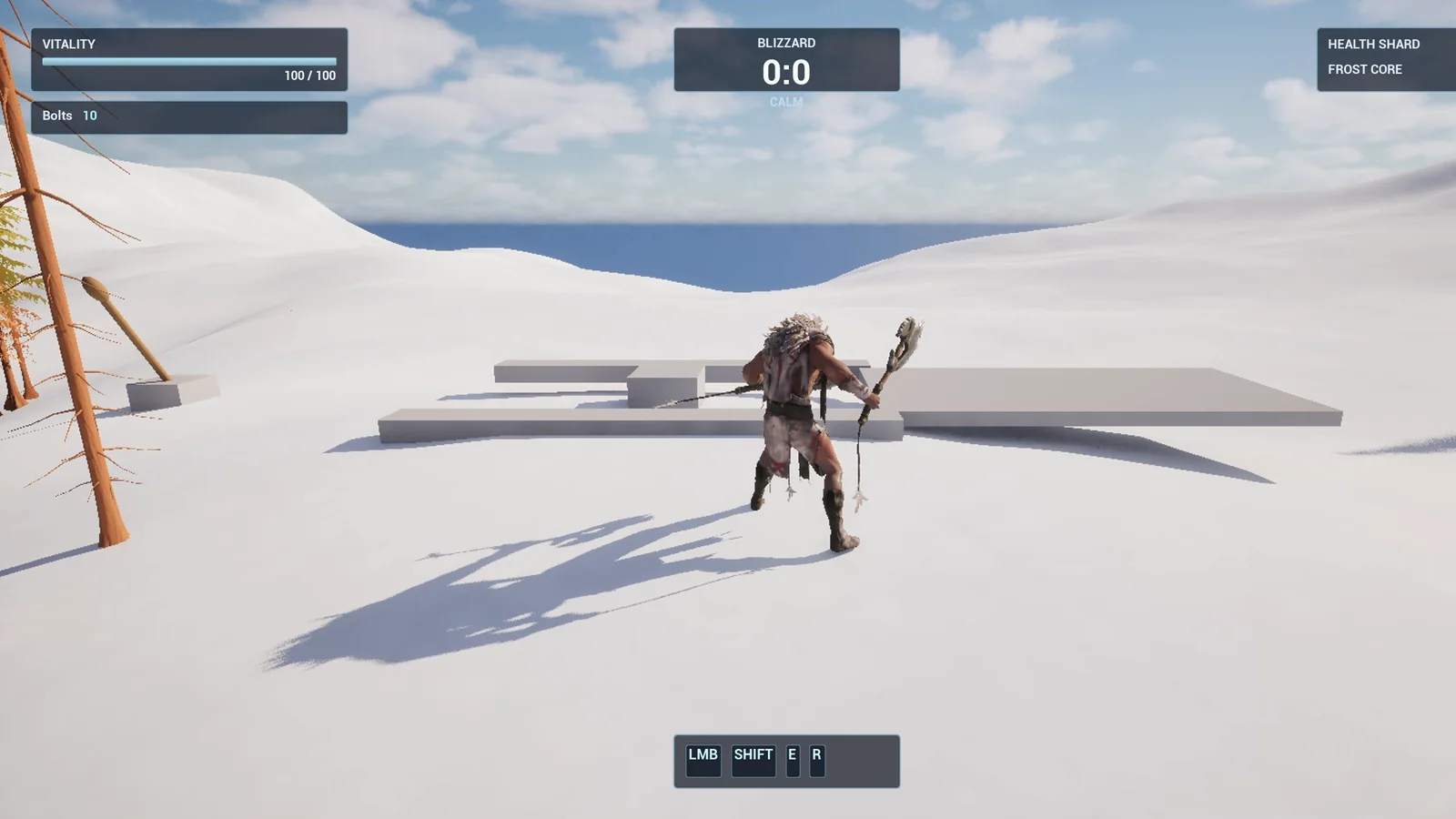
The stone bridge deck on the snow.
The prompt
Copy this, change the bridge length or the time, and see what the AI builds:
Make a lever and a bridge. Create BP_Lever in /Game/Series/EP24_LeverBridge, a stone base with a wooden lever stick made from basic shapes, that swings 60 degrees when the player presses E within 250 units, and swings back when E is pressed again. Create BP_Bridge, a flat stone bridge 600 units long and 300 wide that is retracted under a stone ledge at first, and slides out 600 units in 3 seconds when the lever is on, and slides back in 3 seconds when the lever is off. The lever has a variable called LinkedBridge. Show a small floating text above the lever that says Press E to pull the lever whenever the player is in range. Place the lever on the snow near the player start and the bridge about 1200 units away, and link them. Then play test it: pull the lever and check the bridge extends smoothly, pull it again and check the bridge retracts, and fix anything that does not work.Notice that the request describes the lever as a switch, on and off. That one word changes how the AI builds it. A button fires once. A lever remembers. If you want the second one, say that it swings back when pressed again.
How the AI builds it
The AI starts by reading the project and looking up the tools for components and timelines. Then the assets appear: two flat materials, stone and wood, and the two Blueprints.
The lever is a base, a stick on a pivot and a sphere that measures the range. The bridge is a stone deck tucked under a low stone ledge, so you do not see it until the lever is pulled. The movement is a three second timeline that goes out and can be reversed.
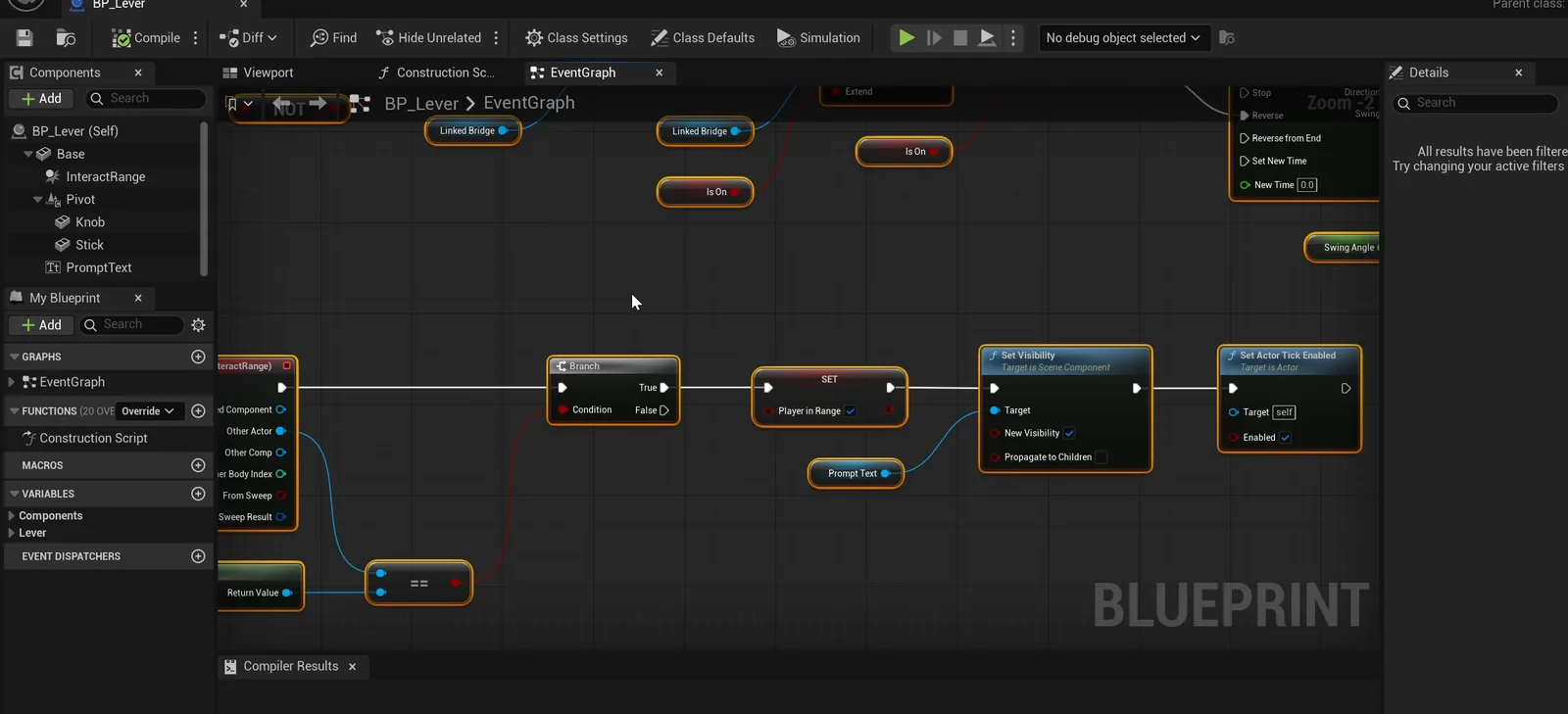
The lever graph: range check, the on/off value and the call to the linked bridge.
The first test fails
The first run failed. The lever was so close to the player start that the range overlap fired before the game had fully started, and that switched off the lever’s check for the E key. So E was never read.
The AI found the cause and fixed it in two ways. It changed the start logic, so the check stays on if the player is already in range. And it moved the lever further from the start, so the player has to walk up to it. That is a real bug, the kind you only find by playing.
On the second run everything passes:
- The prompt is hidden when the player is far, and E out of range does nothing.
- In range, the prompt shows and E turns the lever on. The lever goes from minus 30 to plus 30, which is 60 degrees.
- The bridge is about halfway out at 1.5 seconds and fully out at 600 units, without drifting sideways or changing height.
- A second E sends it all back.
The report
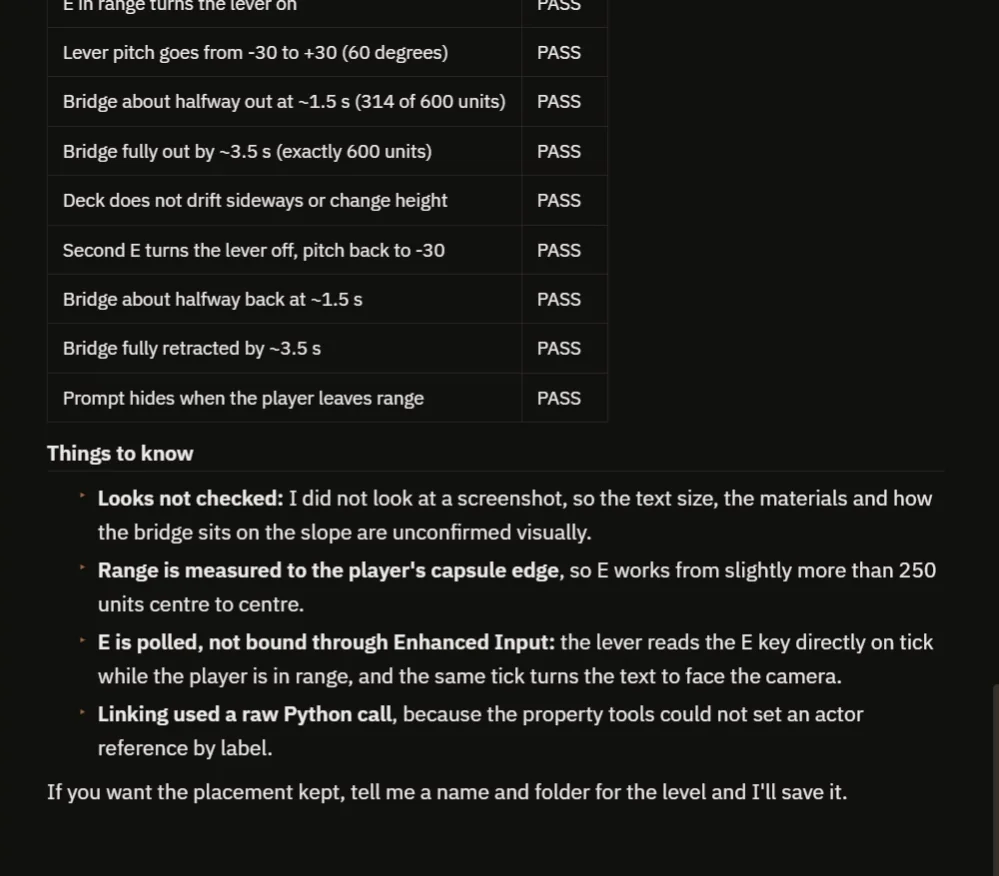
Every check passes, and the notes list what the AI did not look at.
The report has a table of checks, all passing, and a clear note about the bug it fixed. It also lists what it did not look at:
- It did not check a screenshot, so the text size, the materials and how the bridge sits on the slope are not confirmed visually.
- The range is measured to the edge of the player, so E works from a little more than 250 units.
- The lever reads the E key directly on tick instead of using the Enhanced Input system.
That last note is useful if your project already routes input through Enhanced Input.
How a lever and a bridge work, in plain words
The lever keeps one true or false value: is it on? When the player presses E in range, the lever flips that value. Then it plays its swing, forward if it is on and backward if it is off, and it tells the linked bridge: on, or off.
The bridge has a timeline from zero to one over three seconds. On plays it forward and off plays it in reverse, and that value is mixed with the start and end positions. So there is only one animation, and it works both ways.
Ideas to extend it
- A bridge that only stays out for ten seconds.
- Two levers that must both be on.
- A rumbling sound and a little dust while the bridge moves.
Copy the prompt, change the length of the bridge or the time it takes, and see what the AI builds.
Four tips for lever prompts
- Say that it toggles, on and off.
- Name the variable that links the two.
- Give the movement as distance and time.
- Ask the AI to test both on and off.
Looking for a version that reacts to standing on it instead? See the Unreal Engine pressure plate.
Frequently asked questions
How do I make a lever in Unreal Engine 5?
Give the lever a true or false state, flip it when the player presses a key in range, swing the stick forward or backward to match, and call On or Off on a linked actor.
How do I make a bridge slide out?
Use a timeline from zero to one and blend the bridge position between its retracted and extended locations. Play it forward to extend and in reverse to retract, so one animation works both ways.
Why did the first test fail?
The lever sat so close to the player start that the range overlap fired before the game fully started and turned off the E key check. The AI changed the start logic and moved the lever.
Try it in your project
See what Ultimate Engine CoPilot can build on the product page, or get it on Fab.
More builds from this series: the Unreal Engine interaction prompt and the Unreal Engine speed boost.