Unreal Engine Speed Boost: Build a Power-Up Pickup With AI
How to build an Unreal Engine speed boost power-up: a glowing pickup that makes the player run 1.8 times faster for 5 seconds, with a countdown panel, from one AI request.

An Unreal Engine speed boost is three small ideas: a pickup that notices the player touching it, a change to the player’s speed for a limited time, and a timer that puts the speed back. The easiest way to build one is to ask an AI for the whole power-up in a single request, with its pickup, speed change and timer.
In this walkthrough, Ultimate Engine CoPilot builds a glowing green pickup that makes the player run 1.8 times faster for 5 seconds, with a countdown panel. You get the exact prompt, how the AI tested the speed and a plain explanation of how a speed boost works.
What the finished power-up does
A glowing green pickup floats above the snow. You touch it, it disappears and a small panel appears in the corner: “Speed boost”, with the seconds left. You run, and you are much faster. The timer counts down, and then the panel disappears and you are back to normal speed.
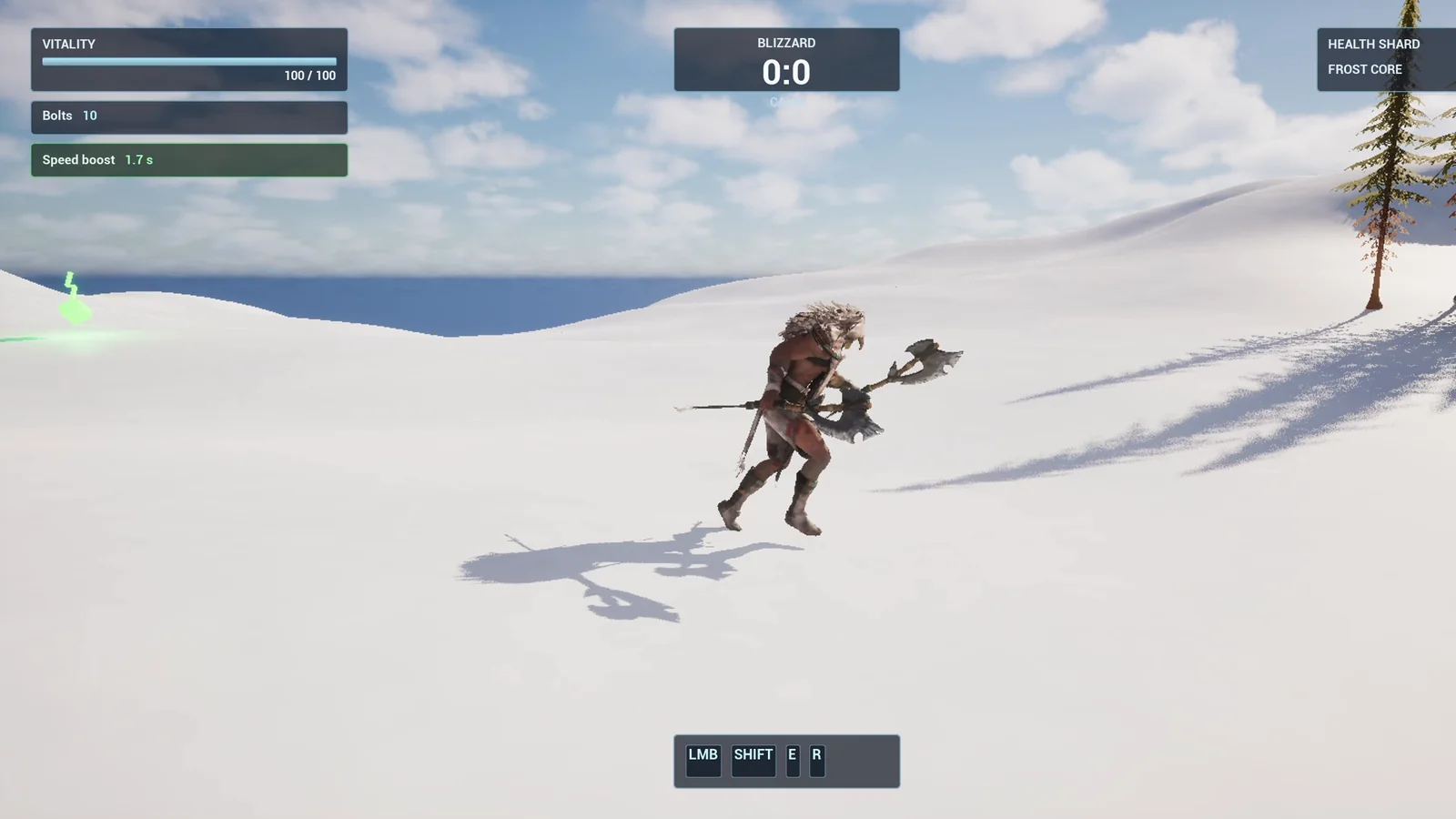
Mid boost: the panel in the top left shows the seconds left.
The prompt
Copy this, change the multiplier or the duration, and see what the AI builds:
Make a speed boost power-up. Create BP_SpeedBoost in /Game/Series/EP25_SpeedBoost, a glowing green pickup made from a rotated cube and a small lightning bolt shape made from basic shapes, that spins and bobs. When the player touches it, the pickup disappears and the player runs 1.8 times faster for 5 seconds, then the speed returns to normal. Create WBP_BoostTimer, a small panel in the top left below the existing Vitality and Bolts boxes showing Speed boost and the seconds left with one decimal, which is only visible while the boost is active. Keep the multiplier and the duration as variables so they are easy to change. Place 3 pickups on the snow in a line, 800 units apart, starting 600 units from the player start. Then play test it: record the walk speed before the pickup, collect one and check the speed is 1.8 times higher, check the timer text counts down, check the speed returns to normal after 5 seconds, and fix anything that does not work.Look at the last part of the test: record the walk speed before the pickup. That is how you make the AI prove that the speed really changed. Without a number from before, a number from after means nothing.
How the AI builds it
The AI starts by reading the project and finding the HUD, so the timer does not land on top of the existing boxes. Then the assets appear: a green glow material with a color and an intensity you can change, the pickup Blueprint and the timer widget.
The pickup is a diamond cube, a lightning bolt made from three bars, a green light and a trigger sphere. The logic is: touch, multiply the speed, show the timer, count down, restore the speed and remove the pickup. One expression in the overlap logic was wrong, and the AI fixed it and rebuilt it. That is normal: the AI tries, reads the result and corrects.
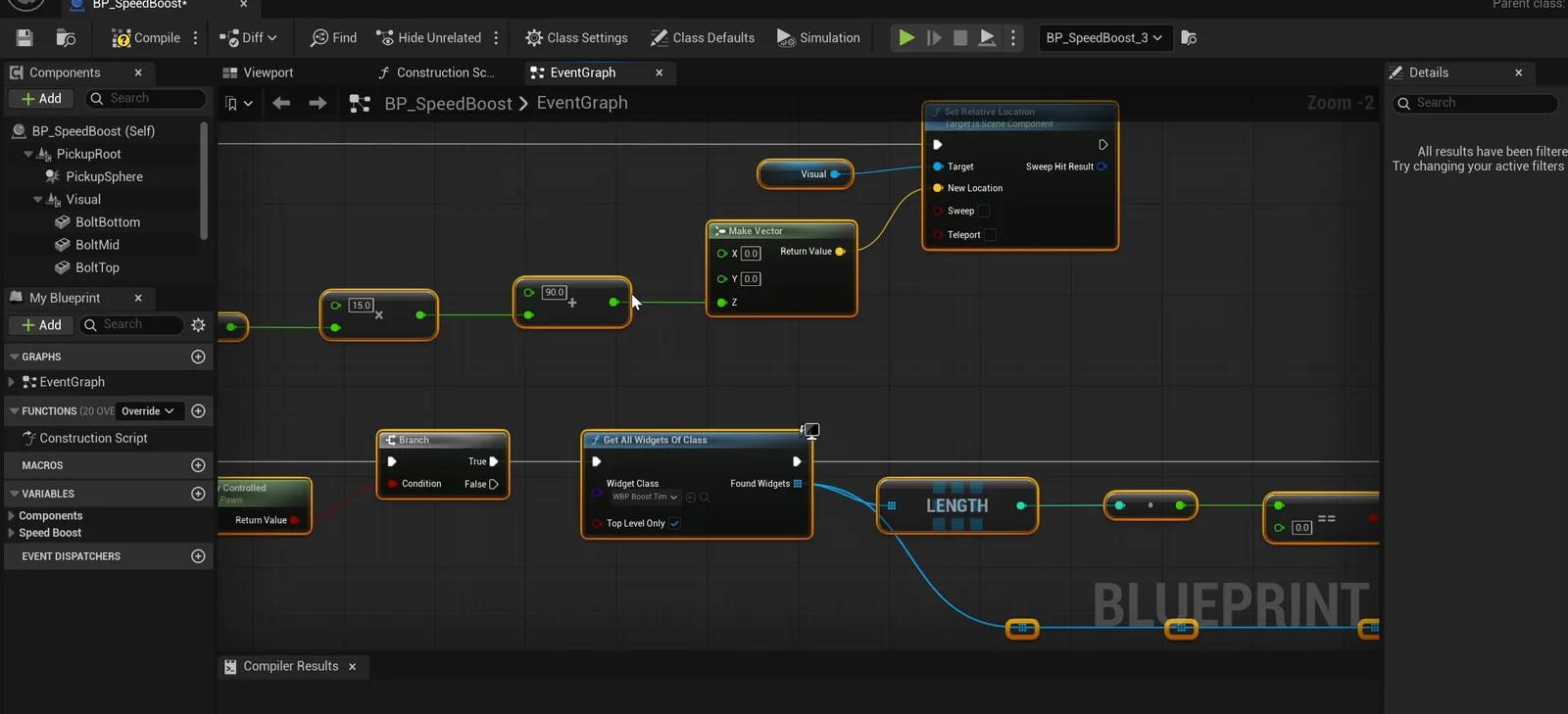
The pickup graph: spin and bob, the overlap, and the lookup of the timer widget.
The play test
The AI checks the numbers:
- The walk speed before the pickup is 600.
- Right after collecting it, the speed is 1080, which is exactly 1.8 times 600.
- The pickup disappears, and three become two.
- At 4 seconds the player is still boosted. At 5.5 seconds the speed is back to 600.
- The timer text reads 2.9 seconds, then 0.9, and the panel is only visible while the boost is running.
Then the AI looks at its own screenshot and finds two problems. The middle pickup landed on a stone ruin instead of snow, so it moved the whole line to a direction where all three points are on open snow. And the glow was blown out to white, so it lowered the intensity from 12 to 2.5, and now it reads green.
The report
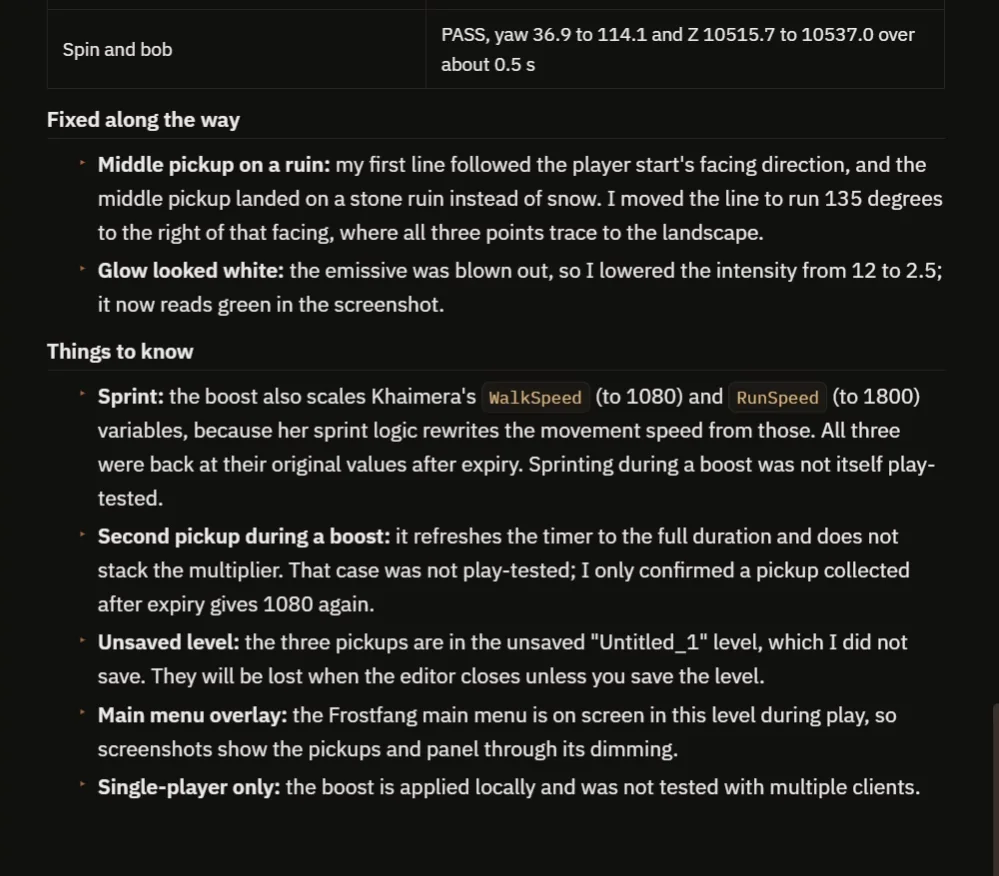
What was fixed along the way, and what to know before you build on it.
The report has a table of checks, all passing, and a clear list of what was fixed. It also tells you about something you may not expect: the player’s sprint logic rewrites the movement speed from its own variables, so the boost also scales the walk speed and the run speed and puts both back afterward.
Two cases were not tested. Sprinting during a boost was not tested, and a second pickup during a boost refreshes the timer to the full duration without stacking the multiplier, but only a pickup collected after expiry was confirmed. The level was also unsaved, and the boost is single-player only.
How a speed boost works, in plain words
When the player touches the pickup, it reads the player’s current speed and stores it. Then it sets a new speed, the old one times 1.8. Then it starts a timer for five seconds. Every tenth of a second, the timer widget updates the text. When the time is up, the speed is set back to the stored number, the panel is hidden and the pickup is destroyed.
Because the multiplier and the duration are variables, you can make a small boost or a huge one by changing a number.
Ideas to extend it
- A slow-down trap, with the multiplier at 0.5.
- A trail of sparkles behind the player while the boost is active.
- A sound when it starts, and a different one when it ends.
Copy the prompt, change the multiplier to 3 or the duration to 10 seconds, and see what the AI builds.
Four tips for power-up prompts
- Give the effect as a multiplier and a duration.
- Say where the timer goes on the screen.
- Ask the AI to record the value before the pickup.
- Ask the AI to check that the value goes back.
For another pickup that tracks what you have collected, see the Unreal Engine inventory system.
Frequently asked questions
How do I make a speed boost power-up in Unreal Engine 5?
On overlap, store the player’s current speed, set a multiplied speed, start a timer for the duration and restore the stored speed when it ends. A small widget can show the seconds left.
How do I change the player’s walk speed in Blueprint?
Set the Max Walk Speed on the character movement component. Here the pickup stores the old value first so it can restore exactly what was there.
What happens if the player sprints during a boost?
In this project the sprint logic rewrites the movement speed from its own variables, so the boost scales both walk and run speed and restores them. Sprinting during a boost was not play tested.
Try it in your project
See what Ultimate Engine CoPilot can build on the product page, or get it on Fab.
More builds from this series: the Unreal Engine ring race and the Unreal Engine objective marker.