Unreal Engine Ring Race: Build Rings and a Race Timer With AI
How to build an Unreal Engine ring race: five glowing rings passed in order, a RingIndex rule and a timer that starts at ring 1 and stops at the last, built from one AI request.

An Unreal Engine ring race is three small ideas: every ring has a number, the race remembers which number is next, and a timer starts at the first ring and stops at the last one. The easiest way to build one is to ask an AI for the whole race in a single request, with its rings, order rule and timer.
In this walkthrough, Ultimate Engine CoPilot builds five glowing rings that must be passed in order. You get the prompt, how the AI tested the order rule and a plain explanation of how a ring race works, so you can build your own.
What the finished race does
Five big yellow rings curve across the snow. You run through the first one, and it turns green and a timer starts in the corner. Then the second, the third and the fourth. The last ring stops the timer, and the screen says “Finished”.
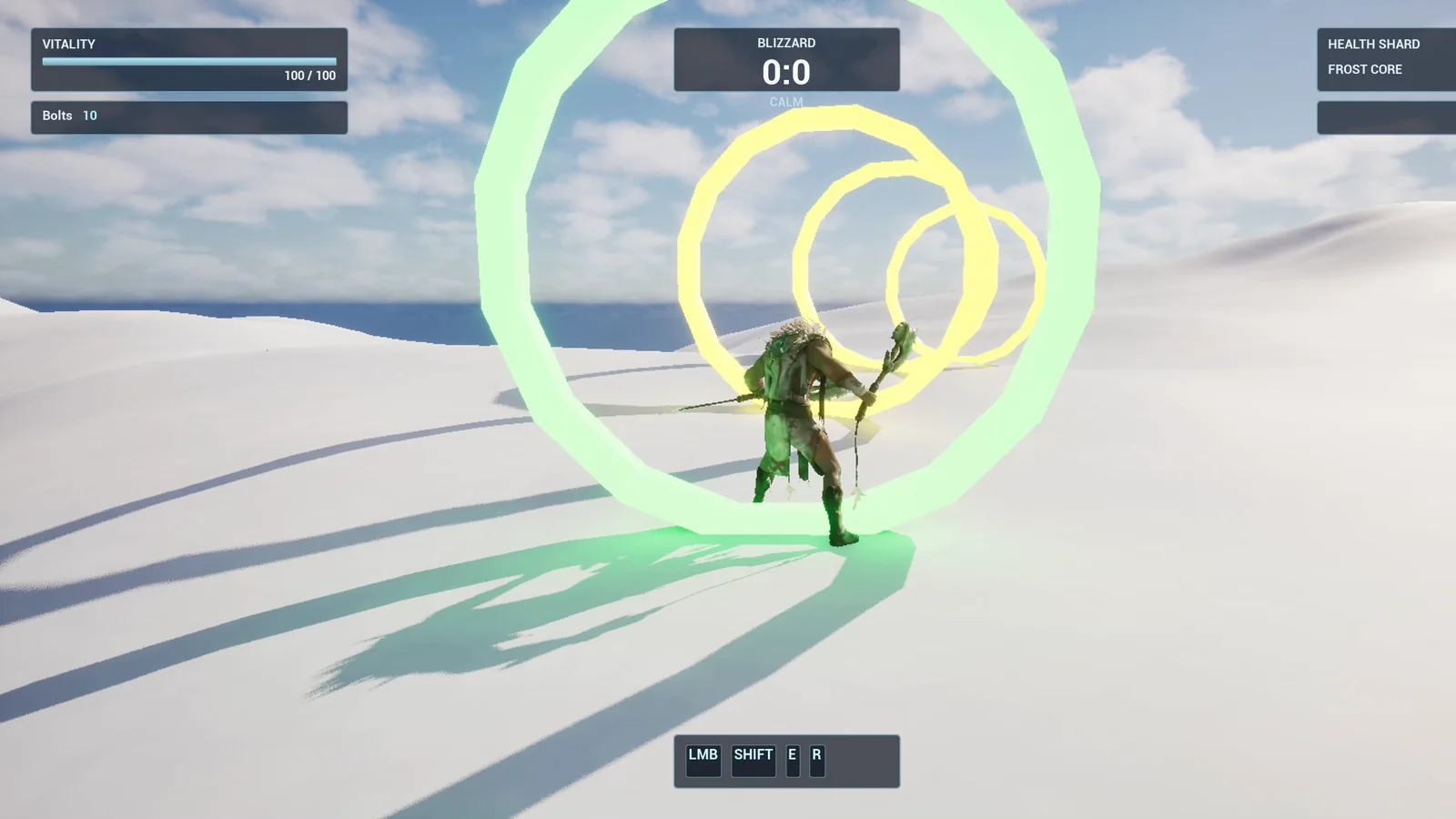
A passed ring turns green, and the next ring in order stays yellow.
The prompt
Copy this, change the number of rings or the distance, and see what the AI builds:
Make a ring race. Create BP_RaceRing in /Game/Series/EP22_RingRace, a big upright glowing ring about 500 units wide made from basic shapes, yellow while it is waiting. It has a variable called RingIndex. The rings must be flown or run through in order, starting with ring 1. When the player passes the next ring in order, that ring turns green and the following ring becomes the active one. Passing a ring out of order does nothing. Create WBP_RaceTimer in the top right of the screen below the existing Health Shard box. It shows Time and the seconds elapsed with one decimal, starting when the player passes ring 1. After the last ring the timer stops and the text becomes Finished with the final time. Place 5 rings on the snow along a gentle curve, about 600 units apart, starting near the player start. Then play test the whole race: pass the rings in order and check the timer runs, try passing a ring out of order, and check the finish text. Fix anything that does not work.Look at the rule about the order: “Passing a ring out of order does nothing.” That sentence is the whole difference between a ring race and five random rings. If you do not say it, the AI has to guess, and usually it does not guess a rule that strict.
How the AI builds it
The AI reads the project first. It looks at the HUD to find the best place for the timer, and at the earlier episodes to reuse the same style. Then the assets appear: a glowing ring material, the ring Blueprint and the timer widget. The same Blueprint is used for all five rings, and only one variable is different, the ring index.
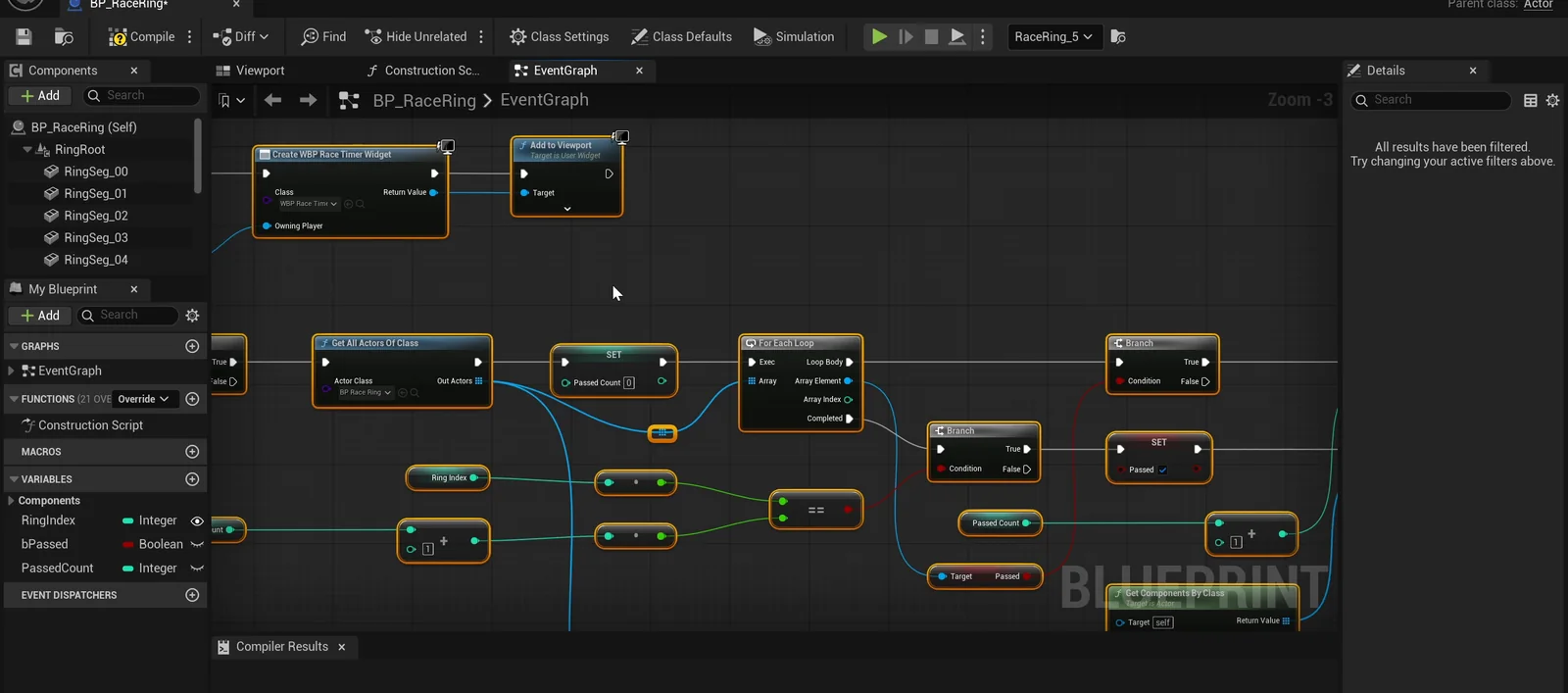
The ring graph. One Blueprint serves every ring, and the RingIndex variable tells each one where it sits in the race.
Along the way the AI makes a few small mistakes and fixes them itself. The material needed an explicit index, and a property read needed the class named. This is normal: the AI reads the error and corrects it.
There is also a nice detail in the placement. The batch tool ignored the ring index values, so the AI set each ring’s number one at a time and read them back to check them.
The play test
The first thing the AI tests is the order rule:
- It enters ring 3 before ring 1, and nothing happens. Ring 1 is still waiting.
- It passes ring 1, and the timer starts, reading 1.9 seconds and later 4.8.
- It tries ring 4 right after ring 1, and again nothing happens.
- It passes rings 2, 3, 4 and 5 in order.
- After the fifth, the text reads “Finished 13.3”. A later read shows the same number, so the timer really stopped.
In the first screenshots the rings were washed out to almost white, so the AI lowered the glow from 8 to 3 and ran the test again. Now a passed ring is green and the waiting ring behind it is yellow.
The report
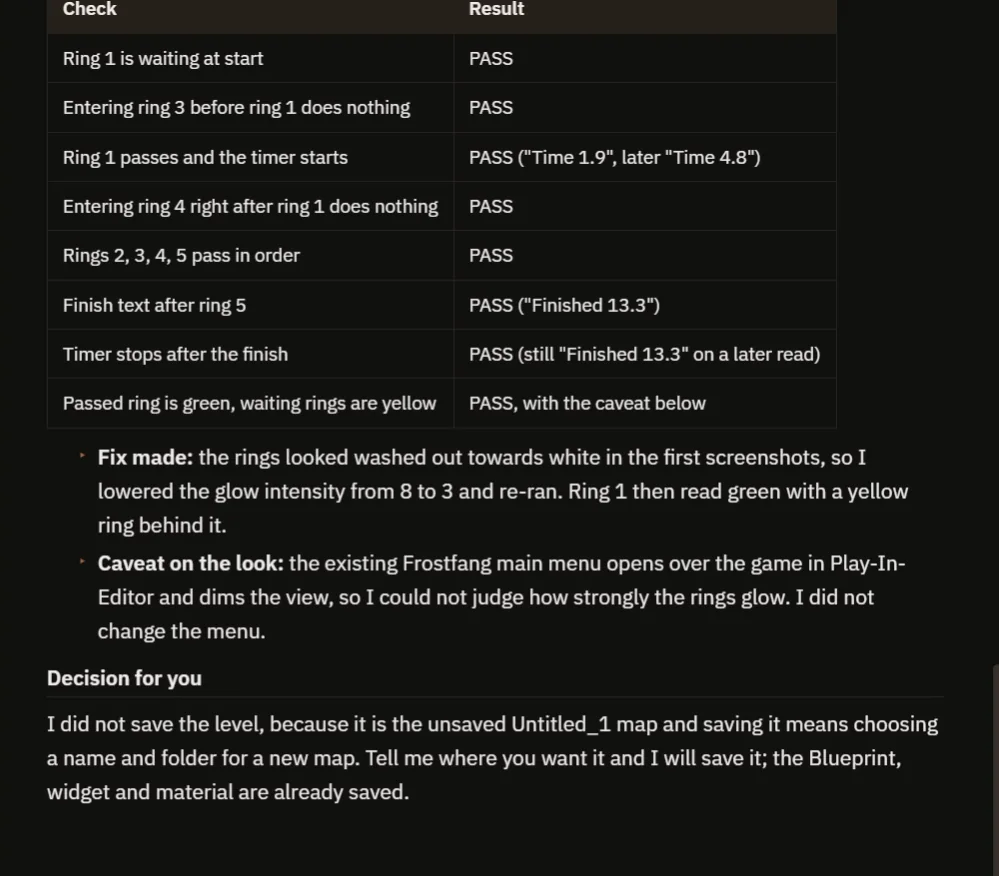
Every check passes. The notes explain the glow fix and what the AI could not judge.
The report is honest about what it did not check. The player was teleported into each ring, so running through them was not tested. The existing main menu dims the view in the editor, so the AI could not judge how strongly the rings glow. That is why the video also shows a real run by hand.
How a ring race works, in plain words
The race keeps one number: the next ring. When the player enters a ring, the ring asks one question: is my index the next one? If not, nothing happens. If yes, it turns green and adds one to the number.
Ring 1 also starts the timer. The timer counts up with a loop and writes the time with one decimal. The ring with the highest index is the last one. When it is passed, the timer stops and the text changes to “Finished”. Because the last ring is simply the highest number, you can add more rings and nothing in the Blueprint changes.
Ideas to extend it
- A best time that is saved between sessions.
- A sound for every ring, and a bigger one for the last.
- A countdown of three, two, one before the timer starts.
Four tips for race prompts
- Say that the rings must be passed in order.
- Say where the timer goes on the screen.
- Say what happens at the end.
- Ask the AI to test the wrong order too.
If you want the CoPilot to draft a prompt like this for you, see How to Write AI Prompts for Unreal Engine.
Frequently asked questions
How do I make a ring race in Unreal Engine 5?
Give every ring an index, store the next expected index in one place, and only accept a ring when its index matches. Start a timer on ring 1 and stop it on the highest index.
How do I make rings that must be passed in order?
Add a RingIndex variable to the ring Blueprint and compare it with the next ring number when the player overlaps it. If it does not match, do nothing.
Can I add more rings?
Yes. The last ring is simply the highest number, so you can add more rings and nothing in the Blueprint changes.
Try it in your project
See what Ultimate Engine CoPilot can build on the product page, or get it on Fab.
More builds from this series: Unreal Engine objective marker, Unreal Engine pressure plate and Unreal Engine speed boost.