Unreal Engine Objective Marker: Build a Quest Waypoint With AI
How to build an Unreal Engine objective marker: a gold beam, a live distance counter in meters and an arrival message, built from one AI request and tested in play.

An Unreal Engine objective marker is three small ideas: something the player can see from far away, a distance measured between the player and the marker, and a rule for what happens when the player gets close enough. The easiest way to build one is to ask an AI for the whole thing in a single request, with its beacon, distance counter and arrival message.
In this walkthrough, Ultimate Engine CoPilot builds a gold diamond with a beam of light and a live distance readout in meters. You get the exact prompt, how the AI tested it and a plain explanation of how it works, so you can build your own.
What the finished marker does
A gold beam of light rises from the snow far ahead, and the screen says “Objective 20 m”. As you get closer it reads 10 m, then 5 m. When you arrive, the marker disappears and the text changes to “Objective reached”.
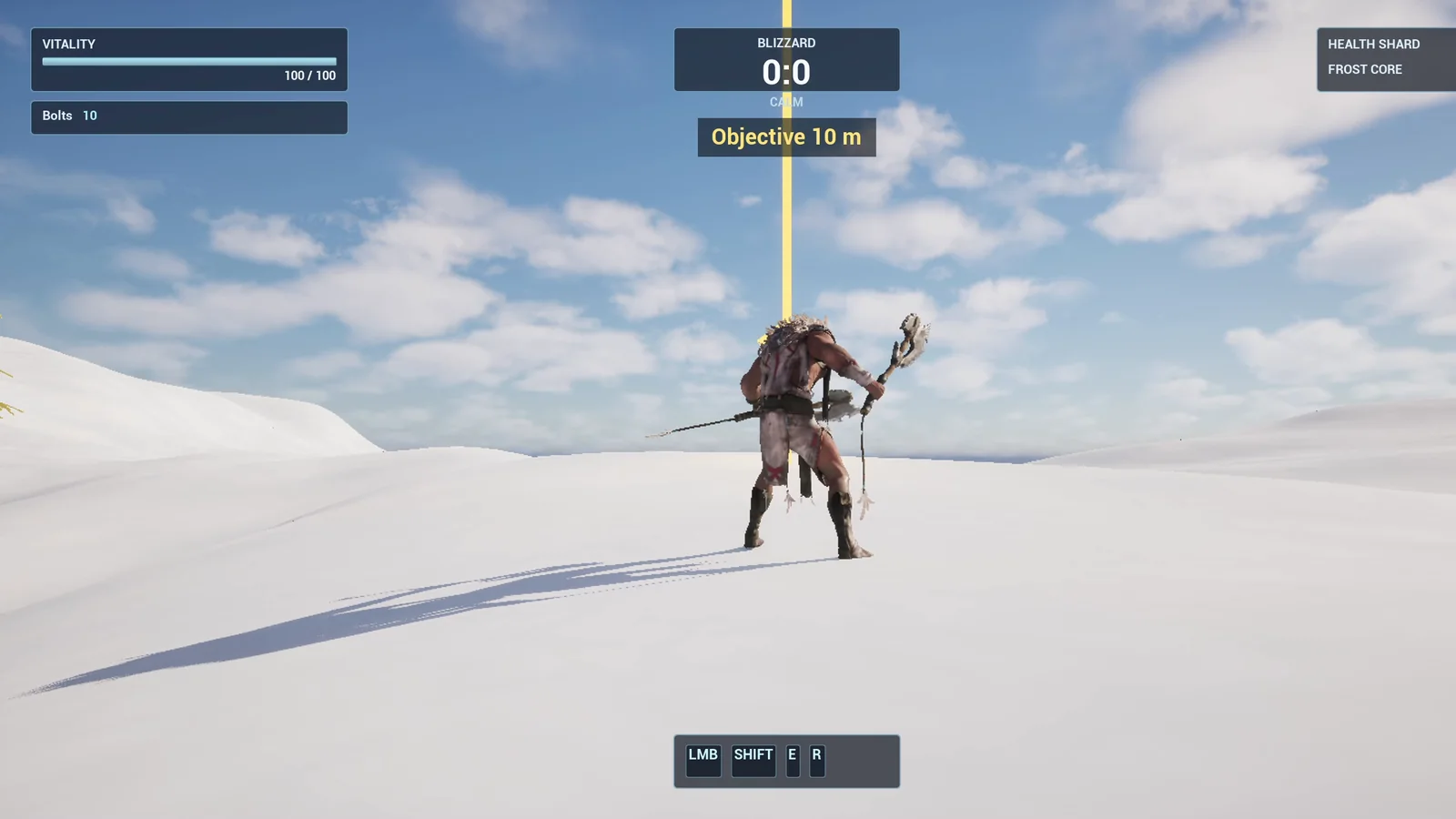
The beam on the horizon and the distance readout below the existing HUD box.
The prompt
Copy this, change a number and see what the AI builds:
Make an objective marker. Create BP_ObjectiveMarker in /Game/Series/EP20_Objective, a floating gold diamond made from a rotated cube that spins slowly and bobs, with a tall thin glowing beam of light going up from the ground, placed on the snow about 2000 units from the player start. Create WBP_ObjectiveHUD showing the text Objective and the distance to the marker in meters, for example Objective 45 m, in the top centre of the screen below the existing Blizzard box, updating every half second. When the player gets within 3 meters of the marker, the marker disappears and the text changes to Objective reached for 3 seconds. Then play test the whole thing: check the distance text at the start, move the player closer in steps and check the distance goes down, reach the marker and check the reached message, and fix anything that does not work.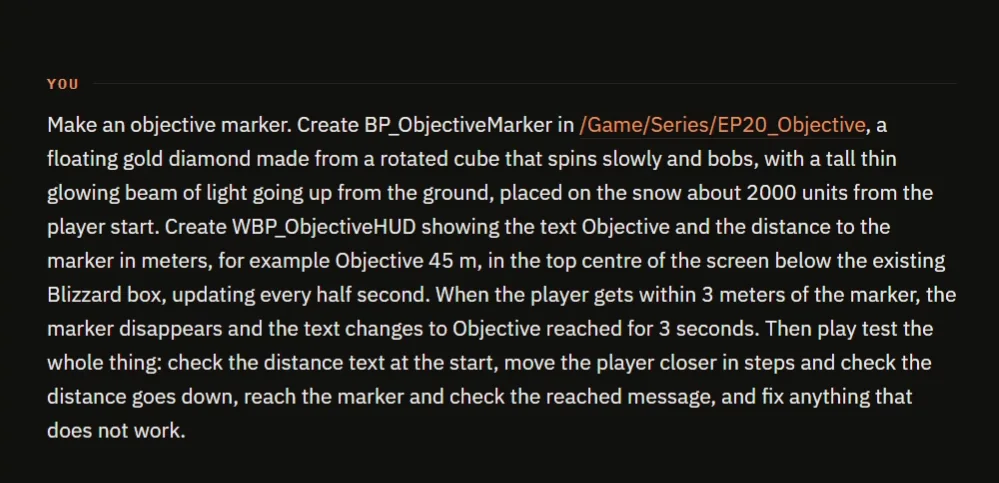
The request in the chat. The first thing the AI does is read the project.
Notice the numbers: half a second for the refresh, 3 meters for arriving and 3 seconds for the message. Every number in the request is a number you can change later, and a number you do not give is one the AI has to invent.
How the AI builds it
The AI starts by reading the project and the HUD, so the new text does not land on top of what is already there. Then the assets appear: two materials, one gold for the diamond and one glowing for the beam, plus the marker Blueprint and the widget.
The logic is a timer that runs every half second. It measures the distance, turns units into meters and writes the text. Inside 3 meters it switches to the reached message, destroys the marker and removes the widget three seconds later.
The play test
The AI tests the whole thing in the running game:
- At the start the text reads “Objective 20 m”.
- Moved to 1000 units away, it reads 10.
- Moved to 500 units, it reads 5 and the marker is still there.
- Moved to 200 units, it reads “Objective reached” and the marker is gone.
- It checks that the message clears after 3 seconds, that the diamond spins and that it bobs within 25 units of its center.
All of them pass. Then the AI looks at its own screenshot and is not happy. The diamond and the beam are washed out to a pale cream, and the diamond looks like a squat hexagon. Nobody asked it to check this, but it deepens both colors, lowers the glow and stretches the diamond. A second screenshot shows gold. That is the AI checking its own work.
The report
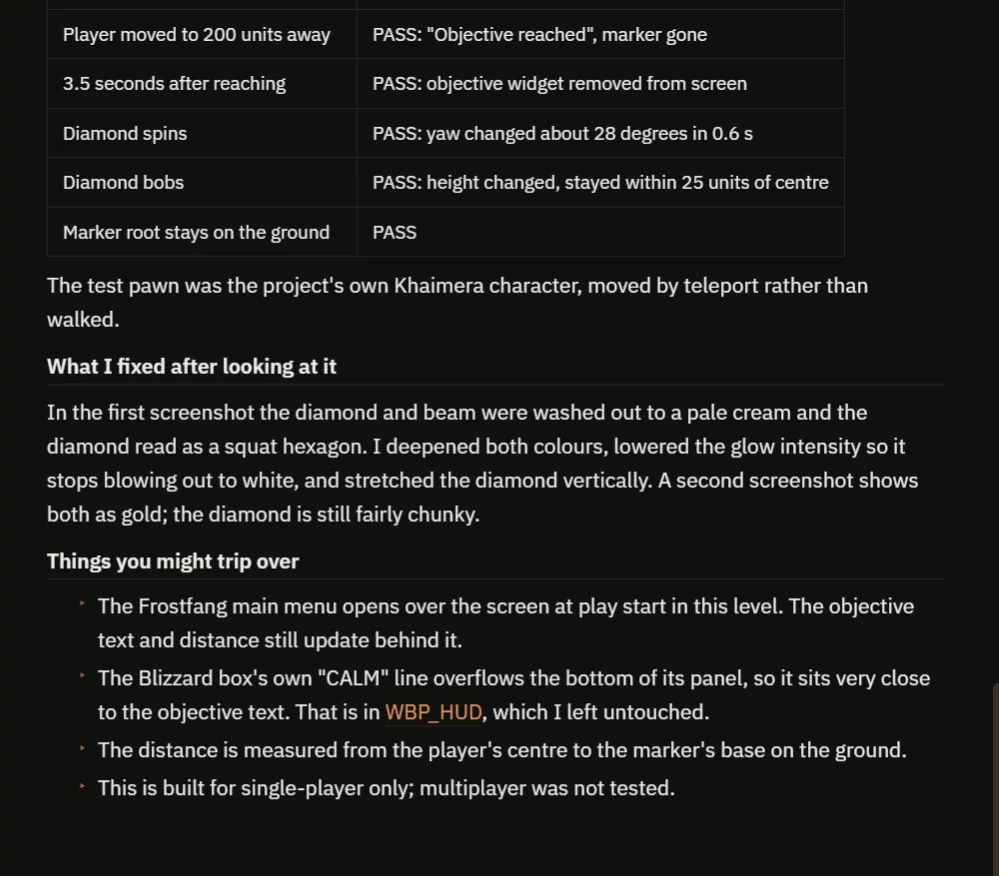
All checks pass, and a note explains the color fix made after looking at the result.
The report also lists what to watch out for:
- The main menu opens over the screen when the game starts, but the text still updates behind it.
- The existing HUD box has a line that overflows its panel, so it sits close to the new text.
- The distance is measured to the base of the marker, on the ground.
- It is built for single player only.
How an objective marker works, in plain words
Every half second, the marker takes the player’s position and its own position and measures the distance between them. Unreal measures in centimeters, so it divides by 100 and writes the number in the text. Then it asks one question: is the distance below 300?
If yes, the objective is reached. The marker is destroyed, the text changes and a three second timer removes it. Because the radius and the refresh time are variables, you can make a big forgiving marker or a tiny precise one by changing a number.
Ideas to extend it
- An arrow at the edge of the screen that points toward the marker, like a compass.
- The next marker appears automatically after you arrive.
- A sound when you reach it, or a reward such as ten coins.
Four tips for objective prompts
- Say where the text goes on the screen.
- Give the arrival distance as a number.
- Say what happens at the end, and for how long.
- Ask the AI to test it from several distances.
If you are new to prompting like this, How to Write AI Prompts for Unreal Engine shows how to get the CoPilot to write the long prompt for you.
Frequently asked questions
How do I make an objective marker in Unreal Engine 5?
You need a visible beacon, a distance check between the player and the marker, and a rule for arrival. The prompt above asks an AI to build all three in one request and to test them.
How do I show the distance to an objective in meters?
Unreal measures in centimeters. Divide the distance by 100 and write the result into a text widget, refreshed on a timer. Every half second is enough.
Can I change the arrival distance?
Yes. The radius and the refresh time are variables on the marker Blueprint, so you can change them directly or ask the AI to change them.
Try it in your project
See what Ultimate Engine CoPilot can build on the product page, or get it on Fab.
More builds from this series: Unreal Engine pressure plate, Unreal Engine ring race and Unreal Engine interaction prompt.