Unreal Engine Interaction Prompt: Build a Press E Treasure Chest With AI
How to build an Unreal Engine interaction prompt: a Press E to open text that faces the camera, a lid that swings 70 degrees and a reward message, built from one AI request.

An Unreal Engine interaction prompt is three small ideas: a distance check to know when the player is close, a prompt that shows only when the player is close, and an action when the player presses the key. The easiest way to build one is to ask an AI for the whole thing in a single request, with its distance check, floating prompt and action.
In this walkthrough, Ultimate Engine CoPilot builds a treasure chest with a “Press E to open” prompt, a swinging lid and a reward message. You get the exact prompt, how the AI tested it and a plain explanation of how an interaction prompt works.
What the finished chest does
You walk toward a wooden chest. Far away, nothing. When you get close, a little text appears above it: “Press E to open”. You press E, the lid swings open and the screen says “You found 25 Bolts”. You press E again and nothing happens, because the chest only opens once.
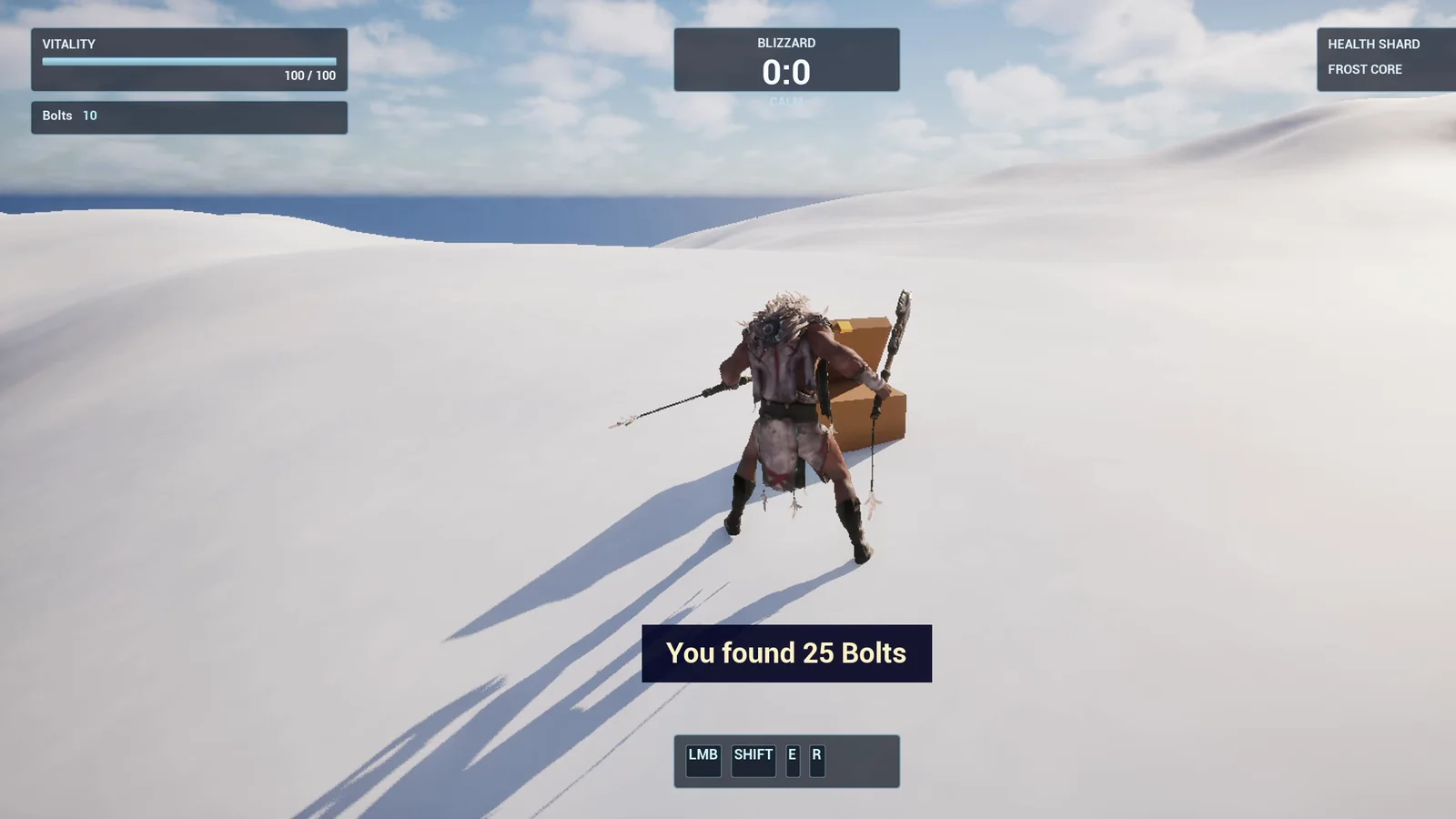
The chest is open and the reward message sits just above the hotbar.
The prompt
Copy this, change the range or the reward, and see what the AI builds:
Make an interaction prompt and a treasure chest. Create BP_TreasureChest in /Game/Series/EP23_Chest, a wooden chest made from engine basic shapes, a box for the body and a half cylinder or flattened box for the lid, with a hinge so the lid can swing open. When the player is within 250 units, a small floating text prompt Press E to open appears above the chest and always turns to face the camera. When the player presses E within range, the lid swings open 70 degrees over 0.5 seconds, the prompt disappears, and the message You found 25 Bolts shows for 3 seconds in a dark blue box at the bottom of the screen. The chest can only be opened once. Place the chest on the snow about 600 units from the player start. Then play test it: check the prompt is hidden far away, appears when close, press E and check the lid opens, check the message, and check the chest cannot be opened twice. Fix anything that does not work.Two sentences matter most: the prompt always turns to face the camera, and the chest can only be opened once. Without the second one, the player can open it forever and farm the reward. Think about what the player will try to break, and put it in the request.
How the AI builds it
The AI starts by reading the project, the HUD and the earlier assets, so the message box matches the style. Then the assets appear: a brown wood material, a gold material for the latch, the chest Blueprint and a small widget for the message.
It builds the body and puts the lid on a pivot at the back top edge, like a real hinge, with a tiny gold latch and a floating text for the prompt. Everything is in one actor, so you can put ten chests in a level.
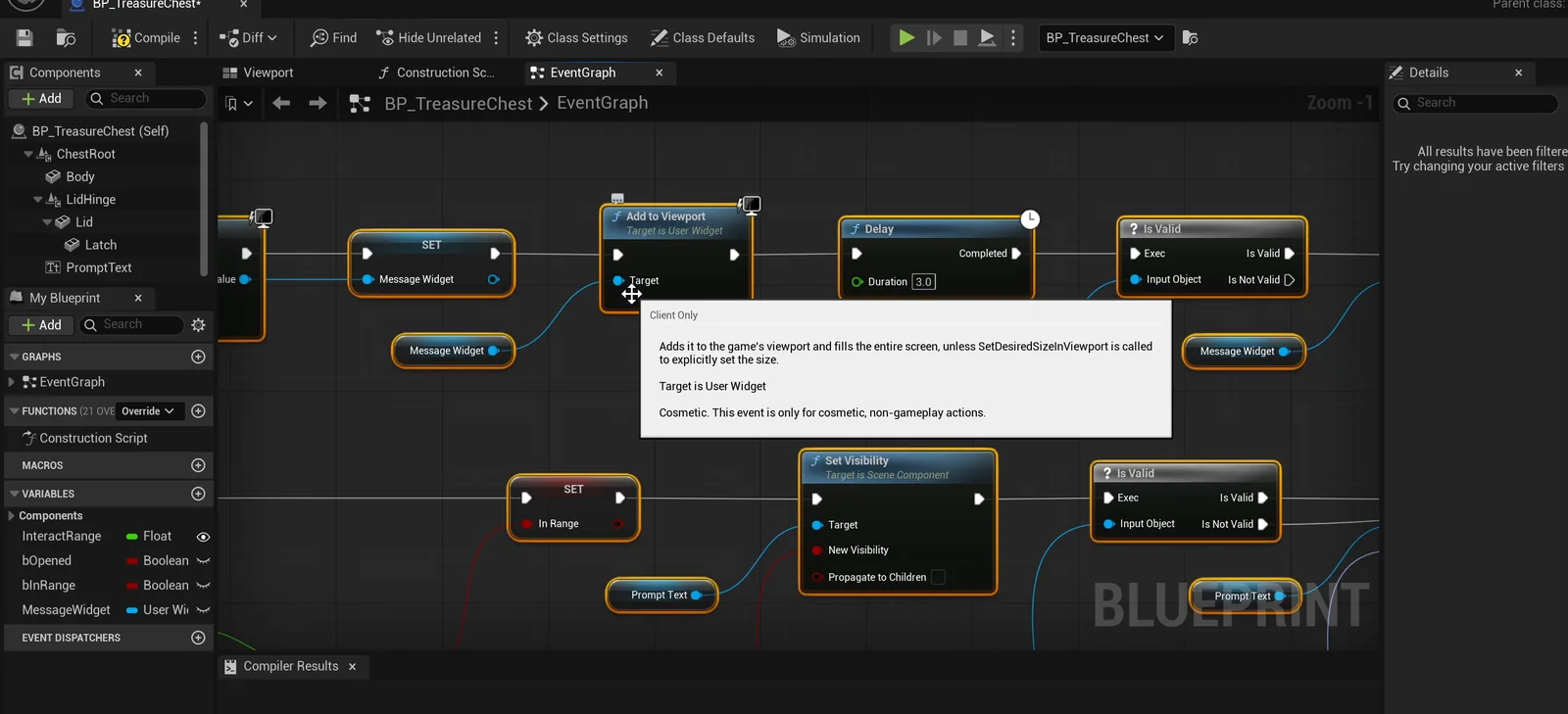
The chest graph. Every tick it measures the distance to the player and decides whether the prompt shows.
The play test
At the start, 600 units away, the prompt is hidden. Pressing E out of range leaves the lid closed. At 150 units and at 200 units, the prompt appears. Then E: the lid ends at 70 degrees, the prompt hides and the message shows.
Then comes a more interesting check: does the lid swing, or does it snap? At normal speed the test failed twice, because by the first sample the lid was already open. The AI did not just say it passes. It slowed the game to a tenth of the speed and sampled again: 2.3 degrees, 4.6, 6.8. That is a smooth swing of about 140 degrees per second.
The last check is a second E. The lid stays at 70, the prompt stays hidden and there is no new message.
The report
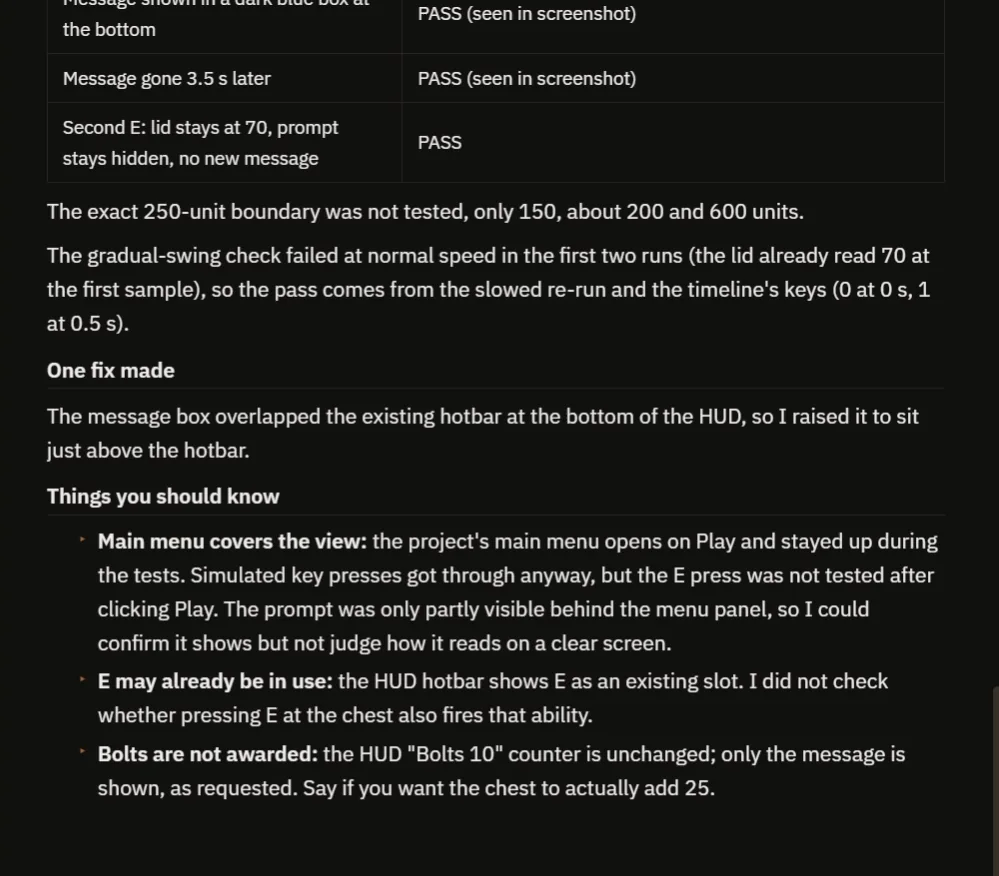
All checks pass, with one fix and a few honest warnings.
The report has a table of checks, all passing, and one fix: the message box overlapped the hotbar, so the AI raised it. It also warns about a few things:
- The main menu was on top during the test, so the prompt was only partly visible.
- The E key is already used by an ability in this project, and the AI did not check whether both fire together.
- The Bolts counter does not change. Only the message is shown, exactly as the request said. Ask for the reward and the AI will add it.
How an interaction prompt works, in plain words
Every frame, the chest asks one question: how far is the player? If the distance is less than the range and the chest is closed, the prompt is visible. Otherwise it is hidden.
When the player presses E, the chest asks the same question and one more: am I already open? If not, it sets a flag, hides the prompt, shows the message and plays a half second timeline that swings the hinge.
Because the range is a variable, you can make a chest you have to touch, or one you can open from across a room.
Ideas to extend it
- A chest that really adds 25 Bolts to the counter.
- A creaking sound, and sparkles when it opens.
- Different prompts for different objects, like “Press E to talk” or “Press E to pick up”.
Four tips for interaction prompts
- Say the range as a number.
- Say what happens when it is used twice.
- Say where the message goes on the screen.
- Ask the AI to test it far away and close.
If you are collecting things from chests, the Unreal Engine inventory system shows how to count them.
Frequently asked questions
How do I make a Press E to interact prompt in Unreal Engine 5?
Measure the distance between the player and the object, show a floating text only when it is below the range, and run the action when the player presses E in range. Make the text face the camera so it is always readable.
How do I stop a chest from being opened twice?
Keep a flag that is set the first time it opens, and check it before doing anything on later presses. Say so in the request, because the AI builds the rule you ask for.
Why did the first lid test fail?
At normal speed the lid had already finished opening by the first sample. The AI re-ran the check at a tenth of the speed to prove the swing is smooth.
Try it in your project
See what Ultimate Engine CoPilot can build on the product page, or get it on Fab.
More builds from this series: the Unreal Engine lever and bridge and the Unreal Engine speed boost.