Every system it can build, one stop at a time.
Step through the tour, or jump to a subsystem. Each stop shows the prompt, what the copilot made, and where to read more.

It authors the shot, then checks it.
Cameras, shots and moves in Sequencer, reviewed through the lens and rendered with Movie Render Queue.
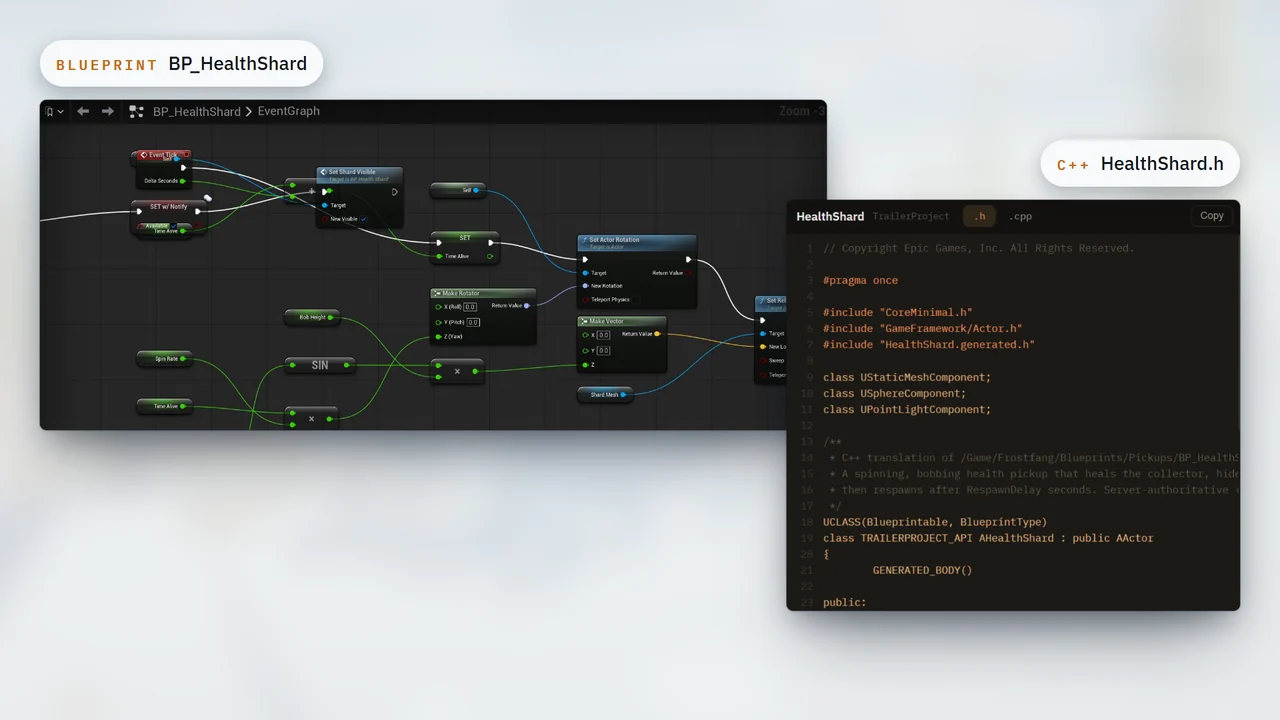
Blueprint graph in, compiled C++ out.
Convert graphs into native classes that build like code you wrote.
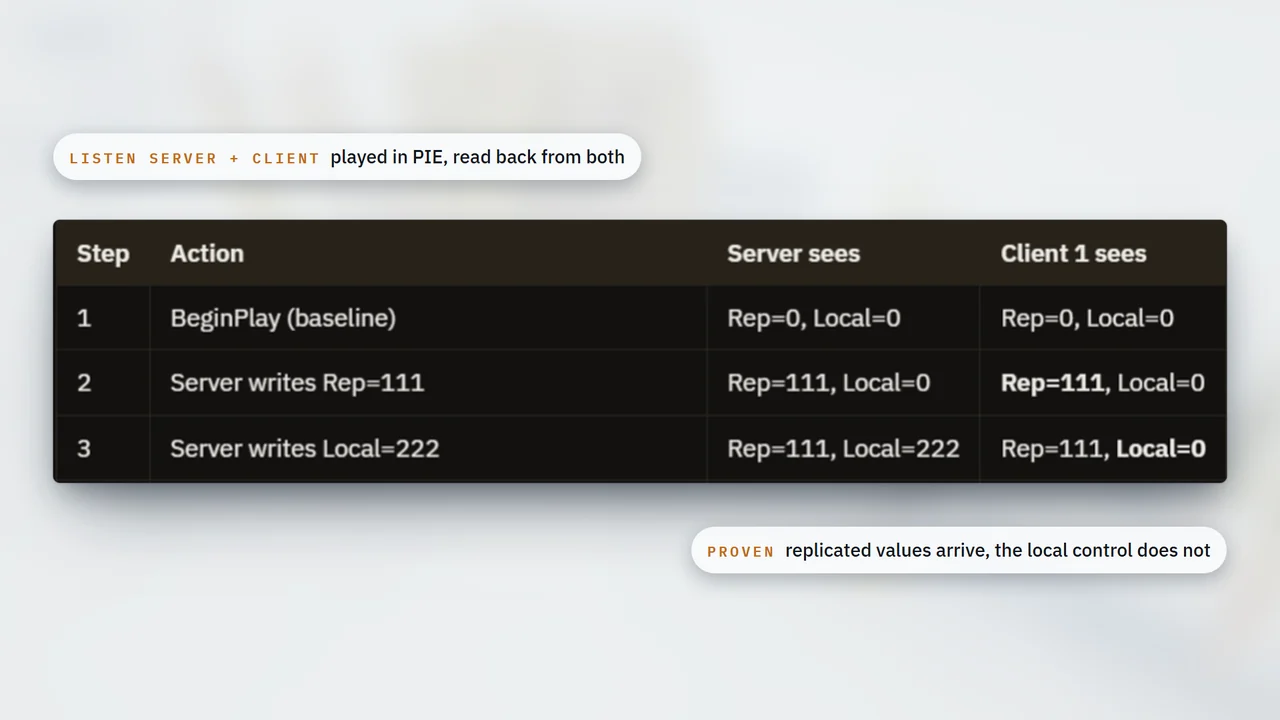
They guess. We verify.
It runs a listen server and a client in PIE, writes values on each side and reads back what the other one sees.
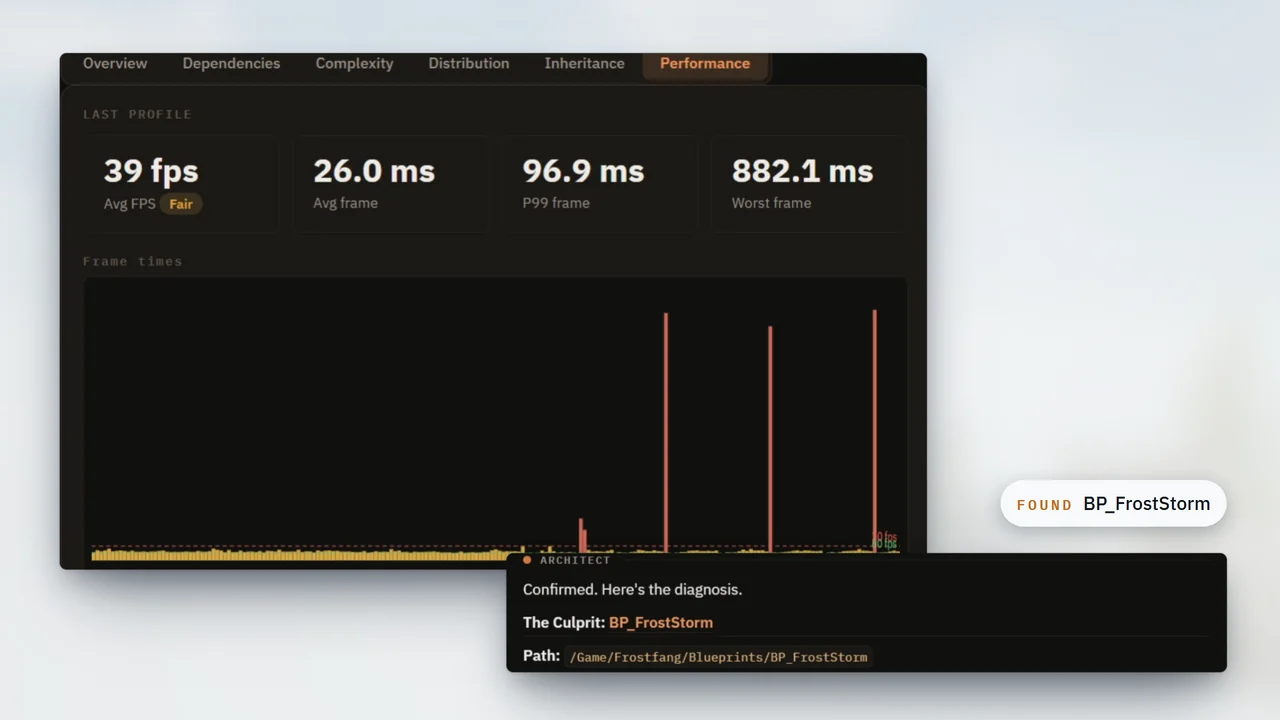
It finds the bottlenecks you missed.
It profiles a play session, reads the trace and finds the Blueprint behind the spikes.
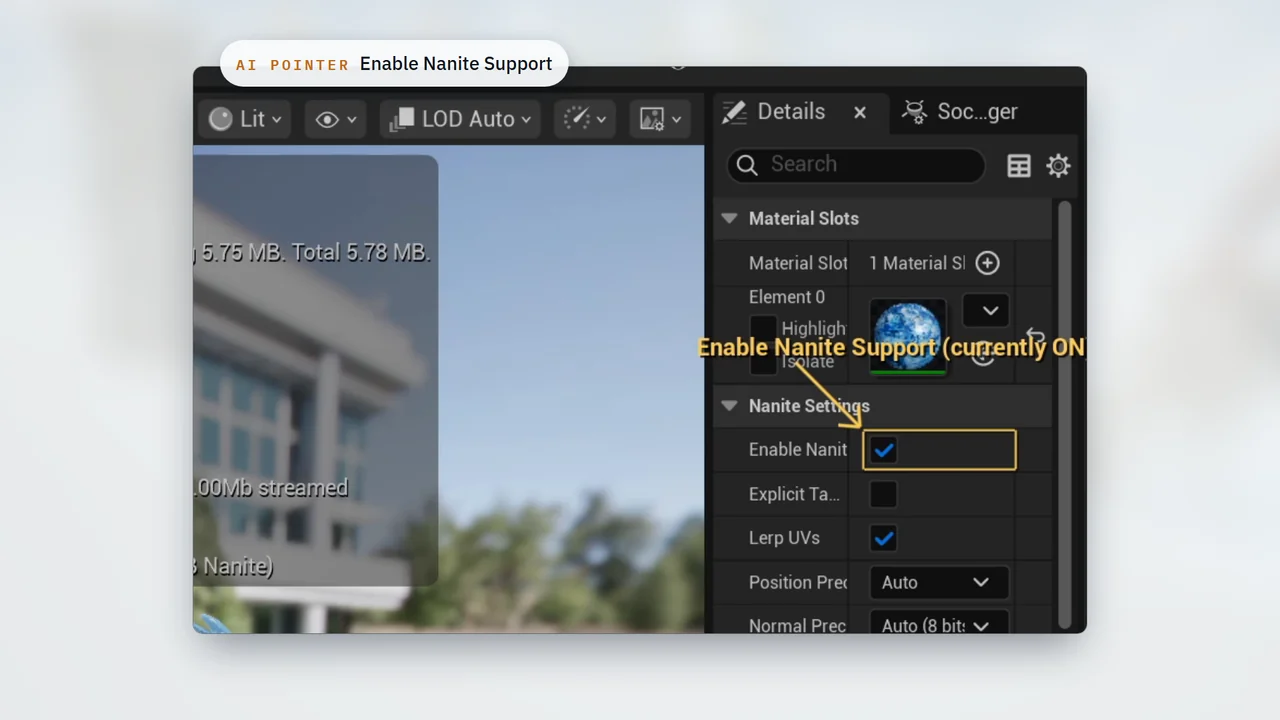
It drives the entire editor.
It moves the cursor, clicks menus, drags windows and picks dropdowns, the way you would.
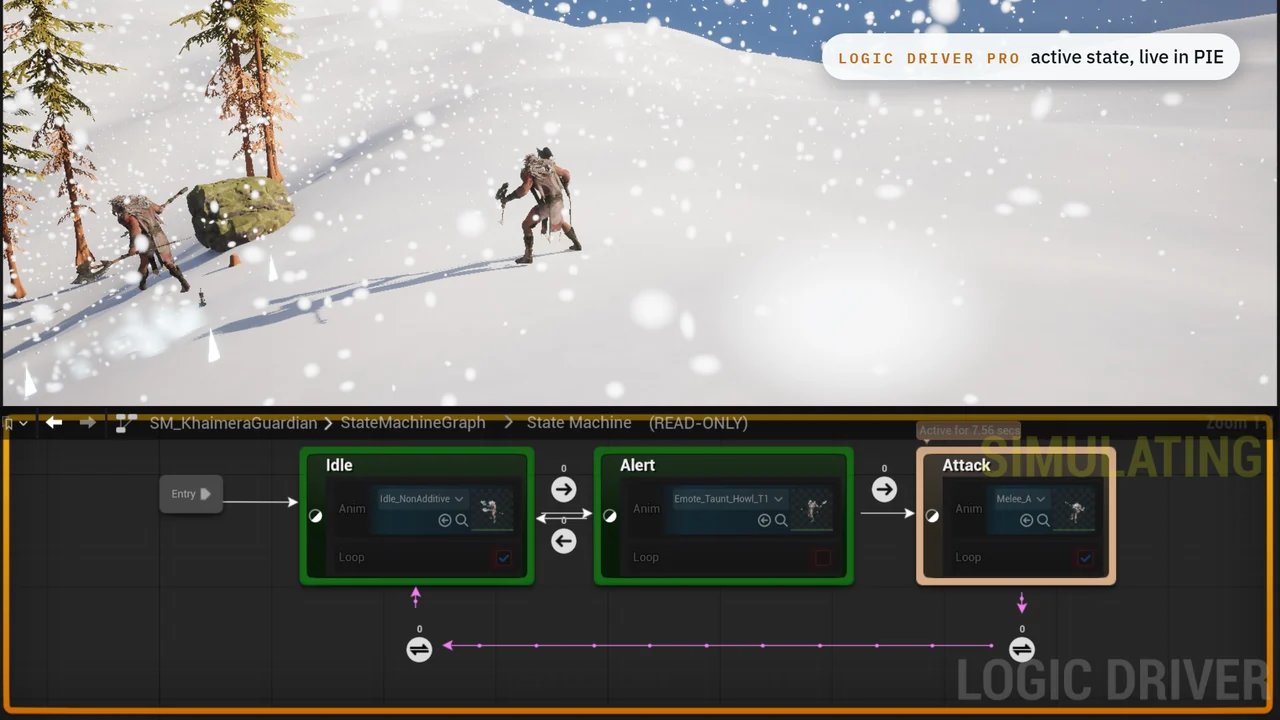
Describe it. Logic Driver runs it.
Prompt a state machine and it builds it in Logic Driver Pro: states, transitions, settings on each node, a clean layout. Then it plays it in PIE.
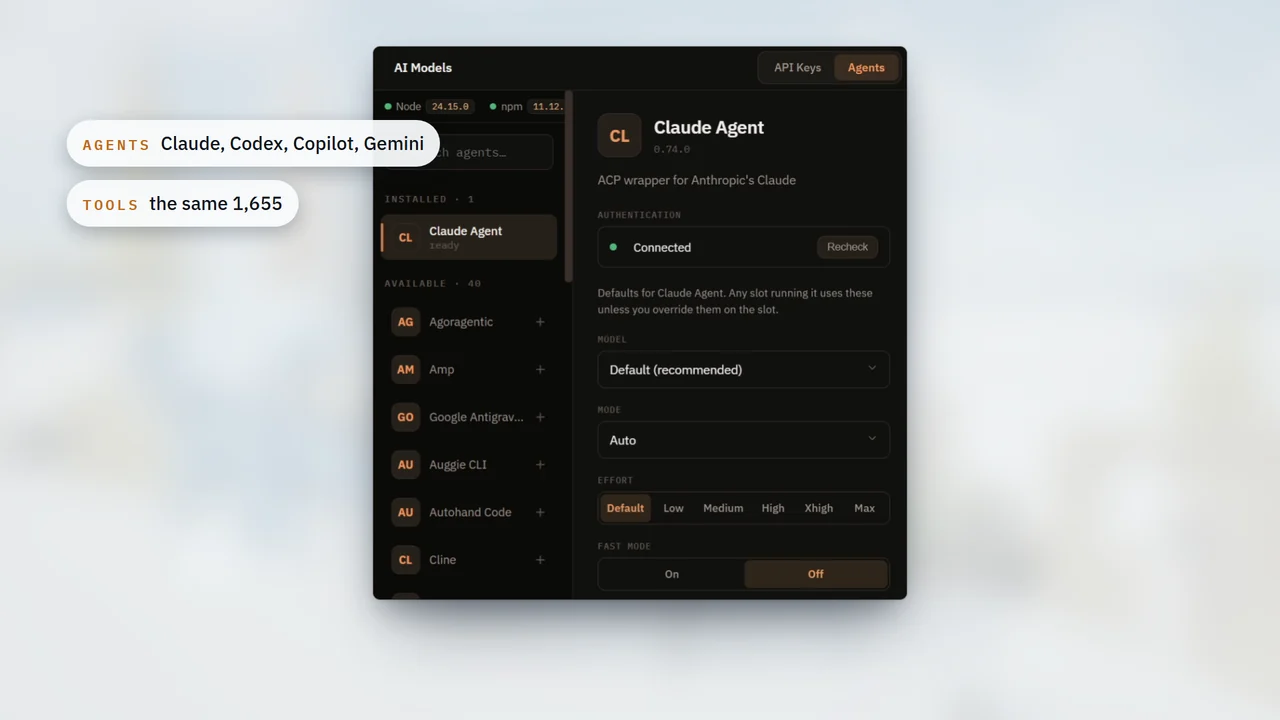
Run your agents in the editor.
Claude, Copilot and other ACP agents run inside Unreal, with the same 1,655 tools.
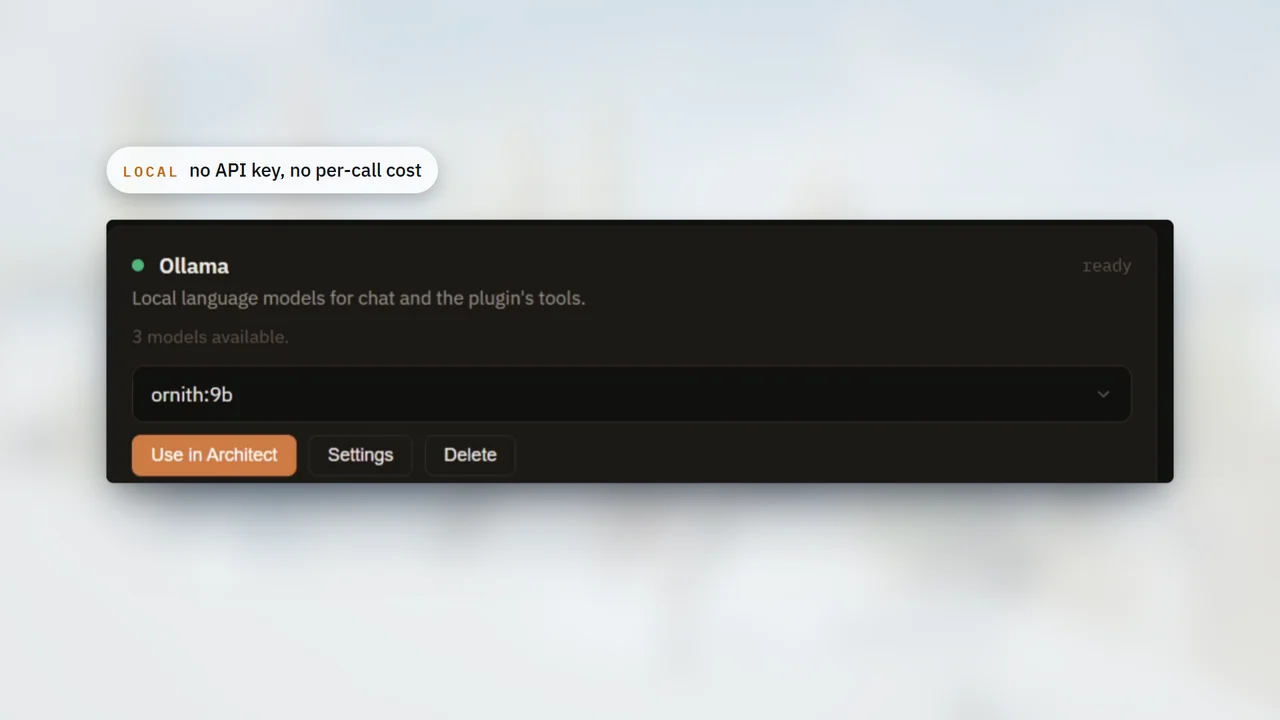
100% local. No API keys.
Ollama runs the Architect on your own machine, with no API key and no per-call cost. ComfyUI adds local image and 3D generation.
Also in the box.
- Crew
Big jobs become a plan: workers build each step and a verifier checks it off.
- Animation
State machines and anim layers assembled for your characters.
- Niagara VFX
Blizzards, sparks and effects from a description.
- PCG
Forests and foliage fill an empty map.
- Mesh Splitter
Pick body zones and split meshes interactively.
- Source Control
Commit, branch and review history in Git, Perforce or Diversion, from inside the plugin.
- AI Memory
It remembers your project and the fixes that worked, across chats.
- Learn
Courses, XP and a leaderboard to learn the engine while you build.
- Self-check
After it builds, it looks at the viewport and fixes what it sees.
- In-editor updates
New versions install from inside the editor. No reinstalling.
- Fab
It adds assets from your Fab library to the project, through the editor's Fab panel.
- Hosted generation
3D meshes, rigs, animations, images, sound effects, voice and music, generated from the editor.
- UMG
Widgets wired to your gameplay code.
- Dependency Graph
See how your whole project connects.
- Any AI
A plan with AI tokens included, your own API key, a custom provider, a local LLM or an MCP client.
- 20 languages
The plugin speaks your language.
Browse the tool index in the docs.
Every tool category and what it covers, with examples and prompt patterns.