Unreal Engine Checkpoint System: Build Respawn Points With AI
How to build an Unreal Engine checkpoint system: glowing checkpoints that become the active respawn point and a kill zone that sends the player back, built from one AI request.

A checkpoint system in Unreal Engine is really one idea: remember the last place the player touched, and when something bad happens, send the player back there. The easiest way to build one is to ask an AI for the whole system in a single request, with its checkpoints, kill zone and respawn logic.
In this walkthrough, Ultimate Engine CoPilot builds two glowing checkpoints and a kill zone that sends the player back to the last checkpoint touched. You get the exact prompt, how the AI tested it and a plain explanation of how it works.
What the finished system does
You run up to a stone pillar with a glowing orb, and the screen says “Checkpoint reached”. The orb turns green. Then you step into the red kill zone and you are sent straight back to the checkpoint. You touch a second checkpoint further on, step into the kill zone again, and this time you come back at the second one.
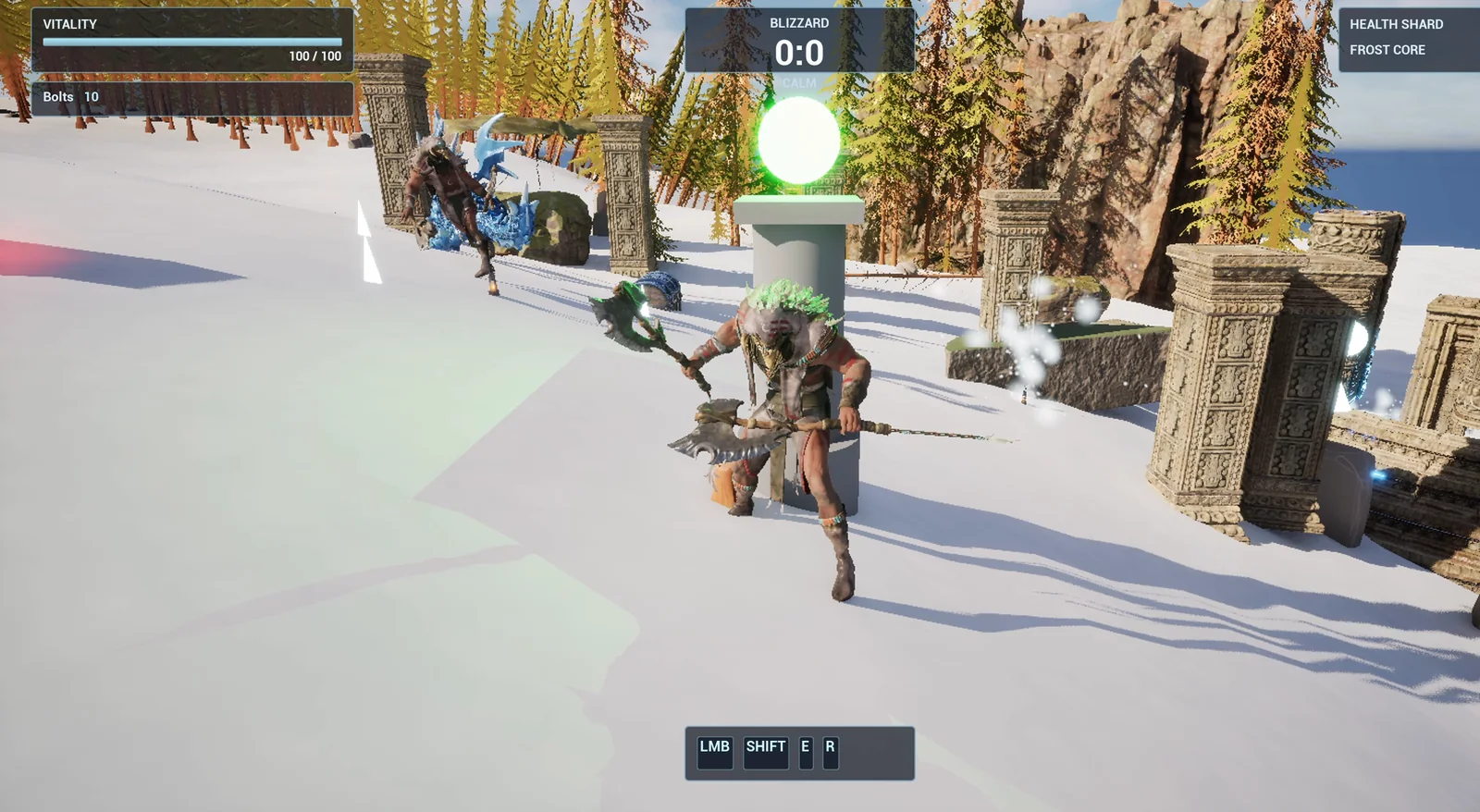
A touched checkpoint: the orb is green.
The prompt
Copy this, change the distance or add a third checkpoint, and see what the AI builds:
Make a checkpoint system. Create BP_Checkpoint in /Game/Series/EP16_Checkpoint, a stone pillar made from engine basic shapes with a glowing orb on top that is red until the player touches it, then turns green and shows the message Checkpoint reached for 2 seconds in a dark blue box at the bottom of the screen. Touching a checkpoint makes it the active respawn point. Create BP_KillZone, a flat red glowing box on the ground that sends the player back to the active checkpoint when touched, or to the player start if no checkpoint was touched yet. Place two checkpoints on the snow about 1500 units apart near the player start, and one kill zone between them. Then play test the whole system: touch the first checkpoint, touch the kill zone and confirm the player returns to the first checkpoint, touch the second checkpoint, touch the kill zone again and confirm the player returns to the second one, and fix anything that does not work.The important part is the last sentence. It does not only say what to build, it says how to test it: touch the first checkpoint, fail, check where you return. Touch the second, fail again and check again. Tell the AI the test and it will run it.
How the AI builds it
The AI starts by loading the tools and reading how the project is set up. Then the assets appear: two Blueprints (one for the checkpoint and one for the kill zone), a small widget for the message and four materials: a red orb, a green orb, a stone and a glowing red for the kill zone.
The logic: when a checkpoint is touched, it switches itself on and switches every other checkpoint off. That is how only one checkpoint is ever active. The kill zone asks which checkpoint is active and moves the player to a spot just beside it.
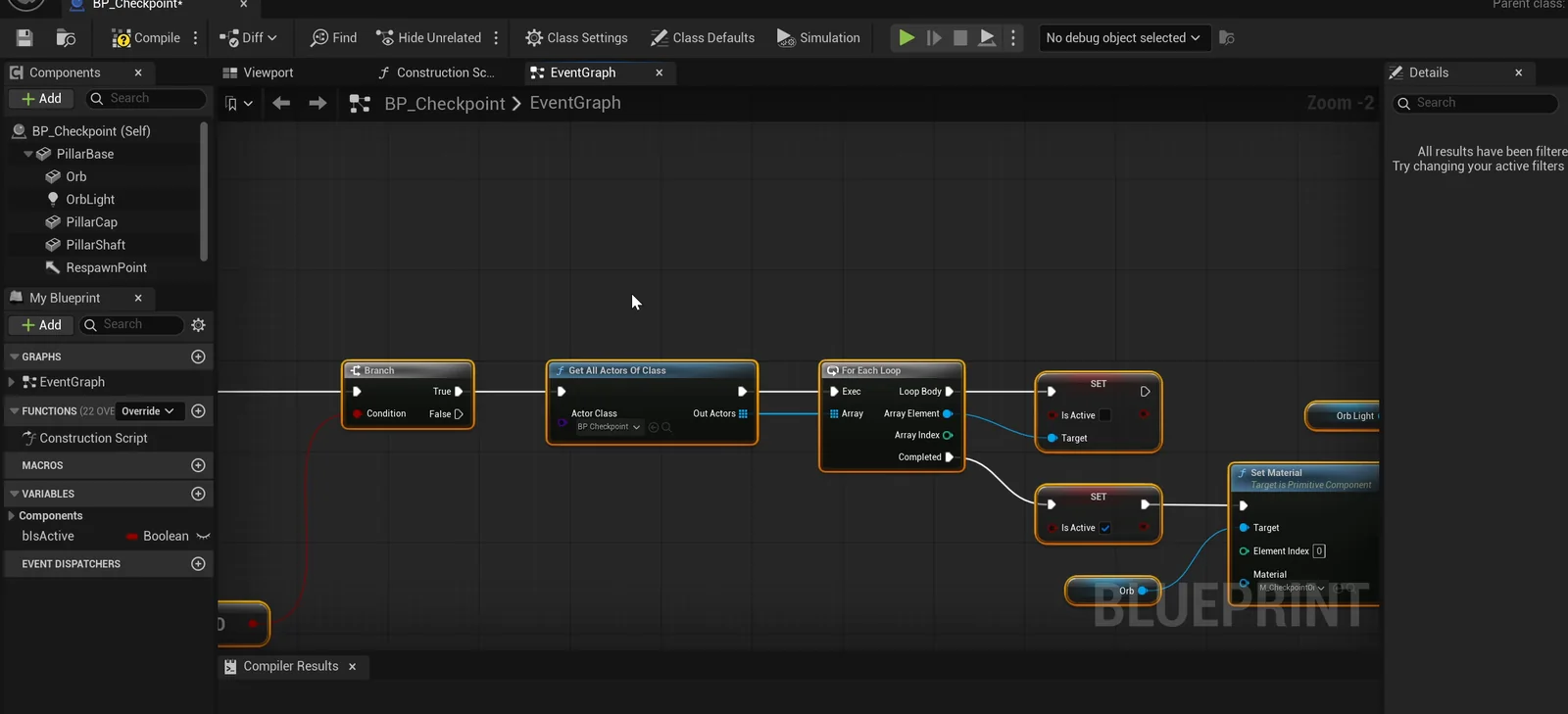
The checkpoint graph: it finds all checkpoints, switches the others off and itself on.
A small problem on the slope
The snow here is a slope, and the automatic snap to the floor left the actors floating. The AI noticed, measured the real ground height and set the heights by hand. That is exactly the kind of thing you want your assistant to check on its own.
The play test
- The kill zone before any checkpoint sends the player to the player start, as asked.
- After touching checkpoint 1, it becomes active, and the kill zone sends the player back to checkpoint 1.
- After touching checkpoint 2, it becomes active, checkpoint 1 switches off and the kill zone sends the player back to checkpoint 2.
Every step passes. Screenshots confirm that the message appears at the bottom of the screen and is gone 2.7 seconds later.
The report
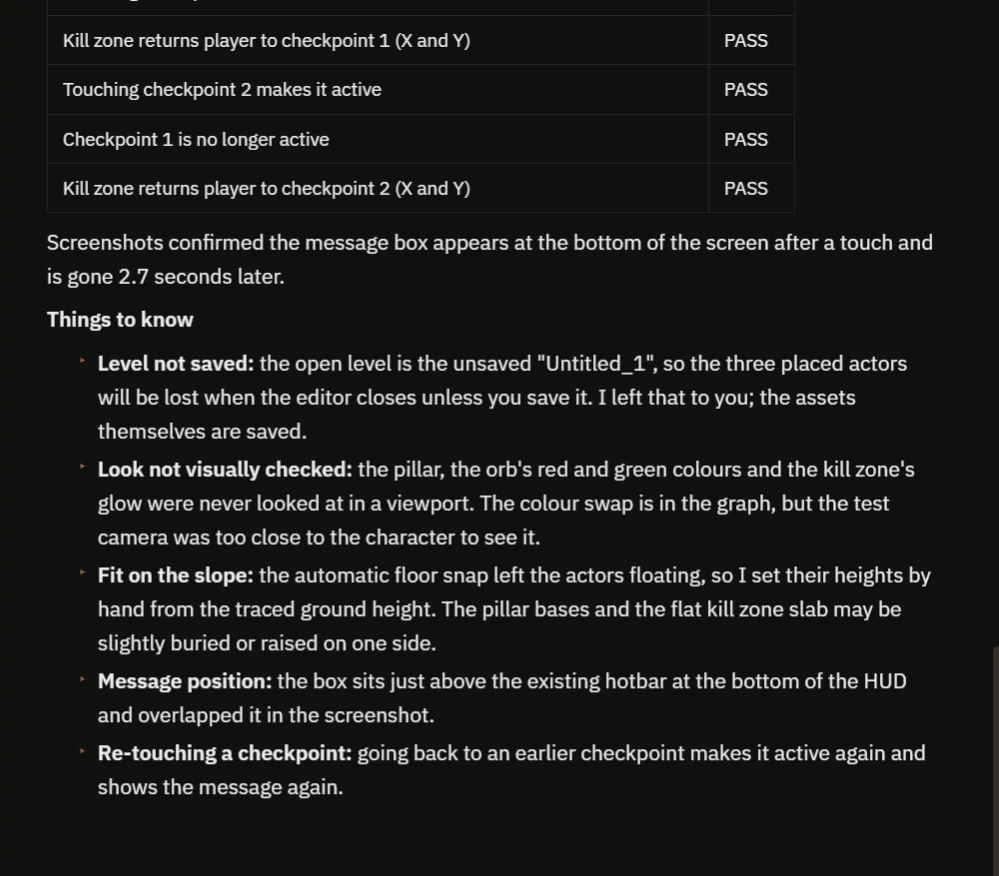
All checks pass, and the notes say what was not looked at.
The report lists the checks and what was built: two Blueprints, a message widget and four materials in one folder. It is honest about what it did not check:
- It never looked at the pillar and the glow in a viewport, so the colors were not judged.
- The message box sits just above the hotbar and overlapped it a little.
- Going back to an earlier checkpoint makes it active again and shows the message again.
- The level is unsaved, so the placed actors would be lost on closing the editor until you save it.
How a checkpoint system works, in plain words
Each checkpoint has a trigger. When the player enters the trigger, the checkpoint tells the game: I am the active one. It turns its own orb green and every other checkpoint back to red.
The kill zone has its own trigger. When the player enters it, it reads which checkpoint is active, takes that position and moves the player there. If nothing is active yet, it uses the player start.
Because the checkpoints are all the same Blueprint, you can place twenty of them in a level and they all work.
Ideas to extend it
- Restore the player’s health on respawn.
- A short fade to black while the player is moved.
- A sound when a checkpoint is reached.
- Save the checkpoint to the save game, so it survives closing the game. The Unreal Engine save game system shows how saving works.
Four tips for checkpoint prompts
- Say what happens on touch, and what happens on failure.
- Say what the fallback is when no checkpoint was touched.
- Describe the test: touch, fail, check where you return.
- Ask the AI to look at the result in the viewport.
Frequently asked questions
How do I make a checkpoint system in Unreal Engine 5?
Give each checkpoint a trigger that marks it as the active respawn point and switches the others off. Then make your kill zone read the active checkpoint and move the player to it, with the player start as a fallback.
How do I make sure only one checkpoint is active?
When a checkpoint is touched, have it set itself active and set every other checkpoint inactive. That is the logic the AI built here.
What happens if the player dies before touching any checkpoint?
The kill zone falls back to the player start. Say so in the request, because the AI builds the fallback you ask for.
Try it in your project
See what Ultimate Engine CoPilot can build on the product page, or get it on Fab.
More builds from this series: the Unreal Engine portal teleporter, the Unreal Engine jump pad and the Unreal Engine coin collection.