Unreal Engine Coin Collection: Build a Coin Counter With AI
How to build Unreal Engine coin collection: spinning gold coins, a Coins 0 / 8 counter and an All coins collected message, built and tested by an AI from one request.

Unreal Engine coin collection is three small ideas: a coin that notices the player touching it, a number that goes up by one, and something on screen that shows the number. The easiest way to build it is to ask an AI for the whole system in a single request, with its coins, counter and final message.
In this walkthrough, Ultimate Engine CoPilot builds eight spinning gold coins in a circle, a coin counter and an “All coins collected” message. You get the exact prompt, how the AI tested it and a plain explanation of how a coin system works.
What the finished system does
Eight gold coins float and spin in a circle around the start. You touch one, it disappears and the counter in the corner goes to 1 out of 8. You keep going up to 8, and the screen says “All coins collected”.
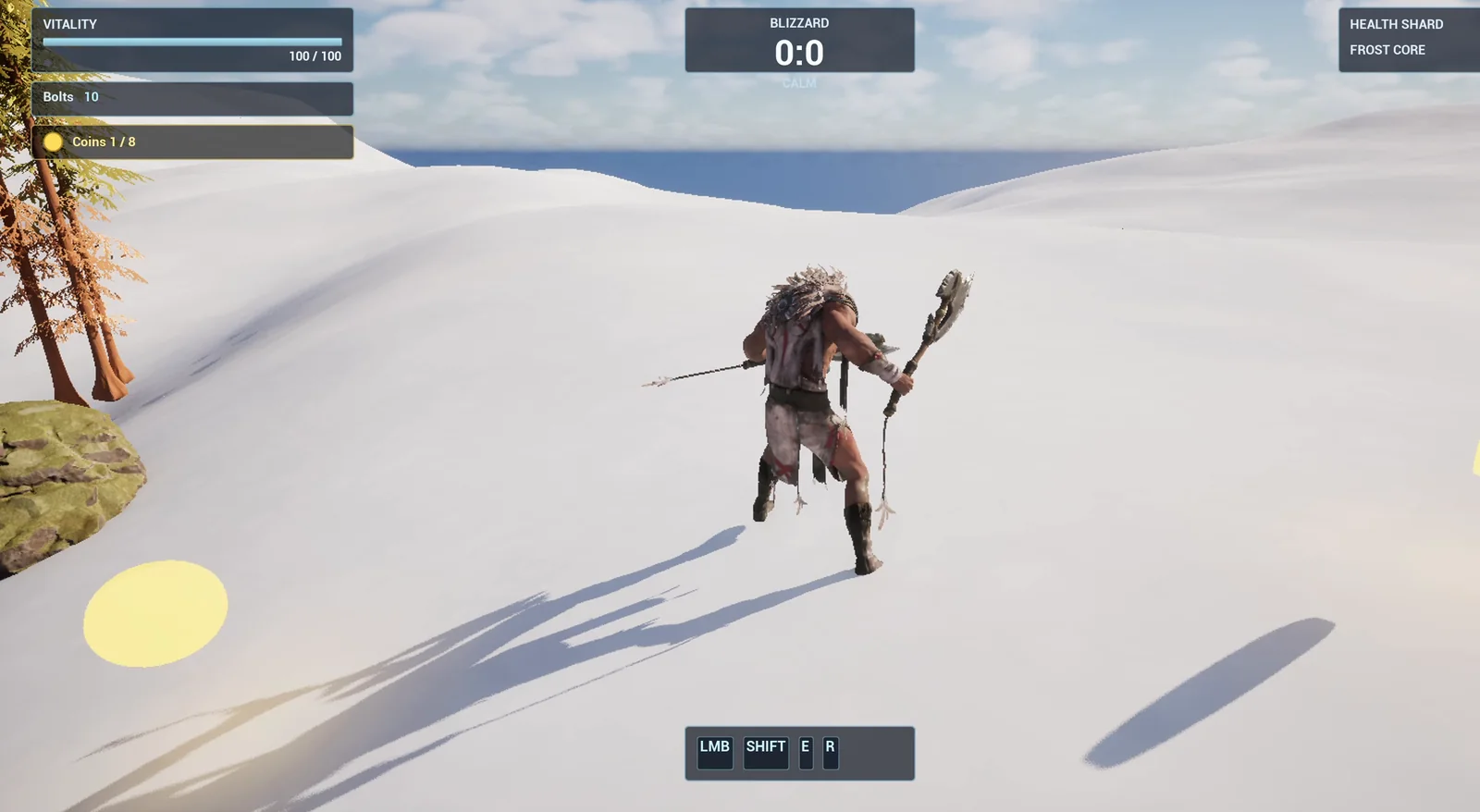
After the first pickup the counter reads Coins 1 / 8, below the existing boxes.
The prompt
Copy this, change the number of coins or the radius, and see what the AI builds:
Make a coin collection system. Create BP_Coin in /Game/Series/EP17_Coins, a gold coin made from a flat cylinder that spins, bobs up and down and glows a little. When the player touches a coin, the coin disappears and a counter goes up by one. Create WBP_CoinCounter showing Coins 0 / 8 in the top left of the screen, below the existing Vitality and Bolts boxes so it does not cover them, with a gold coin icon made from a circle. When all 8 coins are collected, show the message All coins collected for 3 seconds in a dark blue box at the bottom of the screen. Place 8 coins in a circle with a radius of 500 units around the player start. Then play test the whole thing: collect the coins one at a time and check the counter after each one, check the final message, and fix anything that does not work.Look at the sentence about the counter position: “below the existing Vitality and Bolts boxes so it does not cover them”. When you build on a project that already has a HUD, say where the new thing goes. Otherwise the AI has to guess, and you may find a counter sitting on top of your health bar.
How the AI builds it
The AI starts by reading the project, including your existing HUD, so it knows where the counter can go. Then the assets appear: a gold material with a mild glow, the coin Blueprint and the counter widget.
The first attempt at the widget missed one node. The AI saw the error and rebuilt that part with the right call. That is a normal part of building with an AI, and you do not have to do anything.
For the coin, the AI adds a root so the mesh can bob up and down by itself while the whole coin spins. Then comes the logic: touch, add one, remove the coin. It compiles and reads the graph back to check the wiring.
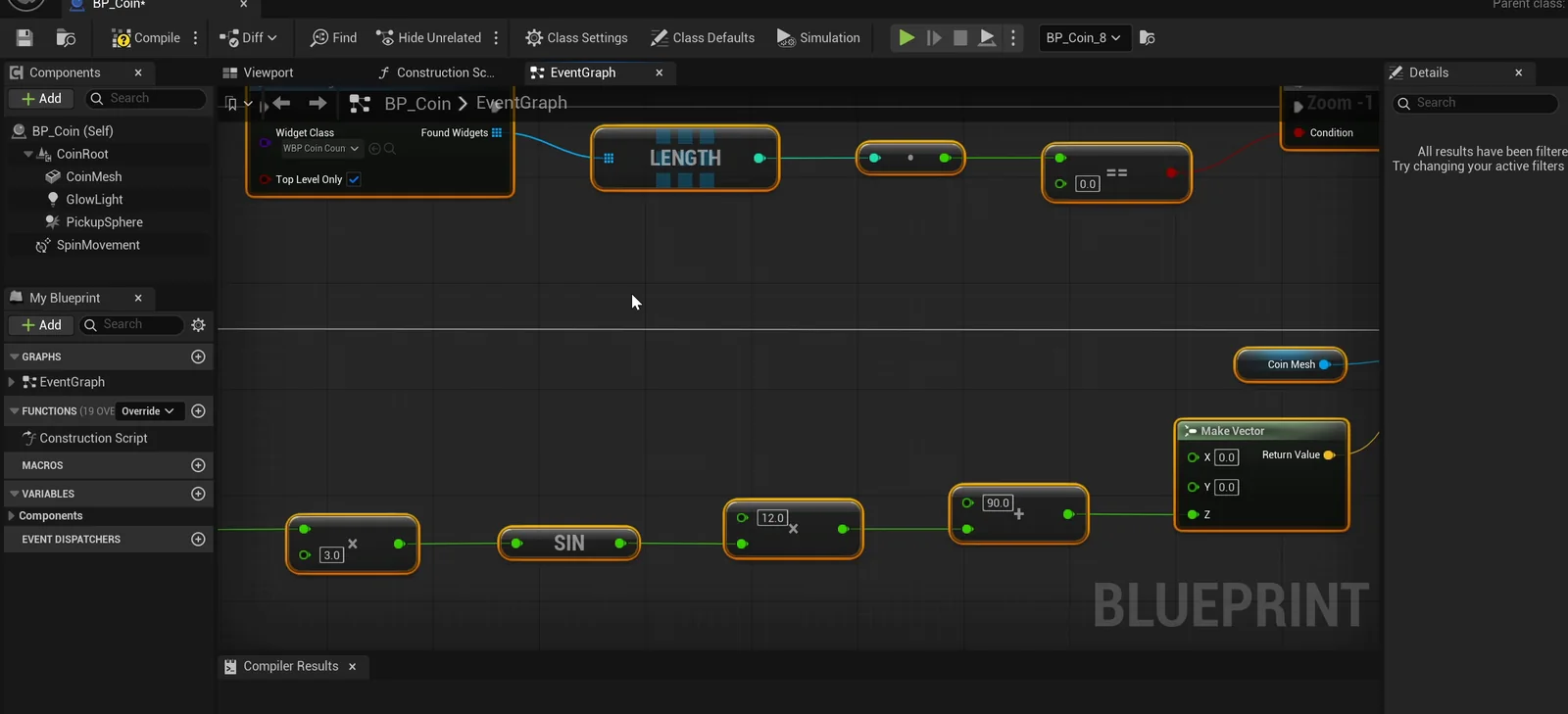
The coin graph: the sine node drives the bobbing, and the touch finds the counter widget.
The play test
- The coin spins: its yaw changes from 91.3 to 176.5 degrees in 0.4 seconds.
- It bobs: its height changes a few units up and down.
- Each coin disappears on touch, and the count falls from 8 to 0.
- After every pickup the counter reads 1 / 8, 2 / 8, all the way to 8 / 8.
- The message shows up after the last coin and is gone a few seconds later.
- A screenshot confirms that the counter sits below the Vitality and Bolts boxes.
The report
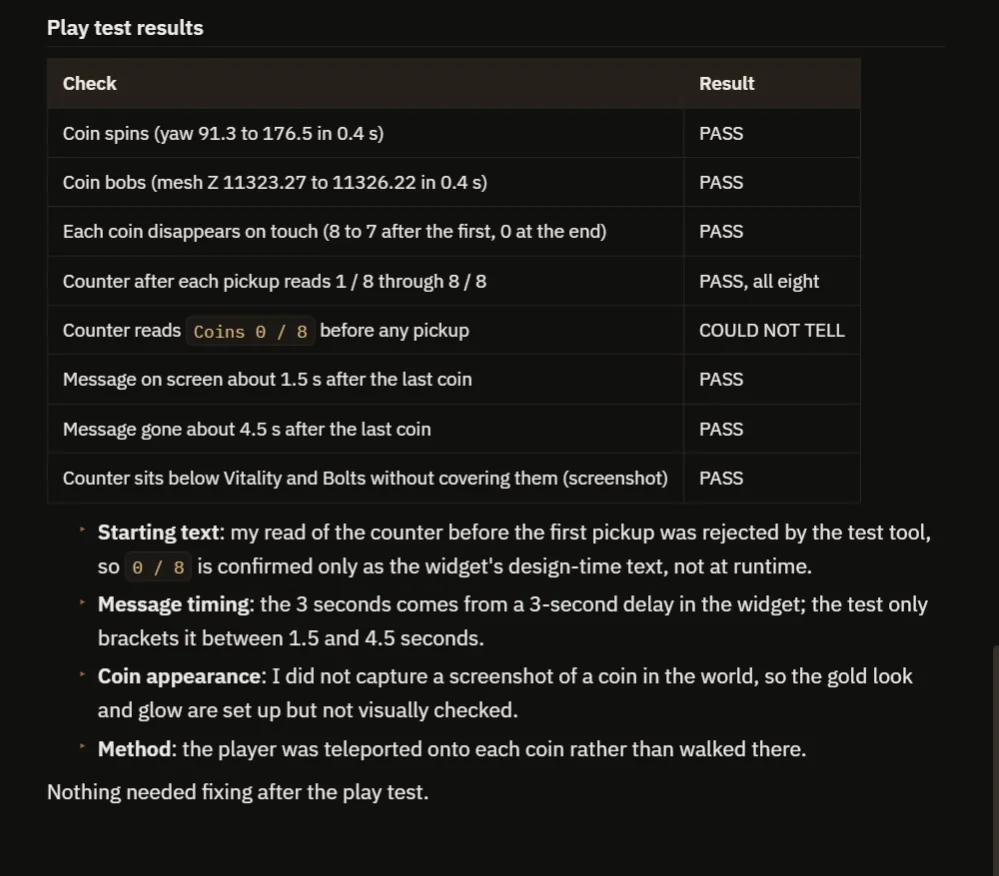
A table of checks and what the AI could not check.
The report has a table of checks, all passing. It also says what it could not check:
- It could not read the counter before the first pickup at runtime. It only knows the starting text from the design.
- It did not take a screenshot of a coin, so the gold look is not visually checked.
- The player was teleported onto each coin instead of walking.
- The 3 second message time comes from the widget’s delay. The test only brackets it between 1.5 and 4.5 seconds.
Nothing needed fixing after the play test. That is why the video also shows a real run.
How a coin system works, in plain words
Each coin has a small trigger. When the player enters it, the coin checks one thing: is this the player? If yes, it tells the counter to add one and destroys itself.
The counter keeps one number and the total, as variables. After each pickup it updates the text. When the number reaches the total, it shows the message for three seconds.
Because the total is a variable, you can place twenty coins and change one number.
Ideas to extend it
- A sound when a coin is collected, or a small burst of sparkles.
- Coins of different values, like a silver coin and a gold coin.
- A score that is saved, so it is still there when you restart the game. See the Unreal Engine save game system.
Four tips for coin prompts
- Say where the new counter goes on the screen.
- Say what happens when all the coins are collected.
- Make the total a variable.
- Ask the AI to check the counter after every pickup.
Frequently asked questions
How do I make collectible coins in Unreal Engine 5?
Give the coin an overlap trigger. When the player overlaps it, add one to a counter and destroy the coin. A widget shows the counter.
How do I show a coin counter on screen?
Create a widget with a text block and update the text from a counter variable each time a coin is collected. Say where it goes in the request so it does not cover your existing HUD.
How do I make coins spin and bob?
Rotate the whole coin around its up axis every frame, and move the coin mesh up and down with a sine wave. A scene root lets the mesh bob while the whole coin spins.
Try it in your project
See what Ultimate Engine CoPilot can build on the product page, or get it on Fab.
More builds from this series: the Unreal Engine inventory system and the Unreal Engine speed boost.