Unreal Engine Jump Pad: Build a Launch Pad With AI
How to build an Unreal Engine jump pad: a glowing pad that launches the player 1400 units up and 500 forward with a cooldown, built and debugged by an AI from one request.

An Unreal Engine jump pad is three small ideas: a trigger that notices the player stepping on, a launch that pushes the player up and forward, and a short wait so it cannot fire twice in a row. The easiest way to build one is to ask an AI for the whole thing in a single request, with its trigger, launch and cooldown.
In this walkthrough, Ultimate Engine CoPilot builds a glowing cyan jump pad that launches the player onto a stone ledge. You get the exact prompt, the first test that failed and how the AI fixed it, and a plain explanation of how a jump pad works.
What the finished jump pad does
You step onto a glowing cyan pad, and it throws you high into the air. You fly forward and land on a stone ledge. You go back, step on the pad again and the same jump happens.
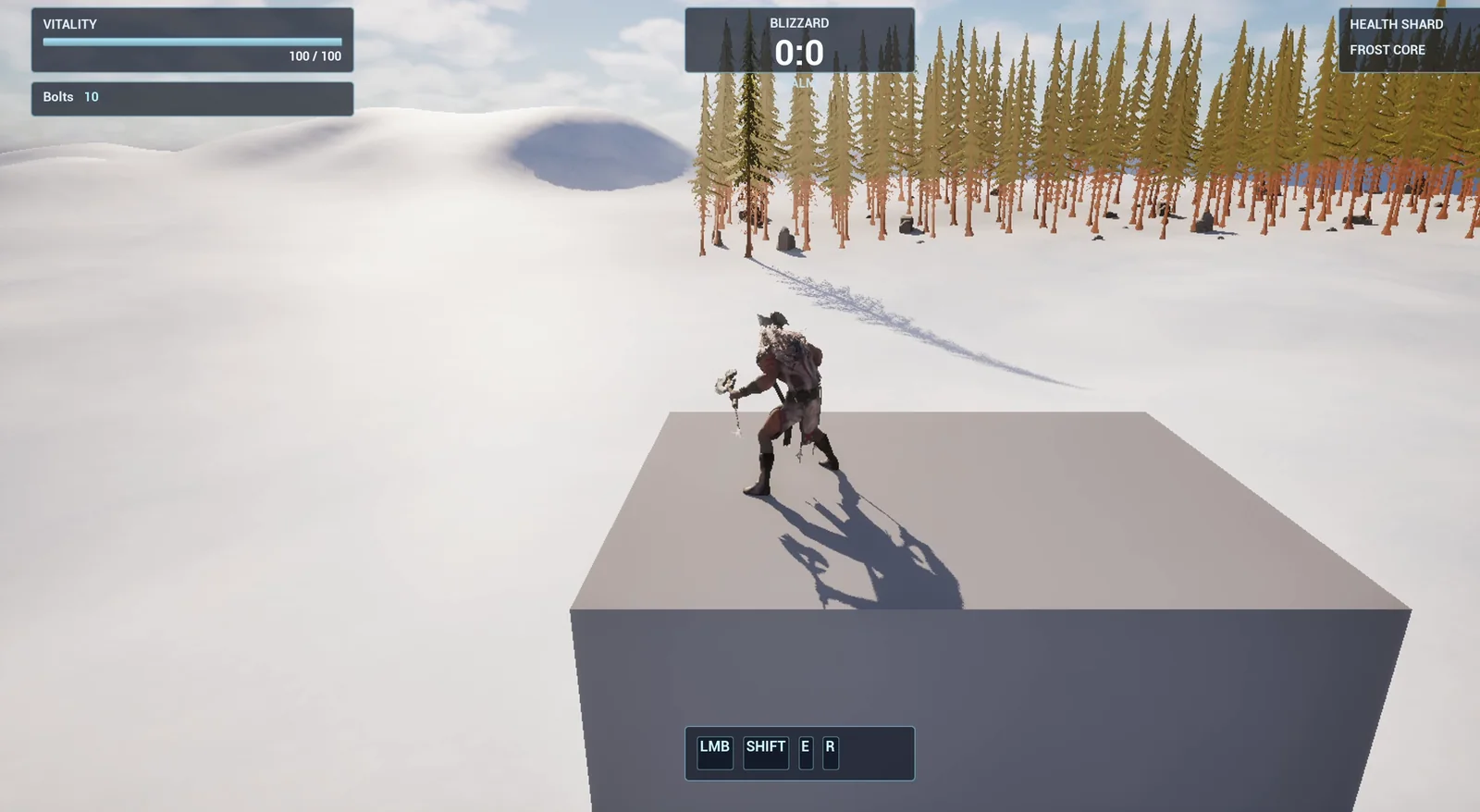
The landing: the player is at rest on top of the ledge.
The prompt
Copy this, change the launch height or the forward push, and see what the AI builds:
Make a jump pad. Create BP_JumpPad in /Game/Series/EP18_JumpPad, a flat round pad made from a cylinder with a glowing cyan ring around the edge. When the player steps on it, the player is launched 1400 units up and 500 units forward in the direction the pad is facing, and the pad does a short bounce, scaling up and back in 0.3 seconds. After a launch the pad ignores the player for 1 second so it cannot fire twice. Keep the launch height, the forward push and the cooldown as variables so they are easy to tweak. Place one pad on the snow near the player start, facing a small stone ledge about 700 units away and 600 units higher, and build that ledge from a cube so the jump visibly leads somewhere. Then play test it: step on the pad, check the player is launched up and forward and lands on the ledge, check the cooldown, and fix anything that does not work.Look at the end of the request: the numbers are variables. A jump pad is all about feel, so you will want to change them a lot. The AI makes them editable on each pad, so every pad in your level can have its own height.
How the AI builds it
The AI starts by reading the project and finding the tools for physics and character launching. Then the assets appear: two materials (a dark metal base and a glowing cyan ring) and the jump pad Blueprint with the pad, the ring and the trigger.
The logic: enter the trigger, check the cooldown, launch the character, play the bounce and start the timer.
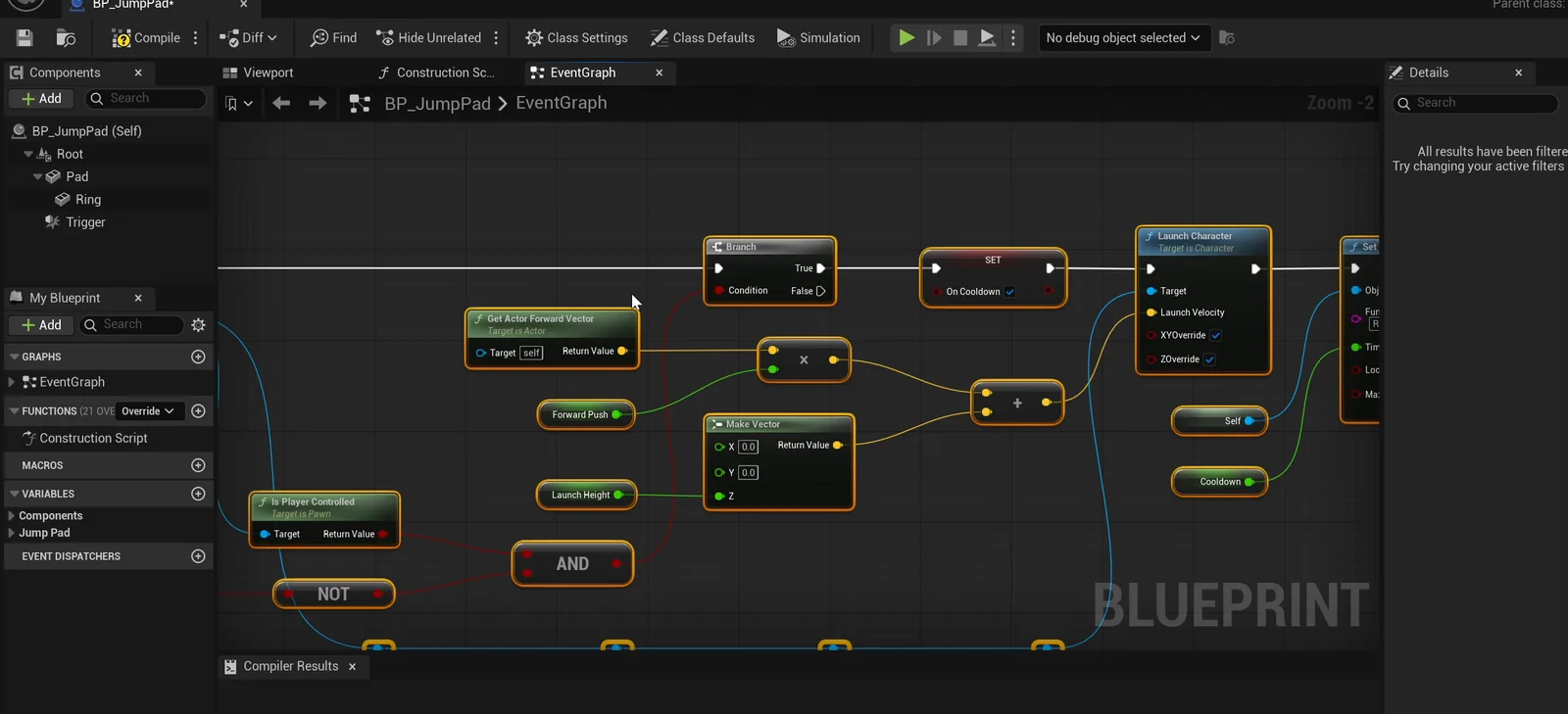
The jump pad graph. The launch is one node that takes a velocity.
The first test fails
The AI checks the bounce first: the pad scales up and goes back in the right time. Then it launches the player and measures the speed: 500 forward and about 1280 up shortly after the launch.
Then something goes wrong. On the second run, the player does not move. The AI investigates and finds two causes:
- The pad mesh was the actor root. Placing the actor reset its flat scale to a full-size cylinder. The AI added a plain scene root so the pad keeps its shape, and only the pad and ring scale during the bounce.
- The first placement was blocked. A decorative character statue stood about 57 units from the pad, and the player landed on it instead of on the pad. The AI did not guess. It looked at the scene, found the statue and moved the pad and the ledge to an open spot of snow.
Then it ran the test again. The player is launched, flies forward and lands on the ledge, at rest on top of it. It steps on the pad during the cooldown and nothing happens. After one second the pad works again.
The report
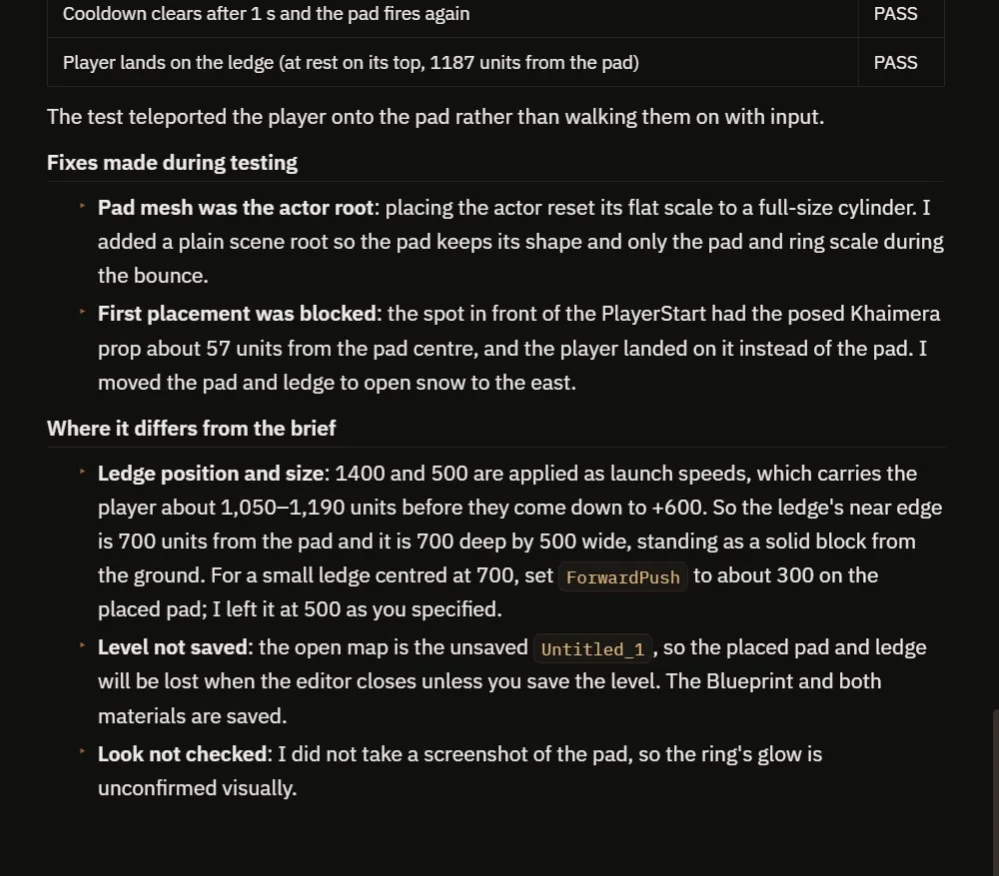
The fixes, and where the result differs from the request.
The report lists the checks, all passing, and the two fixes. It is also honest about two differences from the request:
- The ledge is bigger and further out than asked. The launch numbers carry the player about 1,000 units, so the ledge is 700 units from the pad and 700 deep by 500 wide. For a smaller ledge, lower the forward push to about 300.
- The glow was not checked. It did not take a screenshot of the pad.
The level is also unsaved, and the test teleported the player onto the pad rather than walking.
How a jump pad works, in plain words
The pad has a trigger box. When a character enters it, the pad first asks: am I on cooldown? If not, it launches the character. The launch is one node. It takes a velocity: 500 along the pad’s forward direction and 1400 up. After that, a timer blocks new launches for one second and the pad plays its bounce.
Because the numbers are variables, a low pad for a small hop and a high one for a big jump are only a number change.
Ideas to extend it
- A pad that launches the player in the direction they are moving.
- A sound and a burst of sparkles when it fires.
- A chain of three pads, each one launching to the next.
Copy the prompt, change the launch height to 3000 or the forward push to zero, and see what the AI builds.
Four tips for jump pad prompts
- Give the launch as numbers, up and forward.
- Add a cooldown.
- Keep the numbers as variables.
- Ask the AI to test that it lands where you want.
Frequently asked questions
How do I make a jump pad in Unreal Engine 5?
Add a trigger box to a pad. On overlap, call Launch Character on the player with a velocity that points up and forward, then start a short cooldown so it cannot fire twice.
How do I stop a jump pad from firing twice?
Set a cooldown flag when it launches, ignore overlaps while it is set, and clear it after a timer. One second is used here.
Why did the player not move on the second test?
A decorative statue stood about 57 units from the pad and the player landed on it. The AI found it in the scene and moved the pad to open snow.
Try it in your project
See what Ultimate Engine CoPilot can build on the product page, or get it on Fab.
More builds from this series: the Unreal Engine portal teleporter and the Unreal Engine speed boost.