Unreal Engine Compass Bar: Build a Compass HUD With AI
How to build an Unreal Engine compass bar: N, E, S and W letters that slide as the camera turns, a marker and a heading in degrees, built and tested in four directions by an AI.

A compass bar in Unreal Engine is three small ideas: the direction the camera is facing, as an angle; a row of letters, each placed at the angle where it belongs; and a window, so only the letters near the middle are shown. The row slides as the camera turns. The easiest way to build one is to ask an AI for the whole HUD element in a single request.
In this walkthrough, Ultimate Engine CoPilot builds a compass bar at the top of the screen with N, E, S and W in gold. You get the exact prompt, how the AI tested all four directions and a plain explanation of how a compass bar works.
What the finished compass does
At the top of the screen, a thin bar shows the direction you are facing. You turn the camera and the letters slide sideways, like a real compass in a game. North in gold, then E, then S, then W, and a small number under the marker shows the heading in degrees.
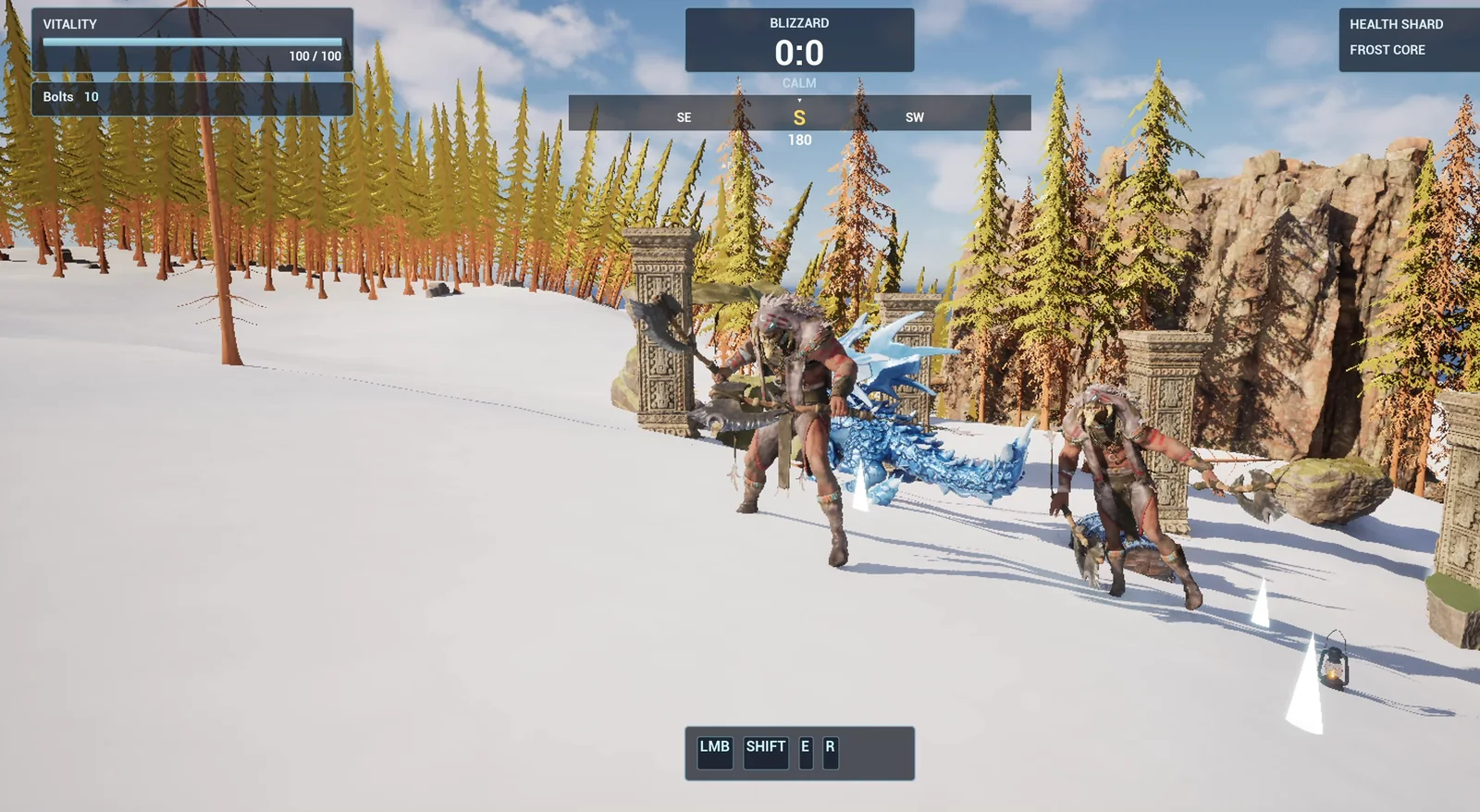
The compass bar under the Blizzard box, following the camera.
The prompt
Copy this, change the visible degrees or the colors, and see what the AI builds:
Make a compass bar. Create WBP_CompassBar in /Game/Series/EP37_Compass, a thin horizontal bar at the very top of the screen, 600 pixels wide and centred, below the existing Blizzard box. It shows the direction the player's camera is facing as letters that slide sideways as the camera turns: N, NE, E, SE, S, SW, W, NW, with a small white triangle marker in the middle. The letters for the main directions N, E, S and W are larger and gold, the in-between ones smaller and white. Also show the heading in degrees as a number under the marker, for example 90. Create BP_CompassController in the same folder, an actor that I place once, that adds the widget to the screen and updates it every frame from the player camera's yaw. Treat world +X as North and world +Y as East. Keep the bar width and the number of visible degrees as variables. Place the actor near the player start. Then play test it: turn the camera to face +X and check the heading reads 0 with N in the middle, turn it to +Y and check 90 with E, turn it to -X and check 180 with S, turn it to -Y and check 270 with W, and fix anything that does not work.The detail that matters is the last part of the setup: “Treat world +X as North and world +Y as East”. Unreal has no north, only axes. If you do not say which axis is north, the AI has to pick one, and you may end up with a compass that points the wrong way. So always say it.
How the AI builds it
The AI starts by reading the project. It finds the Blizzard box at the top of the HUD and measures where it ends, so the bar can sit just below. Then the assets appear: the compass bar widget and the controller Blueprint.
The controller’s logic: Begin Play adds the widget, and Tick reads the camera yaw and moves the letters. The letters fade out near the ends of the bar, so they do not just pop in and out.
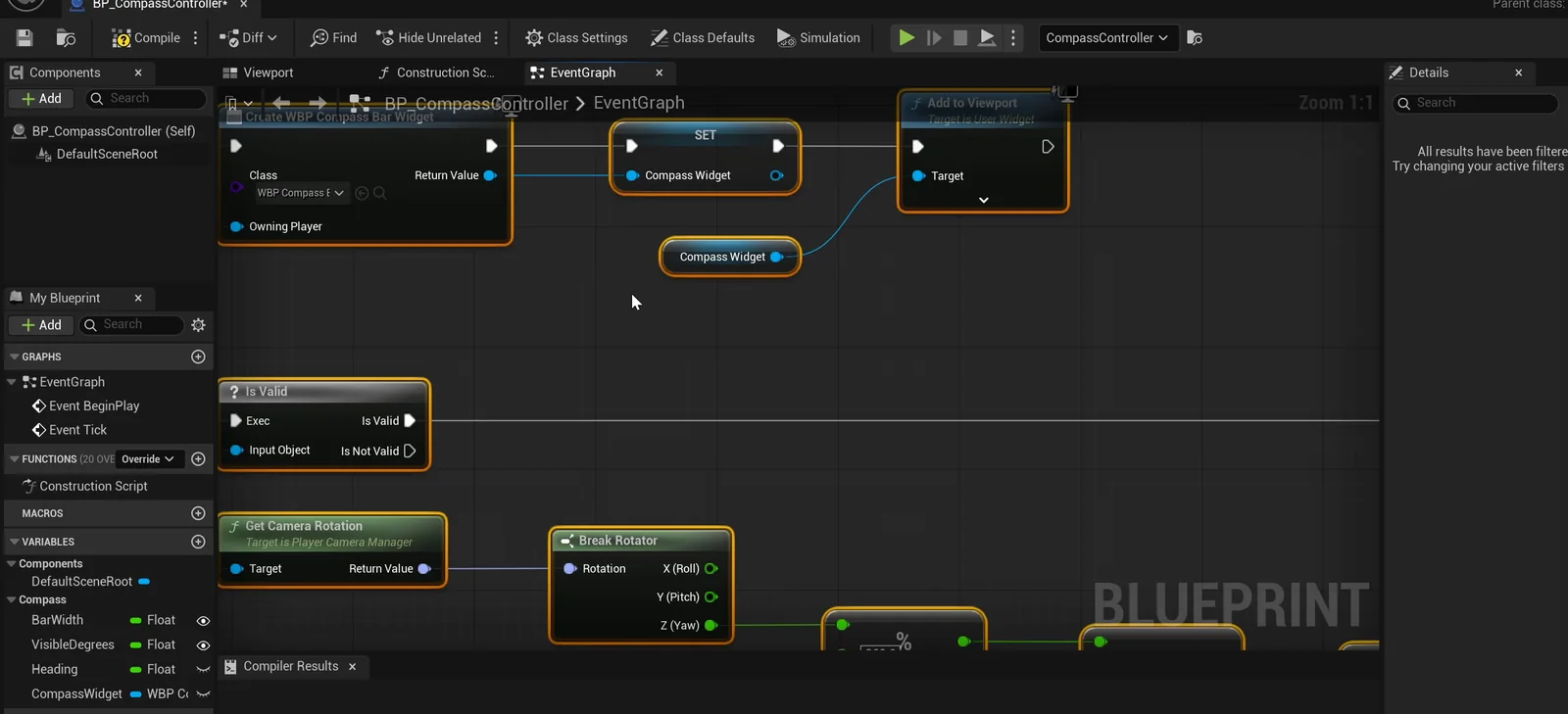
The controller graph: it adds the widget, then updates it from the camera every tick.
The play test
The AI first has to turn the camera, so it looks for how to do that. Then it checks four directions:
- Facing +X: the heading is 0 and N is in the middle.
- Facing +Y: 90 and E.
- Facing -X: 180 and S.
- Facing -Y: 270 and W.
It reads the numbers from the controller and the letters from a screenshot, and the neighbors sit correctly on both sides, such as NW and NE around the N. All four pass.
Then one small thing from the screenshot: the marker triangle was touching the top of the centre letter. So the AI made the bar a little taller, from 40 to 46 pixels, and moved the letters down.
The report
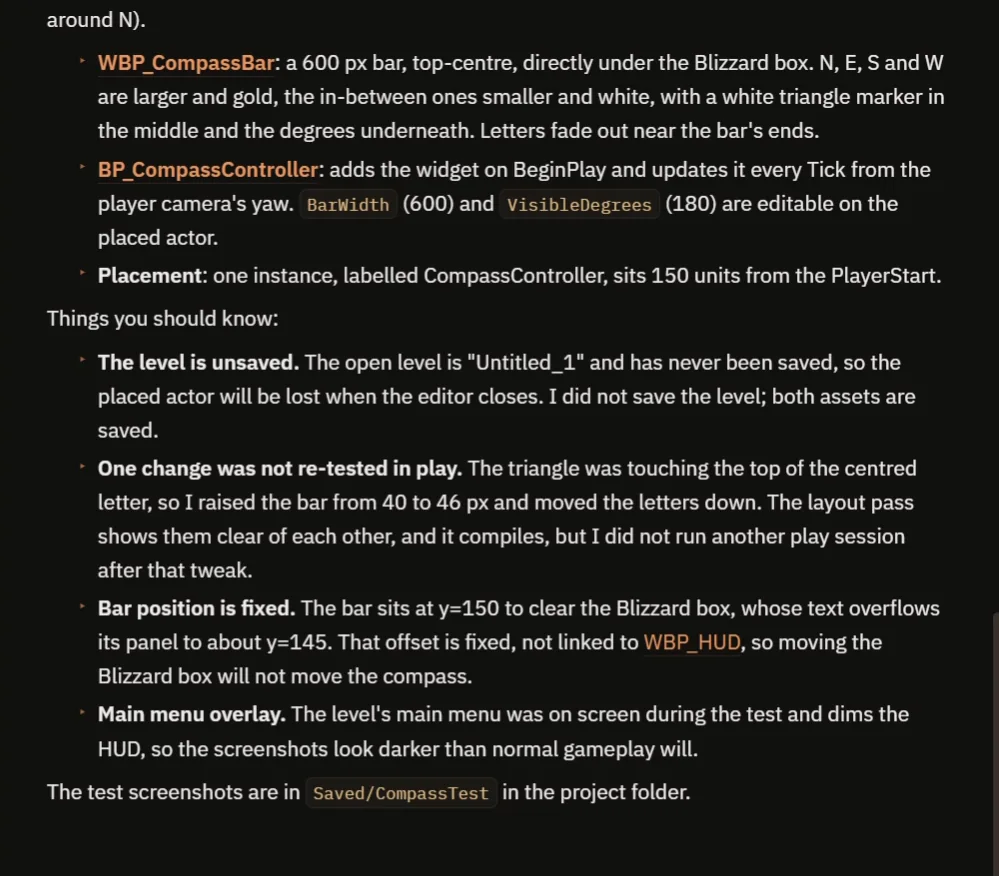
What was built and what to know.
The bar width (600) and the number of visible degrees (180) are variables on the placed actor. The report is honest about a few things:
- The last change, the taller bar, was not tested in another play session. The layout compiles, but no further run was done.
- The bar sits at a fixed height, y=150, to clear the Blizzard box, whose text overflows its panel. The offset is not linked to the HUD, so if you move the box, the compass does not move.
- The level is unsaved.
- The main menu dimmed the screenshots. That is why the video also shows a real run turning all the way around.
How a compass bar works, in plain words
Every frame, the controller takes the camera’s yaw and turns it into a heading from 0 to 360. Zero is +X, which we called North. Each letter has an angle: N at 0, E at 90, and so on.
For every letter, the controller works out how far it is from the heading and turns that into a pixel position on the bar. Letters outside the visible degrees are hidden, and the ones near the edges fade out. Because the bar width and the visible degrees are variables, you can make a wide compass or a tight one with two numbers.
Ideas to extend it
- Markers on the compass, like a quest marker that slides along the bar. See the Unreal Engine objective marker.
- The distance to the marker, in meters, under it.
- A bar that fades out when you are not moving the camera.
Four tips for compass prompts
- Say which world axis is north.
- Say how big the bar is, and where it goes.
- Say which letters are big, and which are small.
- Ask the AI to test all four directions.
Frequently asked questions
How do I make a compass bar in Unreal Engine 5?
Read the camera’s yaw every frame as a heading from 0 to 360, place a row of letters by the difference between each letter’s angle and the heading, and hide letters outside a visible window.
Which direction is north in Unreal Engine?
Unreal has no north, only axes. Pick one and say it in the request. Here +X is North and +Y is East.
Why did the AI make the bar taller?
The marker triangle was touching the top of the centre letter in the screenshot. The AI raised the bar from 40 to 46 pixels and moved the letters down.
Try it in your project
See what Ultimate Engine CoPilot can build on the product page, or get it on Fab. See how the AI Blueprint generator works.
More builds from this series: the Unreal Engine objective marker, the Unreal Engine fast travel and the Unreal Engine zoom view.