Unreal Engine Crafting System: Build a Recipe Crafting Table Using AI
How to build an Unreal Engine crafting system: a recipe in a data table, log and rock piles, a crafting table and F to craft an axe or show Missing materials, built by an AI.

A crafting system in Unreal Engine is three ideas: resources the player can collect, a recipe that says what an item costs, and a place where it happens. When the player presses a key near the table, a controller reads the recipe, compares it with the counts and either crafts or says what is missing. The easiest way to build one is to put the recipe in a data table and let an AI wire everything else in a single request.
In this walkthrough, Ultimate Engine CoPilot builds log and rock piles, a crafting table and a controller that crafts an axe from 2 wood and 1 stone. You get the exact prompt, a name clash the AI found and avoided, floating actors it caught on a screenshot and a plain explanation of how crafting reads its recipe from a table.
What the finished crafting system does
At the left edge of the screen there is a small list: Wood 0, Stone 0, Axe 0. Around a wooden table in the snow stand three piles of logs and two piles of rocks. You walk through them and the list counts up to Wood 3 and Stone 2. At the table you press F, and the list changes to Wood 1, Stone 1, Axe 1 while a grey axe appears floating above the table. You press F again and a message says Missing materials.
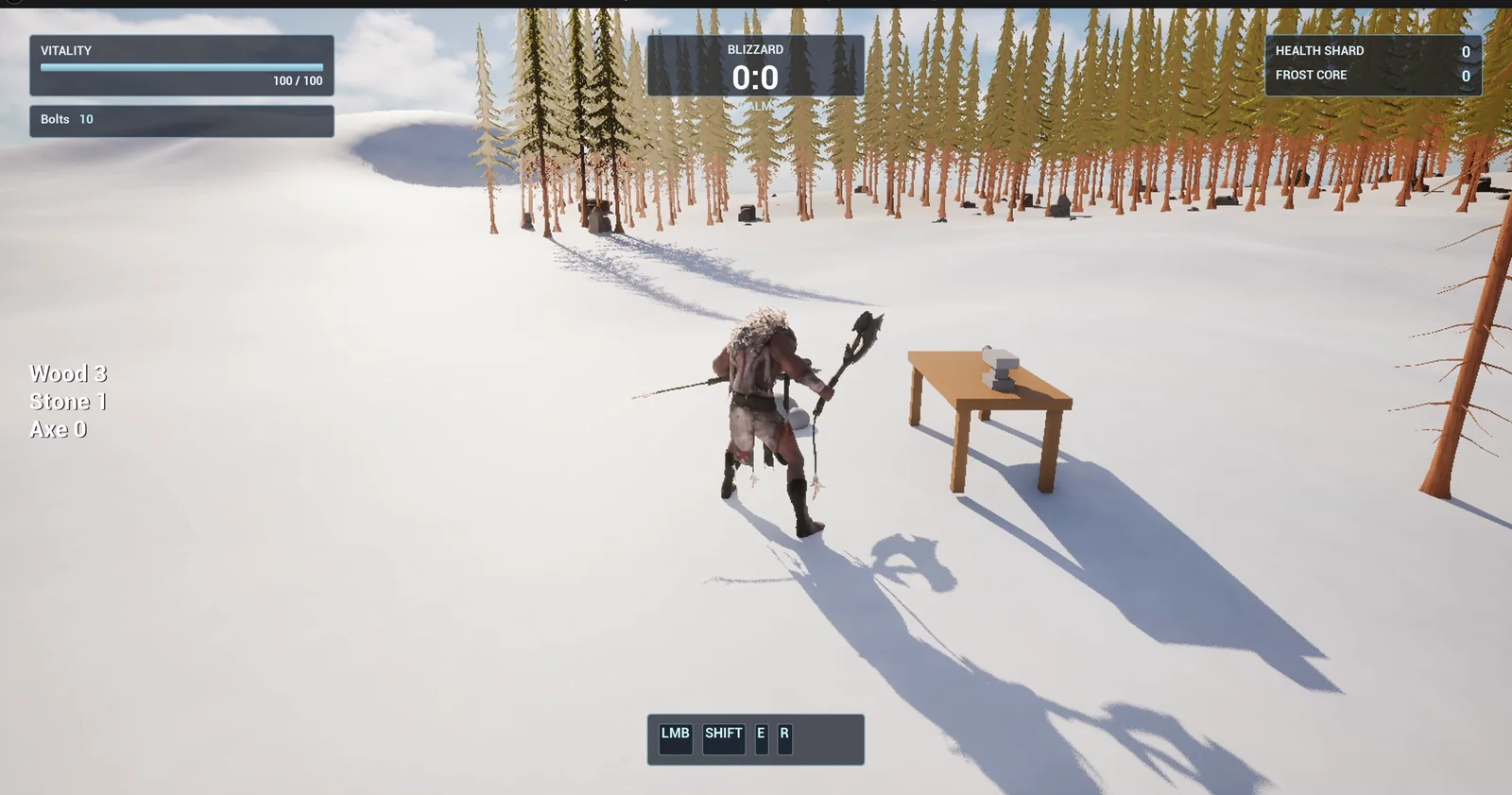
Partway through collecting: the list reads Wood 3, Stone 1, Axe 0 and the table waits with its small anvil.
The prompt
Copy this, change the recipe or the materials, and see what the AI builds:
Make a small crafting system driven by a data table. Create a struct S_Recipe in /Game/Series/EP59_Crafting with ResultName, WoodNeeded and StoneNeeded, and a data table DT_Recipes in the same folder with one row, Axe, needing 2 wood and 1 stone. Create BP_ResourcePile, a pickup that is either a brown log shape (wood) or a grey rock shape (stone) set by a variable, collected on touch. Create BP_CraftingTable, a wooden table 200 units wide with a small anvil shape on top, and BP_CraftController, an actor that I place once in the level, that adds WBP_Inventory on BeginPlay. The widget is a text at the left edge of the screen, vertically centred, with three lines: Wood 0, Stone 0, Axe 0, clear of the top left bars. Within 250 units of the table, pressing F reads the recipe row. If the player has enough, take the materials, add 1 Axe, update the text, and show a grey axe shape (thin cube handle, flat cube head) floating above the table. If not, show Missing materials for 2 seconds in the lower centre above the ability bar. Place the table about 800 units east of the player start with 3 log piles and 2 rock piles within 300 units of it. Then play test it: check the text reads 0, collect all piles and check Wood 3 and Stone 2, press F at the table and check Wood 1, Stone 1, Axe 1 and the axe shape, press F again and check Missing materials, and fix anything that does not work.Look at where the recipe lives. It is a struct and a data table, not a number buried in a Blueprint, and the numbers in the prompt, 2 wood and 1 stone, are exactly the numbers in the row. It is the same idea as the Unreal Engine data table episode, used for something real.
How the AI builds it
The AI starts by reading the HUD and the earlier episodes of the series, so it follows the same conventions. Then the assets appear in the Content Browser: the recipe struct and its table, the resource pile, the crafting table, the controller, the list widget and two flat materials, one brown and one grey.
The controller is an actor with no mesh. It does not know the recipe by heart. It keeps the counts, shows them in the list and, on F, reads the Axe row of the table.
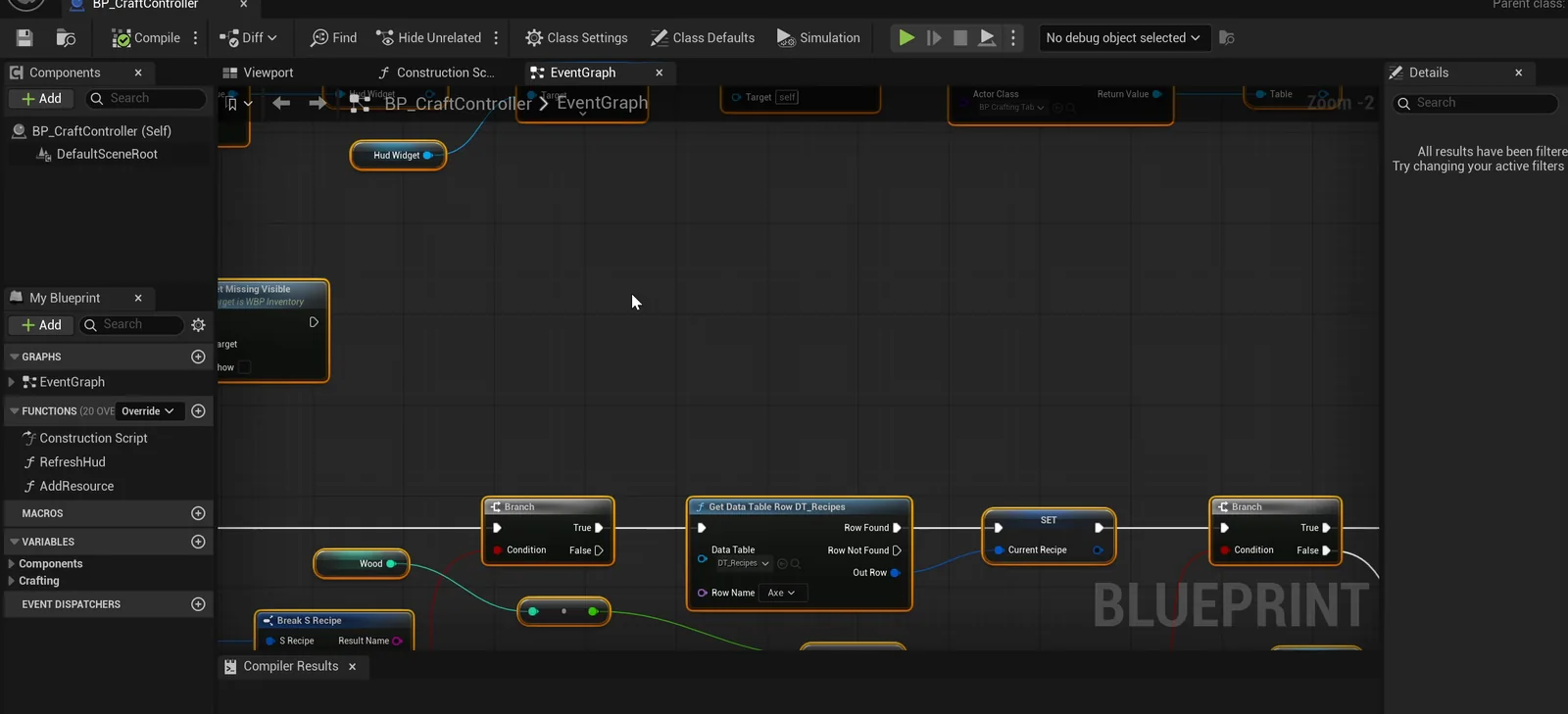
The controller graph: it reads the Axe row from DT_Recipes and branches on the counts.
A name clash and floating actors
The AI hit two problems along the way:
- A name clash. An inventory widget from an earlier episode already had a function with the same name as the AI’s message function, and the call resolved to the wrong class. The AI named its own function SetMissingVisible and made the controller reference the new widget by its full path.
- Floating actors. The logic passed, but a screenshot showed the table and the piles about 130 units above the snow. The AI moved them down onto the measured ground and ran the whole test again.
The play test
Then everything passes:
- The list starts at 0 for wood, stone and axe.
- After all the piles are collected it reads Wood 3 and Stone 2, and no piles are left.
- F at the table gives Wood 1, Stone 1, Axe 1, and the axe handle and head are visible above the table.
- F again shows Missing materials, and there is no second axe.
- The message is hidden again after 2 seconds.
- F from 328 units away does nothing.
The report
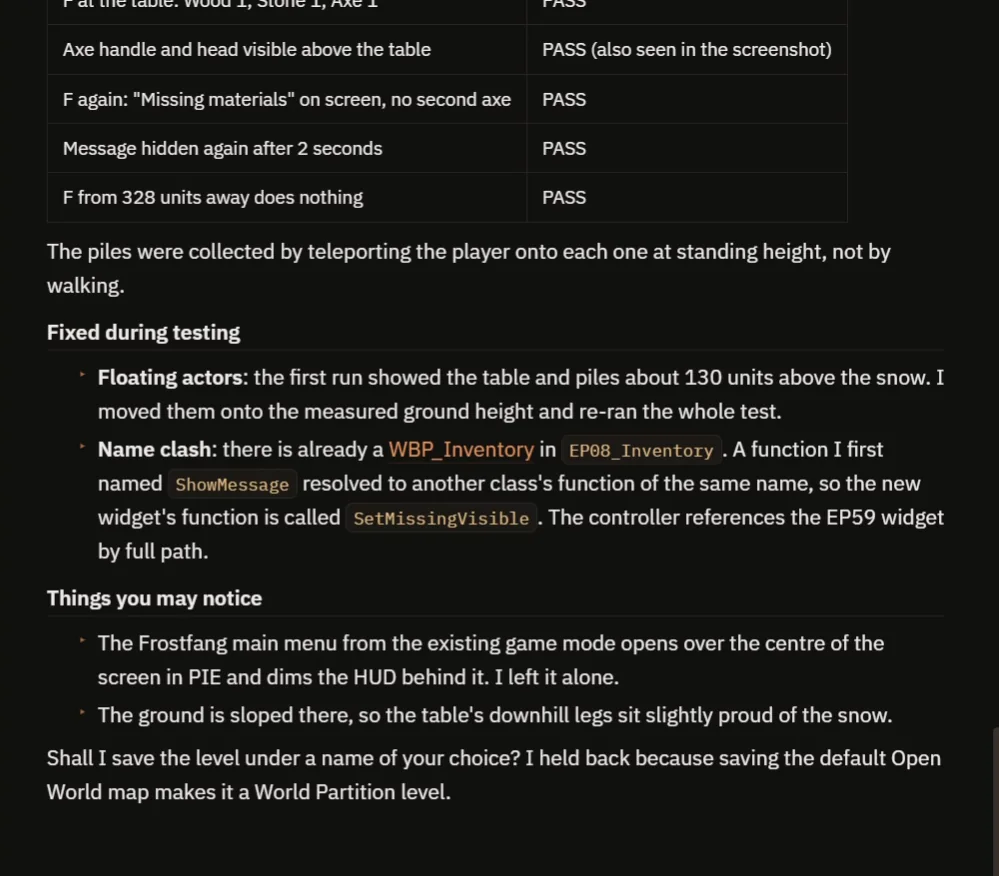
The last checks, the two fixes and the notes to know.
The report also tells you what to know:
- The piles were collected by teleporting the player onto each one at standing height, not by walking.
- The Frostfang main menu opens over the screen in play, from the game mode, and dims the list. The AI left it alone.
- The ground is sloped, so the downhill legs of the table sit slightly above the snow.
- The AI did not save the level. It asks you to pick a name, because saving the default Open World map would turn it into a World Partition level.
That is why the video also shows a real run: walking through the piles, crafting the axe and getting the refusal on the second press.
How a crafting system works, in plain words
When you press F, the controller first checks the distance to the table. If you are within 250 units, it reads the Axe row of the data table, which gives it the wood and the stone needed. Then it compares them with the counts. If both are enough, it subtracts them, adds one axe and tells the table to show the axe. If not, it shows the message and starts a two second timer.
Because the recipe is a row, you can change the cost without opening the graph.
Ideas to extend it
- A second recipe in the same table, such as a pickaxe.
- Resources that respawn.
- A menu of the recipes you can craft right now.
Four tips for crafting prompts
- Put the recipe in a data table, with the numbers.
- Describe what happens when materials are missing.
- Give the range of the table as a number.
- Ask the AI to test the refusal and the far away press.
Frequently asked questions
How do I make a crafting system in Unreal Engine 5?
Store each recipe as a row in a data table, keep a count for every resource, and on a key press near a table compare the counts with the row. If they cover the cost, subtract the materials and add the item. If not, show what is missing.
How do I add a new recipe?
Add a row to the data table with the result name and the wood and stone it needs. The recipe lives in the table and not in the Blueprint, so changing a cost or adding an item is a table edit. Ask the AI for a second recipe, such as a pickaxe, and have it test it.
Why did the AI name a function SetMissingVisible?
An inventory widget from an earlier episode already had a function with the original name, and the call resolved to the wrong class. A different name and a full path to the new widget fixed it.
Try it in your project
See what Ultimate Engine CoPilot can build on the product page, or get it on Fab. See how the AI Blueprint generator works.
More builds from this series: the Unreal Engine data table, the Unreal Engine inventory system and the Unreal Engine shop system.