Unreal Engine Damage Numbers: Build Floating Hit Numbers With AI
How to build Unreal Engine floating damage numbers: white normal hits, gold critical hits at 22 or more, a number that rises 120 units and fades, built from one AI request.

Floating damage numbers in Unreal Engine are three small ideas: something that takes damage and remembers its health, a small piece of text that appears at the right place in the world, and a rule that moves it up and fades it out. When you see a number in a game, that is all it is: a little actor that lives for less than a second. The easiest way to build them is to ask an AI for the whole system in a single request.
In this walkthrough, Ultimate Engine CoPilot builds training dummies and floating damage numbers with white normal hits and gold critical hits. You get the exact prompt, a bug the AI found by looking at the screen and a plain explanation of how floating damage numbers work.
What the finished system does
Two training dummies stand in the snow. You press G, and the nearest dummy takes a hit, and a number floats up above it and fades out. White for a normal hit. Gold, bigger, with an exclamation mark, for a critical hit. The health goes down with every hit, and when it reaches zero, the dummy falls over and disappears.
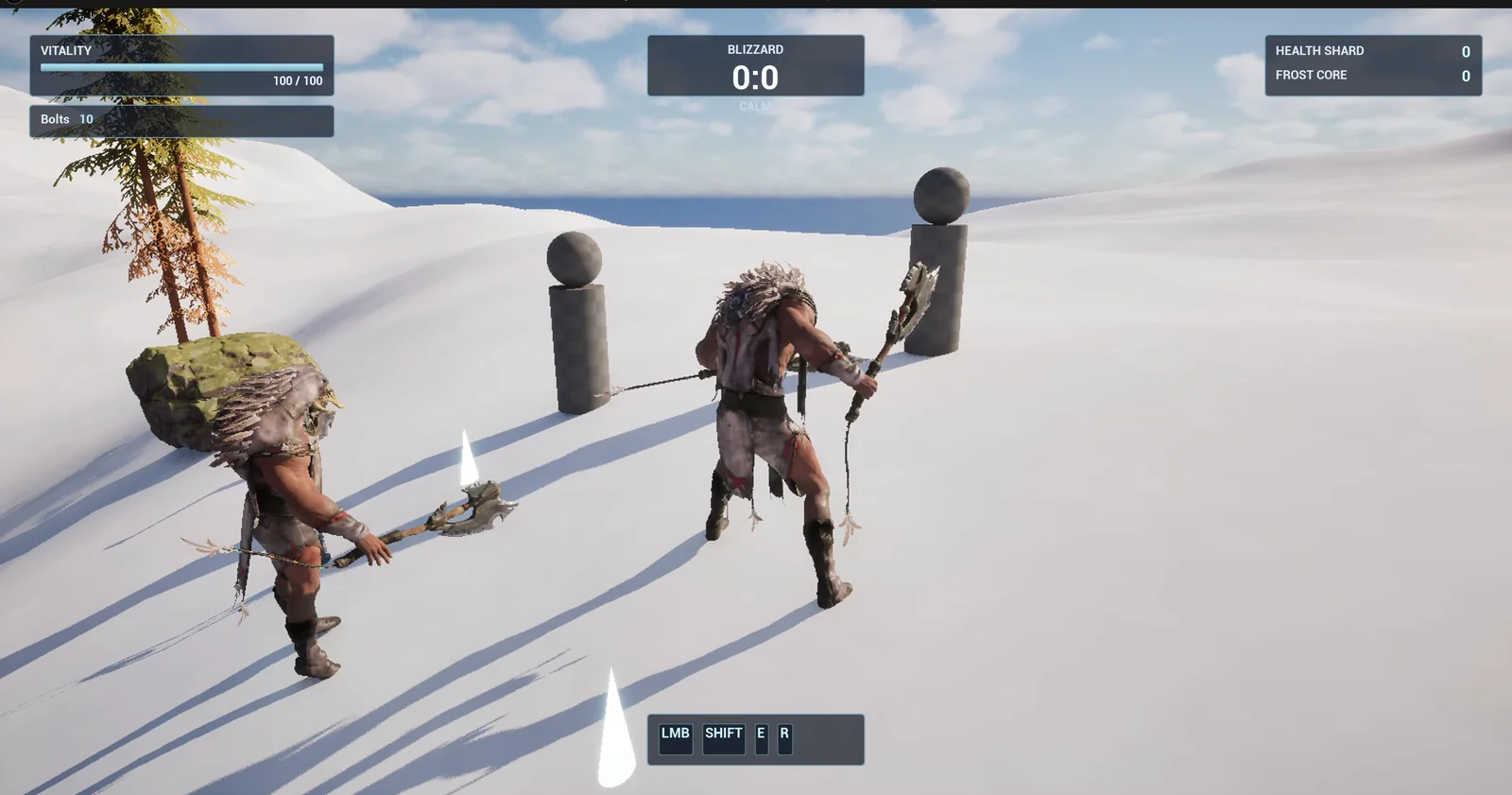
Two dummies, 400 units apart, and the player in range of the nearest one.
The prompt
Copy this, change the damage range or the critical threshold, and see what the AI builds:
Make floating damage numbers. Create BP_TrainingDummy in /Game/Series/EP40_DamageNumbers, a dummy made from a cylinder body and a sphere head with 100 health, and WBP_DamageNumber, a text widget. Create BP_DamageController in the same folder, an actor that I place once in the level, that listens for the G key. Pressing G hits the nearest training dummy within 600 units for a random damage from 10 to 25. Each hit spawns a floating number above the dummy that rises 120 units over 0.8 seconds and fades out: normal hits are white, hits of 22 or more are critical, gold, bigger and written with an exclamation mark. When a dummy reaches 0 health it falls over and is destroyed after 1 second. Keep the damage range, the critical threshold and the rise height as variables. Place two dummies near the player start, 400 units apart. Then play test it: teleport the player next to a dummy, press G five times, check each hit spawns a number with the right colour, check the dummy health goes down, check the dummy is destroyed at 0, and fix anything that does not work.Look at how much of the request is in numbers and how much is in words. Numbers for the rules: 10 to 25, 22 for a critical hit, 600 units, 120 up, 0.8 seconds. Words for the look: white and gold, bigger, the exclamation mark. That is a good split for any prompt.
How the AI builds it
The AI reads the project and then starts the work. Four assets appear: the dummy, the number widget, the controller and an extra actor that carries the widget into the world. The AI decided by itself that a widget needs a small actor to live in the world, and added it.
There was a compile error on the controller, a stale type on one variable. The AI saw it, rebuilt that part of the graph without the problem and compiled again.
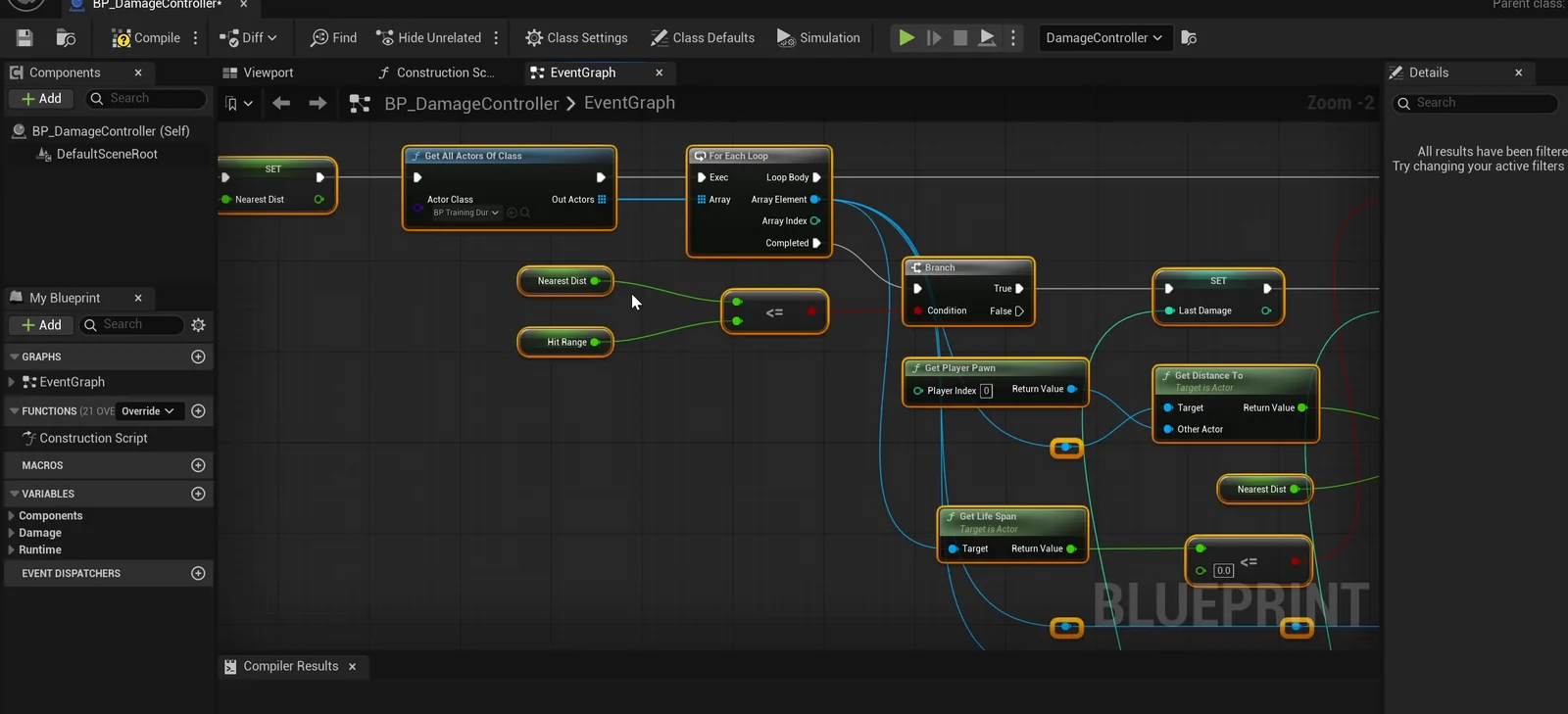
The controller graph: find the nearest dummy, roll a damage, apply it and spawn the number.
A bug the numbers did not show
The first press of G works: 22 damage, health from 100 to 78, and a number rising. Then the AI looks at a screenshot, and it finds something the numbers did not show. The body of the dummy had become its root, so the body sat half in the ground and the head floated above it. It re-rooted the dummy and ran the whole test again. This is why it is good to let the AI look at the screen.
The report
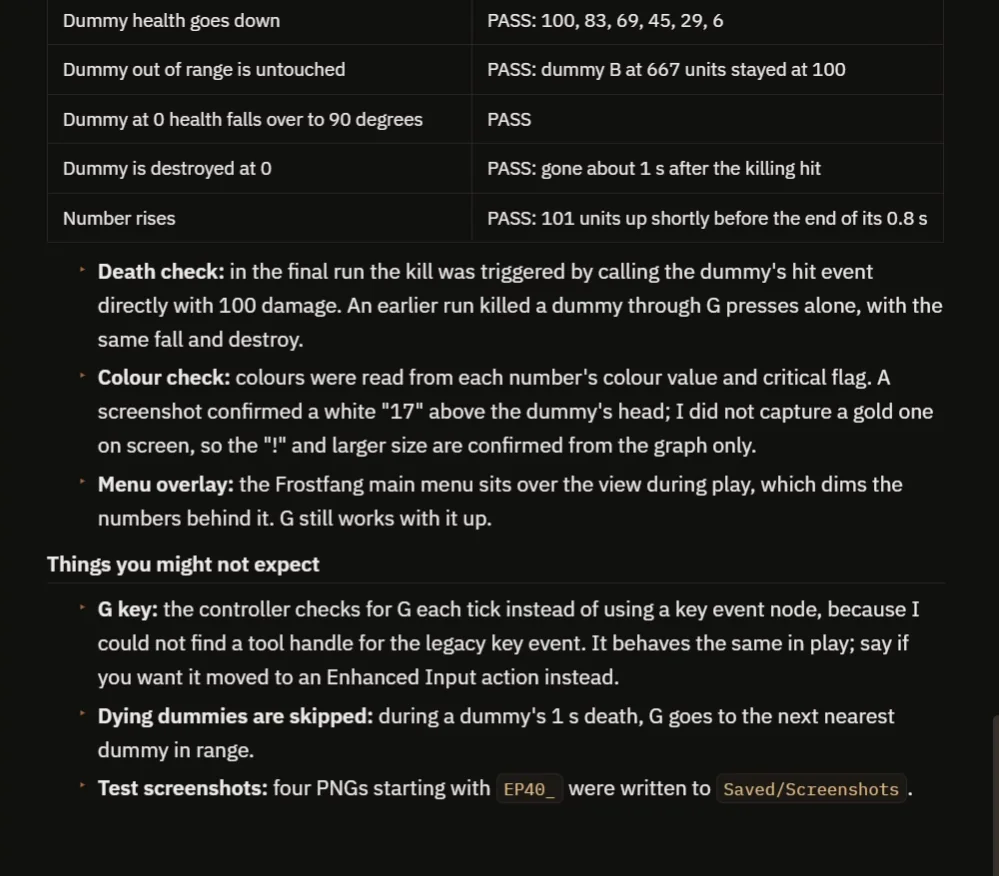
Every check passes, with the notes on the key, the colors and the screenshots.
The report has a table with every check:
- Five presses, five hits. The colors: white, white, gold, white, gold.
- The health: 100, 83, 69, 45, 29, 6.
- A dummy out of range, at 667 units, is untouched.
- A dummy at 0 health falls over and is destroyed about 1 second after the killing hit.
- The number rises 101 units shortly before the end of its 0.8 seconds.
It also tells you what you might not expect:
- The G key is checked every frame instead of with a key event, because the AI could not find a tool handle for the legacy key event. It behaves the same in play, and you can ask for an Enhanced Input action instead.
- A dying dummy is skipped, so the next hit goes to the next nearest one.
- The AI did not capture a gold number on screen, so the exclamation mark and the larger size are confirmed from the graph only.
- In the final run, the kill was triggered by calling the dummy’s hit event directly with 100 damage. An earlier run killed a dummy with G presses alone, with the same fall and destroy.
How floating damage numbers work, in plain words
When you press G, the controller loops over the dummies and keeps the nearest one in range. It picks a random number between the minimum and the maximum and tells the dummy: take this much damage. The dummy subtracts it from its health.
Then the controller spawns a small number actor above the dummy’s head and gives it the damage. If the damage is at or above the critical threshold, the text is gold, bigger and has the exclamation mark. The number actor has a timeline. Over 0.8 seconds, it moves up by the rise height and the opacity goes from 1 to 0. Then it destroys itself. Because the range, the thresholds and the rise are variables, you can make quiet numbers or big arcade ones with four numbers.
Ideas to extend it
- A different color for fire damage and for healing.
- Numbers that drift a little left or right, so they do not stack on top of each other.
- A hit sound that is higher for a critical.
Four tips for damage number prompts
- Give the damage range and the critical threshold as numbers.
- Describe the look in words: the colors, the size and the symbol.
- Say how high the number rises and for how long.
- Ask the AI to look at a screenshot, not only the values.
Frequently asked questions
How do I make floating damage numbers in Unreal Engine 5?
Spawn a small actor with a text widget above the target on every hit. Move it up and fade it out with a timeline, then destroy it. Choose the color from whether the damage reaches a critical threshold.
How do I make critical hits look different?
Compare the damage with a critical threshold. At or above it, use a gold color, a bigger size and an exclamation mark.
Why did the AI re-root the dummy?
A screenshot showed the dummy’s body half in the ground with the head floating, because the body had become the Blueprint root. The AI added a proper root and ran the test again.
Try it in your project
See what Ultimate Engine CoPilot can build on the product page, or get it on Fab. See how the AI Blueprint generator works.
More builds from this series: the Unreal Engine melee combat, the Unreal Engine ranged weapon and the Unreal Engine explosive barrel.