Unreal Engine Melee Combat: Build Hit Reactions and Death Animations With AI
How to build Unreal Engine melee combat feedback: a hit check, damage, a red flash, a damage number, a hit reaction and a death animation, built from one AI request.

A melee hit in Unreal Engine is three small things that happen together: a check, damage and feedback. The check asks whether something is in front of you and close enough. Damage lowers a number. The feedback is what the player feels: the target flashes, a number appears and a reaction animation plays. Without the feedback, the hit is only a number.
In this walkthrough, Ultimate Engine CoPilot builds a training brute from Paragon Khaimera content that is already in the project, with a health bar, a red flash, a damage number, a hit reaction and a death animation, from one request. You get the prompt, four problems the AI solved and one bug it found in the project’s own player.
What the finished fight looks like
You walk up to three warriors and swing your axe with the left mouse button. At each hit, the warrior flashes red, a “-20” floats over his head, his health bar drops and he reels back with a real hit animation. After five hits he plays the death animation and disappears.
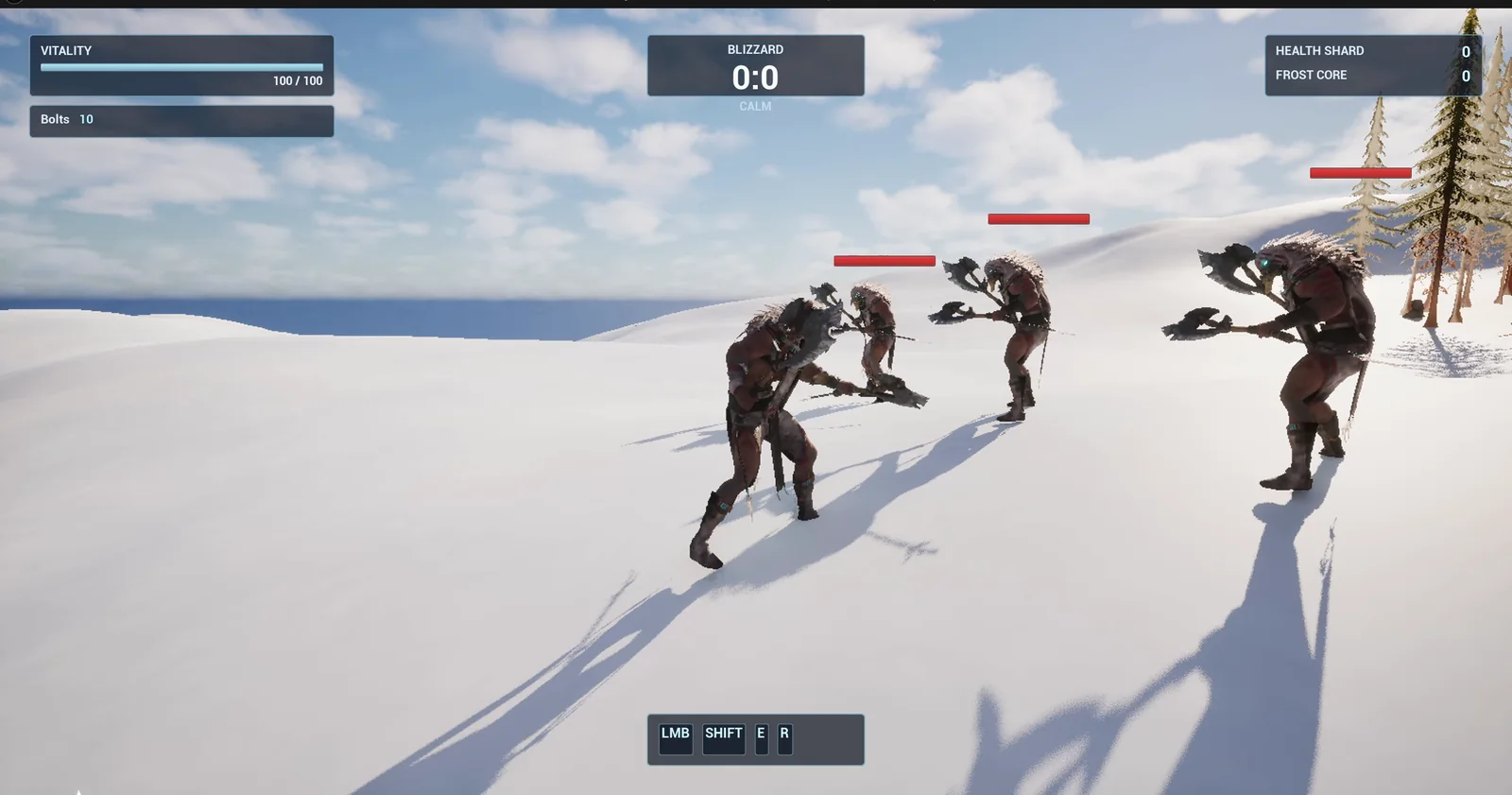
Three training brutes in a row, each with a floating health bar.
The prompt
Copy this, change the health, the damage or the reach, and see what the AI builds:
Make a melee training target for my third person character, using the Paragon Khaimera content already in the project. Create BP_TrainingBrute in /Game/Series/EP04B_Combat, a Character that uses the skeletal mesh /Game/ParagonKhaimera/Characters/Heroes/Khaimera/Meshes/Khaimera and loops the animation Idle from /Game/ParagonKhaimera/Characters/Heroes/Khaimera/Animations. It has 100 health and a floating health bar above its head. The player's left mouse attack already plays the Khaimera Melee montages, so do not change the player: at the moment of the swing, any brute within 250 units in front of the player takes 20 damage, flashes red, plays the animation HitReact_Front once and shows the damage number above it. At 0 health it plays Death_A and disappears 2 seconds after the animation ends. Keep the health, the damage and the reach as variables. Place three brutes in a row in the open snow east of the player start, 700 units away and 300 units apart, turned to face the player start. Then play test it: attack the first brute with the left mouse button and check it loses 20 health and plays its hit reaction, attack it until it plays the death animation and disappears, check the other two are untouched, and fix anything that does not work.Look at how the prompt is written:
- It names the mesh and the animations by their paths, so the AI uses them instead of inventing a cube.
- It says what must not change: the player’s own attack.
- The checks at the end are things you can see: the hit reaction, the health, the death and the other two brutes untouched.
How the AI builds it
The AI starts by looking at what the project has, and finds the Khaimera mesh and its animations. Then it builds the brute, the health bar widget and the red flash material, and later the animation Blueprint and the death montage.
Every frame, the brute watches the attack key. When the player swings, it checks the distance and the direction, takes 20 health, flashes, plays the hit reaction and, at zero health, plays the death.
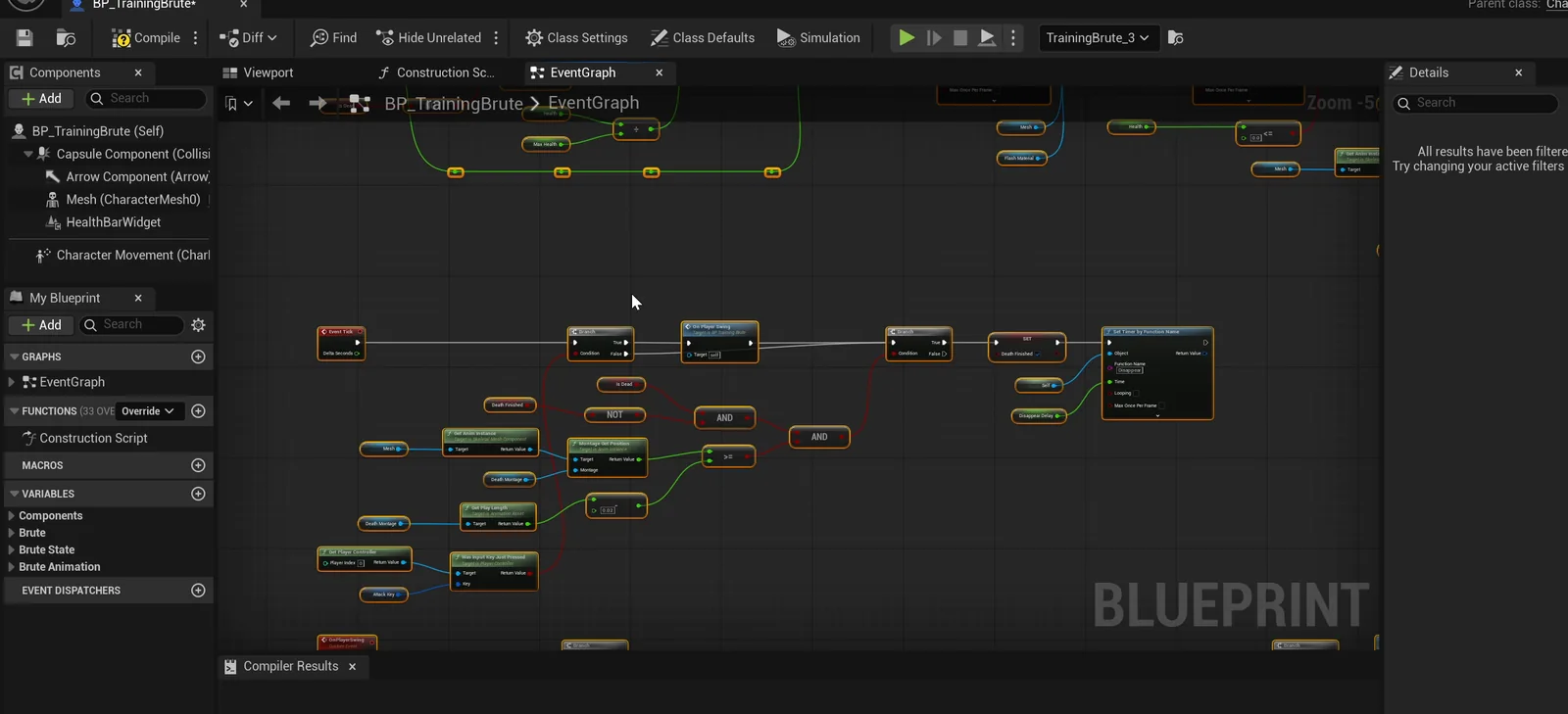
The whole behavior is a graph you can open and read.
Four problems the AI solved
- Input. Unreal does not give a character another player’s input, so the brute watches the attack key itself.
- Additive animations. The idle and the hit reaction of this pack are additive animations, which cannot be played directly. The AI builds a small animation Blueprint that layers them.
- A death that never finished. The death animation runs at a faster rate, so the end check never fired. The AI makes a death montage that holds the last frame.
- A black flash. The flash was black at first, because the red color was never applied.
The play test
The AI drives the real left mouse button and reads the health numbers. The first click from about 150 units takes the health from 100 to 80. The swings after that take it to 60, 40, 20 and 0, and the death animation plays. The brute disappears about 3 seconds after the killing hit: one second of animation and two of waiting. The other two brutes stay at 100.
The footage is honest about one thing. The project’s main menu is on screen behind the AI’s test, so the brutes are seen through it. The real walk and swings are recorded separately later in the video.
The report
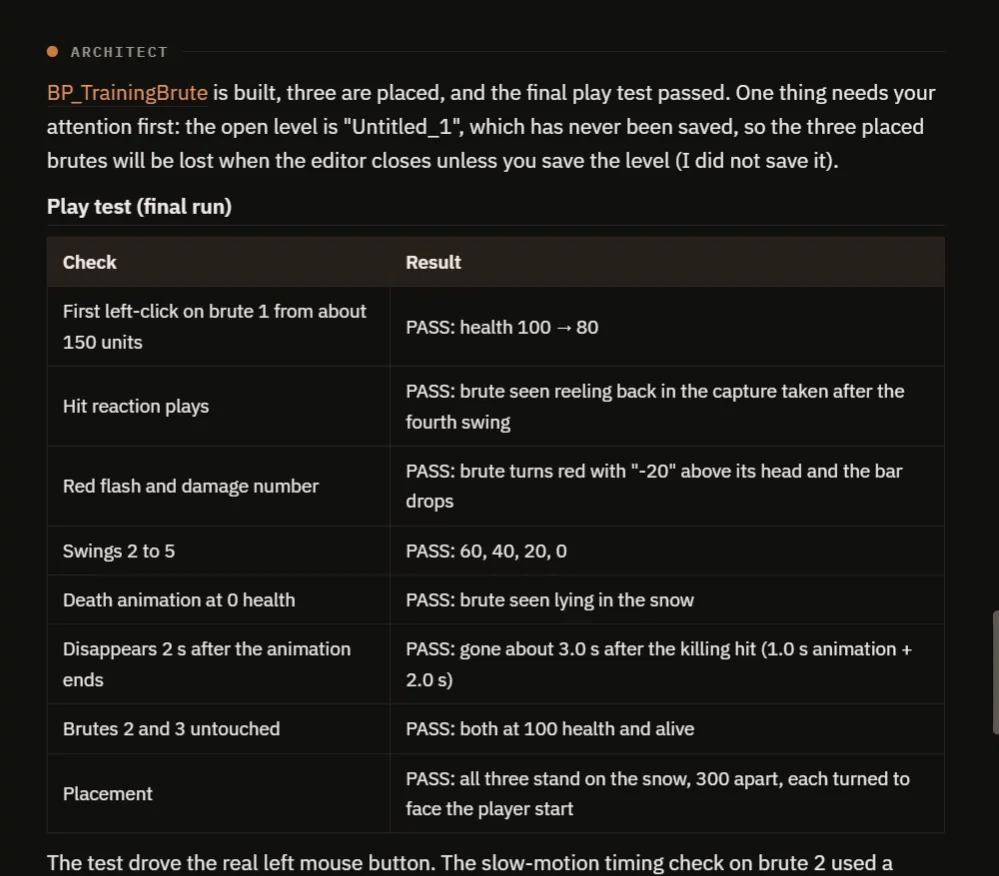
The final play test: every check passes, with the numbers.
The notes include a real bug in the project’s own player. The player never resets its attacking flag, so only the first click in a session plays the axe swing montage. The brutes still take damage on every click. The AI did not touch the player, as asked, and says so. The notes also say that east is taken as plus Y, that the health bar stays for two seconds after death and that the level is unsaved.
How the hit works, in plain words
When the attack key goes down, the brute takes the vector from the player to itself and checks two things: is the distance under 250, and is it in front of the player, which means the angle between where the player looks and the brute is small. If both are true, it takes damage.
Then the feedback. The material flashes red for a moment, the number is spawned above the head and the animation Blueprint plays the hit reaction on top of the idle. At zero health, the brute plays the death montage and destroys itself after the delay.
Because the health, the damage and the reach are variables, you can make a weak dummy or a tough boss on the same pattern.
Ideas to extend it
- A brute that hits back, with its own melee animation.
- A different hit reaction depending on the side the hit comes from. There are four in the pack.
- A knockback on the last hit.
- A combo counter on the screen.
Four tips for combat prompts
- Name the mesh and the animations that you want, so the AI uses them.
- Say what must not change.
- Ask for feedback, not only damage: a flash, a number and a reaction.
- Ask the AI what it found that is wrong in the project.
Frequently asked questions
How do I make a melee hit check in Unreal Engine 5?
When the attack starts, measure the distance from the player to the target and check that the target is in front of the player by comparing the angle to the look direction. If both pass, apply damage.
How do I play a hit reaction animation?
If the hit reaction is an additive animation, it cannot be played directly. Layer it on top of the idle in an animation Blueprint, which is what the AI built here.
Why only one swing animation in the test?
The project’s own player never resets its attacking flag, so the swing montage plays on the first click only. Damage still applies on every click. The AI reported it without changing the player.
Try it in your project
See what Ultimate Engine CoPilot can build on the product page, or get it on Fab.
Next in this series: Unreal Engine ranged weapon with a projectile, which reuses these brutes as targets.