Unreal Engine Explosive Barrel: Build a Physics Explosion With AI
How to build an Unreal Engine explosive barrel: a 1.5 second fuse, a radial impulse that throws physics crates, an orange flash and a camera shake, built and debugged by an AI from one request.

An Unreal Engine explosive barrel is three small ideas: a fuse, which is a short wait before the bang, a radial impulse that pushes everything with physics away from the center, and some feedback, such as a flash of light and a camera shake, so the player feels it. The easiest way to build one is to ask an AI for the whole explosion in a single request.
In this walkthrough, Ultimate Engine CoPilot builds a red barrel that you light with the E key and that throws six physics crates across the snow. You get the exact prompt, the three bugs the tests exposed and a plain explanation of how an explosion works.
What the finished explosion does
You stand next to a stack of wooden crates and a red barrel, and you press E. The barrel flashes white and swells a little. Then it explodes, with a bright orange flash, and the crates fly through the air, far across the snow. The barrel is gone.
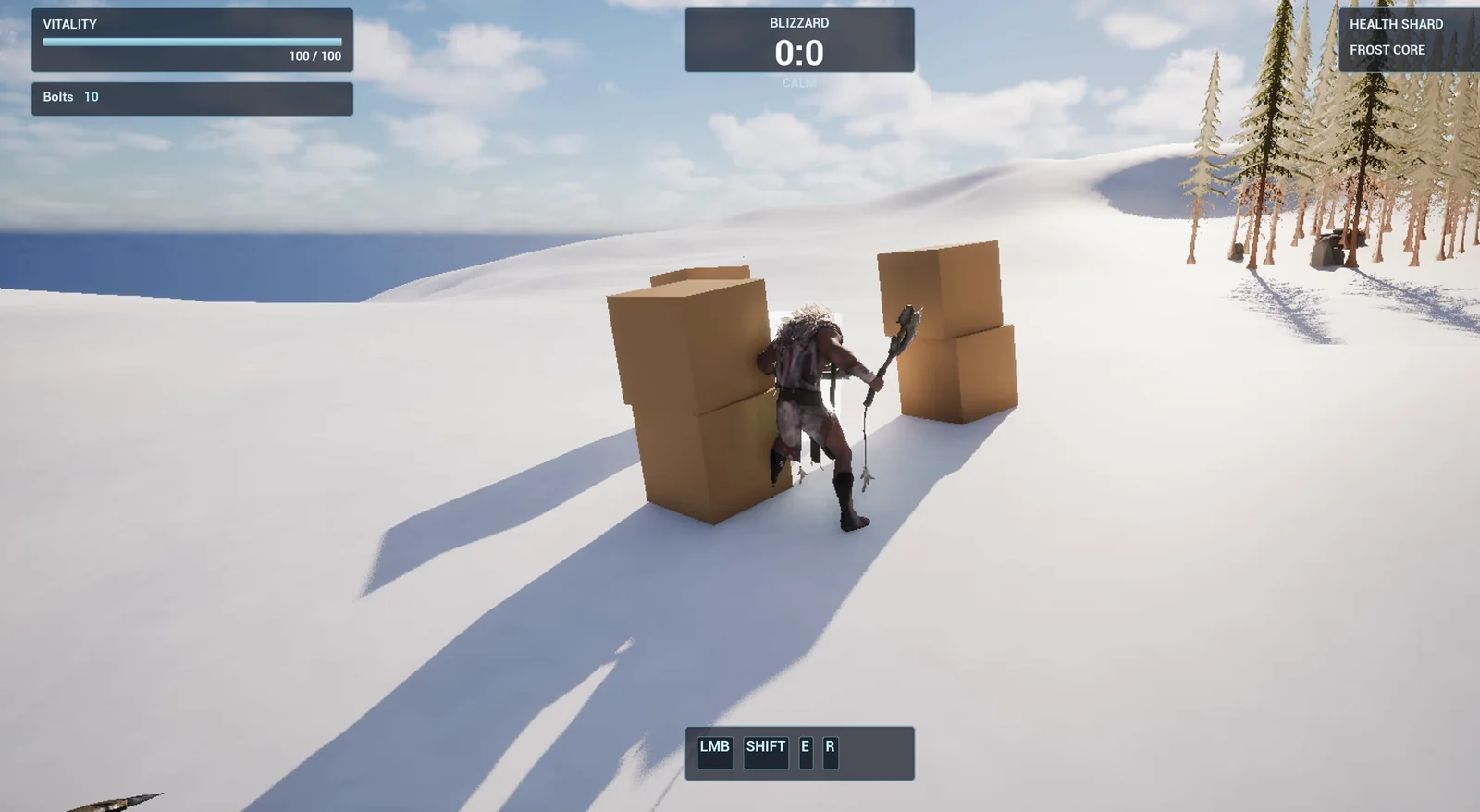
The setup before the bang: six crates stacked around the barrel.
The prompt
Copy this, change the strength or the radius, and see what the AI builds:
Make an explosive barrel. Create BP_ExplosiveBarrel in /Game/Series/EP27_Barrel, a red barrel made from a cylinder with a yellow warning stripe made from a thin cylinder. When the player presses E within 250 units, the fuse starts: the barrel flashes white and scales up slightly for 1.5 seconds, then it explodes. The explosion applies a radial impulse of strength 2000 within 600 units to any physics objects, plays a short camera shake for the player, spawns a bright orange point light that fades out in 0.5 seconds, and the barrel disappears. Create BP_PhysicsCrate, a 100 unit wooden cube with physics simulation turned on. Place the barrel on the snow about 500 units from the player start with 6 crates stacked around it within 300 units, so the explosion visibly throws the crates. Then play test it: check the crates are still before the explosion, press E, wait for the explosion, check the crates have moved far from where they started and the barrel is gone, and fix anything that does not work.Look at the last part: “check the crates are still before the explosion”. This is important with physics. If the crates are already moving before the bang, you cannot tell whether the explosion did anything. Always ask for a before and an after.
How the AI builds it
The AI starts by reading the project and looking up the tools for physics, lights and camera shakes. Then a lot of assets appear this time: paint for the barrel, a yellow stripe, wood for the crates, the barrel, the crate, the light that fades and a camera shake.
The logic: pressing E in range lights the fuse, only once. A 1.5 second timeline blinks the barrel white and scales it up. When it ends, the explosion happens.
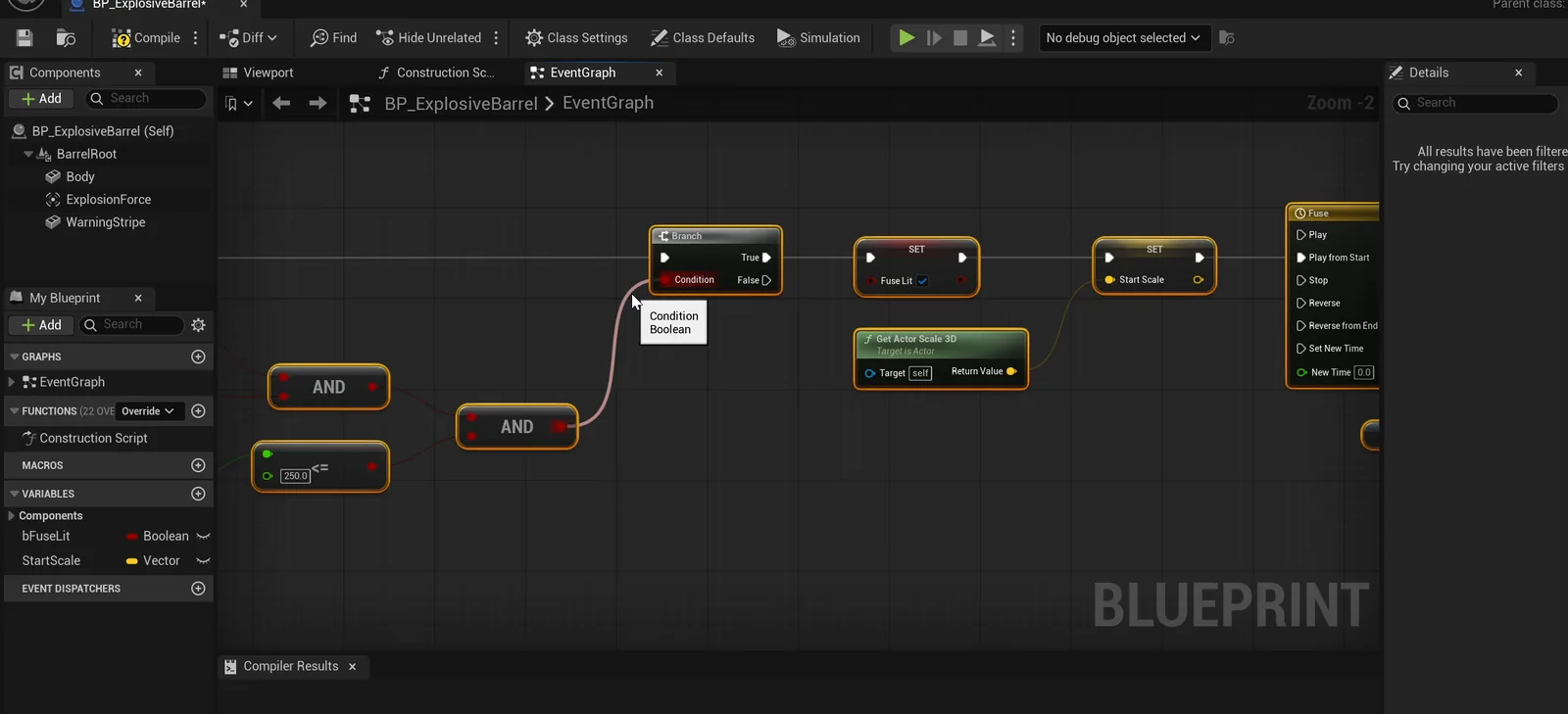
The barrel graph: the E key sets the fuse flag, and the end of the timeline triggers the blast.
Three bugs the tests exposed
The first play test passes the main checks, but the later ones found three real bugs. The AI fixed them one by one:
- A crate slid downhill before the bang. The snow here is a slope, and one crate slid about 330 units before the explosion. The AI moved the setup to flatter ground so the crates are really still.
- The barrel mesh became the root. The barrel’s body mesh had become the root of the Blueprint, so the barrel was the wrong size and half buried. The AI added a proper root.
- The player was launched. A radial impulse pushes everything with physics, and that includes the player, who was thrown about 36 meters. The AI limited the impulse to physics bodies.
The final test
The crates are still before. E from 500 units does nothing. E from 200 units lights the fuse and the barrel scales up. The crates are unmoved one second into the fuse. After the explosion, all six crates are thrown outward, the light fades, the camera shake is active and the barrel is gone. The player stays in the same place, 477 units away.
The report
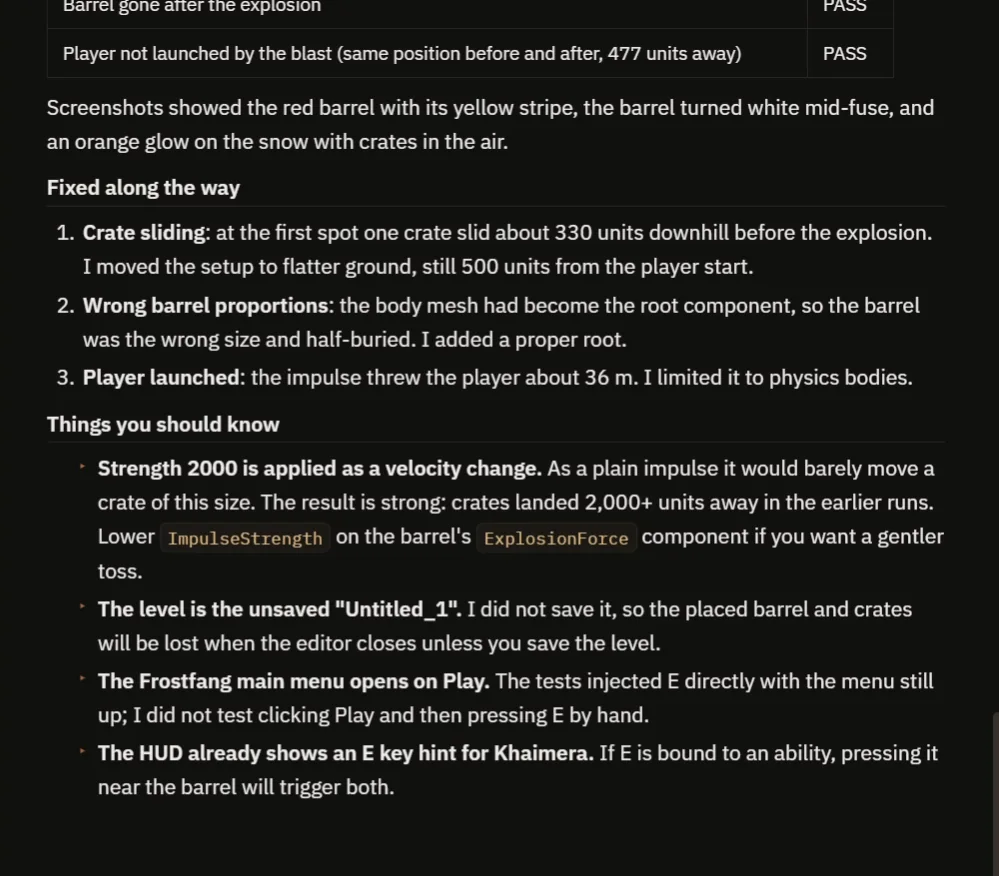
The three fixes, and the notes on strength, the unsaved level and the E key.
The report has a table of checks, all passing, and the three fixes. It also notes:
- Strength 2000 is applied as a velocity change. As a plain impulse it would barely move a crate this size. The result is strong, and crates landed more than 2000 units away. For a gentler toss, lower the impulse strength on the explosion component.
- The level is unsaved, so the placed barrel and crates would be lost on closing the editor until you save it.
- The main menu opens on Play. The tests injected E directly with the menu still up. Clicking Play and then pressing E by hand was not tested.
- The HUD already shows an E key hint for the character. If E is bound to an ability, pressing it near the barrel would trigger both.
How an explosion works, in plain words
Pressing E sets a flag, “fuse lit”, so the barrel can only be lit once. Then a timeline plays for 1.5 seconds. It blinks the barrel’s material between its color and white, and scales it up from 1 to 1.2.
When the timeline ends, the barrel uses a radial force component. It pushes every physics object within 600 units away from the barrel, with the strength you set. It spawns the light, starts the camera shake and destroys itself. Because the strength and the radius are variables, a small firework and a huge blast are only a number change.
Ideas to extend it
- A barrel that explodes when it takes damage, not on a key press.
- A chain reaction, with several barrels that set each other off.
- Smoke and a sound for the blast, and a scorch mark on the snow.
Four tips for explosion prompts
- Give the strength and the radius as numbers.
- Ask for the objects to be still before the bang.
- Say that the player should not be launched.
- Ask the AI to check what is moving afterward.
Frequently asked questions
How do I make an explosive barrel in Unreal Engine 5?
Add a fuse timeline, then use a radial force component to push physics objects away from the barrel, spawn a light and start a camera shake. Destroy the barrel at the end.
Why did the explosion launch my player?
A radial impulse affects everything that simulates physics, including the character. Limit the impulse to physics bodies so the player stays where they are.
How do I make the explosion weaker or stronger?
Change the impulse strength and the radius. Both are variables on the barrel. Note that the strength is applied as a velocity change, so lower values give a gentler toss.
Try it in your project
See what Ultimate Engine CoPilot can build on the product page, or get it on Fab.
More builds from this series: the Unreal Engine ranged weapon, the Unreal Engine melee combat and the Unreal Engine spike trap.