Unreal Engine Double Jump: Build a Double Jump With a Burst Using AI
How to build an Unreal Engine double jump: set JumpMaxCount to 2, launch the second jump at 700, show a Jumps 0/2 counter and a ring of cyan spheres, built and tested by an AI.

In Unreal Engine the character already counts jumps, so the best way to build a double jump is to set the limit and add feedback you can see. The character movement has a jump max count and a jump current count. A double jump is simply setting the max count to two. But the engine gives you nothing to see, so a helper adds the part the player notices: a counter on the screen and a burst in the air.
In this walkthrough, Ultimate Engine CoPilot builds a double jump with a jump counter and a cyan burst of spheres on the second jump. You get the exact prompt, a testing mistake the AI found in its own run and a plain explanation of how a double jump works.
What the finished double jump does
On the right side of the screen there is a small counter, “Jumps 0/2”. You press Space and the character jumps, and it reads 1/2. In the air you press Space again, and the character launches higher, a ring of cyan spheres bursts at the feet and the counter turns cyan: 2/2. A third press does nothing. When the character lands, the counter goes back to 0.
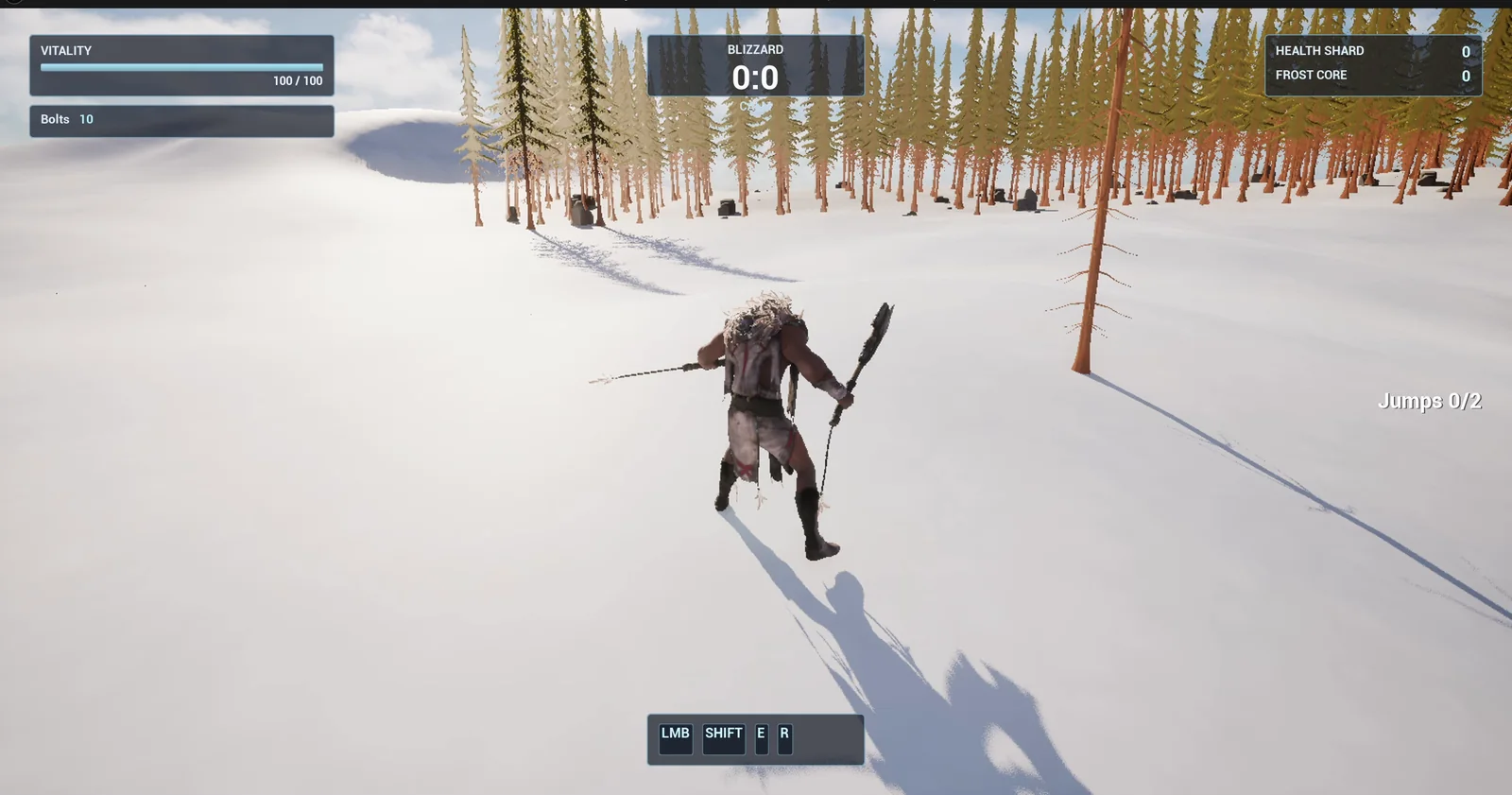
On the ground: the counter at the right edge reads Jumps 0/2.
The prompt
Copy this, change the jump velocity or the effect, and see what the AI builds:
Make a double jump with a jump counter. Create BP_JumpHelper in /Game/Series/EP55_DoubleJump, an actor that I place once in the level, that adds WBP_JumpCounter from the same folder on BeginPlay. The widget is a small text at the right edge of the screen, vertically centred, reading Jumps 0/2, Jumps 1/2 or Jumps 2/2, clear of the top right counters and the ability bar. The helper uses the character's built in jump count: set JumpMaxCount to 2, and make the second jump in the air launch the character upward with a velocity of 700. On the second jump spawn a small burst effect built from engine primitives: 8 small bright cyan spheres that fly outward from the feet in a ring over 0.4 seconds, shrink to nothing and then destroy themselves. When the character lands, reset the counter to 0. The text turns cyan while the second jump is used. A third press in the air does nothing. Keep the second jump velocity, the maximum jump count and the burst size as variables. Place the helper on the open snow about 500 units east of the player start. Then play test it: check the counter reads 0/2 on the ground, press Space once and check 1/2, press Space again in the air and check 2/2 and the upward velocity, press Space a third time and check nothing changes, land and check the counter returns to 0, and fix anything that does not work.Notice that the request does not say how to count. It says the limit, and what must be seen. That is the right split. The engine already knows how to jump twice, so the prompt only asks for the rule and for the feedback.
How the AI builds it
The AI builds the counter widget, the helper, a sphere that destroys itself and a bright cyan material. They appear in the Content Browser. The second jump velocity, the maximum count and the burst size are variables on the helper.
On BeginPlay, the helper sets the jump limit and adds the counter. On every tick, it reads the current jump count of the character, and when it reaches two, it launches the character upward and spawns the eight spheres.
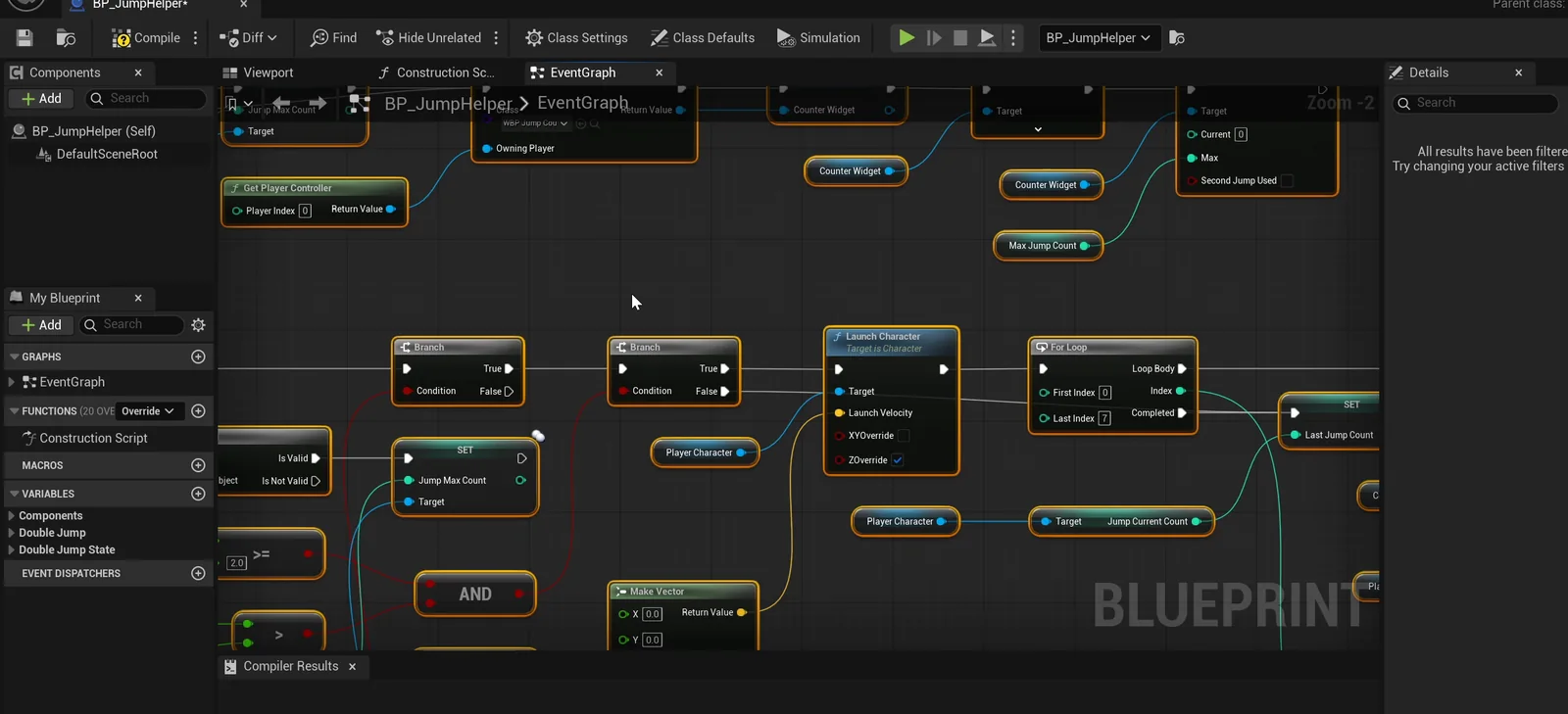
The helper graph: it watches the jump count every tick.
A testing mistake the AI found
The first run showed three failures. The AI found that its own test sent the second press while the first was still held, so the engine ignored it. It spaced the presses, and the run passed, with no change to the graph. The only real fix was the placement of the helper, which was floating about 128 units above the ground. The AI moved it down to the landscape, 500 units along +Y from the player start, which it took as east.
The report
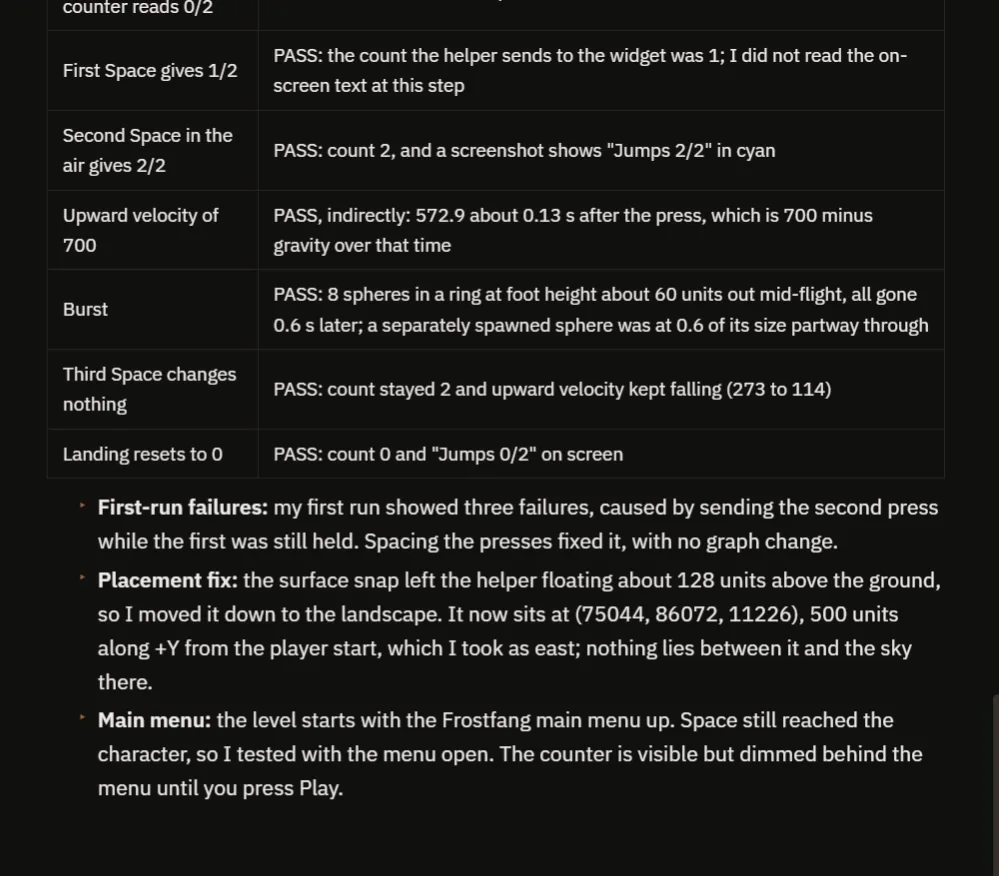
The checks, the first-run failures and the placement fix.
The report has the checks:
- On the ground, the counter reads 0/2. After the first Space, the count sent to the widget is 1.
- After the second press, 2/2, in cyan, confirmed in a screenshot.
- The upward velocity is 572.9 about 0.13 seconds after the press, which is 700 minus the gravity at that moment.
- The burst is 8 spheres in a ring, about 60 units out mid-flight, and all of them are gone 0.6 seconds later.
- A third press changes nothing: the count stays 2 and the upward velocity keeps falling.
- Landing resets the count to 0 and the text to “Jumps 0/2”.
It also notes that the level starts with the Frostfang main menu up and dims the counter until you press Play, and that it interpreted “burst size” as the radius of the ring.
How a double jump works, in plain words
The character movement component keeps a jump current count. Every time you press jump on the ground or in the air, the engine adds one, as long as it is less than the jump max count. Landing sets it back to zero. By default the max is one, so a second press does nothing.
The helper sets the max to two, and every tick it watches the count. When the count becomes two, that is the second jump. It adds an upward launch and spawns the burst. Because the velocity and the size of the burst are variables, you can make a floaty hop or a strong boost with two numbers, and the same idea works for a triple jump with one more number.
Ideas to extend it
- A third jump, with a different color.
- A short sound for each jump, higher for the second.
- A second jump that pushes the character in the direction of the stick.
Four tips for double jump prompts
- Say the jump limit as a number.
- Describe the feedback you want to see, the counter and the burst.
- Give the second jump its own velocity.
- Ask the AI to test the third press, too.
Frequently asked questions
How do I make a double jump in Unreal Engine 5?
Set the character’s Jump Max Count to 2. The engine counts jumps and resets the count on landing. Add feedback and an upward launch for the second jump if you want one that feels different.
Why did the first test show three failures?
The AI’s own test sent the second Space press while the first was still held, so the engine ignored it. Spacing the presses fixed the test, with no change to the graph.
How do I make a triple jump?
Set the maximum jump count to 3. It is a variable on the helper, so it is one number to change.
Try it in your project
See what Ultimate Engine CoPilot can build on the product page, or get it on Fab. See how the AI Blueprint generator works.
More builds from this series: the Unreal Engine jump pad, the Unreal Engine Enhanced Input and the Unreal Engine sprint and stamina.