Unreal Engine Sprint and Stamina: Build a Stamina Bar With AI
How to build Unreal Engine sprint with stamina: Left Shift to run at 900, a bar that drains 25 per second, recovers after 1 second and locks when empty, built from one AI request.

A stamina system in Unreal Engine is three small ideas: one number, the stamina; a rule that says when you may run and what it costs; and a rule that says when it comes back. Everything on screen, the bar, the color and the speed, is a reaction to that one number. The easiest way to build it is to ask an AI for the whole system in a single request, with its speed, drain, recovery and lock rules.
In this walkthrough, Ultimate Engine CoPilot builds a sprint on Left Shift with a stamina bar that drains, recovers and locks when it is empty. You get the exact prompt, a problem the AI found in the character and how it solved it, and a plain explanation of how a stamina system works.
What the finished system does
You walk, and there is no bar, because stamina is full. You hold Shift and the character runs faster, and a small bar appears above the ability bar. It drains while you run, and it turns orange when it is almost empty. You let go, wait a second, and it fills back up. And if you run until it is empty, the sprint is locked until the bar recovers.
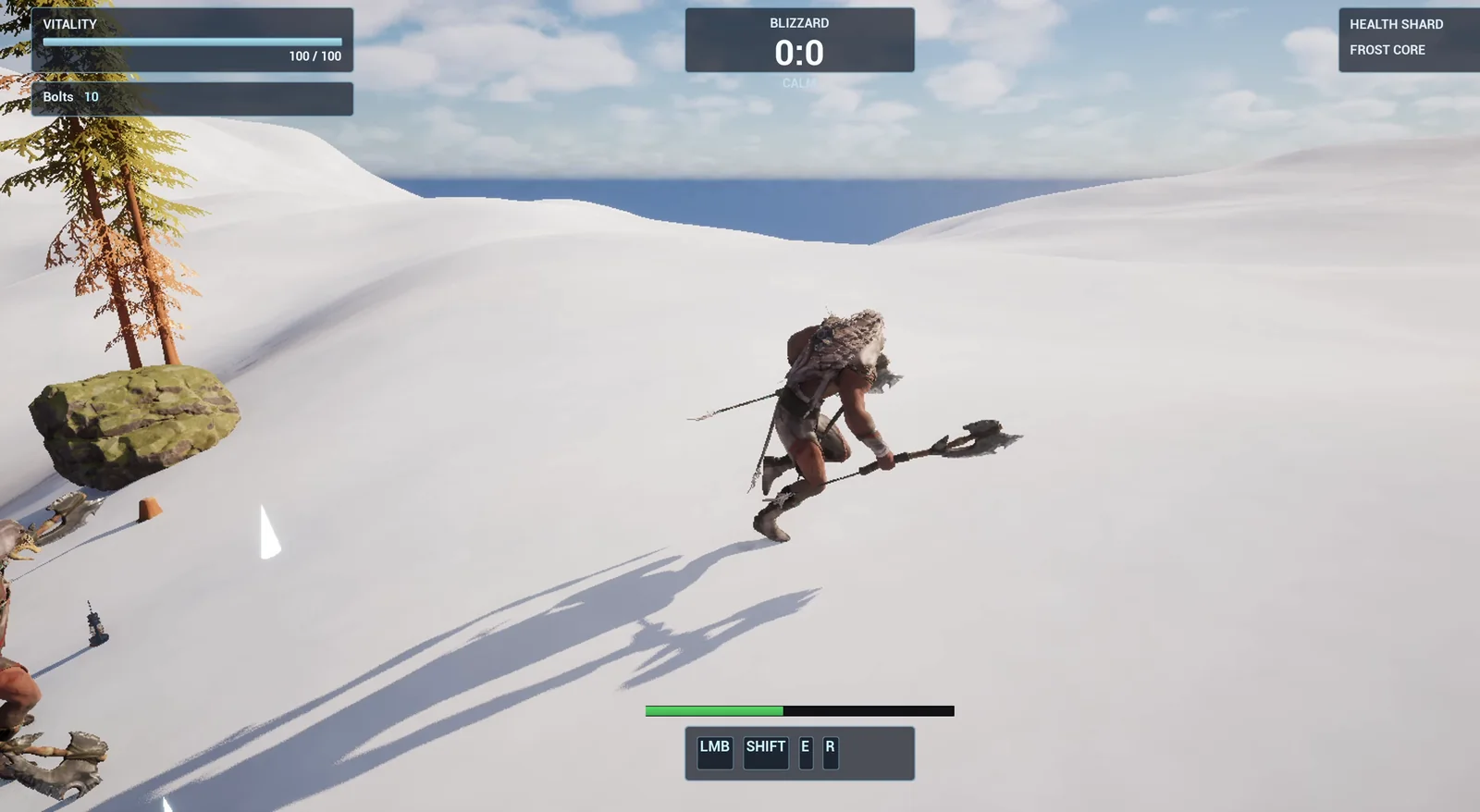
Sprinting: the green stamina bar sits above the ability bar.
The prompt
Copy this, change the speed or the drain, and see what the AI builds:
Make sprinting with a stamina bar. Create WBP_StaminaBar in /Game/Series/EP39_Sprint, a thin horizontal bar at the bottom centre of the screen above the existing ability bar, 400 pixels wide and 14 pixels high, with a dark background and a green fill that turns orange below 30 percent, and hidden while stamina is full. Create BP_SprintController in the same folder, an actor that I place once in the level, that adds the widget on BeginPlay and listens for Left Shift. While Left Shift is held, the player is moving and stamina is above 0, set the character's MaxWalkSpeed to 900 and drain 25 stamina per second out of 100. When the player is not sprinting, wait 1 second and then regenerate 20 stamina per second. If stamina reaches 0, sprinting stays locked until stamina is back to 30. The actor must read and remember the original MaxWalkSpeed and restore it when the sprint ends. Keep the sprint speed, the drain, the regeneration and the lock threshold as variables. Place the actor near the player start. Then play test it: record the original walk speed, hold Left Shift while moving forward and check the speed is 900 and stamina falls, release and check the original speed is restored and stamina regenerates after the delay, hold until stamina is empty and check the sprint is locked, and fix anything that does not work.Look at the numbers: 900, 25, 20, 30 and 1 second. Every rule has a number, so the AI does not have to guess what feels right. And look at one more thing: the actor must remember the original speed and restore it. If you do not say that, a lot of sprint systems leave the player stuck at the wrong speed.
How the AI builds it
The AI starts by reading the project. It finds the HUD, to see where the ability bar sits, so the new bar can go above it without covering it. Then the two assets appear: the stamina bar widget and the sprint controller Blueprint. The numbers you asked for become variables, so you can change them later without touching the graph.
The bar first landed at the left edge, so the AI corrected the anchor to the bottom center and placed the controller near the player start.
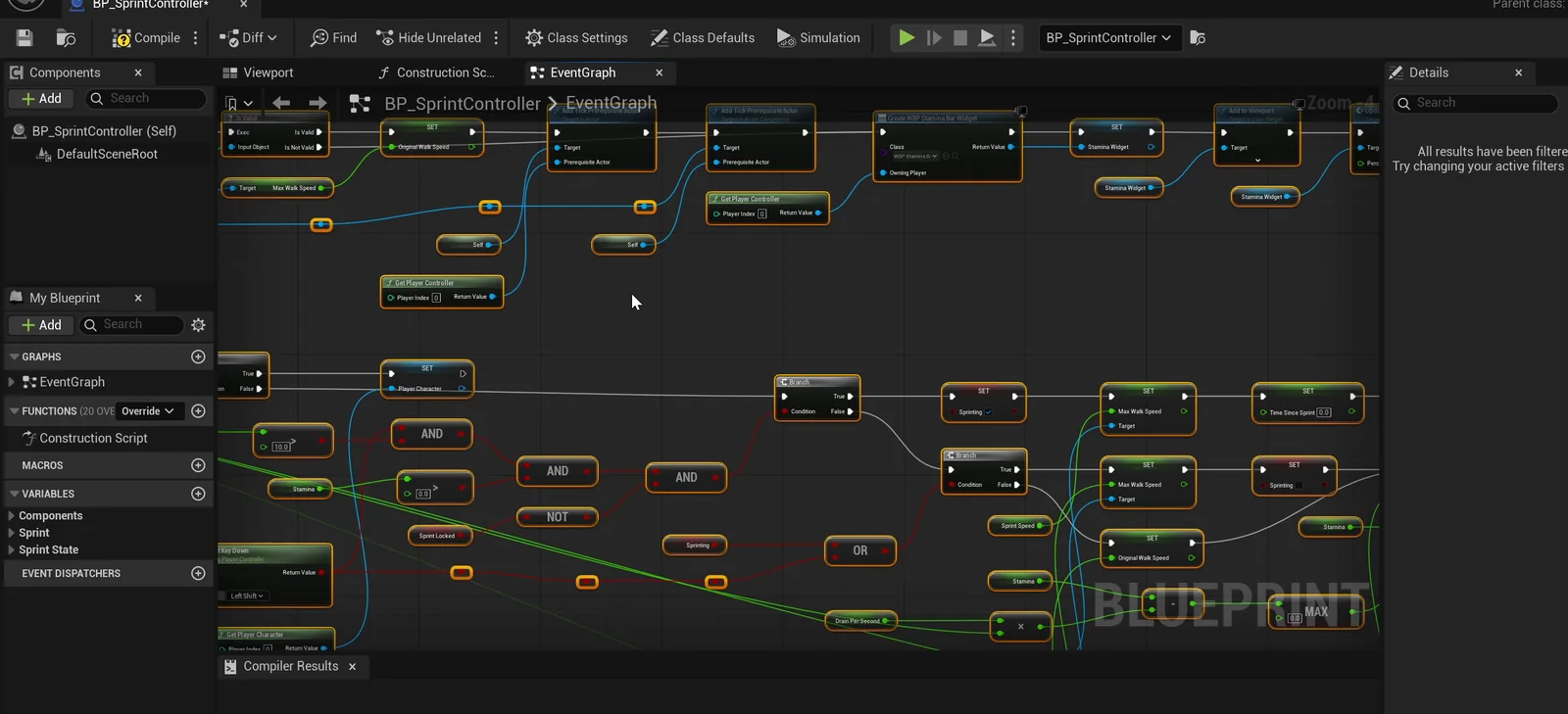
The controller graph: every frame it checks shift, movement and stamina.
A problem in the character
The first run passes 11 checks and two fail. The AI reads the failures: the speed should be 900 and it stayed at 600, and while the sprint was locked the speed read 1000. It finds the cause. This character already has a sprint of its own, and it sets the speed to 1000 every frame. A real project often looks like that, and the AI worked around it without touching the character. The controller now writes its speed every frame, after the player controller and before the movement.
The second run passes all 19 checks.
The report
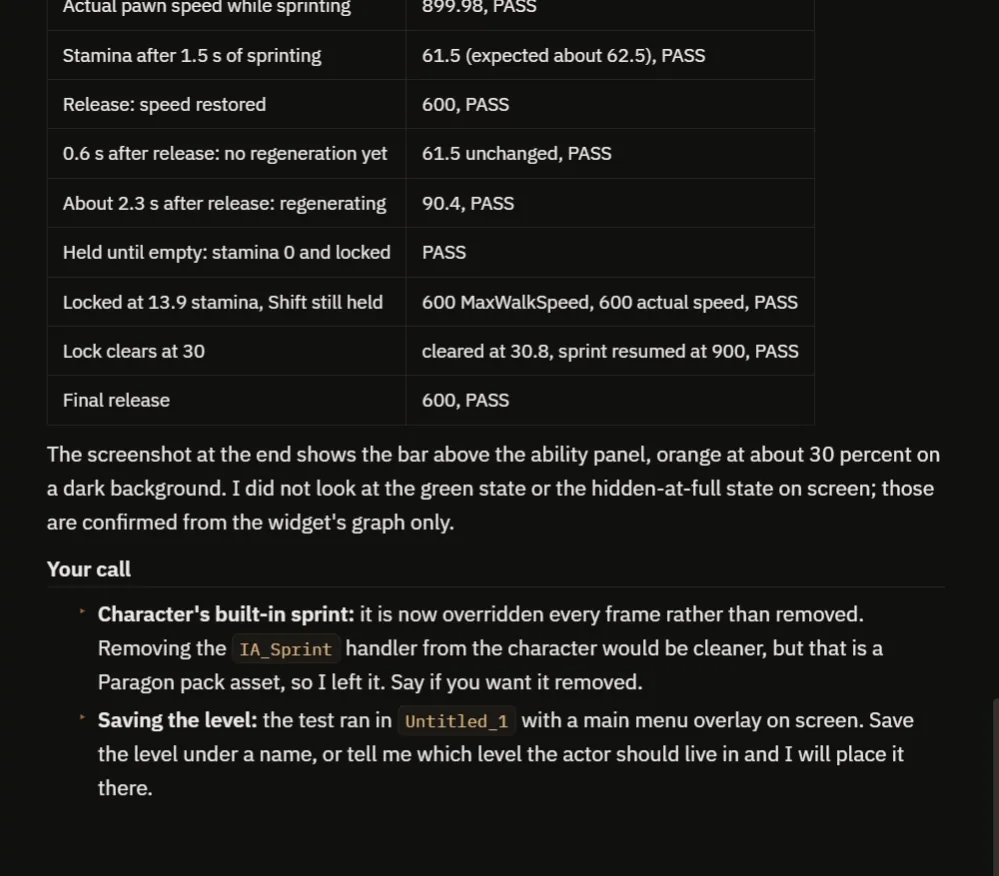
The evidence for each rule, and the notes on the character’s own sprint.
The report has a table with every check and the evidence:
- Walk speed is 600. While sprinting, the speed is 900 and the actual pawn speed is 899.98.
- Stamina after 1.5 seconds of sprinting: 61.5, close to the 62.5 the numbers predict.
- After release, the speed is back to 600. No regeneration for the first second, then it fills.
- Held until empty, the sprint locks. With Shift still held at 13.9 stamina, the speed is 600. The lock clears at 30.8 and the sprint resumes at 900.
It is honest about what it did not see. It checked the orange bar on screen, but the green bar and the hidden state only from the widget graph. And the character’s sprint is overridden, not removed, because that character comes from an asset pack. It offers to remove it if you want. The level is also unsaved.
How a stamina system works, in plain words
Every frame, the controller checks three things: is Shift held, is the player moving, and is stamina above zero and not locked? If all three are yes, the speed is the sprint speed, and stamina goes down a little: the drain times the frame time. If not, the speed goes back to the one it remembered. A timer counts one second, and then stamina goes up a little every frame.
When stamina reaches zero, one flag, locked, turns on, and it only turns off when stamina is back at 30. That gap is what stops the sprint from flickering on and off. And the bar just reads the number: green, then orange under 30 percent. Because the speed, the drain and the regeneration are variables, you can make a heavy runner or a tireless one with three numbers.
Ideas to extend it
- A different cost for jumping.
- A short exhausted sound and heavier breathing when the bar is empty.
- A field of view that widens a little while sprinting. See the Unreal Engine zoom view for how the field of view blends.
Four tips for stamina prompts
- Give every rule a number: the speed, the drain, the delay, the lock.
- Say where the bar goes, relative to the existing UI.
- Ask the AI to restore the original speed.
- Ask it to test the empty case, not only the full one.
Frequently asked questions
How do I make a sprint with stamina in Unreal Engine 5?
While the key is held and the player is moving, set MaxWalkSpeed higher and drain stamina each frame. Regenerate after a delay, and lock the sprint at zero until stamina recovers to a threshold.
Why does the sprint lock until stamina is back to 30?
A gap between the empty and the unlock value stops the sprint from flickering on and off when stamina hovers near zero.
Why did the first run fail two checks?
The character already had its own sprint, which set the speed to 1000 every frame. The AI worked around it by writing its speed every frame in the right order, without editing the character.
Try it in your project
See what Ultimate Engine CoPilot can build on the product page, or get it on Fab. See how the AI Blueprint generator works.
More builds from this series: the Unreal Engine ice patch, the Unreal Engine speed boost and the Unreal Engine fall damage.