Unreal Engine Fall Damage: Build Fall Damage With a Red Flash Using AI
How to build Unreal Engine fall damage: track the highest point of a fall, turn the distance into damage after a safe 500 units, flash the screen red and show the damage, built from one AI request.

Fall damage in Unreal Engine is three small ideas: remember the highest point of the fall, measure how far the player fell when they land, and turn that distance into damage with a safe distance first. The easiest way to build it is to ask an AI for the whole system in a single request, with its fall tracking, damage formula, red flash and damage text.
In this walkthrough, Ultimate Engine CoPilot builds fall damage that costs nothing for short falls and hurts more the higher you fall. You get the exact prompt, the three test drops and a plain explanation of the formula.
What the finished system does
You drop from high above the snow and land. The whole screen flashes red and a number appears at the top: “-22”. You drop again, from twice as high. The screen flashes red again, and this time it says “-62”. A short fall costs nothing. A long fall hurts a lot.
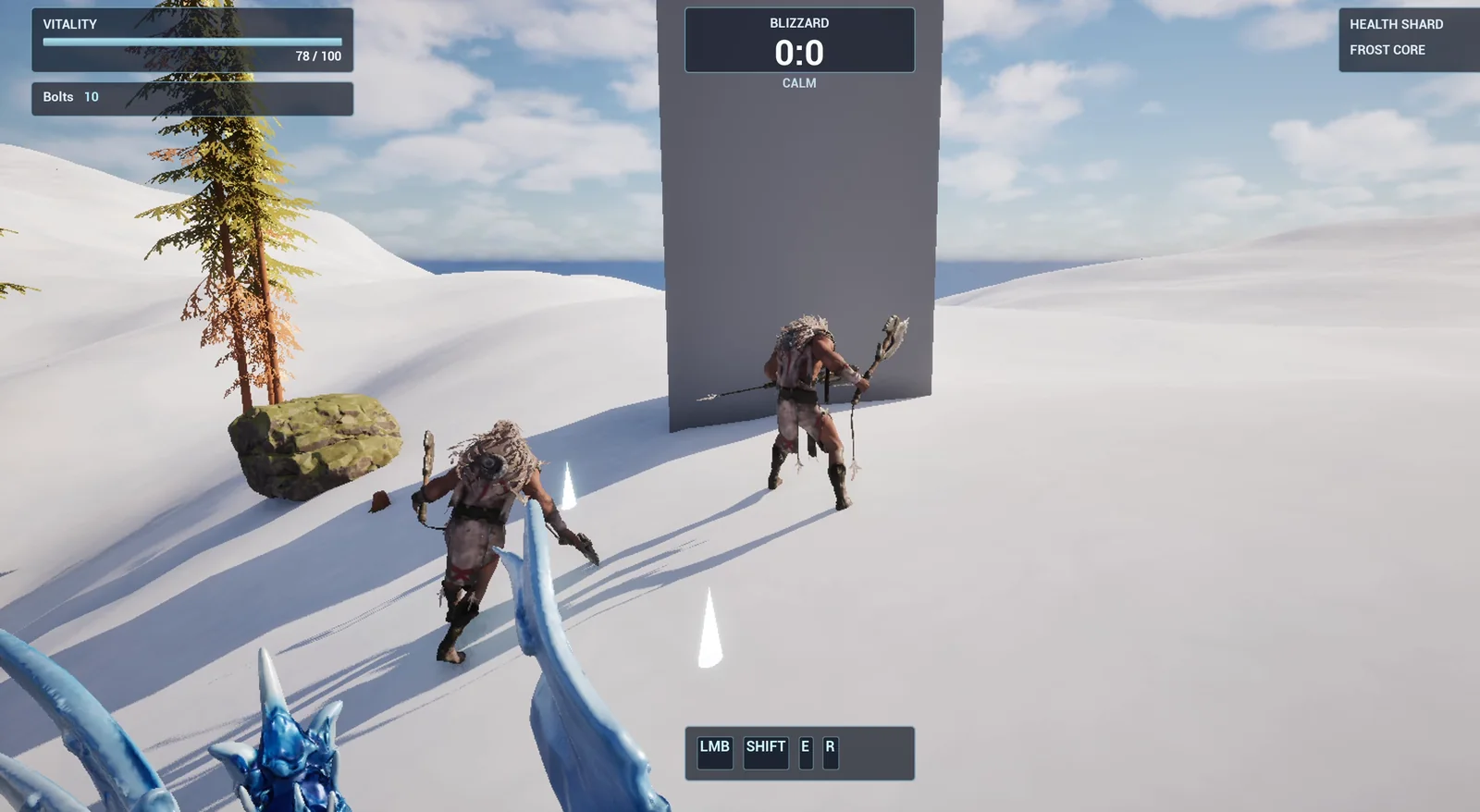
The test area: the tall stone tower the player is dropped from.
The prompt
Copy this, change the safe distance or the rate, and see what the AI builds:
Make fall damage. The player's Vitality is the CurrentHealth and MaxHealth of the existing WBP_HUD in /Game/Frostfang/UI, so change the CurrentHealth there and do not add any new variables to the player. Create BP_FallDamage in /Game/Series/EP31_FallDamage, an actor that I place once in the level, that watches the player's fall. When the player lands after falling more than 500 units, Vitality drops by 1 point for every 25 units fallen beyond 500, never below 0. When the damage is more than 0, a red flash overlay called WBP_HurtFlash fades in over the whole screen and out again in 0.6 seconds, and a floating text in the top centre below the Blizzard box shows the damage, for example minus 36, for 2 seconds. Falls of 500 units or less do nothing. Keep the safe distance and the damage rate as variables. Place the actor near the player start, and also place a tall stone tower 1200 units high made from a cube about 600 units from the player start that the player can be teleported onto. Then play test it: teleport the player 300 units above the ground and check nothing happens, then 1000 units above and check the damage is 20, then 2000 units above and check the damage is 60, check the flash and the text appear, and fix anything that does not work.Look at the test: three drops, three heights and three expected numbers. 300 units, nothing. 1000 units, 20. 2000 units, 60. When you give the AI the numbers you expect, it can prove that the formula works, and not only that something happens.
How the AI builds it
The AI starts by reading the project, the HUD and the character, to find how to detect a landing. Then the assets appear: the fall damage Blueprint and the hurt flash widget. The flash widget has the red overlay, the damage text and a function that plays both animations: 0.6 seconds for the flash and 2 seconds for the text.
Then come the tuning variables and the landing logic. The Blueprint compiles, and the AI places it and measures the real ground height for the tower and for the test drops.
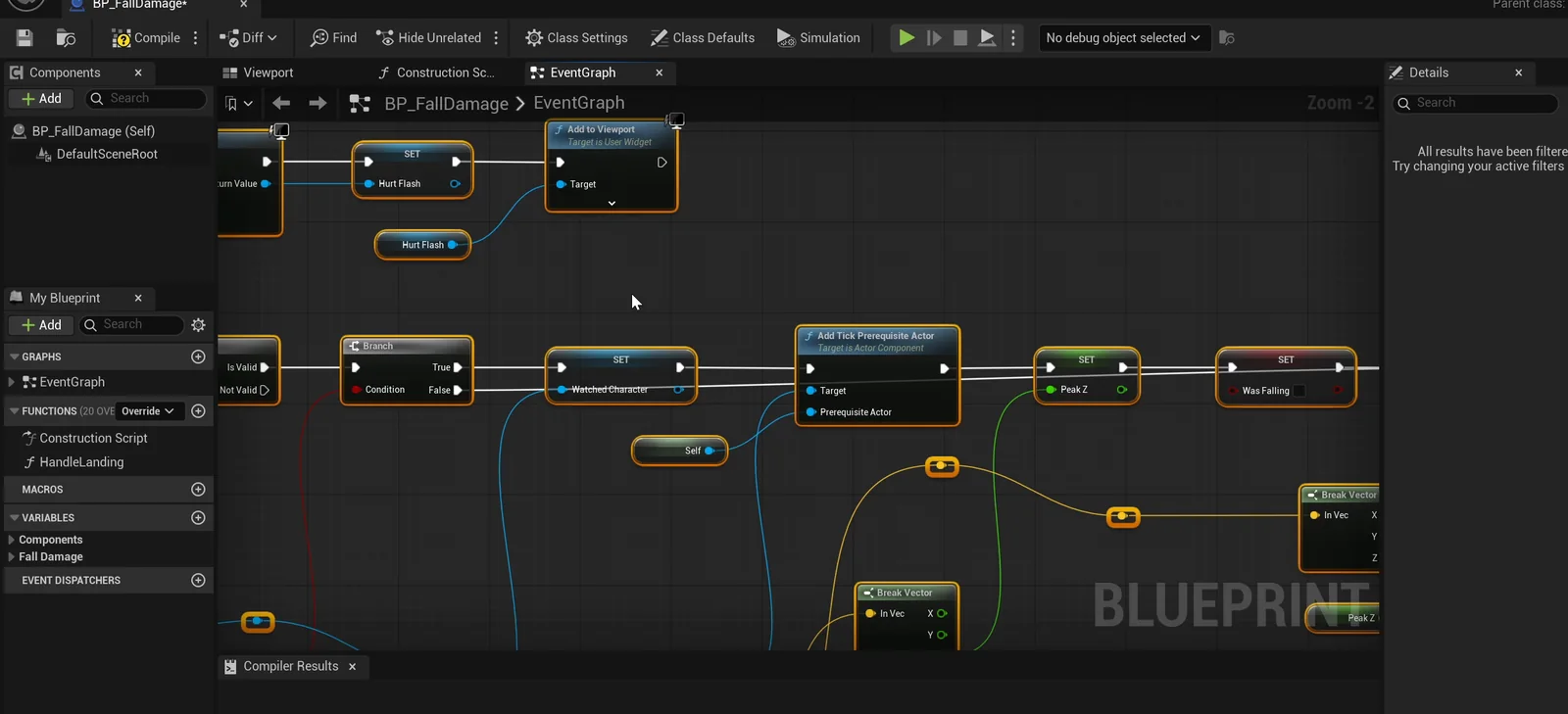
The fall damage graph: it watches the player every frame, and the landing triggers the calculation.
The play test passes the first time
- A drop of 300 units: the measured fall is 300 and the damage is 0. Health stays at 100.
- A drop of 1000 units: the damage is 20 and health reads 80.
- A drop of 2000 units: the damage is 60 and health reads 20.
It also checks the screen. After the 1000 unit drop, a screenshot shows “-20” in red right under the Blizzard box. After the 2000 unit drop, it reads “-60”. And the flash widget reads 69 percent opacity in the middle of the animation, and back to zero afterward.
The report
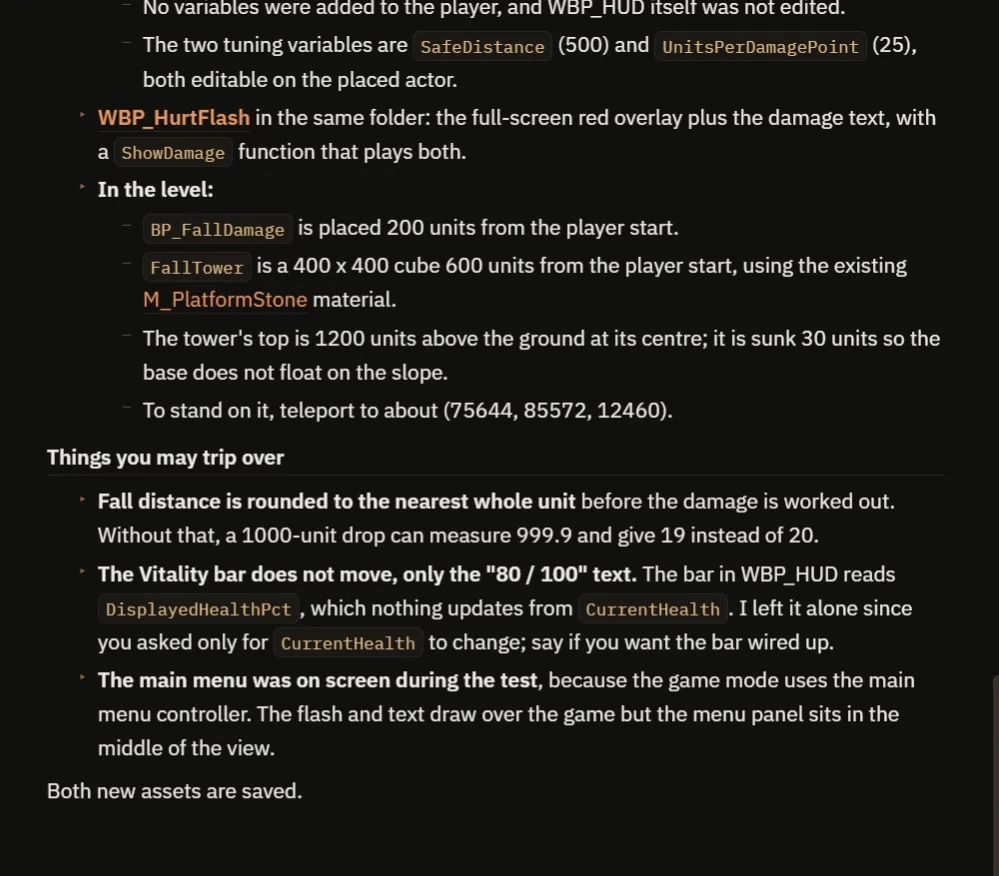
What was built, where the tower is and what to watch for.
The report lists everything it built: the Blueprint, the widget and the tower with its position, so you can stand on it. It explains a detail that matters: the fall distance is rounded to the nearest whole unit before the damage is worked out. Without that, a drop of 1000 units can measure 999.9 and give 19 instead of 20.
It also tells you:
- The Vitality bar does not move, only the “80 / 100” text, because nothing in the HUD updates the bar from CurrentHealth. The AI left that alone since you asked only for CurrentHealth. Say if you want the bar wired up.
- The main menu was on screen during the test, so the flash and text draw over the game while the menu panel sits in the middle of the view.
- The flash was not timed live. That is why the video also shows a real run.
How fall damage works, in plain words
Every frame, the actor looks at the player. If the player is in the air, it remembers the highest height. When the player lands, it subtracts the landing height from the highest height. That is the distance of the fall.
Then the damage. Take the distance, subtract the safe distance and divide by the units per point. If the result is more than zero, subtract it from the health and play the flash and the text. Because the safe distance and the rate are variables, you can make a forgiving game or a harsh one with two numbers: here they are SafeDistance (500) and UnitsPerDamagePoint (25).
Ideas to extend it
- A landing sound and a puff of snow that grows with the height.
- A roll button that cancels the damage.
- Water, where a fall costs nothing.
Copy the prompt, change the safe distance to 1000 or the rate to 10, and see what the AI builds.
Four tips for damage prompts
- Say where the health lives.
- Give a safe distance and a rate as numbers.
- Give the AI the damage you expect at three heights.
- Ask it to check the screen, and not only the numbers.
Frequently asked questions
How do I make fall damage in Unreal Engine 5?
Track the highest point while the player is airborne. On landing, subtract the landing height to get the fall distance, subtract a safe distance and convert the rest into damage at a set rate.
Why does the AI round the fall distance?
A drop that should measure exactly 1000 units can come out as 999.9, which would give 19 damage instead of 20. Rounding to the nearest whole unit before the formula avoids that.
Why does the Vitality bar not move?
Nothing in the HUD updates the bar from CurrentHealth, so only the text changes. The AI left that alone because you asked it to change only CurrentHealth.
Try it in your project
See what Ultimate Engine CoPilot can build on the product page, or get it on Fab.
More builds from this series: the Unreal Engine spike trap, the Unreal Engine health pickup and the Unreal Engine jump pad.