Unreal Engine Gameplay Tags: Fire, Frost and Nature Orbs Built With AI
How Unreal Engine gameplay tags work: three element tags, an orb with a tag container and a floor zone that reacts to the tag, built and debugged by an AI from one request.

A gameplay tag in Unreal Engine is a name with a hierarchy, like Element.Fire. You create it once in the project, and then any actor can carry a set of tags in a tag container. Other Blueprints can ask: does this container have this tag? The clearest way to learn them is to watch one floor react differently to three orbs that only differ by a tag.
In this walkthrough, Ultimate Engine CoPilot builds three element tags, an orb with a tag container, a reactive floor zone and a spawner. You get the exact prompt, three bugs the AI found in its own work and a plain explanation of why gameplay tags beat names or booleans.
What the finished demo does
A square floor in the snow, and a glowing orb that drops onto it every time you press G. The first orb is fire, and the floor flashes orange with a flare of light. The second is frost, and the floor turns blue and the orb shrinks. The third is nature, the floor turns green and the orb rises. The floor never asks “are you a fire orb or a frost orb”. It reads a tag on the orb, and reacts.
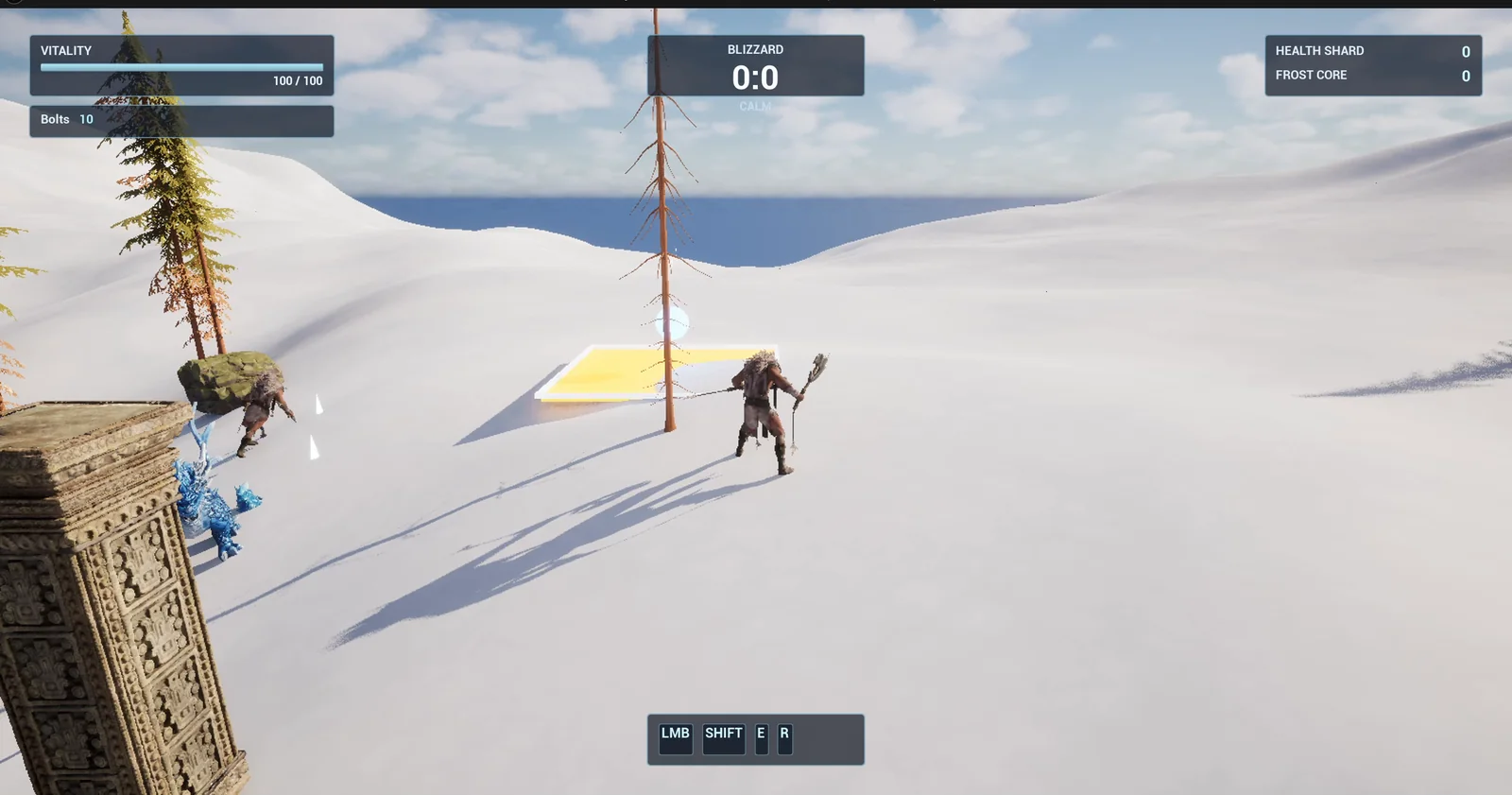
The floor zone after the fire orb: the floor turns orange.
What a gameplay tag is
A tag is like a label on a box. It is safer than a string, because the engine checks the spelling, and more flexible than a boolean, because you can add a hundred tags without adding a hundred variables. The zone has a list of tags in its details, and the orb carries its own.
The prompt
Copy this, change the elements or the reactions, and see what the AI builds:
Make a gameplay tags demo. Add the gameplay tags Element.Fire, Element.Frost and Element.Nature to the project. Create BP_ElementOrb in /Game/Series/EP47_Tags, a glowing sphere 80 units across with an exposed Gameplay Tag Container variable and a matching glow colour: orange for Fire, blue for Frost, green for Nature. Create BP_ElementZone in the same folder, a flat trigger area 500 by 500 units with a visible pale border. When an actor enters it, the zone checks that actor's tags and reacts: Fire turns the zone floor orange and makes a point light flare to 8000 brightness for 1 second, Frost turns the floor icy blue and shrinks the actor to half size for 3 seconds, Nature turns the floor green and makes the actor rise 150 units and settle back over 2 seconds. A text above the zone shows the matched tag, for example Element.Fire. Create BP_OrbSpawner, an actor that I place once in the level, that on the G key drops the next orb into the zone, cycling Fire, Frost, Nature. Keep the times and sizes as variables. Place the zone 700 units east of the player start. Then play test it: press G three times and check each tag gives its own colour, text and effect, and fix anything that does not work.Look at how the rules are written. Each result is attached to a tag, not to an actor class. The orb does not need to be a special Blueprint for fire, one for frost and one for nature. It is one orb with different tags. That is how big games keep hundreds of effects under control.
How the AI builds it
The AI starts by adding the three tags to the project and mapping out what it has to build. Then the assets appear in the Content Browser: the orb, the zone, the spawner and a shared glow material. The sizes, the times and the colors are variables.
The zone reads the tags of the entering orb with a “has tag” check, once for each element, and each branch runs its own reaction. The spawner cycles through the three orbs when you press G.
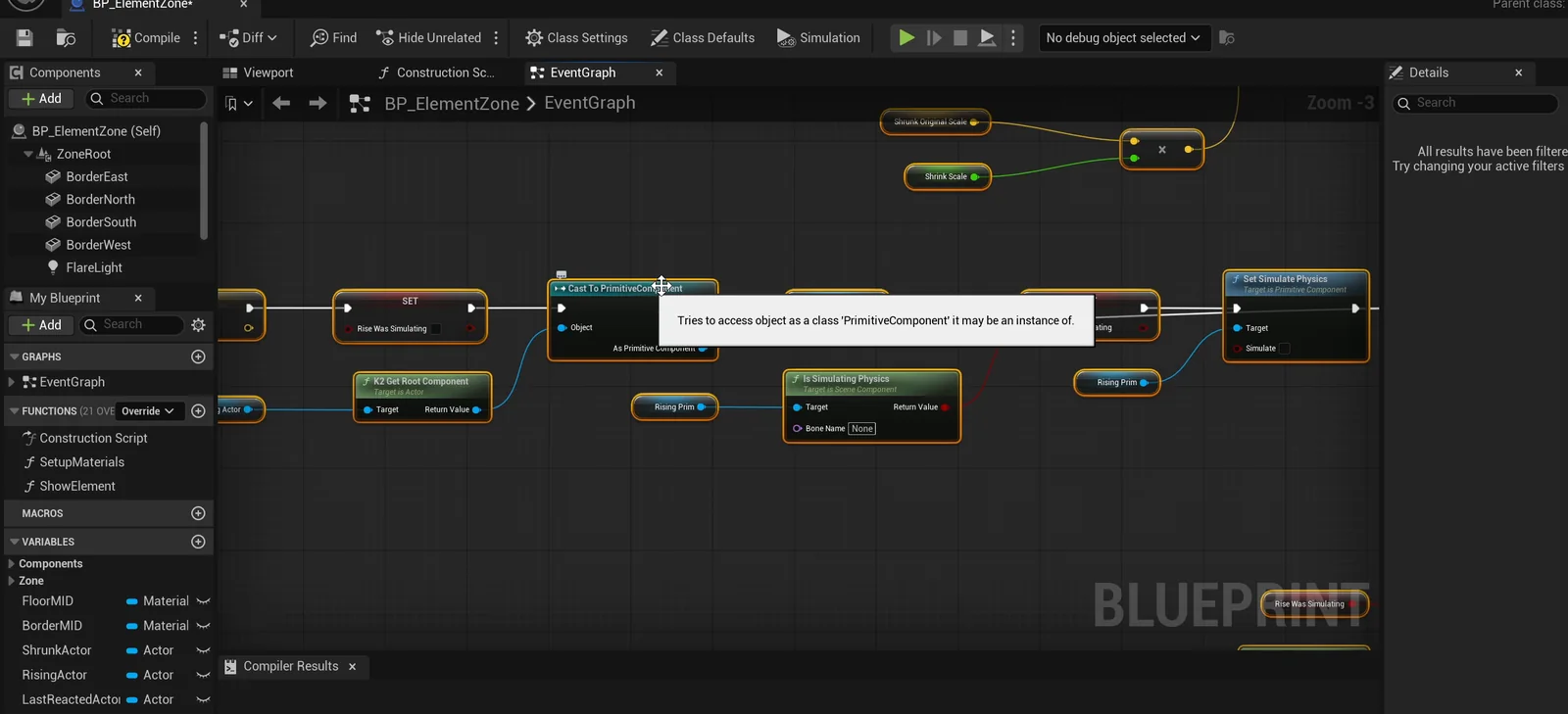
The zone graph: one has-tag check per element, each with its own reaction.
Three bugs the AI found in its own work
- G did nothing. The default value of the key did not store correctly. It is now G on the Blueprint and on the placed spawner.
- The zone ignored its size. The floor had become the root of the Blueprint, so its size was ignored and the orb landed on an unscaled cube. The zone now has a proper root.
- Frost kept halving the orb. Resizing or lifting the orb made it re-enter the trigger, so the frost reaction halved the orb again and again, and nature kept re-triggering. The AI added a guard so each orb only triggers once, and ran the whole test again.
The report
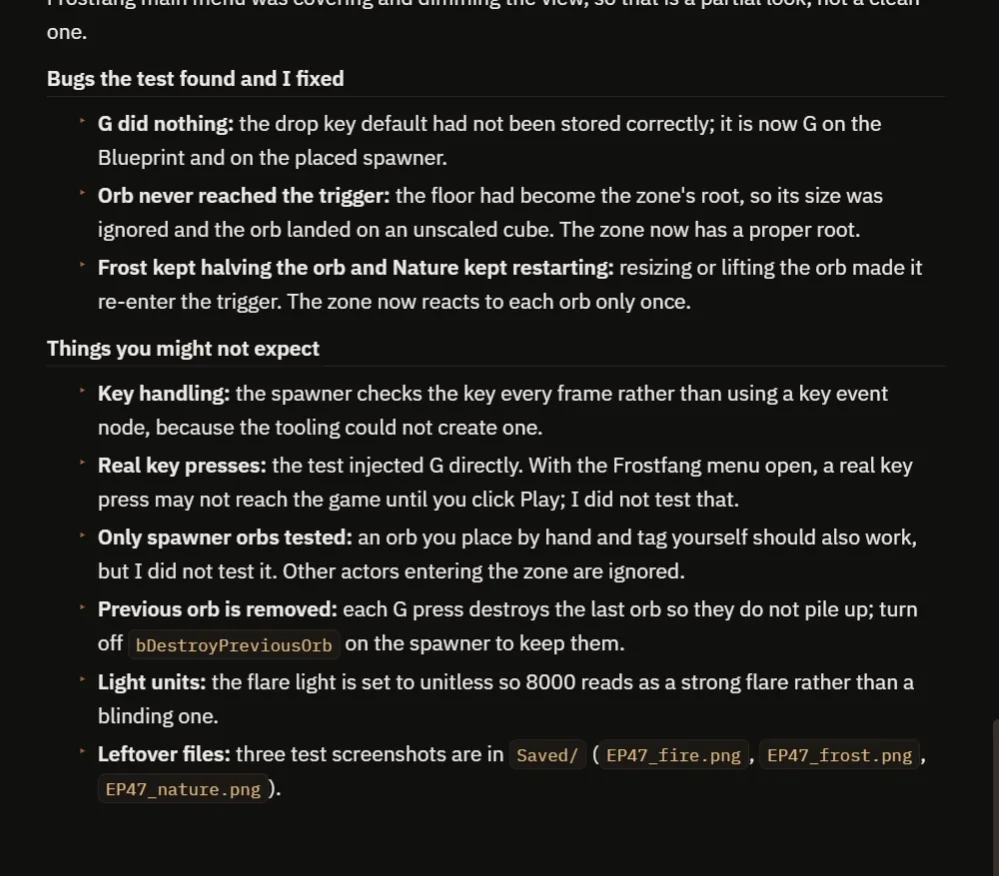
The three bugs and the notes.
The report has a table of the three presses, ten checks, all passing:
- Fire shows the right tag text, and the light goes from 0 to 8000 and back.
- Frost halves the orb from 0.8 to 0.4, and it comes back after 3 seconds.
- Nature lifts the orb about 150 units, and it settles.
It also tells you what you might not expect:
- The spawner reads the key every frame, instead of using a key event, because the tooling could not create one.
- The test injected G directly. With the Frostfang menu open, a real key press may not reach the game until you click Play, which was not tested.
- Only orbs from the spawner were tested. An orb you place and tag yourself should work too, but that was not tested.
- Each G press destroys the previous orb so they do not pile up. Turn off bDestroyPreviousOrb on the spawner to keep them.
- The flare light is set to unitless, so 8000 reads as a strong flare and not a blinding one.
How gameplay tags work, in plain words
When an orb enters the trigger, the zone takes the tag container from the orb. Then it asks: has tag Element.Fire? If yes, run the fire reaction. If not, ask the next question, Element.Frost. The question is about a tag, not about the type of the actor, so you never need a cast.
Because tags have a hierarchy, you can also ask a bigger question: has any tag under Element? And because they are not tied to a class, a crate, a spell or an enemy can all carry the same tags, and the zone treats them the same. Because the times, the sizes and the colors are variables, you can tune every element without touching the logic.
Ideas to extend it
- A fourth tag, Element.Lightning, with a yellow floor.
- An orb that can have two tags at the same time.
- A tag that blocks the others, like a shield.
Four tips for tag prompts
- Write the full tag names, with their hierarchy.
- Attach every result to a tag, not to a class.
- Ask for a container variable, so an actor can carry more than one tag.
- Ask the AI to test every tag, one by one.
Frequently asked questions
What are gameplay tags in Unreal Engine?
Hierarchical names like Element.Fire that you define once in the project. Actors carry them in a Gameplay Tag Container, and other Blueprints check for them.
Why use tags instead of booleans or strings?
The engine checks tag spelling, and one container can hold many tags without adding a variable for each. Tags are also not tied to a class, so unrelated actors can share them.
Do I need a cast to read a tag?
No. The zone asks the orb’s container whether it has a tag, so it never needs to know the orb’s class.
Try it in your project
See what Ultimate Engine CoPilot can build on the product page, or get it on Fab. See how the AI Blueprint generator works.
More builds from this series: the Unreal Engine Blueprint interface, the Unreal Engine casting explained and the Unreal Engine data table.