Unreal Engine Minimap: Build a Rotating Minimap With AI
How to build an Unreal Engine minimap: an orthographic scene capture above the player, a render target and a corner widget that rotates with the player, built from one AI request.

A minimap in Unreal Engine is three ideas: a camera that looks straight down on the player, called a scene capture; a render target, an empty picture that the camera paints into; and a widget with an image that shows that picture in the corner of the screen. The map is not drawn by hand. It is the real world, seen from above. The easiest way to build one is to ask an AI for the whole setup in a single request.
In this walkthrough, Ultimate Engine CoPilot builds a top down minimap in the bottom right corner that follows the player and rotates with them. You get the exact prompt, two visual problems the AI found and a plain explanation of how a scene capture and a render target make a map.
What the finished minimap does
In the bottom right corner of the screen there is a small square map with a gold border. In the middle, a dot: that is the player. Three colored markers, red, green and blue, stand in the snow ahead, and on the map they appear as small colored shapes. You walk toward them, and they slide toward the dot. You turn, and the whole map turns with you.
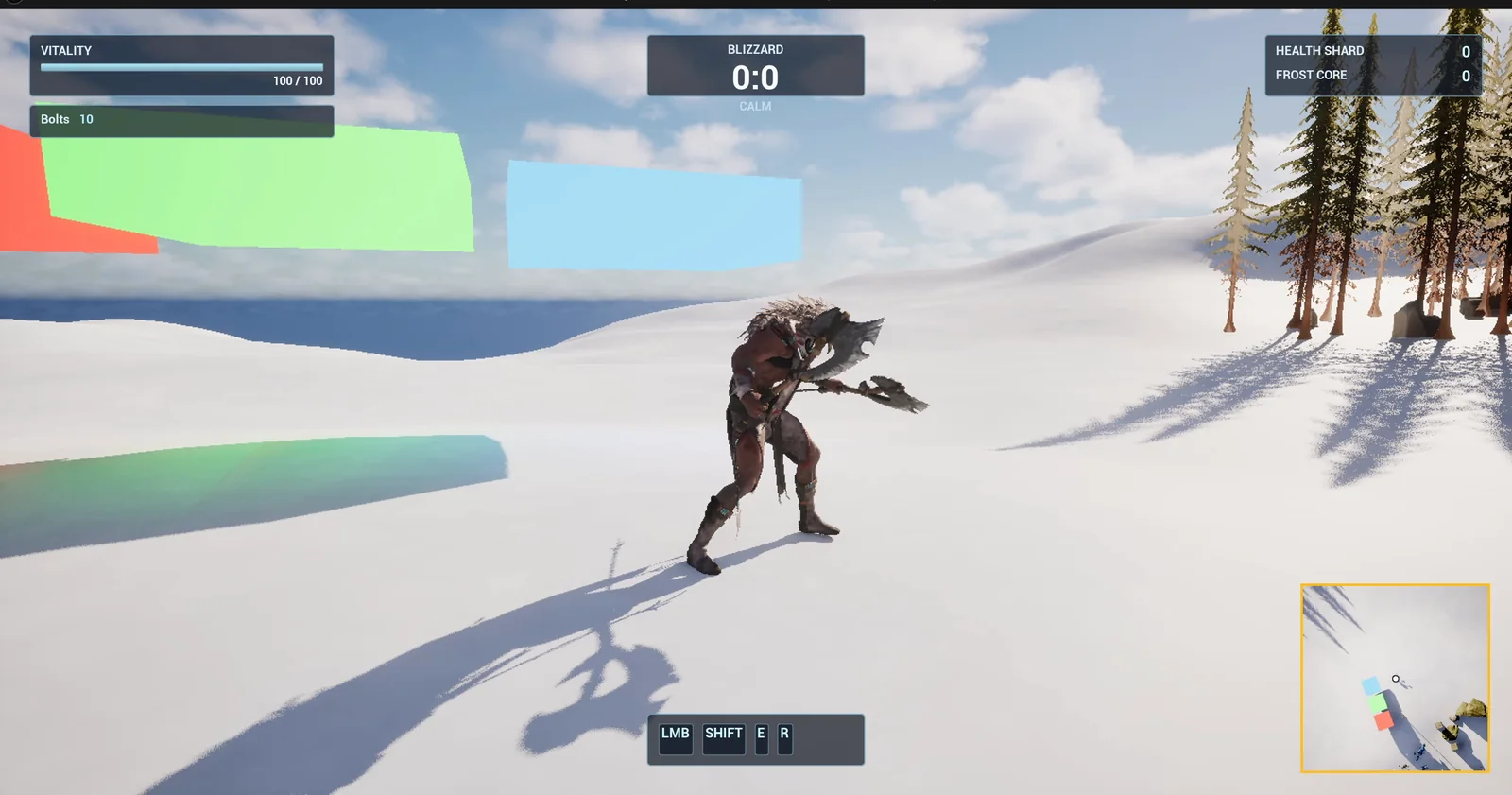
The minimap in the bottom right, with the three marker pillars standing in the snow.
The prompt
Copy this, change the size or the map width, and see what the AI builds:
Make a top-down minimap. In /Game/Series/EP53_Minimap create a render target RT_Minimap of 512 by 512, and WBP_Minimap, a square panel 260 pixels across in the bottom right corner of the screen, 30 pixels from the right and bottom edges, showing the render target in an image with a thin gold border, and a small white dot exactly in its centre for the player. Create BP_MinimapController, an actor that I place once in the level, that on BeginPlay adds the widget and spawns a scene capture 2D with orthographic projection, width 4000 units, that sits 5000 units above the player, looks straight down, writes into RT_Minimap and follows the player every frame, rotated with the player's yaw so the top of the map is always forward. Create BP_MapMarker, a pillar 80 units wide and 600 high with a bright emissive color as a variable. Keep the map width, the camera height and the panel size as variables. Place the controller near the player start and three markers on open snow east of it, in red, green and blue, 800, 1200 and 1600 units from the start. Then play test it: check the minimap shows in the bottom right and clear of the ability bar, walk toward a marker and check it moves down the map toward the dot, turn the player and check the map rotates, and fix anything that does not work.Look at the details that make it a real minimap. “Orthographic” means no perspective, so the map is flat. “4000 units wide” means you decide how much of the world is visible. And “rotated with the player’s yaw” means up on the map is always forward. Each of those is one phrase, and it decides how the map feels.
How the AI builds it
The AI starts with the render target and the widget layout, and it checks the numbers: the panel position, and the dot at the exact center. Then the assets appear in the Content Browser: the render target, the widget, the controller, the marker and a small unlit material for the marker. The map width, the camera height and the panel size are variables.
On BeginPlay, the controller adds the widget and spawns the scene capture, sets it to orthographic and points it at the render target. Then on every frame, it moves the capture above the player, looking straight down, with the same yaw as the player.
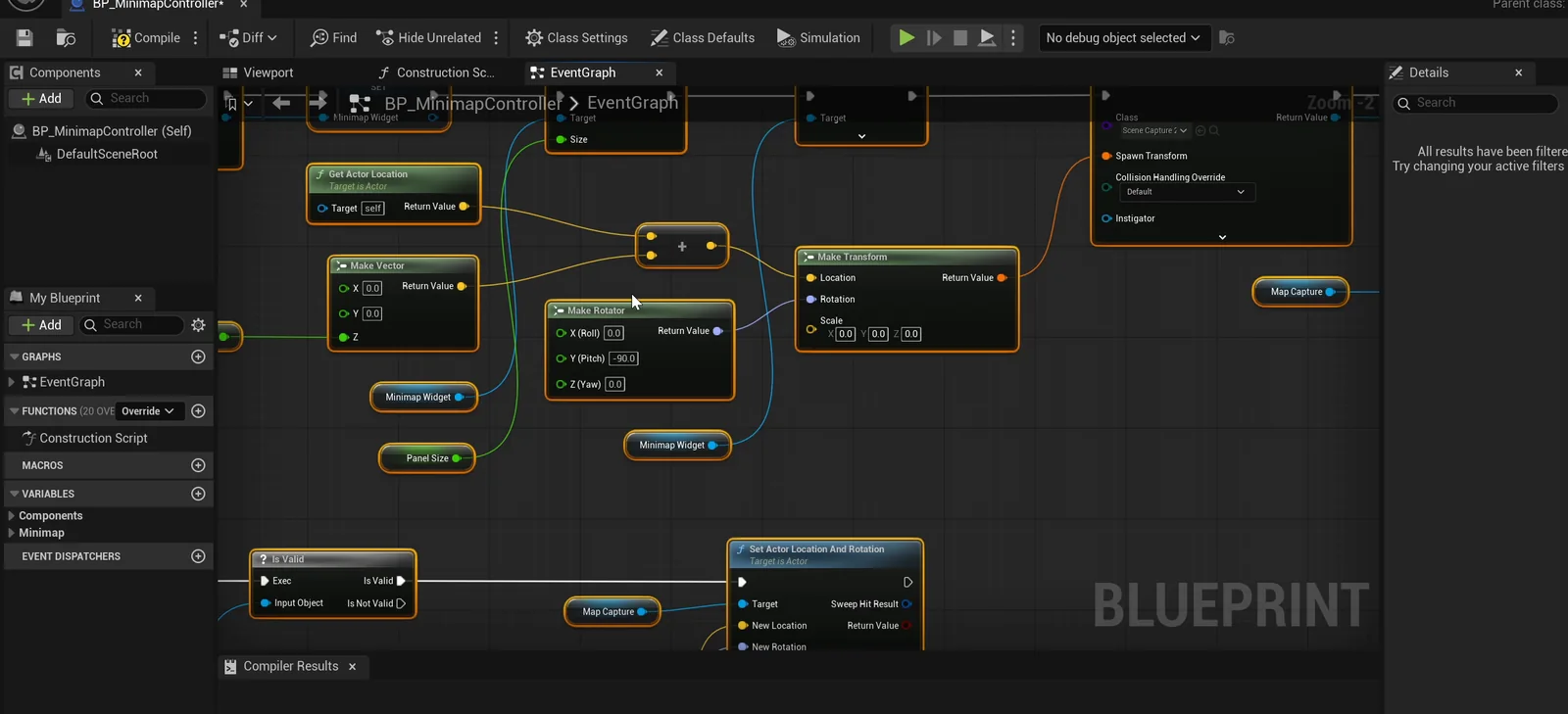
The controller graph: each frame it moves and rotates the capture.
Two visual problems
The map works, but the AI finds two problems in the screenshots:
- The white dot was invisible on white snow. It is now 10 pixels with a thin black outline, still exactly centered.
- The marker colors looked washed out. At a glow of 4, the markers read as orange, pale green and cyan on the map instead of red, green and blue. The AI lowered the glow to 1.5 and shifted the blue marker to a purer blue, and they now read clearly as red, green and blue.
The report
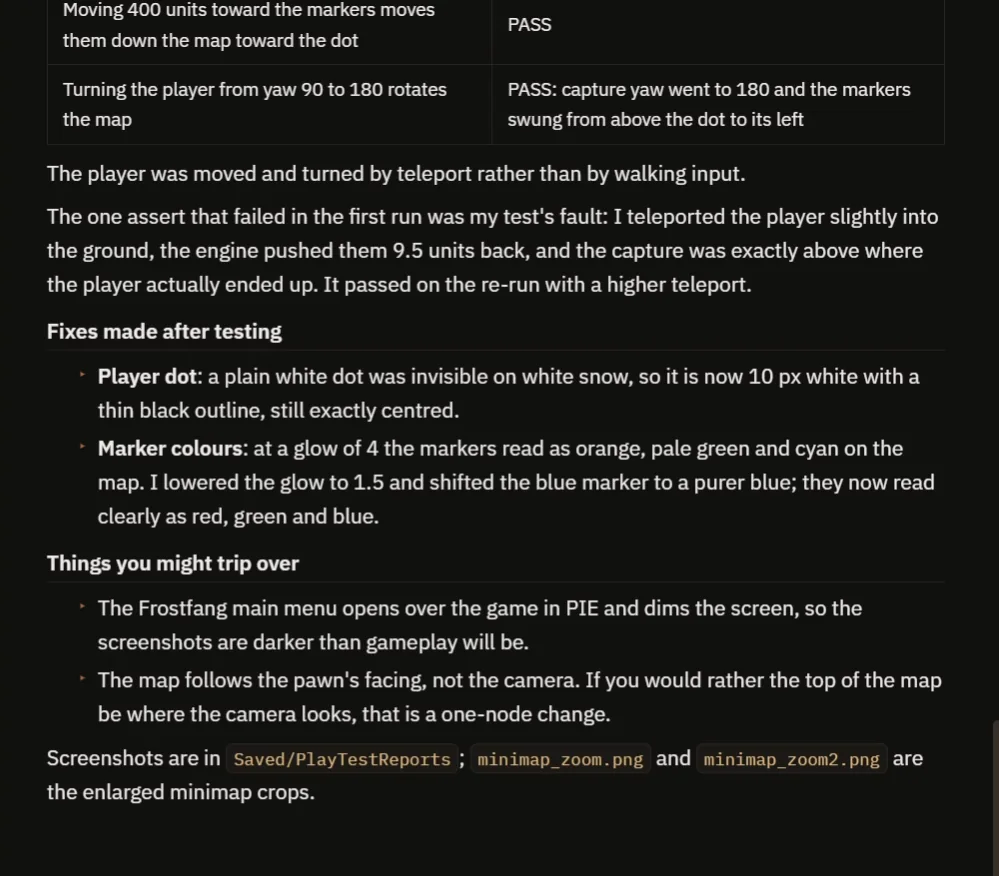
The checks, the two fixes and the notes.
The report confirms the panel is in the bottom right corner, clear of the ability bar. The capture is 5000 units above the player, looking straight down, orthographic and 4000 wide. Moving 400 units toward the markers moves them down the map toward the dot. Turning the player from yaw 90 to 180 rotates the map: the capture went to 180 and the markers swung from above the dot to its left.
It also tells you:
- One assert failed in the first run, and it was the test’s fault: it teleported the player slightly into the ground, the engine pushed them out by 9.5 units, and the capture was exactly above where the player actually ended up. It passed on the re-run with a higher teleport.
- The map follows the pawn’s facing, not the camera. If you would rather have the top of the map be where the camera looks, that is a one-node change.
- The Frostfang main menu opens over the game in the test, so the screenshots are darker than gameplay will be.
That is why the video also shows a real run, with no hand drawn map at all.
How a minimap works, in plain words
A Scene Capture 2D is a camera that does not draw on the screen. It draws into a render target, which is a texture. Here the camera is orthographic, so there is no perspective, and it looks straight down from 5000 units above the player, at a width of 4000 units. Every frame, the controller moves the camera to the position of the player and sets its rotation to look down, with the yaw of the player. The widget shows the texture in an image, so the player sees a live picture of the world around.
A bigger map width shows more of the world, and a smaller one shows more detail. Because the width, the height and the size of the panel are variables, you can make a tactical map or a tiny compass with three numbers.
Ideas to extend it
- A capture setting that hides trees and shows only markers.
- A circular mask on the map.
- A button to zoom the map in and out.
Four tips for minimap prompts
- Say orthographic, with a width in units.
- Give the size and the position of the panel, clear of the other widgets.
- Say if the map turns with the player.
- Ask the AI to test the movement and the rotation, not only the picture.
Frequently asked questions
How do I make a minimap in Unreal Engine 5?
Place a Scene Capture 2D above the player, looking down, set it to orthographic and write it into a render target. Show the render target in an image inside a widget in the corner of the screen.
How do I make the minimap rotate with the player?
Copy the player’s yaw onto the capture every frame. The top of the map is then always forward.
Why was the player dot invisible?
A plain white dot disappears on white snow. The AI gave it a thin black outline.
Try it in your project
See what Ultimate Engine CoPilot can build on the product page, or get it on Fab. See how the AI Blueprint generator works.
More builds from this series: the Unreal Engine radar HUD, the Unreal Engine compass bar and the Unreal Engine objective marker.