Unreal Engine Pickup and Drop: Carry and Throw Crates With AI
How to build an Unreal Engine pickup, drop and throw: G picks up the nearest crate in front, G drops it, T throws it at 1200 units per second, built and tested by an AI.

A carry system in Unreal Engine is three ideas: a way to find the nearest crate in front of the player within a range, a switch between carried and free that turns physics off while you hold the crate and on when you let go, and a rule for where the crate sits while it is carried, an offset in front of the player. The easiest way to build one is to ask an AI for the whole thing in a single request, with the pickup, the drop and the throw.
In this walkthrough, Ultimate Engine CoPilot builds physics crates and a controller that picks one up on G, drops it on G and throws it on T. You get the exact prompt, one check that failed in an honest way and a plain explanation of how picking up a physics object works.
What the finished system does
Three wooden crates in the snow. You stand in front of one and press G, and the crate jumps into your hands, floating in front of you, with the text “Holding crate” at the top. You walk, and it follows you. You press G again and drop it, and it lands on the snow. You pick up the next one, press T and throw it. It flies away and tumbles across the snow.
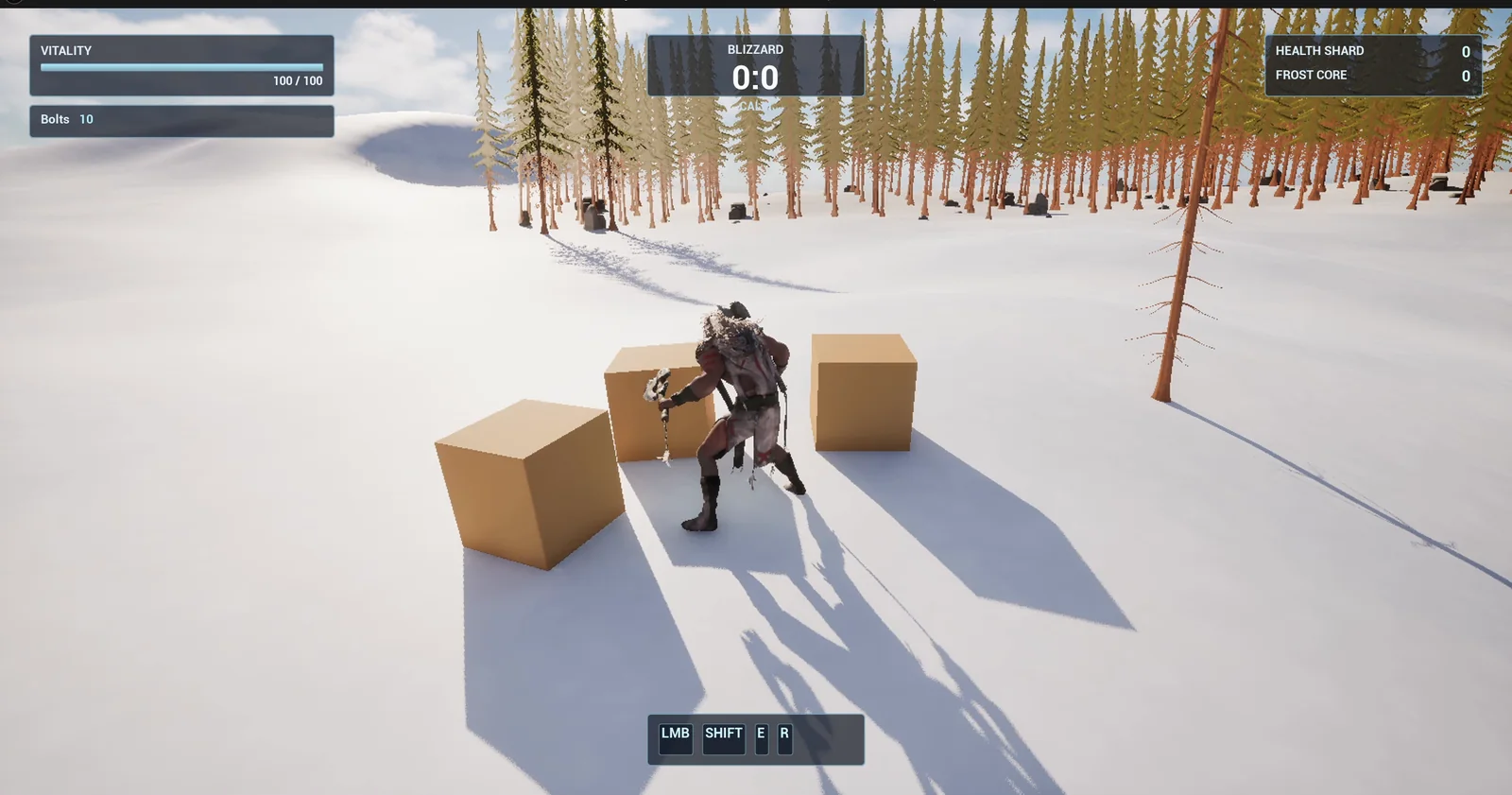
Three crates, 200 units apart, and the player next to the first one.
The prompt
Copy this, change the objects or the throw speed, and see what the AI builds:
Make a carry system for crates. In /Game/Series/EP52_Carry create BP_Crate, a wooden box 80 units on each side with physics simulation on and a warm brown material, and BP_CarryController, an actor that I place once in the level, that listens for G and T. Pressing G while nothing is held picks up the nearest crate within 250 units that is in front of the player: turn off its physics, attach it to the player 120 units in front and 60 units up so it is held in front, and show the text Holding crate at the top centre at y=150 to 170, clear of the existing Blizzard box. Pressing G while holding drops it: detach it, turn physics back on and remove the text. Pressing T while holding throws it: detach, turn physics on and launch it forward with an impulse so it travels about 1200 units per second with a slight upward angle, then remove the text. Only one crate can be held at a time. Keep the pickup range, the hold offset and the throw speed as variables. Place three crates on open snow 600 units east of the player start, 200 units apart. Then play test it: stand next to a crate and press G and check it is attached, press G again and check it drops, pick up again and press T and check it flies forward and lands, and fix anything that does not work.Look at two phrases. “In front of the player” is a small rule that makes a big difference. Without it, the AI could pick up a crate behind you, and the game would feel broken. And “turn off its physics, and turn physics back on” is the heart of every carry system in one sentence.
How the AI builds it
The AI starts with the assets: the crate, a warm wood material, the text widget and the controller. The range, the offset and the throw speed are variables on the controller, so you can tune the feel without opening the graph.
A function searches for the nearest crate in range and in front. The G event picks up or drops, depending on what is held. The T event throws. The controller does not hold the crates. It finds them when you ask.
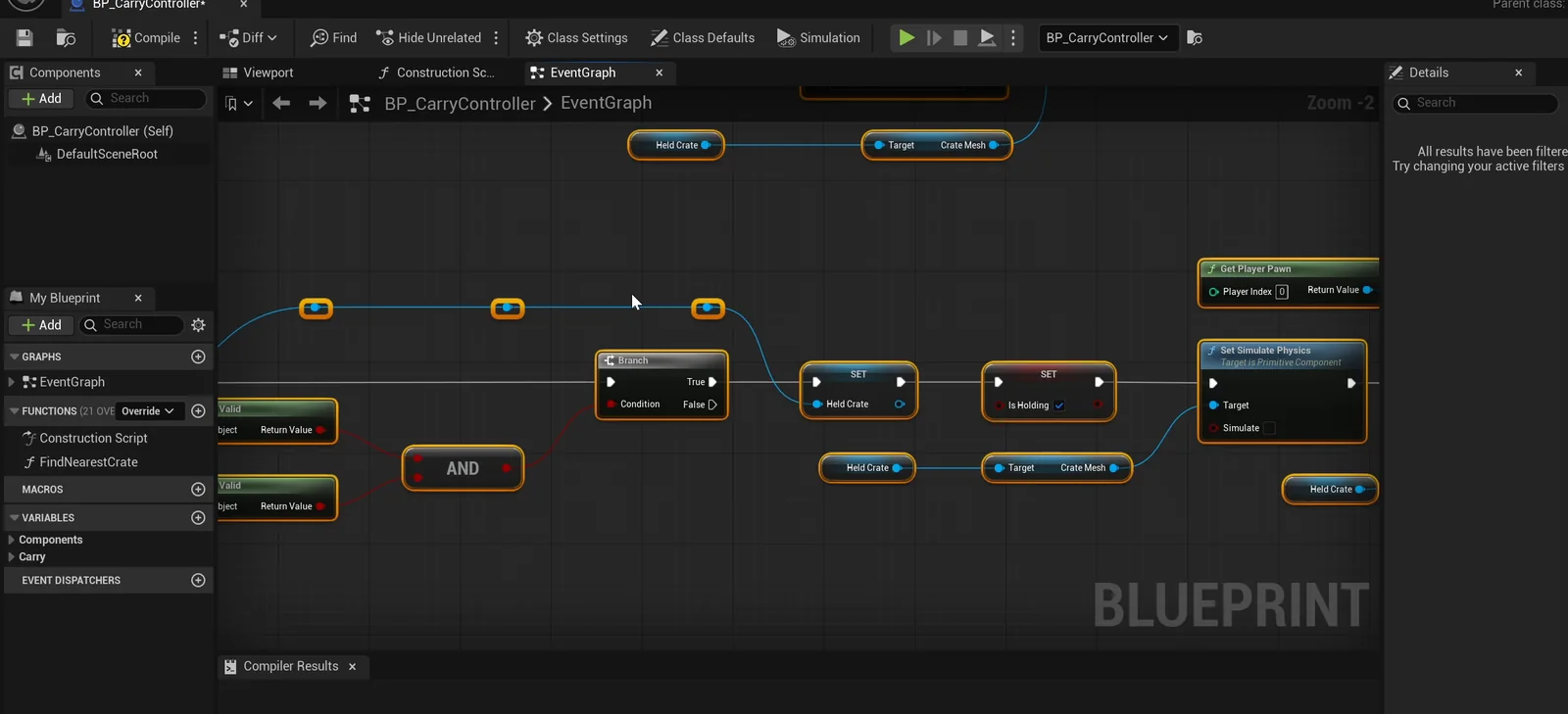
The controller graph: G picks up or drops, T throws.
The play test
- G attaches the crate exactly in front of the player, 120 units forward and 60 up.
- G again drops it, and it rests on the ground.
- G again, and it is held again.
- T: the crate leaves at about 1,170 units per second (the request asked for 1,200) and lands about 2,260 units away.
The report
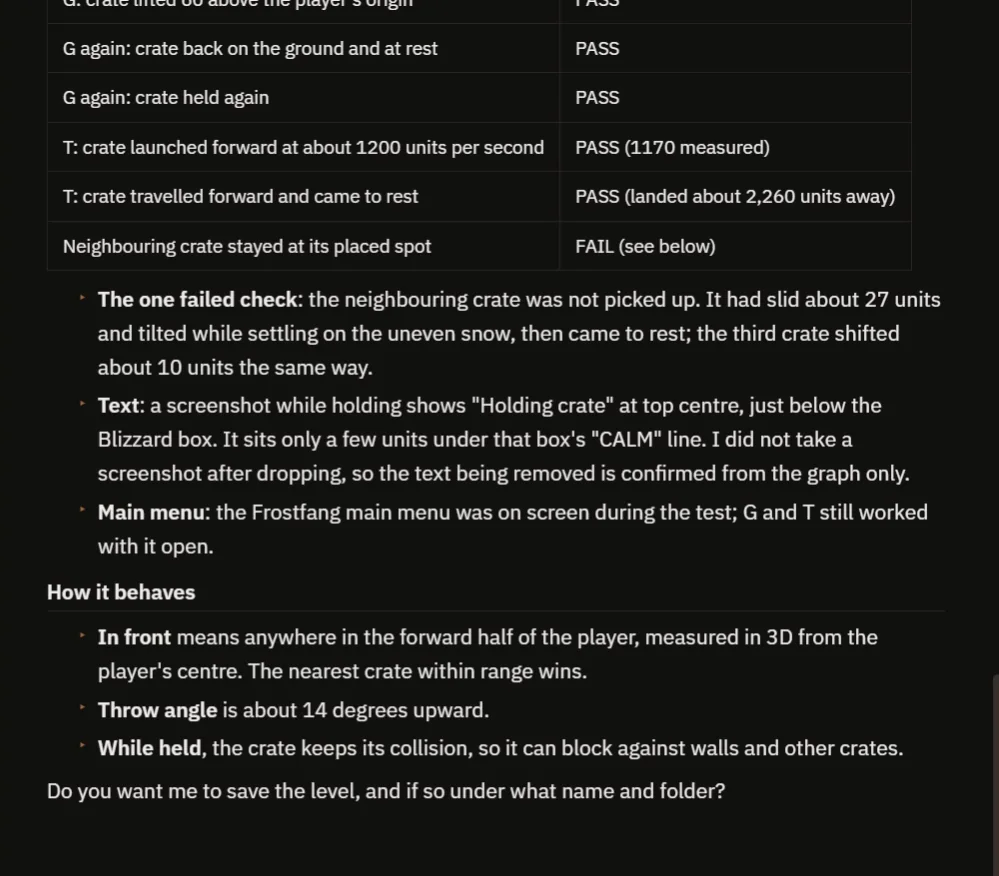
The checks, with the one that failed and why.
The report has a table of checks, and one of them fails. The neighbouring crate stayed in its place, but it had slid about 27 units and tilted while settling on the uneven snow, so the test that checked its exact position failed. The AI explains why, and does not hide it.
It also explains how it behaves:
- “In front” means anywhere in the forward half of the player, measured in 3D from the player’s centre. The nearest crate within range wins.
- The throw angle is about 14 degrees upward.
- While held, the crate keeps its collision, so it can block against walls and other crates.
- The “Holding crate” text sits just under the Blizzard box’s “CALM” line. The AI did not take a screenshot after dropping, so the text being removed is confirmed from the graph only.
- The Frostfang main menu was on screen during the test, and G and T still worked with it open.
How picking up a physics object works, in plain words
When you press G, the controller loops over all the crates, and for each one it measures the distance to the player and the direction. A crate counts only if it is closer than the range and the direction is in front of the player. Of those, it keeps the nearest one. Then it turns off the physics of that crate and attaches it to the player with an offset. From that moment, the crate moves with the player, because it is part of it.
When you drop it, the controller detaches it, turns physics back on and the engine takes over. For the throw, it does the same, and then adds a velocity forward and a little up. Because the range, the offset and the speed are variables, you can make a heavy box or a light ball with three numbers.
Ideas to extend it
- A highlight on the crate that you can pick up.
- A heavier crate that slows the player down.
- A crate that breaks when it is thrown hard enough. The explosive barrel article shows physics objects being thrown.
Four tips for pickup prompts
- Say what happens to the physics when held, and when released.
- Give the offset and the speed as numbers.
- Say “in front of the player”, so it feels right.
- Ask the AI to test drop and throw, not only the pickup.
Frequently asked questions
How do I pick up a physics object in Unreal Engine 5?
Turn off its physics simulation and attach it to the player with an offset. To drop it, detach it and turn physics back on.
How do I throw a crate?
Detach it, turn physics on and launch it forward with a velocity that has a slight upward angle. Here it is about 14 degrees at roughly 1,200 units per second.
Why did one check fail?
A neighbouring crate slid about 27 units and tilted while settling on the uneven snow, so the exact-position check failed. The AI reported it instead of hiding it.
Try it in your project
See what Ultimate Engine CoPilot can build on the product page, or get it on Fab. See how the AI Blueprint generator works.
More builds from this series: the Unreal Engine explosive barrel, the Unreal Engine interaction prompt and the Unreal Engine inventory system.