Unreal Engine State Tree: Build a Guard With Four States Using AI
How to build an Unreal Engine State Tree guard: Idle, Patrol, Alert and Return states with clear transitions, plus when to pick a State Tree over a Behavior Tree, built by an AI.

A State Tree in Unreal Engine is a list of named states and the rules for leaving each one. Each state runs a task, and each state has transitions with a condition, such as the player is within 900 units or three seconds have passed. You can read it like a diagram, and that is its strength. The easiest way to learn it is to build a guard with four states.
In this walkthrough, Ultimate Engine CoPilot builds a guard with the states Idle, Patrol, Alert and Return, and in its report it says when to pick a State Tree instead of a Behavior Tree. You get the exact prompt, the problems the AI fixed and a plain explanation of how a State Tree works.
What the finished guard does
A little guard stands on a glowing blue post, and the text above its head says Idle. After 3 seconds it starts to wander around the post: Patrol. When you come within 900 units, it stops, turns toward you, and the text turns orange and says Alert. After a moment it runs at you. When you go far away, the text says Return, the guard walks back to its post and goes Idle again. Four states, with clear rules between them.
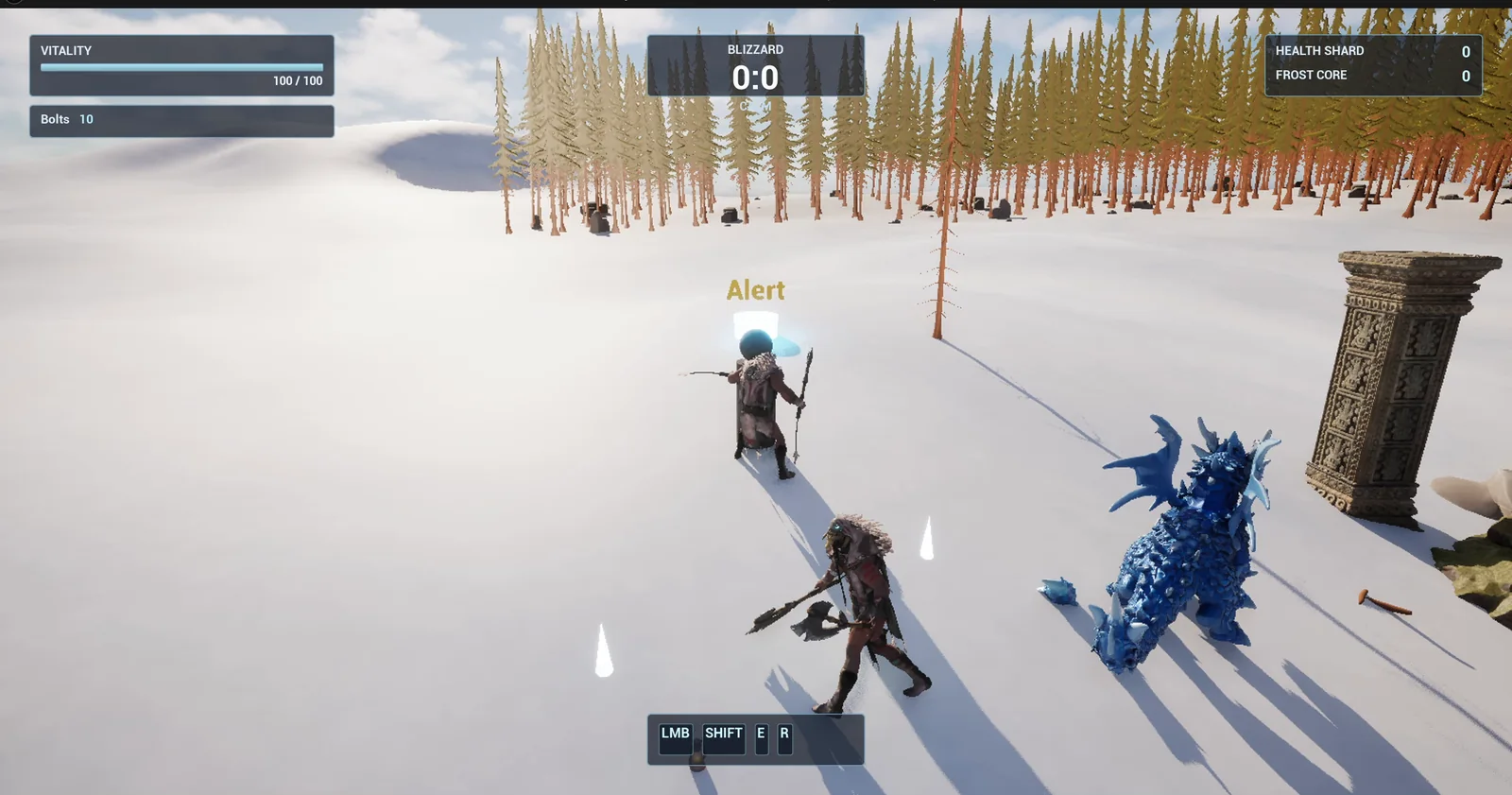
Alert: the text above the guard’s head is orange, and the guard has turned toward the player.
The prompt
Copy this, change the states or the numbers, and see what the AI builds:
Make a guard driven by a State Tree. Create everything in /Game/Series/EP65_StateTreeGuard: BP_StateGuard, a Character made from a cylinder body and a sphere head with a Text Render above its head that shows the current state name, ST_Guard, the State Tree asset, and BP_GuardPost, a small glowing marker. Place a NavMeshBoundsVolume 4000 units wide on the open snow east of the player start and one guard 700 units east of the start, snapped to the snow, with its post under it as its home. The State Tree has four states. Idle: stand still for 3 seconds at home, then go to Patrol. Patrol: walk at 250 units per second to 3 random points within 600 units of home, then go to Idle. Alert: when the player is within 900 units at any time, stop and face the player for 1.5 seconds with the text in orange, then run at 450 units per second after the player. Return: when the player is farther than 1400 units, walk back to home at 300 units per second, then go to Idle. Keep all distances, speeds and times as variables on the guard. In your answer, say in two sentences when to pick a State Tree instead of a Behavior Tree. Then play test it: check the text reads Idle then Patrol, teleport the player 500 units from the guard and check Alert then the chase, teleport the player 2500 units away and check Return then Idle, and fix anything that does not work.Look at how the states are described. Each one has what it does, a number and what ends it. That is exactly the shape of a State Tree. And the gap between 900 and 1400 is there again: one distance to start and a bigger one to stop, so the guard does not flicker. The prompt also asks the AI a question: say in two sentences when to pick a State Tree instead of a Behavior Tree.
How the AI builds it
The AI starts by mapping the tools and creates the assets: the guard, the State Tree, the post, a task that each state runs and a glowing material for the post. Then it builds the guard’s functions and the State Tree itself, with its states and its transitions, and binds the conditions to the guard’s variables. It places the guard on its post and the navigation volume around it.
The tree does not measure anything. It only reads. The guard measures its distance to the player and its distance to home, and keeps them in variables, and those are the inputs.
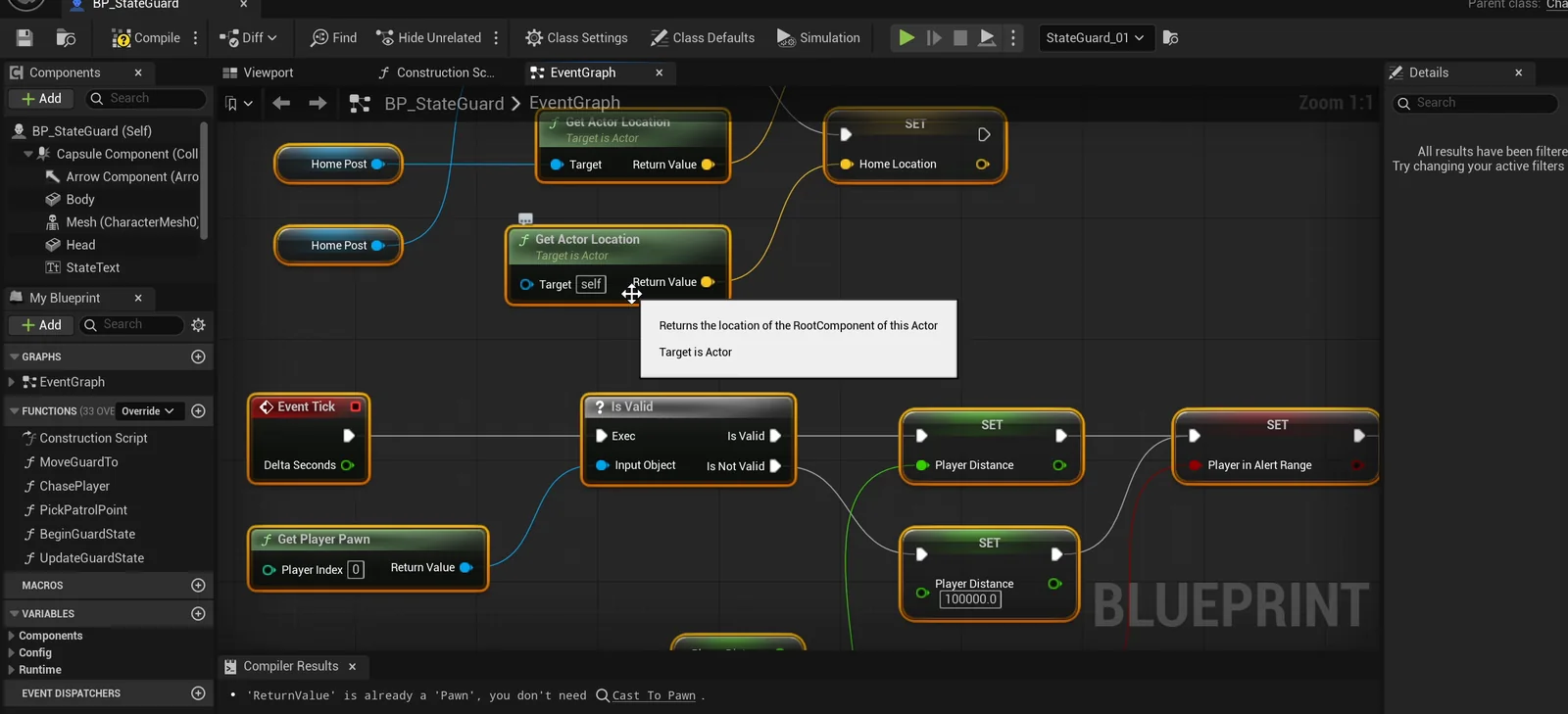
The guard graph: every tick it measures the player distance and sets the alert range flag for the tree to read.
State Tree or Behavior Tree?
The report starts with the question you may have. The AI’s answer is short. Pick a State Tree when the AI is naturally a small set of named modes with explicit transitions, because they are easy to read and debug. Pick a Behavior Tree when the AI has to keep choosing between many prioritized options, where the order of the fallbacks matters more than which mode it is in.
To see the same kind of guard built with a Behavior Tree, read the Unreal Engine Behavior Tree article.
The problems the AI fixed
The AI fixed four things during testing:
- A navigation volume that had been created at the world origin.
- A post that did not snap to the ground.
- Chase did not resume. Once the guard reached the player it stopped for good, even if the player moved off inside 1400 units. It now restarts the chase, and the AI re-tested it by moving the player away.
- Idle was not at home. The guard stopped 76 to 78 units short of the post. It now stops within 25, and Patrol walks back home after the third point, so Idle always happens at home.
The play test
- Idle, with the guard still.
- Patrol after 3 seconds, at 250, to three random points.
- Alert, with orange text, speed zero and the guard facing the player. The chase starts after 1.5 seconds.
- Return at 300, and Idle at home.
The report
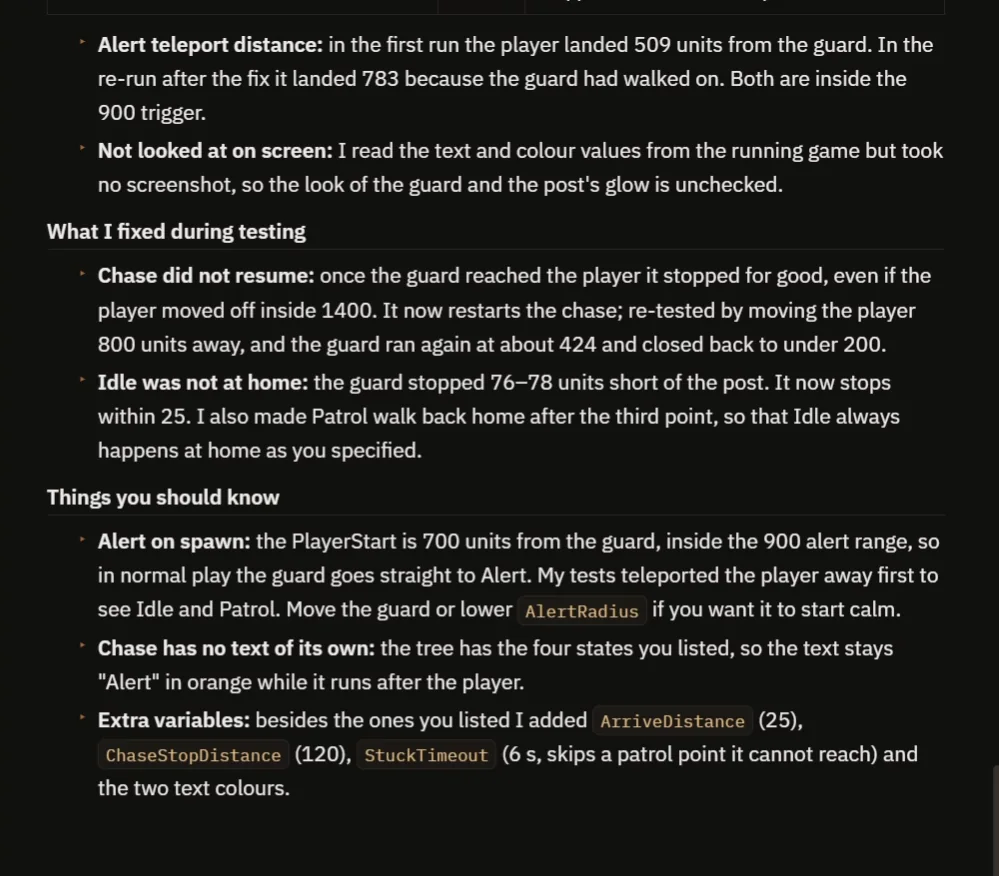
The fixes, and the notes about the start, the chase text and the extra variables.
The report also tells you what to know:
- In normal play the guard goes straight to Alert, because the PlayerStart is 700 units from the guard, inside the 900 alert range. The AI’s tests teleported the player away first to see Idle and Patrol. Move the guard or lower AlertRadius if you want it to start calm.
- Chase has no text of its own. The tree has the four states you listed, so the text stays Alert in orange while the guard runs after the player.
- The AI read the text and color values from the running game but took no screenshot, so the look of the guard and the glow of the post is unchecked.
- Besides the variables you listed, the AI added ArriveDistance (25), ChaseStopDistance (120), StuckTimeout (6 seconds, which skips a patrol point it cannot reach) and the two text colors.
That is why the video also shows a real run: the guard stands on its post and later wanders, turns orange and runs at you when you come close, and walks back when you go away.
How a State Tree works, in plain words
Every tick, the guard measures its distance to the player and its distance to home, and keeps them in variables. The tree only reads them. A State Tree always has one active state. On every tick it checks the transitions of that state from the top, and the first one that is true moves it to another state. Alert goes to the chase after a timer. The chase goes to Return when the player is farther than the stop distance. Return goes to Idle when the guard is at home.
Because the distances, the speeds and the timers are variables, you can tune a nervous guard or a sleepy one with a few numbers.
Ideas to extend it
- A fifth state, Search, where the guard looks around the place where it lost you.
- Text that says Chase when the guard chases.
- A sight cone instead of a distance.
Four tips for State Tree prompts
- For each state, say what it does and what ends it.
- Use a bigger distance to leave a state than to enter it.
- Give every number as a variable.
- Ask the AI to test every state, in order, and the way back.
Frequently asked questions
What is a State Tree in Unreal Engine?
A State Tree is a list of named states with transitions between them. Each state runs a task, and a transition has a condition, such as the player being within a distance or a timer ending. At any time exactly one state is active.
When should I use a State Tree instead of a Behavior Tree?
Use a State Tree when the AI is a small set of named modes with explicit transitions, because they are easy to read and debug. Use a Behavior Tree when it has to keep choosing between many prioritized options, where the order of the fallbacks matters more than the current mode.
Why does the guard go straight to Alert when I press Play?
The PlayerStart is 700 units from the guard, inside the 900 alert range. Move the guard or lower AlertRadius if you want it to start calm.
Try it in your project
See what Ultimate Engine CoPilot can build on the product page, or get it on Fab. See how the AI Blueprint generator works.
More builds from this series: the Unreal Engine Behavior Tree, the Unreal Engine stealth sentry and the Unreal Engine turret.