Unreal Engine Behavior Tree: Build a Patrol and Chase Guard Using AI
How to build an Unreal Engine Behavior Tree guard: four waypoints, a Blackboard, a 2 second wait and a chase that starts at 800 units and stops at 1100, built and tested by an AI.

A Behavior Tree in Unreal Engine is the brain of an AI character, and a Blackboard is its memory. The memory holds a few facts: which waypoint is next, who the target is, where to go. The tree reads them and decides. If there is a target, chase it. If not, find the next waypoint, move to it, wait and add one to the number. An AI controller is the small actor that runs the tree on the character. The easiest way to see how it all fits is to build a guard that patrols, waits and chases.
In this walkthrough, Ultimate Engine CoPilot builds a guard with an AI controller, a Behavior Tree, a Blackboard and four glowing waypoints. You get the exact prompt, the problems the AI fixed along the way and a plain explanation of what a Behavior Tree and a Blackboard are.
What the finished guard does
A little guard, a dark cylinder with a round head, walks around a square of four glowing posts in the snow. At every post it stops and waits for 2 seconds. A text above its head says what it is doing: Patrol or Waiting. When you come within 800 units, the text turns red and says Chase, and the guard runs at you, faster. When you get farther than 1100 units, it gives up and goes back to its patrol.
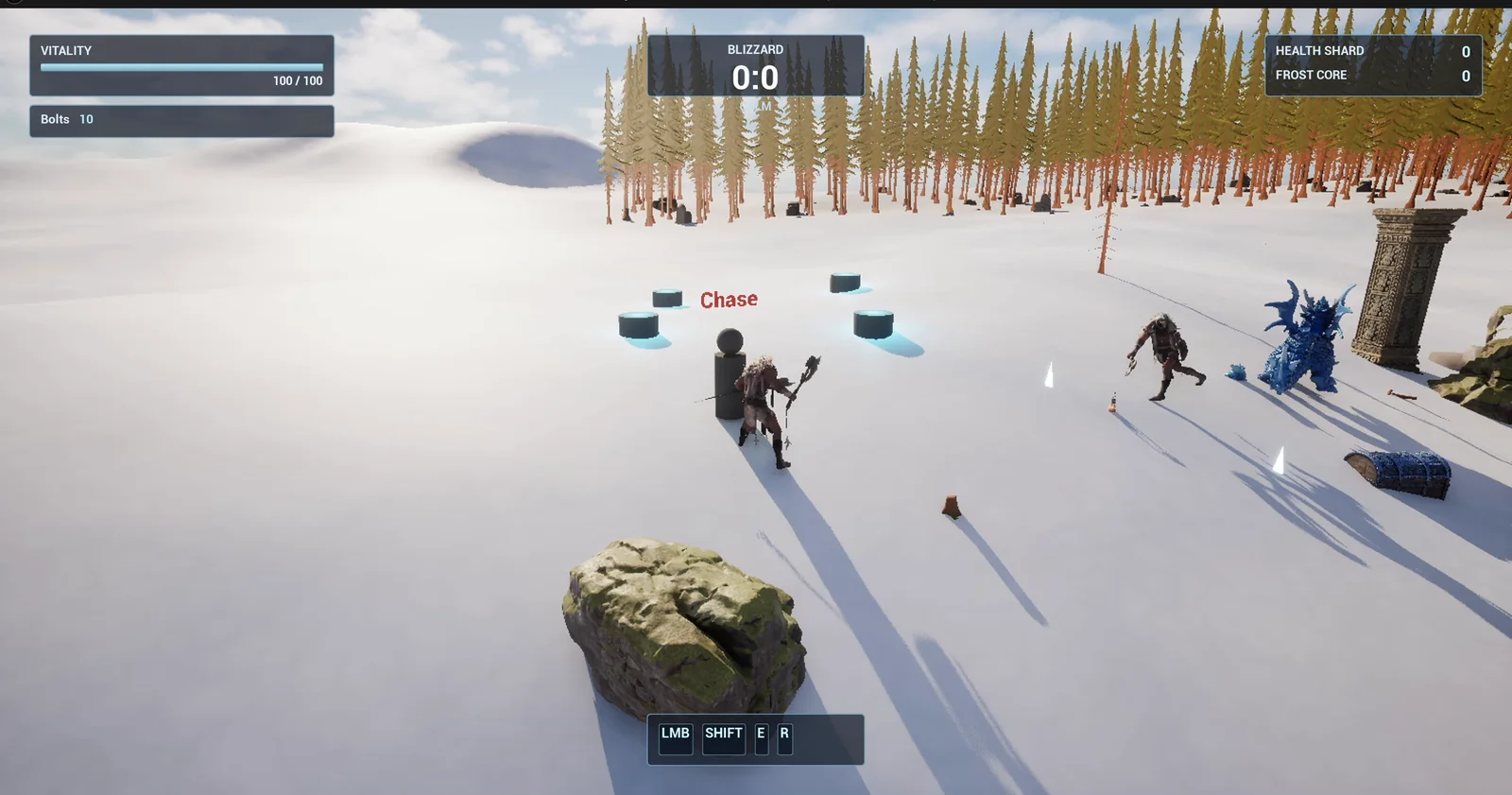
The guard in a chase: the text above its head is red and reads Chase, and the four waypoint posts stand around it.
The prompt
Copy this, change the speeds or the distances, and see what the AI builds:
Make a patrolling guard with a Behavior Tree. Create everything in /Game/Series/EP64_BTPatrol: BP_Guard, a Character made from a cylinder body and a sphere head with a Text Render above its head that shows its state; BP_GuardController, an AI controller that runs the tree; BB_Guard, a Blackboard with PatrolIndex, TargetPlayer and TargetLocation; BT_GuardPatrol, the Behavior Tree; and BP_Waypoint, a small glowing post. Place four waypoints in a square 600 units wide on the open snow east of the player start, the nearest corner 500 units east, snapped to the snow, and add a NavMeshBoundsVolume 4000 units wide around them. Place one guard on the first waypoint. The guard walks at 300 units per second to each waypoint in order, loops forever, waits 2 seconds at each one, and its text reads Patrol while walking and Waiting while it waits. When the player comes within 800 units the text turns red and reads Chase and the guard runs at 500 units per second after the player; when the player is farther than 1100 units it goes back to patrolling. Keep the speeds, the wait time and both distances as variables on the guard. Then play test it: check the guard reaches waypoint 2 and waits about 2 seconds, teleport the player 600 units from the guard and check the text reads Chase, teleport the player 2000 units away and check it returns to Patrol, and fix anything that does not work.Look at the two distances: 800 to start the chase and 1100 to stop it. They are different on purpose. If they were the same, the guard would flicker between the two states at the edge. A gap between the two numbers is the simplest way to stop that, and the prompt keeps both as variables.
How the AI builds it
The AI creates the guard, its controller, the Blackboard, the tree and the waypoint, and they appear in the Content Browser. The guard has no patrol code in it. It only has numbers: PatrolSpeed 300, ChaseSpeed 500, WaitTime 2, ChaseDistance 800 and LoseDistance 1100.
- BB_Guard, the Blackboard, holds PatrolIndex, TargetPlayer and TargetLocation.
- BT_GuardPatrol, the tree, has a chase branch that takes over when TargetPlayer is set. Otherwise it picks a waypoint, moves to it and waits.
- BP_Waypoint is a post with a cyan point light and an Order number.
- Two additions that the prompt did not ask for: BT_GuardPickWaypoint and BT_GuardWait. The tree needs them to read the waypoint list and the guard’s WaitTime variable.
Every tick, the guard checks the distance to the player and sets or clears the target in the Blackboard. Then the AI places the four waypoints, the guard and the navigation volume.
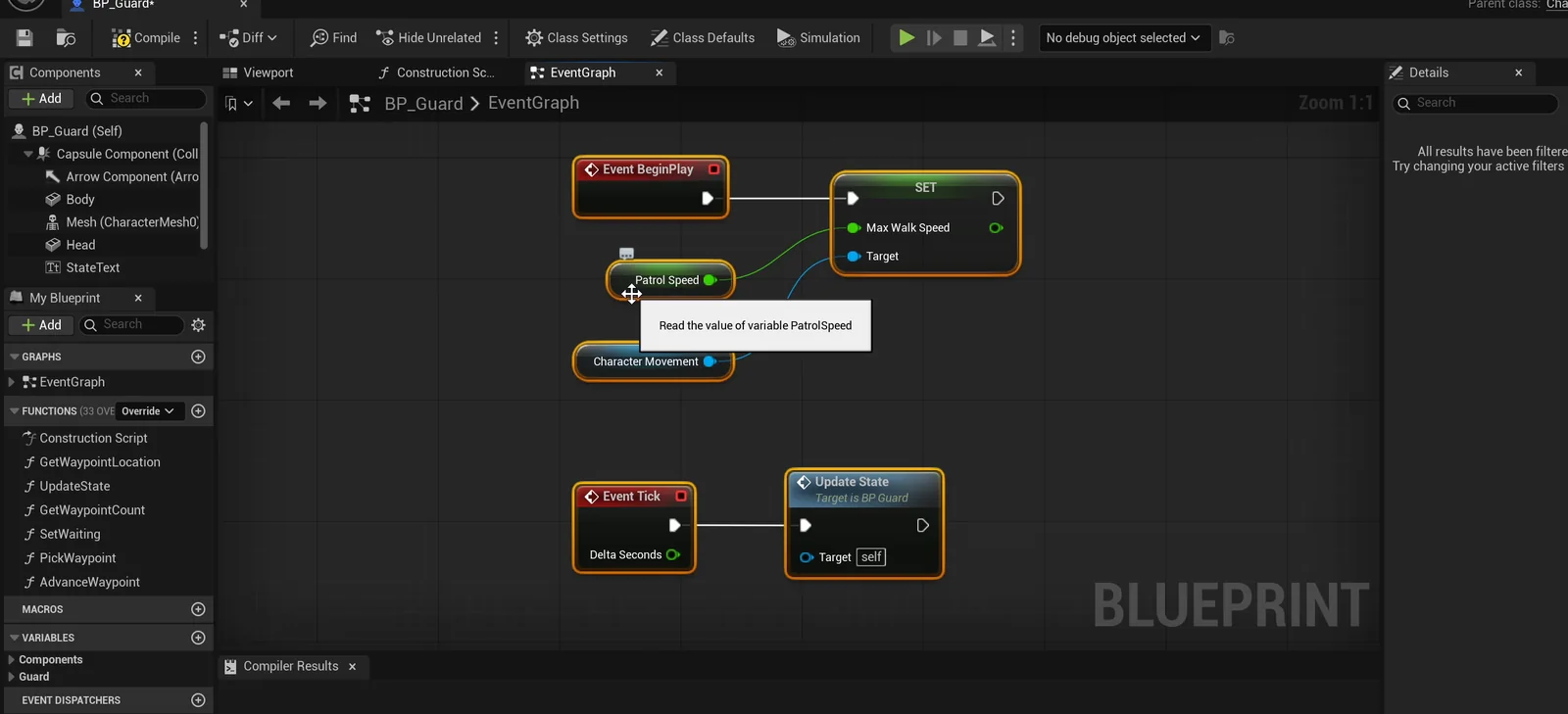
The guard graph: BeginPlay sets the walk speed, and Event Tick calls Update State.
The problems the AI fixed
The first runs did not work, and the AI fixed these problems:
- The guard never moved at first, because its auto possess setting had an invalid value, so no AI controller ran the tree.
- The navigation volume was created at the center of the world instead of around the square.
- The level needed a navigation mesh that generates at runtime.
- The posts were floating above the snow.
The play test
The report starts with a table, and all 18 checks pass on the final run:
- The guard reaches the second waypoint and waits about 2 seconds.
- It walks at exactly 300, and the text reads Waiting while it waits.
- With the player at 600 units, the text is Chase in red and the guard runs at 500.
- With the player 2000 units away, the chase is dropped and the speed is back to 300.
The report
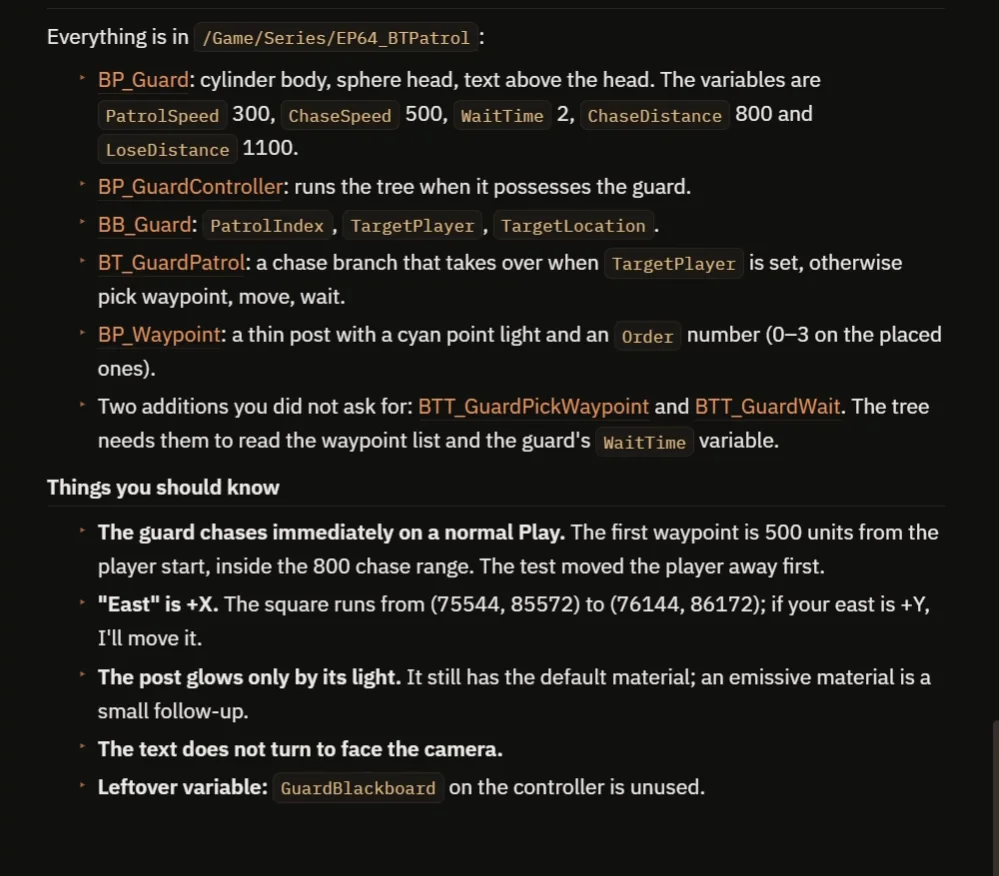
What was built, and the notes to know.
The report also tells you what to know:
- On a normal Play the guard chases immediately. The first waypoint is 500 units from the player start, inside the 800 chase range. The AI’s test moved the player away first.
- “East” is +X. If your east is +Y, say so and the AI will move the square.
- The post glows only by its light. It still has the default material, and an emissive material is a small follow-up.
- The text above the head does not turn to face the camera.
- A leftover variable, GuardBlackboard on the controller, is unused.
That is why the video also shows a real run: the guard walks between the posts, turns red when you come close and gives up when you go far away.
How a Behavior Tree works, in plain words
Every tick, the guard measures the distance to the player. If it is closer than the chase distance, it writes the player into the Blackboard as the target. If it is farther than the lose distance, it clears it. The guard itself decides nothing else.
The tree runs from the top, left to right. The first branch asks: is there a target? If yes, move to the target, fast. If not, the second branch runs: pick the next waypoint, move to it, wait and add one to the index. Because the speeds, the wait and the distances are variables, you can make a lazy guard or a hunter with five numbers.
Ideas to extend it
- A guard that looks left and right while it waits.
- A guard that searches the last place it saw you before it goes back.
- A sight cone instead of a distance.
- The same guard with named states instead of a tree. See the Unreal Engine State Tree.
Four tips for Behavior Tree prompts
- Name the Blackboard keys, and what each one holds.
- Give a different distance to start and to stop the chase.
- Say the speed of every state.
- Ask the AI to test every state, and the way back.
Frequently asked questions
What is a Behavior Tree in Unreal Engine?
A Behavior Tree is a tree of tasks and checks that decides what an AI character does, running from the top, left to right. It reads facts from a Blackboard, such as the target or the next waypoint, and runs the first branch that fits.
What is a Blackboard?
The memory of the tree: a list of named keys that the character writes and the tree reads. Here they are PatrolIndex, TargetPlayer and TargetLocation.
Why does the guard use two different distances?
800 units start the chase and 1100 stop it. With one distance, the guard would flicker between chase and patrol at the edge.
Why did the guard never move at first?
Its auto possess setting had an invalid value, so no AI controller ran the tree. The AI fixed the setting, and it also had to move the navigation volume, which had been created at the center of the world, around the square.
Try it in your project
See what Ultimate Engine CoPilot can build on the product page, or get it on Fab. See how the AI Blueprint generator works.
More builds from this series: the Unreal Engine State Tree, the Unreal Engine stealth sentry, the Unreal Engine turret and the Unreal Engine wave spawner.