Unreal Engine Wave Spawner: Build Enemy Waves With a Win Using AI
How to build an Unreal Engine wave spawner: red chaser cubes in waves of 3, 5 and 8 from a ring of spawn points, a wave text and a You win at the end, built by an AI from one request.

A wave spawner in Unreal Engine is three ideas: a list of wave sizes, a state that says whether it is counting down, fighting or finished, and a check on every tick that asks how many enemies are still alive. When the answer is zero, the state changes and the next wave comes after a pause. It is the heart of every survival game. The easiest way to build one is to give an AI the sizes, the speed and the pause in a single request.
In this walkthrough, Ultimate Engine CoPilot builds red chaser cubes and a spawner that sends waves of 3, 5 and 8, with a wave text and a “You win” at the end. You get the exact prompt, a problem with the main menu and the small restart event that solved it, and a plain explanation of how a wave spawner works.
What the finished spawner does
Red cubes run across the snow toward the character, and disappear when they touch it. When the wave is cleared, there is a short pause and then a bigger wave: three cubes, then five, then eight. When the last wave is cleared, the text says “You win”.
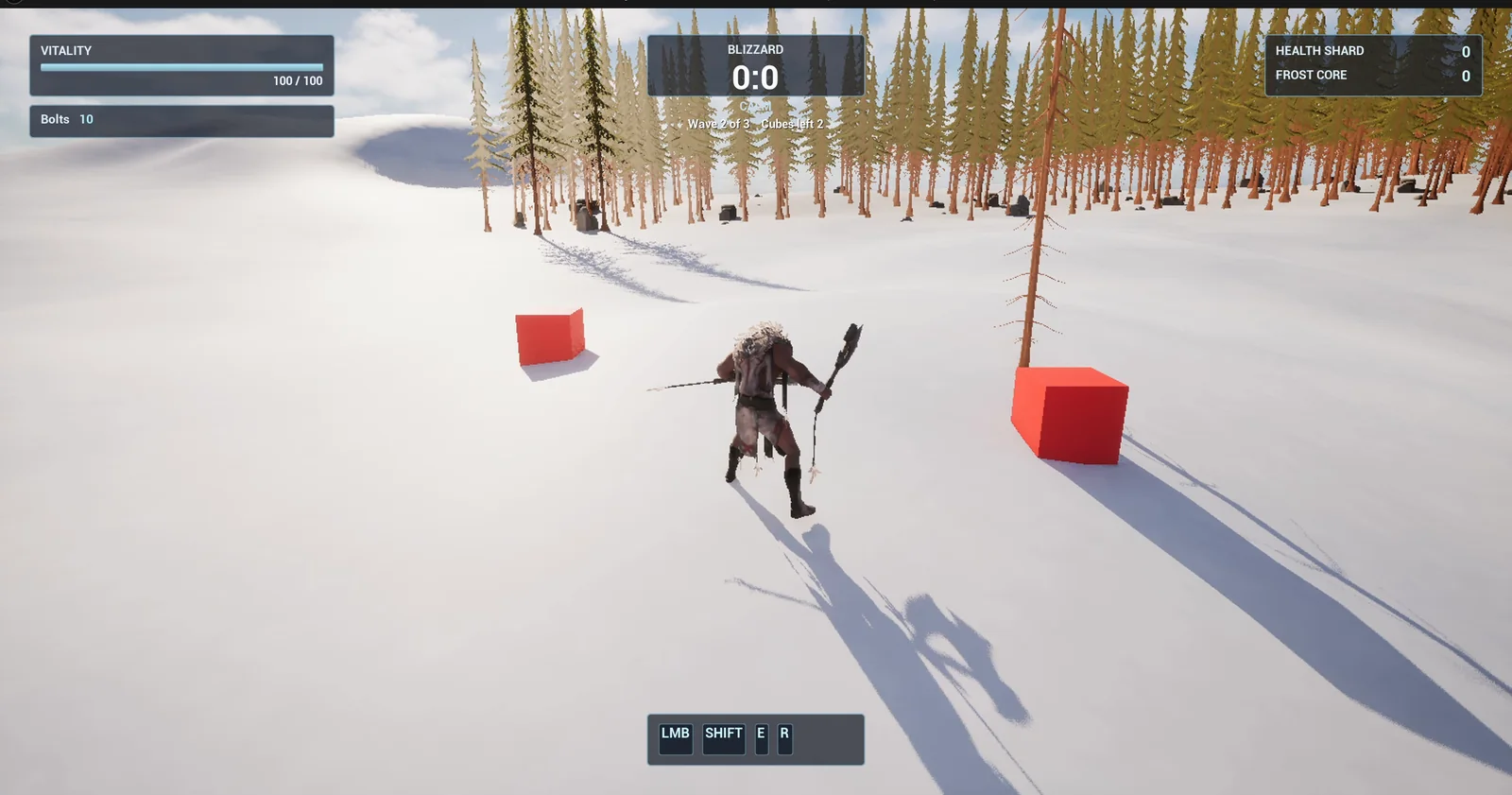
Two red cubes of a wave closing in on the player.
The prompt
Copy this, change the wave sizes or the speed, and see what the AI builds:
Make an enemy wave spawner. Create BP_ChaserCube in /Game/Series/EP56_Waves, a pawn made from a red cube 80 units wide that moves toward the player at 350 units per second along the snow and is destroyed when it gets within 100 units of the player. Create BP_WaveSpawner in the same folder, an actor that I place once in the level, with a ring of 8 spawn points 1,200 units around it. After a 3 second countdown it spawns wave 1 with 3 cubes, then wave 2 with 5 cubes and wave 3 with 8 cubes, each cube at a random spawn point placed on the snow. The next wave starts 3 seconds after the last cube of the current wave is destroyed. After wave 3 is cleared show You win. Create WBP_WaveText in the same folder, a text in the top centre at y 150 to 170, below the existing Blizzard box, reading Wave 1 of 3 and Cubes left 3, updating live as cubes are destroyed, and Next wave in 3 during the pause. Keep the wave sizes, the cube speed and the pause as variables. Place the spawner on the open snow about 900 units east of the player start. Then play test it: check wave 1 spawns 3 cubes and the text matches, let the cubes reach the player and check the count falls to 0, check wave 2 starts with 5, clear waves 2 and 3, check You win shows, and fix anything that does not work.Look at the three variables: the sizes, the speed and the pause. A wave spawner without them is a one level toy. With them, you can balance a whole game from the Details panel. And look at the last requirement: the text shows the wave and the cubes left, so the player always knows what is happening.
How the AI builds it
The AI reads the project and the HUD first, to find where the text can sit under the Blizzard box. Then the assets appear in the Content Browser: the cube, the spawner, the text widget and a red material. The wave sizes, the speed and the pause are variables on the spawner.
The cube moves toward the player on every tick, and keeps itself on the ground. The spawner counts down, spawns a wave, counts the live cubes on every tick and starts the next countdown when there are none. After the last wave, it shows the win text.
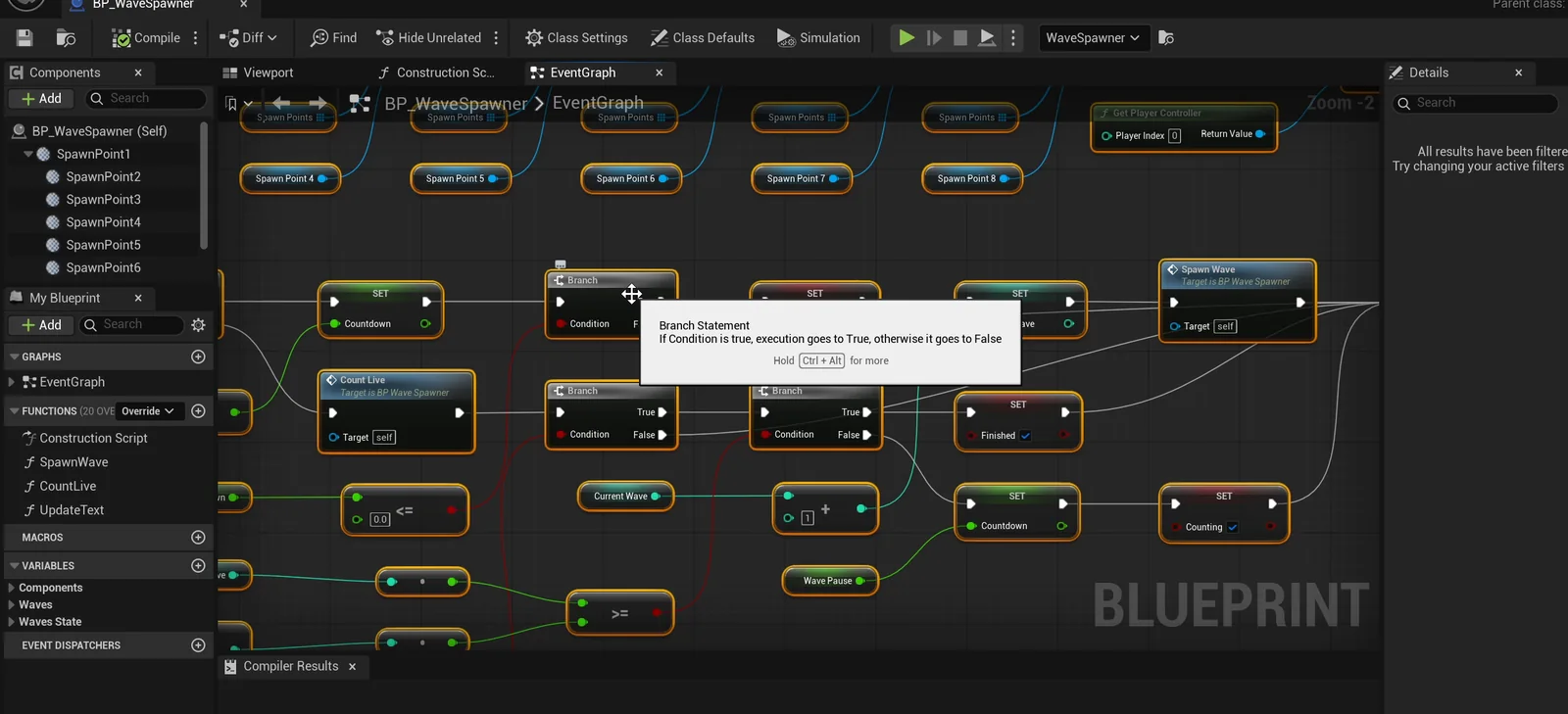
The spawner graph: countdown, spawn, count the live cubes, next wave.
A problem with the main menu
The waves start when the game starts, and the main menu is on top, so the first run played itself out before the checks started. The AI added a RestartWaves event to the spawner, which clears the live cubes and restarts the countdown, and ran the whole test from the start.
All 12 checks pass: the countdown shows, wave 1 has three cubes, the cubes reach the player and the count falls to zero. Wave 2 has five, and wave 3 has eight. After the last one, “You win” shows and no more cubes appear in the next 4 seconds.
The report
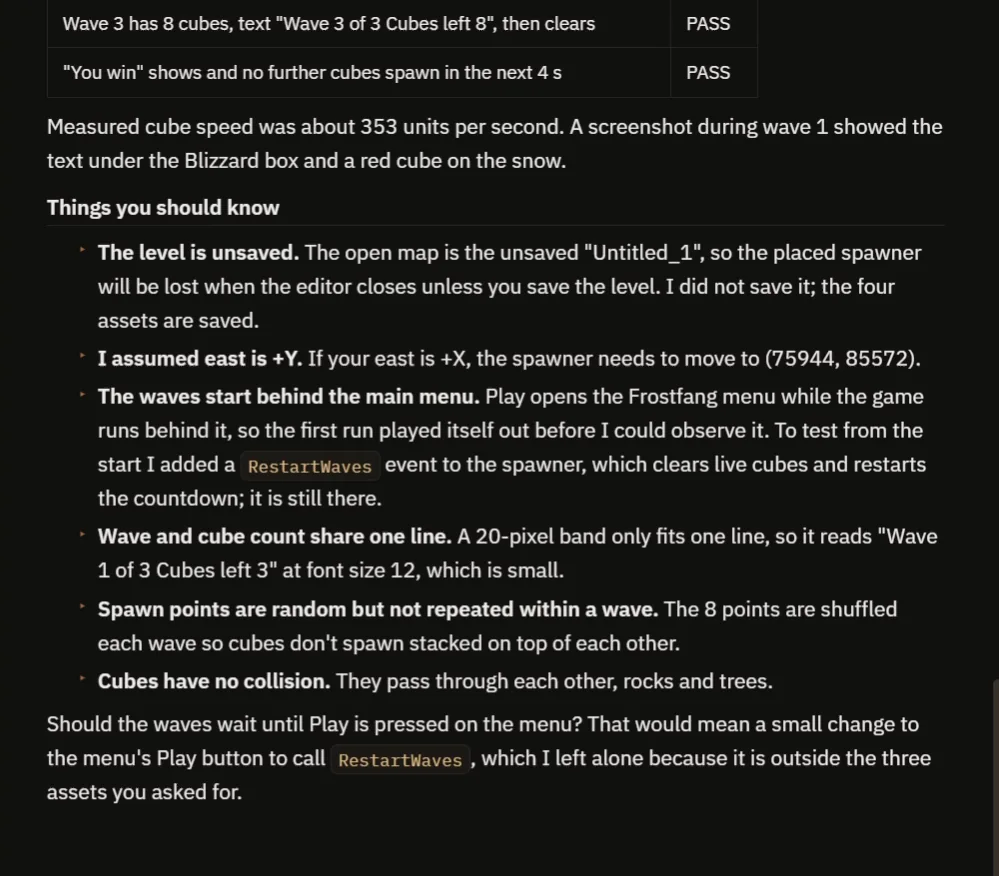
The last checks, and the notes about the menu, the text size and collision.
The report also tells you what to know:
- The measured cube speed was about 353 units per second.
- The level is unsaved, so the placed spawner would be lost on closing the editor until you save it.
- It assumed east is +Y. If your east is +X, the spawner needs to move.
- The waves start behind the main menu. The AI added RestartWaves to test it, and asks whether the waves should wait until Play is pressed, which would mean a small change to the menu’s Play button.
- The wave and the count share one line, in a 20 pixel band, so the text is small, 12 pt.
- The 8 spawn points are shuffled for each wave, so a point is not repeated within a wave and cubes do not start stacked on top of each other.
- The cubes have no collision, so they pass through each other, rocks and trees.
That is why the video also shows a real run, with eight cubes running at once in the third wave.
How a wave spawner works, in plain words
The spawner keeps a wave number and a state. In the countdown state, it waits three seconds and then spawns the cubes of the current wave. It picks a spawn point for each cube and remembers how many it created. On every tick, in the fighting state, it counts the cubes that still exist. When the count reaches zero, it adds one to the wave number and goes back to the countdown. When the wave number passes the last one, it shows the win.
Because the sizes are an array, you can add a fourth wave by adding one number, and nothing else.
Ideas to extend it
- A boss at the end of the last wave.
- Coins for every cube. See the Unreal Engine coin collection.
- Cubes that get faster with every wave.
Four tips for wave prompts
- Give the wave sizes as a list.
- Say what ends a wave: all the enemies gone.
- Say what happens after the last wave.
- Ask the AI to test every wave, and the end.
Frequently asked questions
How do I make a wave spawner in Unreal Engine 5?
Keep a wave number and a state. Spawn the wave’s enemies, count the live ones every tick and start the next countdown when none are left.
How do I change the wave sizes?
They are an array on the spawner. Edit the numbers, or add one to make a fourth wave.
Why did the AI add a RestartWaves event?
The waves start with the game, behind the main menu, so the first run played out before the checks. The event clears the cubes and restarts the countdown so the whole test can run from the start.
Try it in your project
See what Ultimate Engine CoPilot can build on the product page, or get it on Fab. See how the AI Blueprint generator works.
More builds from this series: the Unreal Engine enemy health bar, the Unreal Engine game mode vs game state and the Unreal Engine turret.