Unreal Engine Knockback: Build a Physics Hit With a Stun Using AI
How to build Unreal Engine knockback: a physics impulse on the B key, a yellow Stunned state for 1.5 seconds and markers that measure the distance, built and tested by an AI.

Knockback in Unreal Engine is two ideas: a push, an impulse that points away from the attacker with a little lift, and a state, stunned, for a short time so the player can read what happened. Because the target simulates physics, the engine does the rest: the flight, the bounce and the friction with the ground. The easiest way to build it is to give an AI the strength, the lift and the stun time in a single request.
In this walkthrough, Ultimate Engine CoPilot builds heavy dummies that are knocked away on the B key, turn yellow with a Stunned text and leave markers that measure how far they flew. You get the exact prompt, two problems the AI fixed and a plain explanation of how a knockback with physics works.
What the finished knockback does
A green dummy stands in the snow. You press B and it is thrown away from you. It turns yellow and a text above it says Stunned. After a moment it is green again, and two markers appear: a red pillar where it stood and a green one where it came to rest, with the distance between them written on it. Then you hit the second dummy with double the strength and it flies much farther.
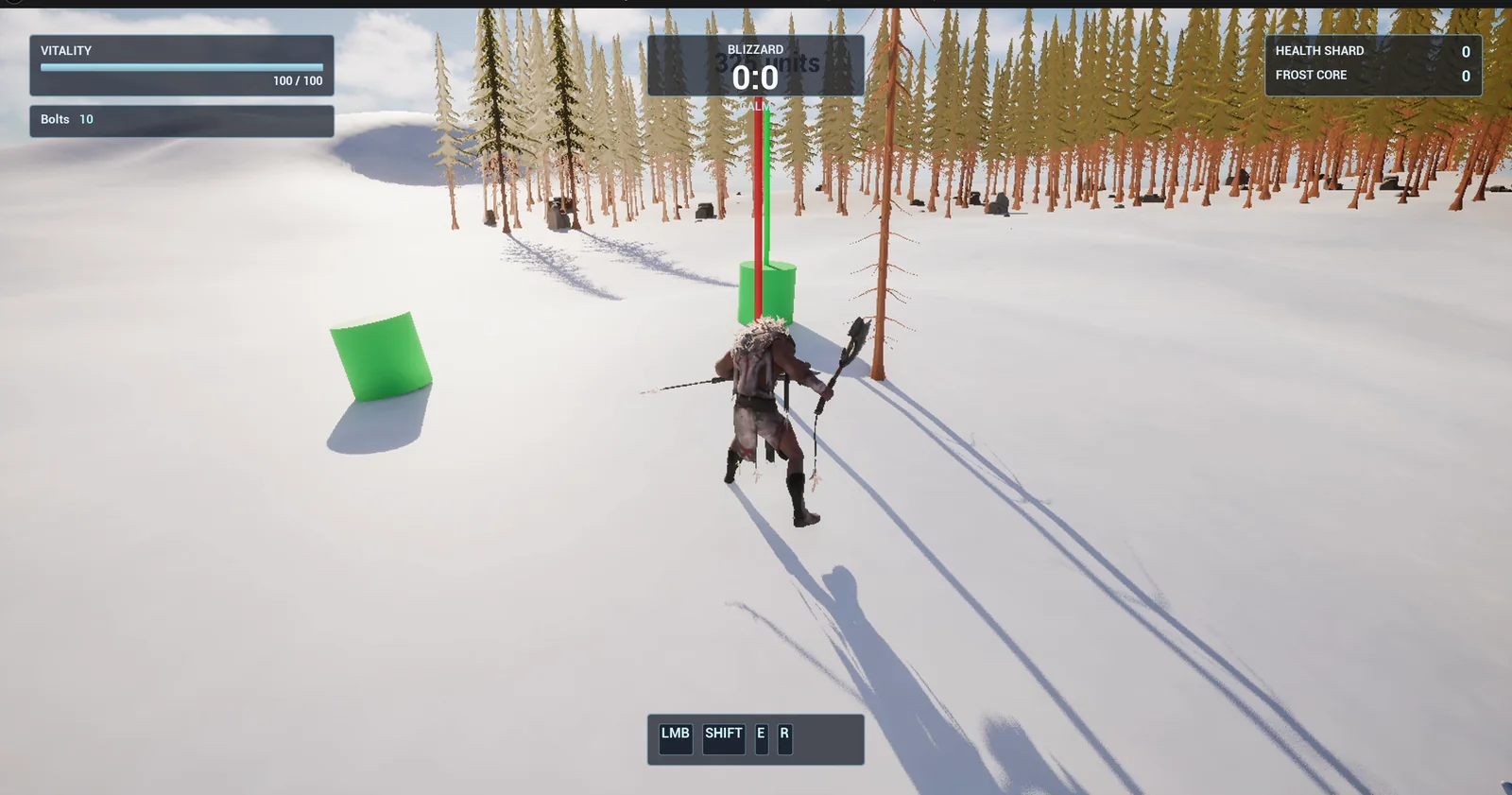
A dummy after a hit, with the red and green marker pillars behind it. The distance text is faint in this frame.
The prompt
Copy this, change the strength or the stun time, and see what the AI builds:
Make a knockback and stun system and measure it. Create BP_KnockDummy in /Game/Series/EP62_Knockback, a heavy dummy made from a cylinder body 100 units wide and 180 high that simulates physics with moderate friction, in green. Create BP_KnockController in the same folder, an actor that I place once in the level, that listens for the B key. B hits the nearest dummy within 500 units: apply a physics impulse pointing away from the player, along the snow with a little lift, with strength from a variable KnockStrength of 60000, and stun it for 1.5 seconds. While stunned the dummy is yellow with a floating text Stunned above it, then it turns green again. Mark the result: at the hit place a thin red marker pillar where the dummy stood, and when it has stopped moving place a green marker pillar at its resting spot with a floating text of the distance in units between the two. Keep KnockStrength, the stun time and the lift as variables. Place two dummies on the open snow about 700 units east of the player start, 500 units apart. Then play test it: teleport the player next to the first dummy, press B and check the dummy flies away, turns yellow, shows Stunned and returns to green, check the two markers and the distance text, set KnockStrength to 120000 and hit the second dummy, check its distance is clearly larger, and fix anything that does not work.Look at how the test is designed: the second dummy gets double the strength. Without a comparison, a number like 60000 means nothing. With two hits side by side, you see what the number does. And the markers with the distance turn a feeling into a measurement.
How the AI builds it
The AI builds the dummy and the controller, with a color material and a physical material for the friction. The assets appear in the Content Browser: the dummy, the controller, a marker that the AI adds for the pillars and their label, the color material and the friction material. The strength, the stun time, the lift and the range are variables on the controller.
The controller graph is small. Every tick it checks whether B was just pressed. If it was, it finds the nearest dummy in range and calls one function on it, Do Knock. Everything else lives in the dummy. The dummy detects that it has come to rest when its speed stays under 5 units per second for 0.4 seconds, and that is when the green marker appears.
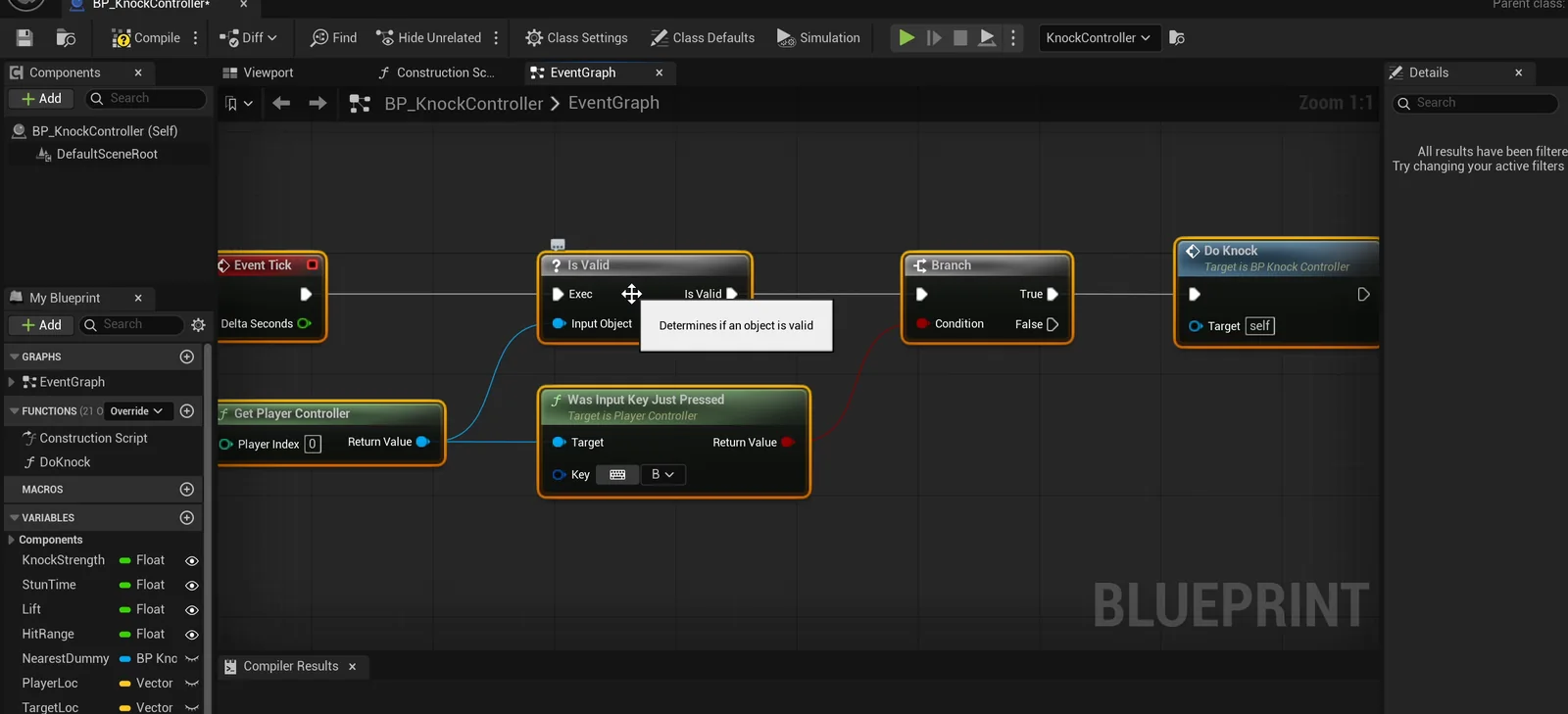
The controller graph: it only checks the B key and calls Do Knock on the nearest dummy.
Two problems the AI fixed
- Dummies too high. The tool that snaps actors to the floor put the dummies about 11,000 units too high, so the AI set their heights from where they settled in play.
- A squat marker. The marker first came out as a squat red disc with a shrunken label. The AI rebuilt it as a thin pillar with a readable label and ran the whole test again, on both dummies.
The play test
- On the first hit the dummy moves more than 50 units in a second, turns yellow, shows the Stunned text and returns to green. The second dummy stays untouched. The distance was 335 units.
- After the marker fix and the re-run, the text reads 326 units, which matches the measured 325.7.
- With KnockStrength set to 120000, the second dummy goes 2091 units.
The report
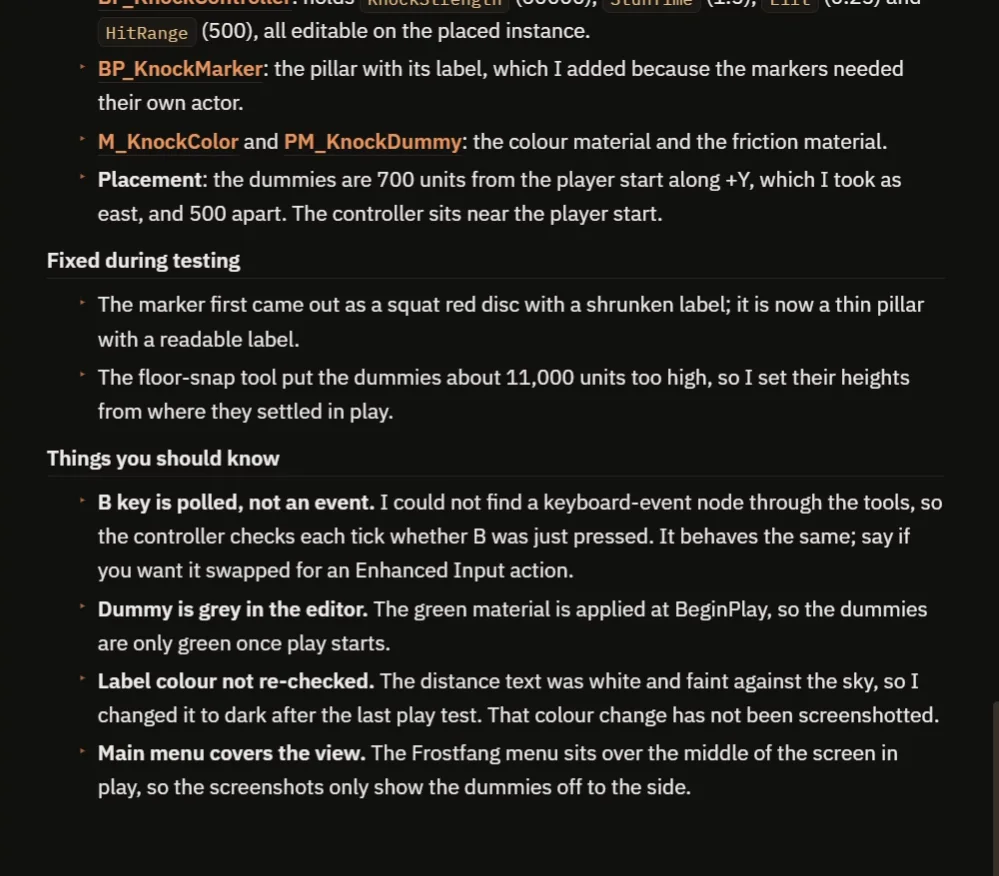
The two fixes, and the notes about the key, the color and the slope.
The report is honest about the last number and about what it could not check:
- The second dummy also slid downhill, about 150 units, so the comparison is not pure. On flat ground the ratio would be smaller.
- B is polled every tick. The AI could not find a keyboard event node through its tools, so the controller checks each tick whether B was just pressed. It behaves the same, and it can be swapped for an Enhanced Input action. See the Unreal Engine Enhanced Input article.
- The dummy is grey in the editor. The green is applied when the game starts, so the dummies are only green once play starts.
- The label color was not re-checked. The distance text was white and faint against the sky, so the AI changed it to dark after the last play test. That change has not been screenshotted.
- The Frostfang main menu sits over the middle of the screen in play, so the screenshots only show the dummies off to the side.
- The dummies are 700 units from the player start along +Y, which the AI took as east.
That is why the video also shows a real run: the first dummy slides away yellow with its Stunned text, and the second one, with double the strength, goes much farther.
How knockback works, in plain words
When you press B, the controller measures the direction from the player to the nearest dummy, flattens it along the ground and adds a part that points up, the lift. Then it multiplies by the strength and gives that impulse to the dummy. Because the dummy simulates physics, the engine does the rest: the flight, the bounce and the friction with the snow.
The dummy sets its stunned flag, changes its color and starts a timer. When the timer ends, it goes green again. Because the strength, the lift and the stun time are variables, you can make a gentle shove or a launch with three numbers.
Ideas to extend it
- A strength that depends on the weight of the target.
- A small camera shake on every hit. See the Unreal Engine camera shake.
- A dummy that takes damage when it hits a wall.
Four tips for knockback prompts
- Give the impulse and the lift as numbers.
- Say the mass and the friction of the target.
- Add markers, so the distance is measured.
- Ask the AI to test two strengths side by side.
Frequently asked questions
How do I make knockback in Unreal Engine 5?
Turn on physics for the target and give it an impulse that points away from the attacker, flattened along the ground with a little lift and scaled by a strength variable. Add a short stunned state with a timer so the hit reads clearly.
How do I measure how far a knockback goes?
Place a marker where the target stood and another where it came to rest, which you detect when its speed stays low for a short time, and print the distance between them. That is what the red and green pillars do here.
Why is the comparison between the two dummies not exact?
The second dummy also slid downhill, about 150 units. On flat ground the ratio would be smaller, so read the two distances as a rough comparison.
Try it in your project
See what Ultimate Engine CoPilot can build on the product page, or get it on Fab. See how the AI Blueprint generator works.
More builds from this series: the Unreal Engine melee combat with hit reactions, the Unreal Engine camera shake and the Unreal Engine explosive barrel.