Unreal Engine Day Night Cycle: Build a Full Day With AI
How to build an Unreal Engine day night cycle: a sun that turns once per 90 second day, changing sky colors, glowing lanterns and a clock, built and tested by an AI.

An Unreal Engine day night cycle comes down to one actor that turns the sun light around once per day and changes the light’s color and brightness as it goes, while the sky reacts and a clock widget shows the hour. You can ask an AI for the whole thing in one request, then let it watch a full day pass to test it.
In this walkthrough, Ultimate Engine CoPilot builds a day that lasts 90 seconds, with a warm sunrise, bright day, a golden sunset and a dark blue night, glowing lanterns and an on-screen clock. You get the request, the bug it found and how the system works in plain words.
What the finished cycle does
A full day passes in 90 seconds, sped up here. The sun moves, the sky turns orange at sunset, the world goes dark blue at night, the lanterns light up and a clock at the top of the screen shows the time. The cycle loops forever.
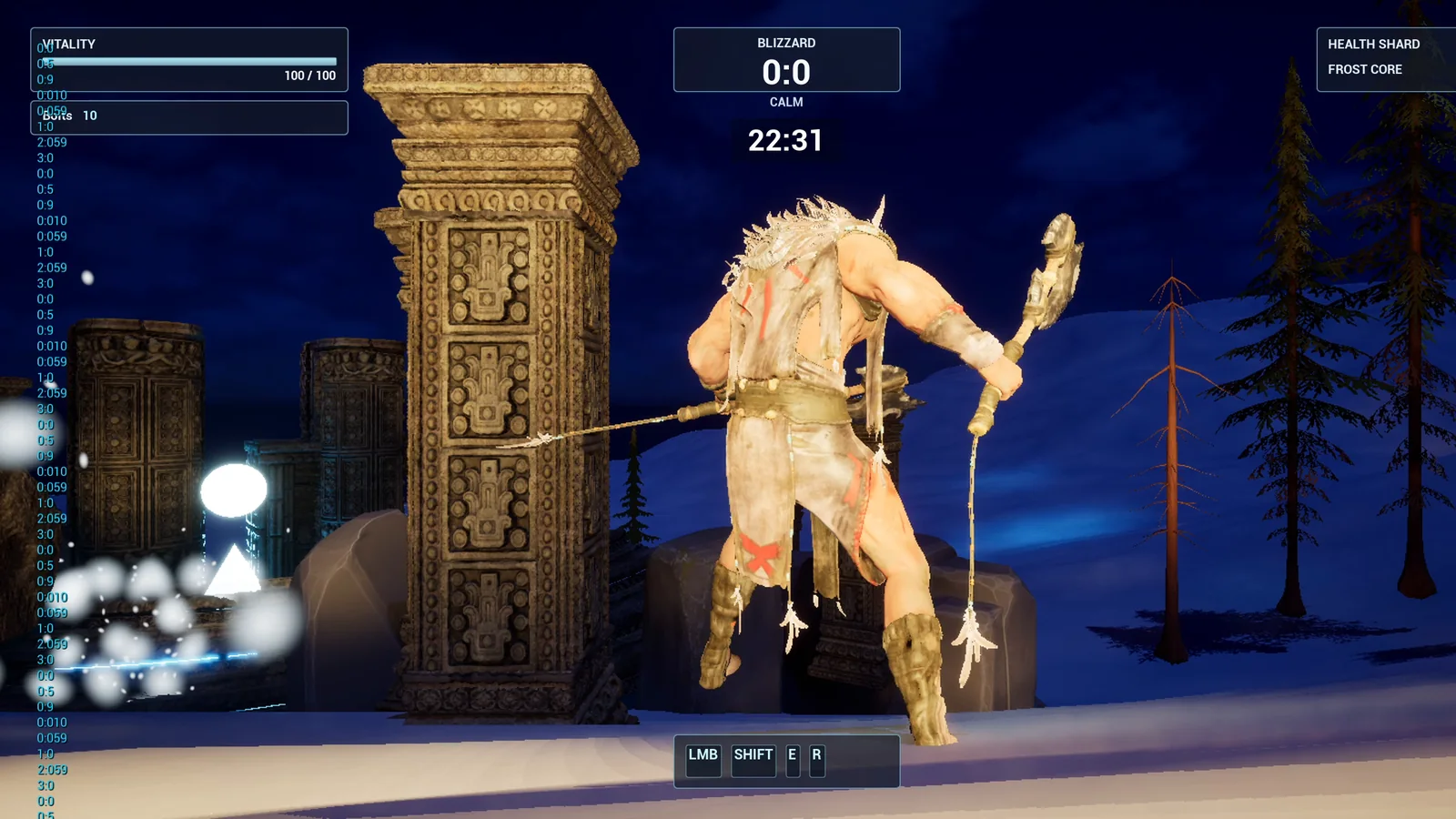
Night: the world is dark blue and the clock reads 22:31.
How the cycle is built
The idea is simple. One actor turns the sun light around once per day and changes the light’s color and brightness as it goes. The sky reacts to the sun, and a clock widget shows the hour.
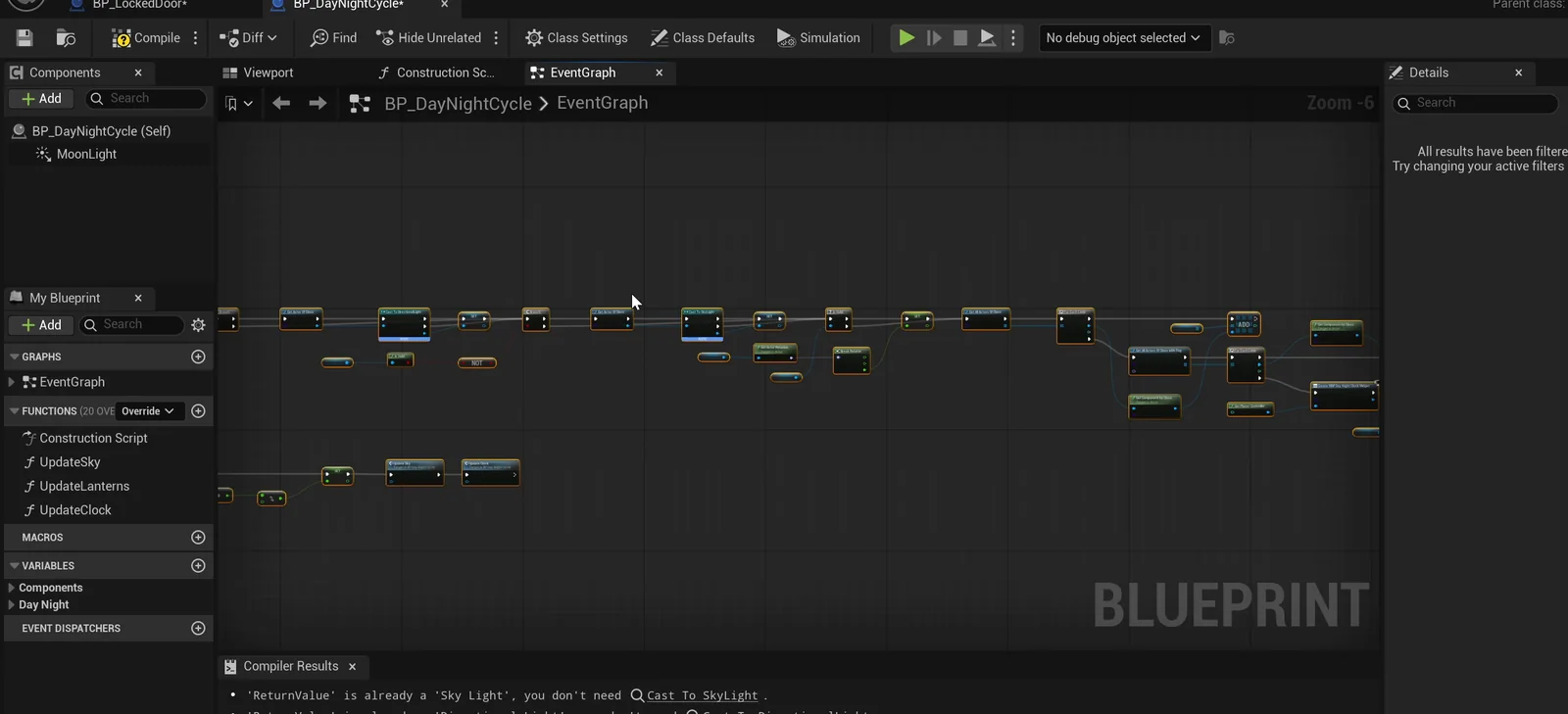
The cycle Blueprint. It finds the sun and the sky light in your level when the game starts.
Because the Blueprint finds the sun and the sky light itself, you only place one actor, and it works with the lighting you already have.
The request
This is the request in short form:
Add a day and night cycle to the level. Create BP_DayNightCycle in /Game/Series/EP07_DayNight that turns the sun directional light so a full day takes 90 seconds. The sun and sky color go from a warm sunrise to bright day, a golden sunset and a dark blue night. At night the sun light is dim and the lanterns in the level glow. Show the time of day at the top center of the screen as a clock, under the existing HUD. Place one BP_DayNightCycle in the level, then play test a full day, check the sun angle and the brightness, and fix anything that does not work.Notice the numbers and the colors: 90 seconds, sunrise, sunset, night and a clock position. The more clearly you describe the look, the closer the first result is to what you want.
What the AI builds
The AI starts by reading your level. It finds the directional light, the sky atmosphere, the sky light and the lanterns. Then the assets appear in the Content Browser: the cycle Blueprint, and a separate clock widget so the existing HUD stays untouched.
It builds the logic that turns the sun, blends the colors across the day and switches the lantern lights on at night. It also adds a dim blue moon light, so the night reads as dark blue instead of black. One lantern in the level had no light at all, so the AI added a warm one.
The play test and the bug it found
The AI lets a full day run and reads the clock, the sun angle and the brightness. The clock advances six hours every 22.5 seconds, which makes a full day about 90 seconds.
It also found a real bug: the clock was drawing off the left edge of the screen instead of at the top center. The AI rebuilt the layout and checked it again with a screenshot.
The report
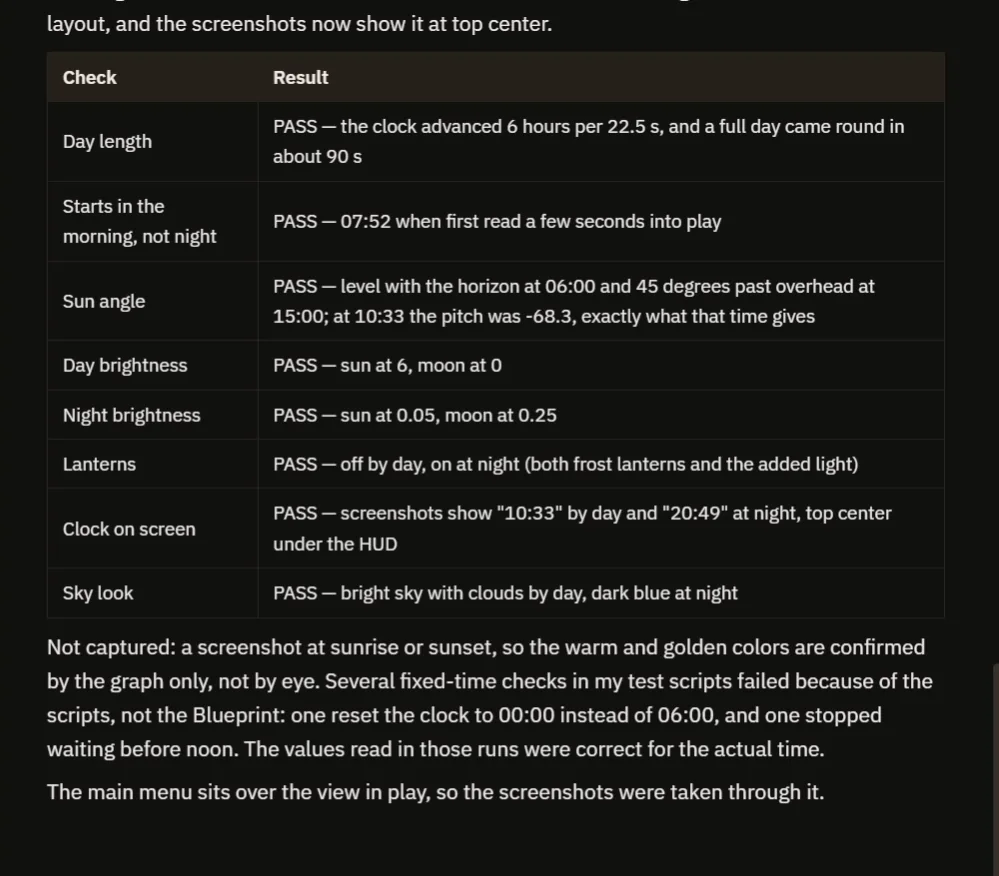
Eight checks, all passing, and a note on what was not captured.
The table has eight checks, all passing. A few of the numbers: the sun is level with the horizon at 06:00, and at 10:33 the pitch is minus 68.3 degrees, exactly what that time should give. Day brightness, night brightness and the lanterns all follow the clock.
The report is honest about what it did not capture. It has no screenshot at sunrise or sunset, so those warm colors are confirmed from the graph and not by eye. That is why the video also shows a real run: late afternoon, then the golden sunset, then the blue night with the lanterns glowing, then the sunrise again.
How a day night cycle works, in plain words
Think of a day night cycle as a slow dance between three things.
- The sun light. It is just a light, and a light can be turned. Turn it once around in 90 seconds and you get sunrise, noon, sunset and midnight.
- Color. Each hour has a color, and the Blueprint blends from one to the next as the time value moves forward, the way a painter fades one paint into another. Warm orange at dawn, near white at noon, golden at sunset, dark blue at night.
- The clock. The Blueprint keeps one number, the time of day, and everything reads from it. The sun angle, the colors and the clock widget are all different ways of showing that same number. That is why the clock matched the sun in the test.
The same number can also flip a switch. When it says night, the lantern lights turn on, and when it says day, they turn off. One number, many things that listen to it.
Ideas to extend it
- A longer day, with a slow dusk and a quick night.
- Stars that fade in after dark, or a light fog at sunrise.
- A rule that closes shop doors or spawns night enemies when the clock passes 10 at night.
- A button that skips to morning, or a clock that shows twelve hour time.
- A dimmer moon or a warmer sunset.
You can also copy the request and change one number, such as the length of the day.
Four tips for day night prompts
- Say how long a day lasts, in seconds.
- Describe the colors for sunrise, day, sunset and night.
- Say what should switch on at night.
- Say where the clock goes.
Frequently asked questions
How do I make a day night cycle in Unreal Engine 5?
Rotate a directional light around once per day, blend its color and brightness by time of day, and keep one time value that the sky, the lanterns and a clock widget all read from.
How long should a day last in a game?
That is a design choice. This example uses 90 seconds so the whole cycle is easy to watch and test. Because the length is a number, you can change it or ask the AI to.
Does it work with my existing lighting?
The cycle Blueprint looks for the sun and the sky light in your level at game start, so you place one actor and it uses the lighting that is already there.
Try it in your project
See what Ultimate Engine CoPilot can build on the product page, or get it on Fab.
More builds from this series: the Unreal Engine main menu and the Unreal Engine inventory system.