Claude Code in Unreal Engine 5: Run the Claude Agent Inside the Editor
How to use Claude Code with Unreal Engine 5: pick the Claude Agent in Ultimate Engine CoPilot and watch it build a healing crystal Blueprint, play test it and fix its own mistakes.

You can use Claude Code with Unreal Engine 5 without leaving the editor. In Ultimate Engine CoPilot, the Claude Agent runs inside your open project: you pick it in the Agents tab, describe what you want in plain words, and it builds the Blueprint, plays the game to test it and reports back. No node is dragged by hand and no code is pasted from a chat window.
This article follows the video and shows how to pick the agent, what it built from one request and why an agent inside the editor gives better results than pasted code.
Pick your agent
Open Settings, then the Agents tab. The Claude Agent is installed and marked as the active slot. The page shows that it is connected, which model it uses and the effort level, so you can choose a fast answer or a deeper one.
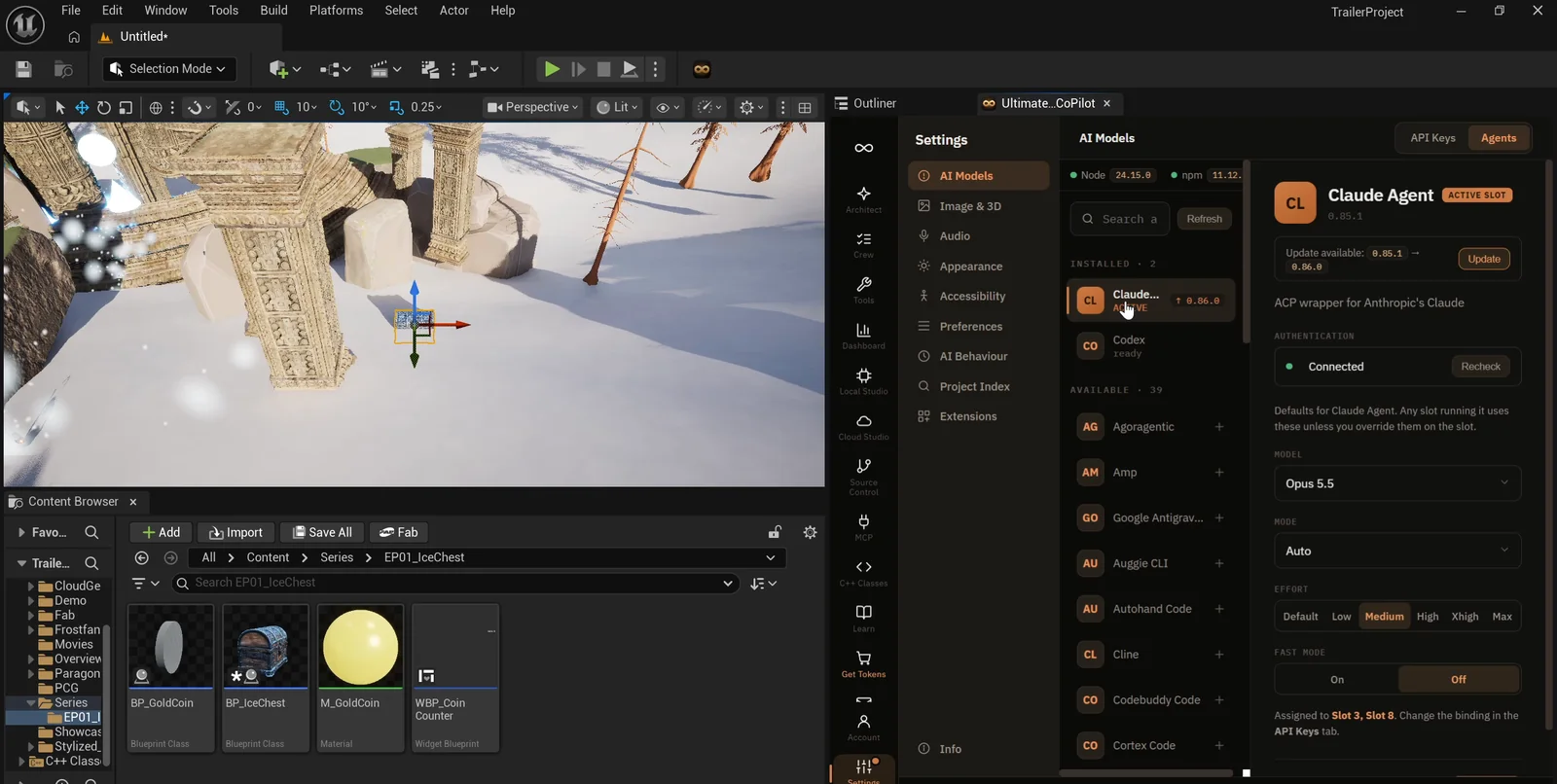
The Agents tab: Claude Agent active and connected, Codex ready beside it and a long list of other agents below.
A few things worth knowing about this screen:
- Codex is listed next to Claude and is ready to use. Each chat can run on a different agent, so you can compare how two agents handle the same request.
- A long list of other agents can be added with one click.
- Signing in happens in a window right from the editor, so there is no separate setup in a terminal.
The request
The request describes a healing crystal called BP_HealCrystal in its own folder. This is the request in short form:
Add a healing crystal pickup called BP_HealCrystal in its own folder. It floats and slowly spins, glows green, and when the player touches it, it restores 25 points of the vitality shown on the screen. Then it disappears and comes back after 10 seconds. Place three of them on the snow in front of the shrine. Then play test it: take some vitality away first so the heal can be seen, and fix anything that does not work.What the agent does
The agent starts by researching. It reads how the vitality bar is wired and which game mode the level uses before it builds anything. That is the difference between an agent that works inside your project and a chat that only gives you code to paste.
Then it creates the Blueprint, a new glowing green material and the components, and writes the logic. You can watch the assets appear in the Content Browser as it goes.
One moment shows how the loop works. A tool placed the wrong node for getting the controller. The agent noticed, and rebuilt that step with the right node before compiling.
Then it plays the game. It lowers the vitality to 40, touches a crystal and reads the screen. The bar goes from 40 to 65. It also found two visual problems on its own:
- The crystals blew out to white, so it lowered the glow and used a purer green.
- The first positions landed on the stone steps, so it moved the crystals out onto the snow.
The report
The agent ends with a report that lists what was built and a table of checks, all marked pass.
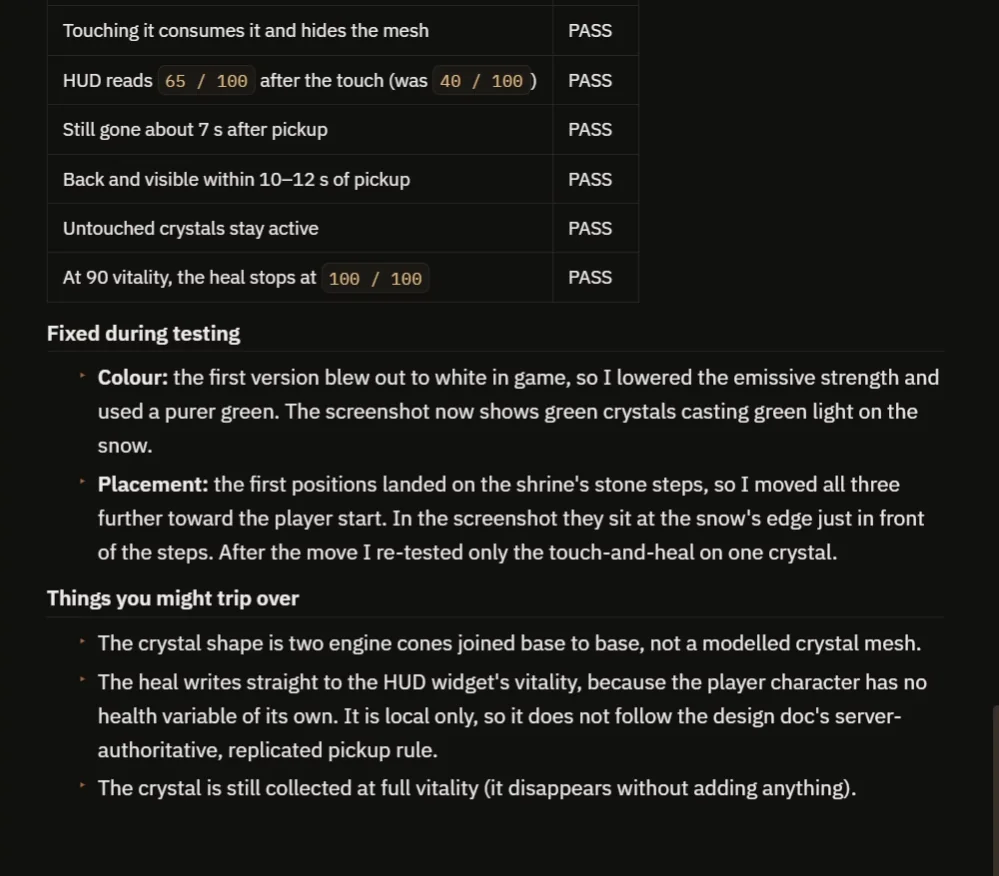
The crystal hides when touched, heals 25 (the HUD reads 65 / 100 after starting at 40) and is back within 10 to 12 seconds.
At 90 vitality the heal stops at 100. The report also says what to watch for: the heal is local and not replicated for multiplayer yet, and the shape is two cones and not a modelled mesh. That kind of honesty helps you decide what to ask for next.
Open the Blueprint
The crystal is a regular Blueprint, the same asset you could have made by hand.
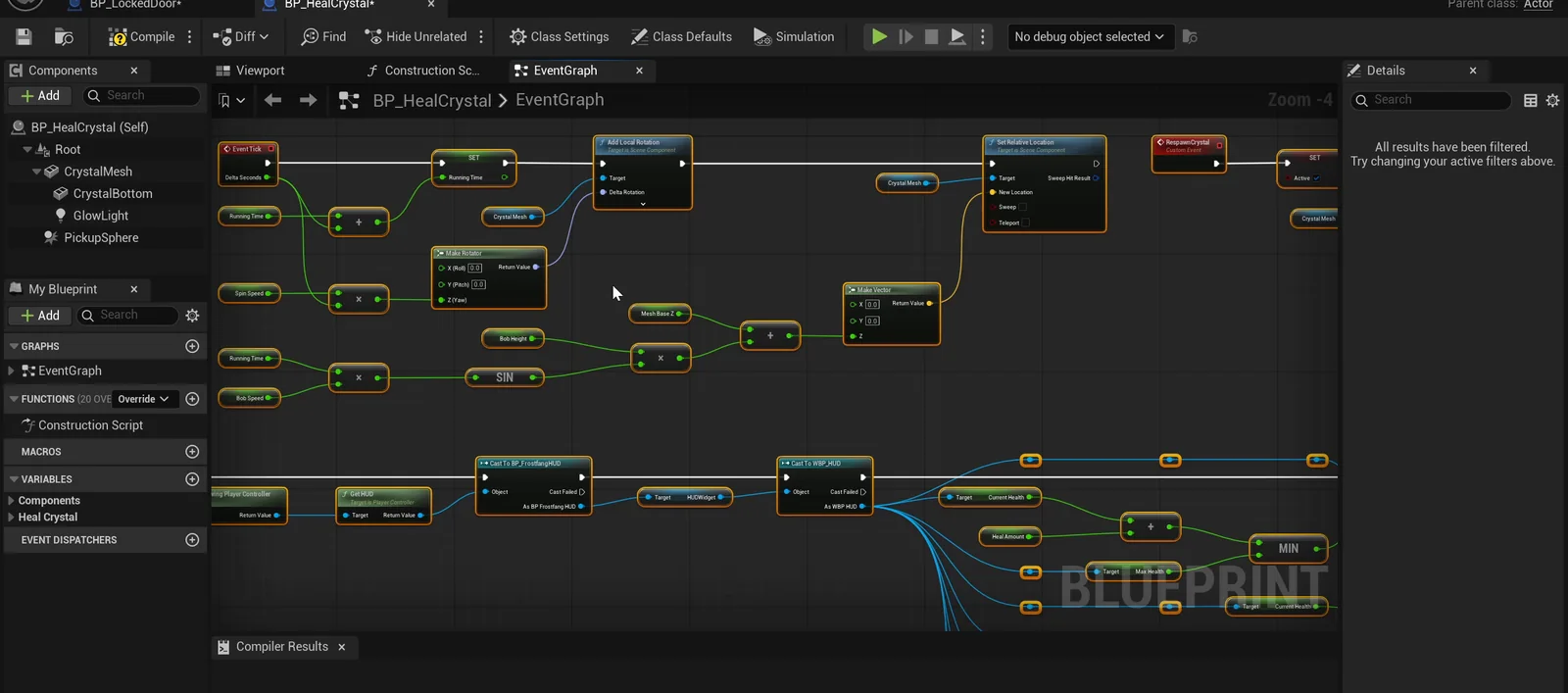
The graph behind the crystal. The heal amount, respawn delay, spin speed and bob height are variables, so you can tune every crystal in the level.
Why an agent inside the editor works better
When you paste code from a chat, it is like a friend describing a recipe over the phone. They cannot see your kitchen, so they guess. An agent inside the editor is like a cook standing in your kitchen. It can open the cupboards, look at what you already have and use your tools. Here that meant reading how your vitality bar is wired before it built a single crystal, which is why the result fits your project.
The agent works in a loop:
- It reads the project.
- It calls tools in the editor to create the Blueprint, the material and the logic. Every step leaves a real asset in your Content Browser that you can open and change.
- It plays the game and looks at the result.
The last step matters most. The agent saw the crystals turn white, changed the material and tested again. A chat can only hope the code works. An agent checks.
Ideas to try next
- A second crystal that gives speed for a few seconds instead of healing.
- Crystals that respawn at random times.
- A sound and a small particle burst when you touch one.
- A different heal amount or a faster spin. These are variables on the Blueprint, so ask the agent to change them and replay the test.
Each one is a single sentence in plain words. You can also copy the original request, change one number, such as the 10 second return, and see what happens.
Four things to remember
- The agent works inside your open project.
- Every result is a real asset you can open.
- Signing in takes one click.
- You can switch agents per chat.
If you want to connect outside tools to the editor instead, see the Unreal Engine MCP page. And if you are not sure how to phrase a request like the one above, read How to Write AI Prompts for Unreal Engine.
Frequently asked questions
Can I use Claude Code with Unreal Engine 5?
Yes. In Ultimate Engine CoPilot the Claude Agent runs inside the editor, connected through the Agents tab, and works on your open project.
Do I need a terminal to set it up?
No. Signing in happens in a window from the editor, so there is no separate terminal setup.
Can I use a different agent?
Yes. Codex is listed next to Claude, more agents can be added with one click, and each chat can run on a different agent.
Try it in your project
See what the plugin does on the product page, or get Ultimate Engine CoPilot on Fab. Plans are on the pricing page.
More builds from this series: Unreal Engine objective marker, pressure plate and ring race.