Unreal Engine AI Assistant for Beginners: Your First 10 Minutes
How a beginner should start with an AI assistant in Unreal Engine 5: ask what it sees, build one small thing, ask for an explanation, then undo one change. Four messages.

When you open a project you did not make, or when you are new to Unreal Engine, the best first message to an AI assistant is not “build me something”. It is a question: what do I have here? The assistant can read the open level, the character, the HUD and the folders without changing a thing, and tell you in simple words. After that, build one small thing, ask for an explanation and ask for one undo.
This article follows a first session with Ultimate Engine CoPilot in four short messages: the question, a build of three spinning coins with a counter, an explanation for a beginner and an undo of only the counter text.
What the session produces
Three golden coins spin in the snow. You walk into the first one, and the text at the top says “Pickups: 1”. Then 2, then 3. All of it was built by the AI in a conversation of four short messages, and the first one was a question and not a build request.
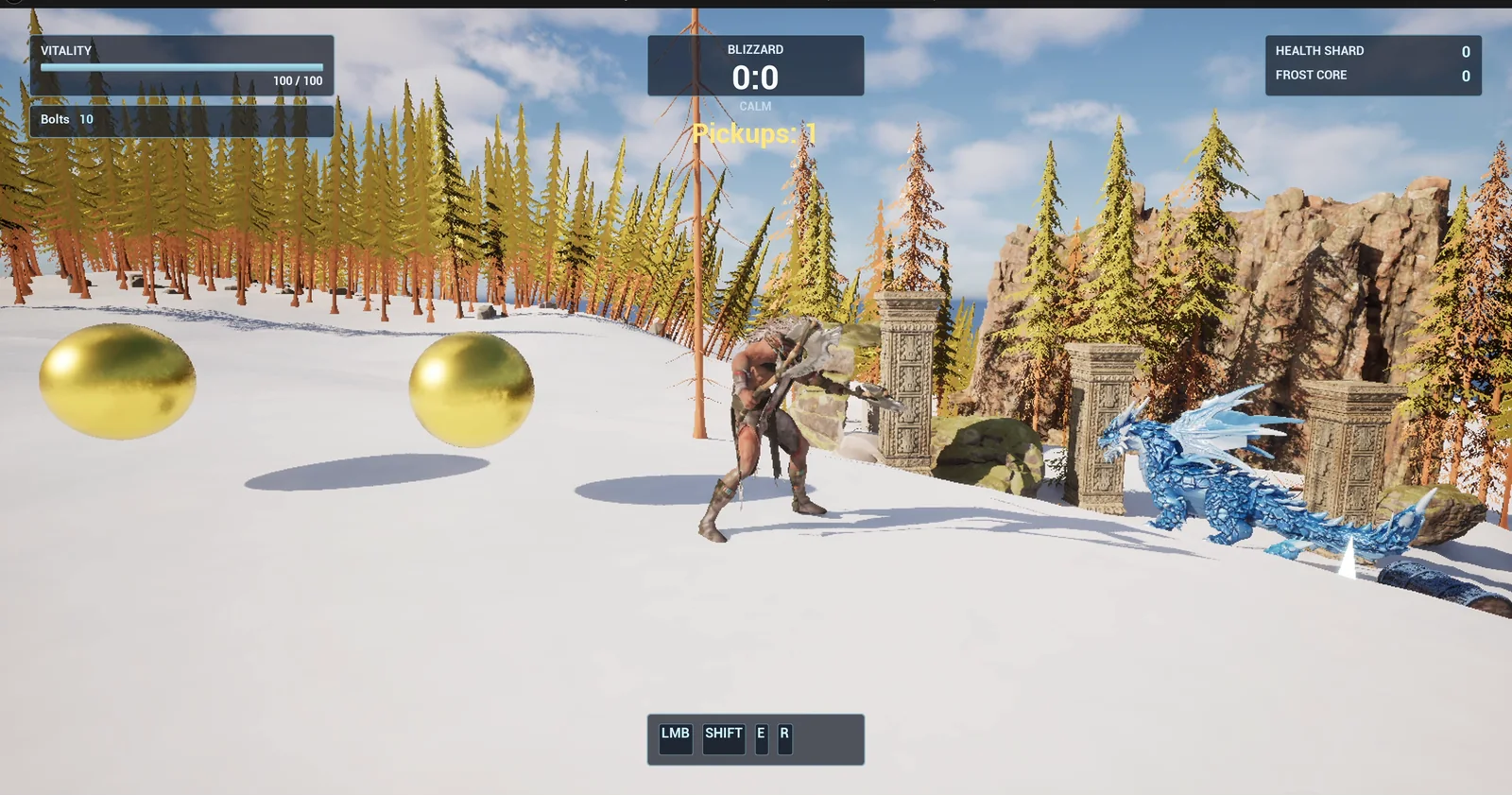
The coins are in the snow and the counter reads Pickups: 1 after the first touch.
Message one: the question
This is the first message. Change the five questions to whatever you want to know about your own project:
Hi, I am new to this project and new to Unreal Engine. Can you tell me what you can see in my project right now, in simple words, without changing anything? I would like to know the name of the open level, which character I play and how it is controlled, which widgets make up the on screen HUD, what the folder /Game/Series contains so far, and roughly how many actors are in the level and what kinds. Please give me the answer as a short list of five items, one line each, and then suggest one small first thing a beginner could add to this level that would be fun and safe. Do not create or change any asset yet, and do not save anything. If you are not sure about something, say so instead of guessing.Look at how it is written:
- It says who you are.
- It says what you want to know.
- It sets the format: five items, one line each.
- It sets the limits: change nothing, save nothing.
- The last sentence, “say so instead of guessing”, is what gets you an honest answer.
What the AI answers
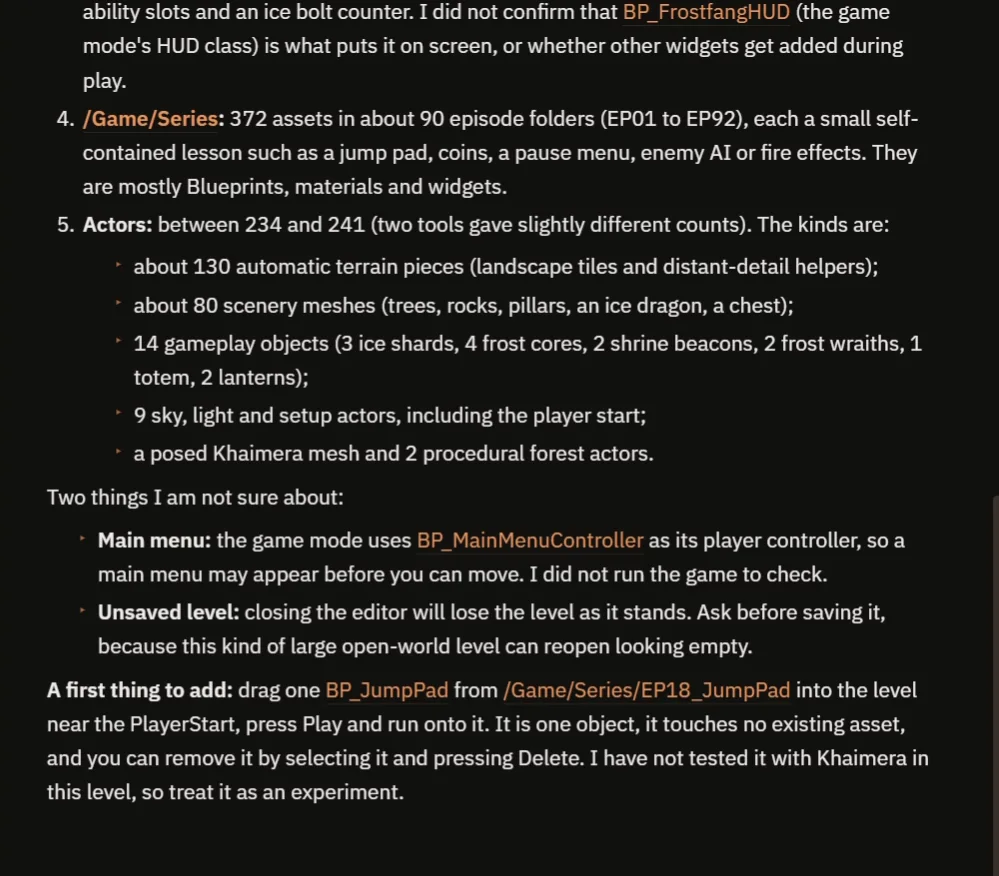
The end of the answer: the folder, the actors, two things it is not sure about and one safe first thing to add.
The answer has five items. In this demo project the open level is a temporary, unsaved level, and the character is Khaimera with the keys from the input mapping. The HUD has five panels, the Game Series folder holds 372 assets in about 90 episode folders, and the level has about 240 actors: terrain pieces, scenery, a few gameplay objects and the sky and light setup.
Then it lists two things it is not sure about: the main menu, and that the unsaved level would be lost if the editor closes. And it suggests a first thing to add, a jump pad from an earlier episode.
Message two: build one small thing
The second message is the build. It asks for a spinning pickup called SpinCoin: a gold sphere 80 units across that spins at 120 degrees per second, three of them in the snow 600, 900 and 1200 units from the player start. Every touch adds one to a counter, shown as the text “Pickups” and the number at the top center under the existing Blizzard box. Then play test it.
The AI builds the coin Blueprint and a small widget for the counter. It does not touch the existing HUD. It makes a separate widget, and it reuses the gold material of an earlier episode.
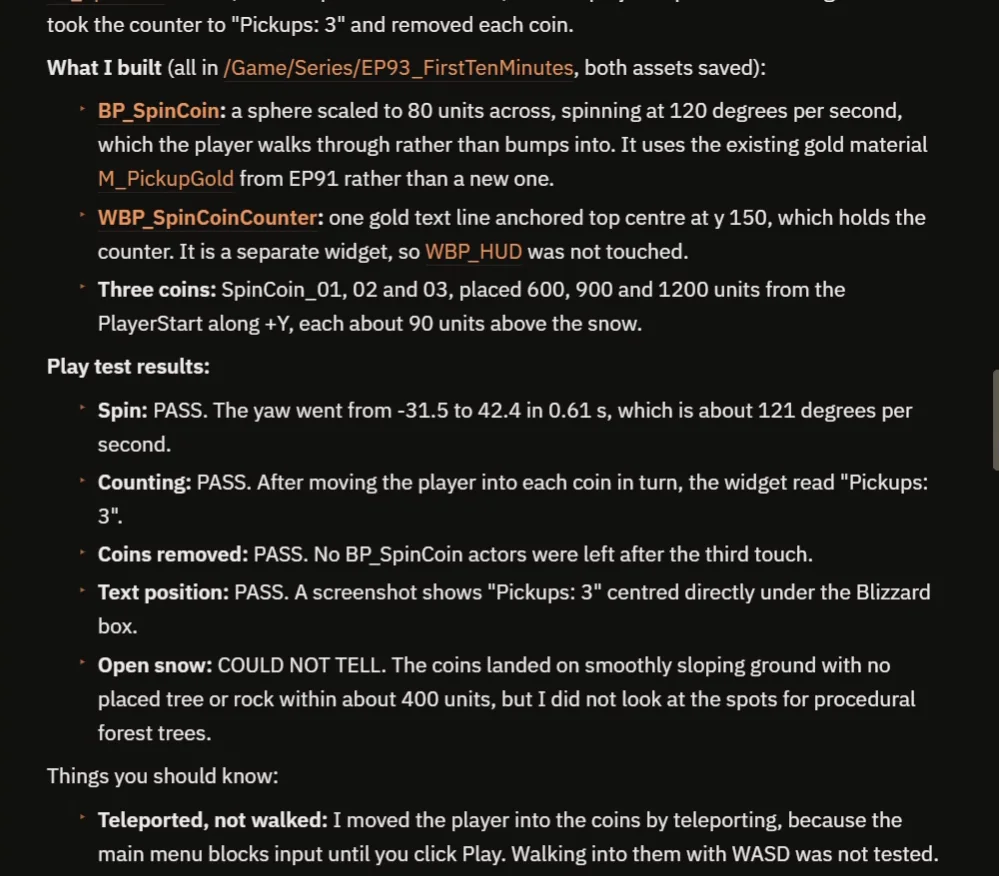
The build report: the coin spins at about 121 degrees per second and the counter reads “Pickups: 3”.
The play test passes. It also tells you what it could not check: it moved the player into the coins by teleporting, because the main menu blocks input, so walking in with the keys was not tested. That is why the video shows a real walk through the coins.
Message three: explain it like a beginner
The third message asks the AI to explain what it just built in simple words. The answer says that a Blueprint is a recipe and the three coins are three copies of one recipe. The spin is a ready-made part, so no logic is needed.
The counter lives in the text widget and not in the coins, because a coin disappears when it is collected, and a number stored in a coin would disappear with it. All three coins report to the same place. That is the kind of explanation that teaches you something, and you get it right after the build.
Message four: change your mind
The fourth message asks for an undo of only the on screen counter text: remove the text widget, keep the three coins and check that they still spin. The AI deletes the widget, simplifies the coin so it does not create or update any text, compiles it and plays again. All three coins still spin, at about 119 degrees per second, and touching a coin still removes it.
At the end of its answer, the AI says it kept the disappearing behavior because you asked to undo only the text, and that if you want the coins to stay, you should say so. It does what you asked, nothing more, and it tells you the next choice.
Why this order works
The first message gave the AI, and you, a map of the project, so the build message could name the right folder and the right position. The build message was small: one object, one counter, one test. The explain message turned the build into a lesson. And the undo message showed that you can change your mind without starting over.
Because the AI works in steps that it can test, every message ends with a result you can check. If a step goes wrong, you say so in the next message, and only that step is fixed. It is a good habit for any project, with a person or with an AI.
Ideas to try in your own project
- Start with the same question, and change the five items to what you want to know.
- Ask for one small build, with a test.
- Ask the AI to explain it like you are a beginner.
- Ask for one change, and check that nothing else moved.
Four tips for your first messages
- Start with a question, and say “change nothing”.
- Ask for a short list, and tell the AI to say when it is not sure.
- Build one small thing, and ask for a test.
- Then ask for an explanation, and an undo when you change your mind.
To learn how to read what the AI builds, see Unreal Engine Blueprints for Beginners. To write longer prompts later, see How to Write AI Prompts for Unreal Engine.
Frequently asked questions
How should a beginner start with an AI assistant in Unreal Engine?
Start with a question that tells the AI to change nothing, such as what is in the open level and the HUD. Then ask for one small build, one explanation and one undo.
Can the AI undo only one change?
Yes. In this session the AI removed only the counter text and then re-ran the test to show the coins still spin and nothing else broke.
Why ask the AI to say when it is not sure?
It gets you an honest answer. In this session the AI flagged that the main menu might appear before you can move and that the unsaved level would be lost on closing the editor.
Try it in your project
See what Ultimate Engine CoPilot can do on the product page, or get it on Fab.
More from this series: Claude Code in Unreal Engine 5 and the Unreal Engine inventory system.