Supported Languages
The plugin speaks 20 languages, and you can prompt the AI in any of them. Think in your language, create in Unreal.
The plugin’s interface comes in 20 languages. And you can write to the AI in any language you like. It understands you and builds the same Blueprints either way.
The 20 languages
| Code | Language | In the picker |
|---|---|---|
| EN | English | English |
| ES | Spanish | Español |
| FR | French | Français |
| DE | German | Deutsch |
| IT | Italian | Italiano |
| PT | Portuguese | Português |
| NL | Dutch | Nederlands |
| PL | Polish | Polski |
| RO | Romanian | Română |
| TR | Turkish | Türkçe |
| RU | Russian | Русский |
| UK | Ukrainian | Українська |
| AR | Arabic | العربية |
| HI | Hindi | हिंदी |
| TH | Thai | ภาษาไทย |
| VI | Vietnamese | Tiếng Việt |
| ID | Indonesian | Bahasa Indonesia |
| ZH | Chinese | 中文 |
| JA | Japanese | 日本語 |
| KO | Korean | 한국어 |
Switching language
Three places, all instant. No restart.
- Settings > Preferences > Language.
- The welcome page on first start. Its picker is in the top right corner.
- The activation screen, before you’ve even activated.
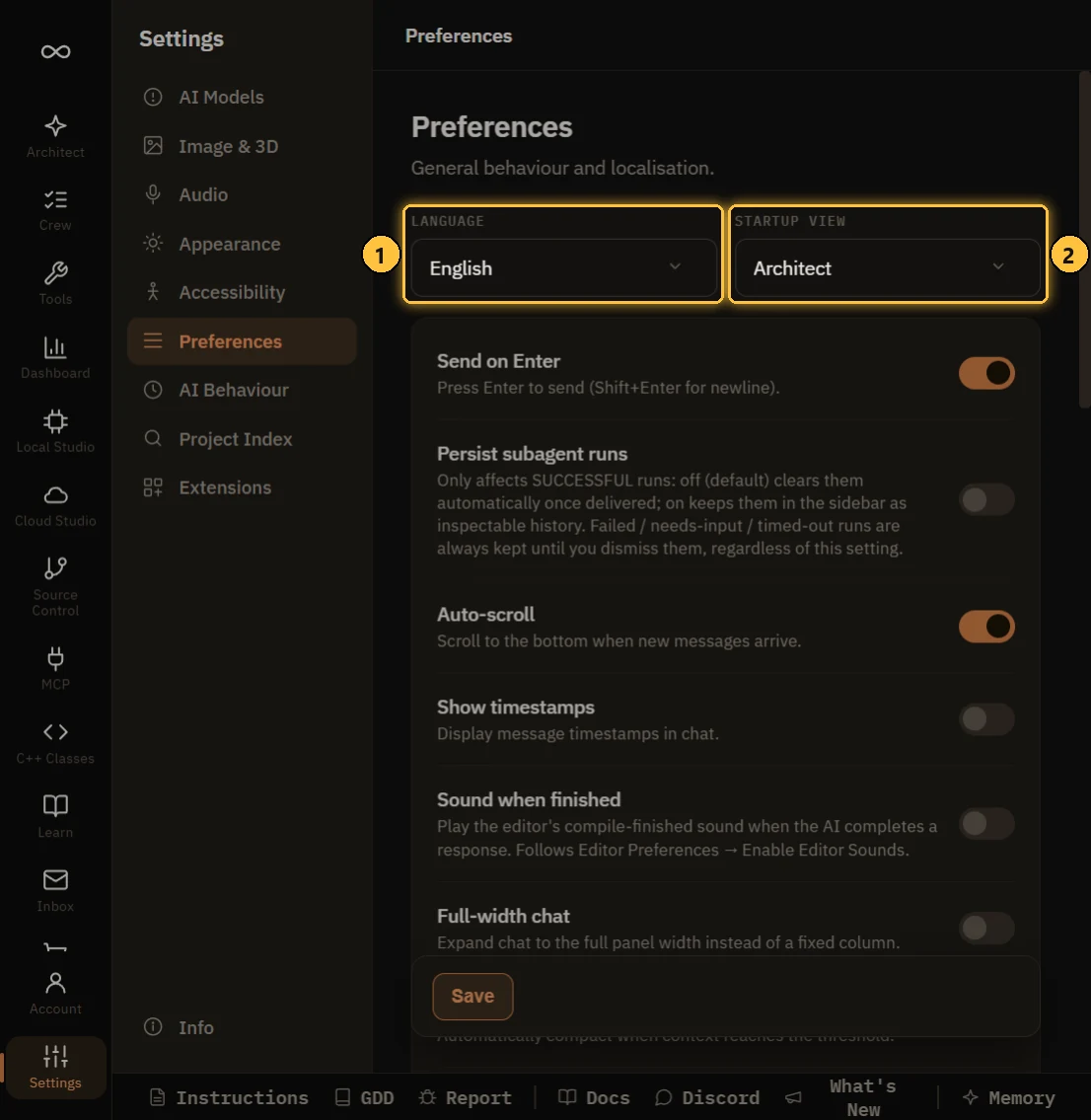
- Language.
- Startup view, the screen the panel opens on.
Prompting in your language
Write your prompt in any language. The AI reads it and builds the right thing: Blueprints, materials, animation, all of it.
It usually answers in the language you wrote in. Want to be sure? Add a line to Instructions in the panel footer, like “Always answer in German.”
Voice works in 20 languages too. Set Speech Language in Settings > Audio if Auto-detect mishears you. See Voice.
Korean, Japanese and Chinese input methods work in the composer. Enter confirms your characters, it won’t send half a word.
What stays in English
- Learn lessons. They’re English for now.
- News and messages in What’s New and the Inbox can arrive in English.
- A few newer labels haven’t been translated yet.
- Asset and tool names stay as Unreal names them.